KoCAD · Problemas y soluciones
Verification: find and fix assembly problems (leg, top, rail)
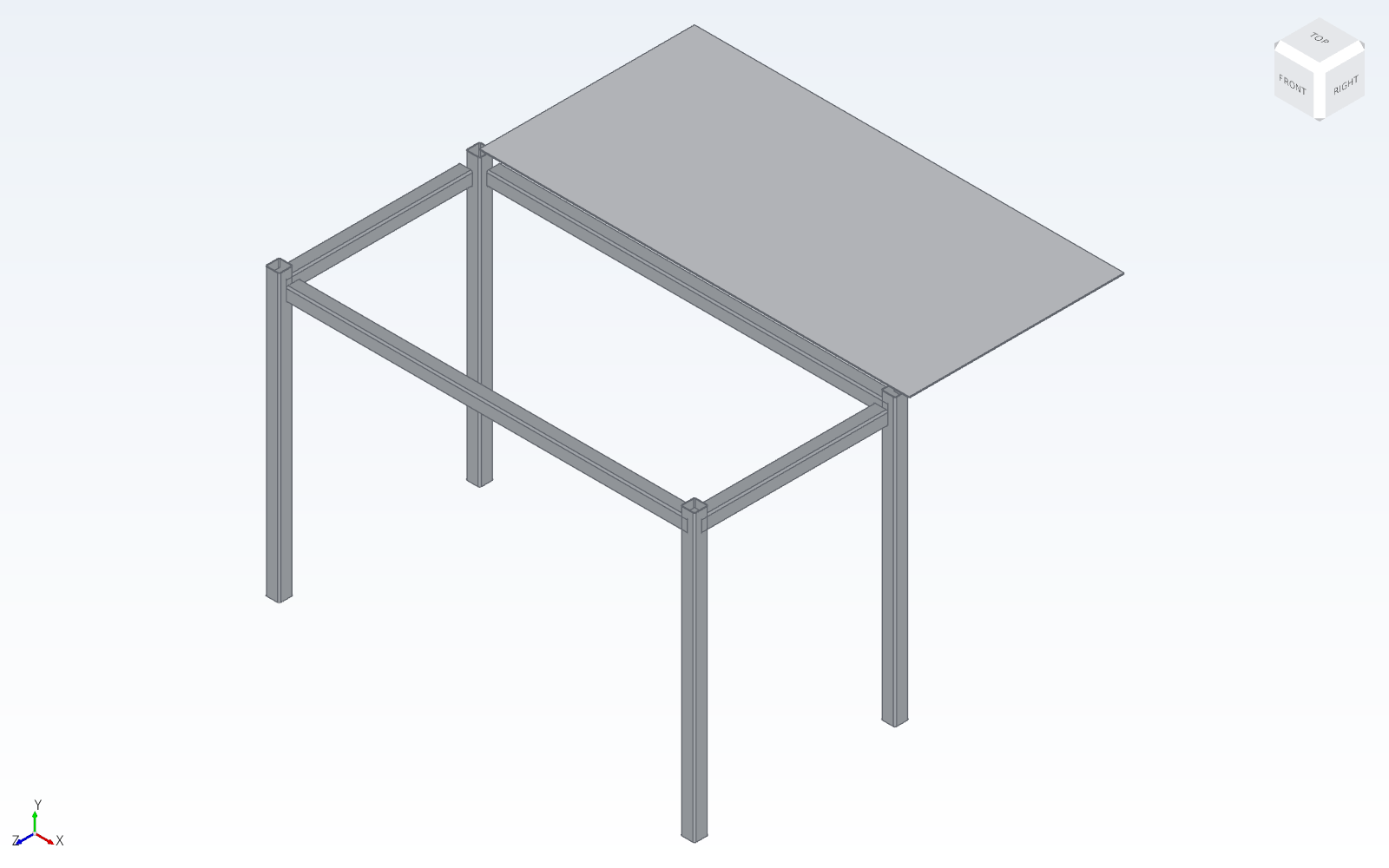
What it is. The Design verification panel (opens with a project, or from the red/orange counter on the top bar) checks the model like a shop engineer: does every leg reach the top? is the top over its legs? does each rail end on the leg face? do all legs stand on the same floor (wobbly table)? is any piece loose? It also checks hole × bolt (JIS), weld × thickness, bolt class, stairs and guardrails.
Este artículo aún no está traducido a su idioma: se muestra la versión en English.
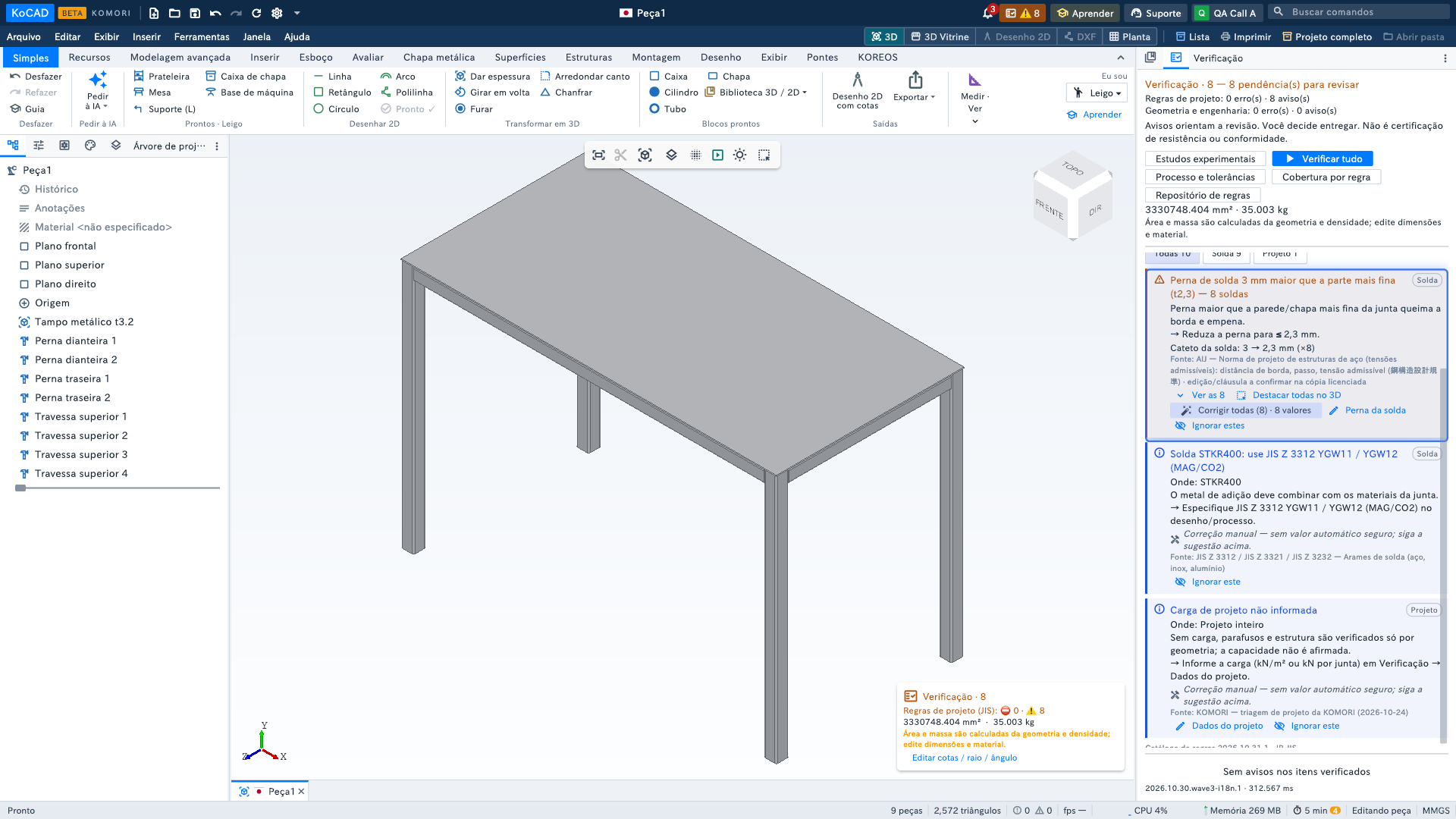
What it is. The Design verification panel (opens with a project, or from the "Design verification · N" button — one number: design rules + geometry) checks the model like a shop engineer: does every leg reach the top? is the top over its legs? does each rail end on the leg face? do all legs stand on the same floor (wobbly table)? is any piece loose? The problematic piece is highlighted in the 3D view so you can see exactly where the issue is. It also checks hole × bolt (JIS), weld × thickness, bolt class, stairs and guardrails. The button always responds: click → opens; open → goes to the first pending item with a pulse; click again → closes.
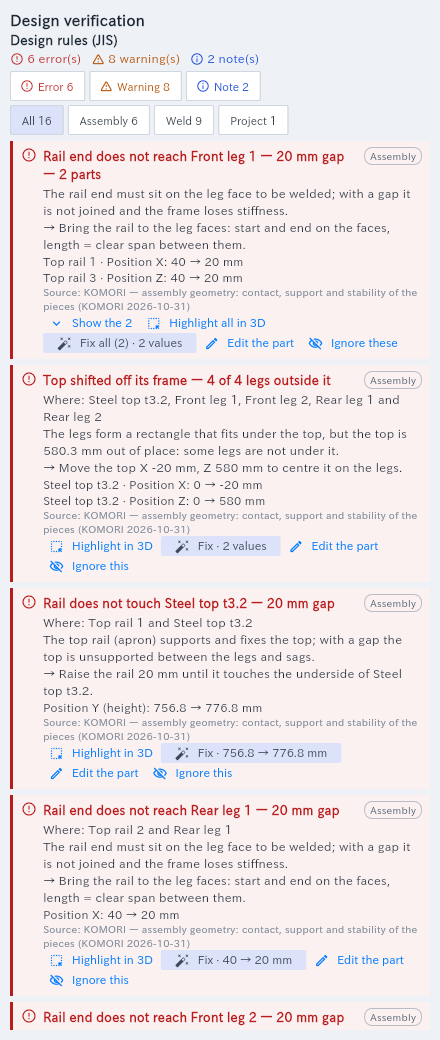
Reading a warning. Title (what is wrong and by how much), Where (pieces by name), why, the suggestion (→) and, when there is an automatic correction, the current → suggested lines (e.g. Position Z: 0 → 580 mm). Clicking the warning also highlights the affected piece in the 3D viewport.
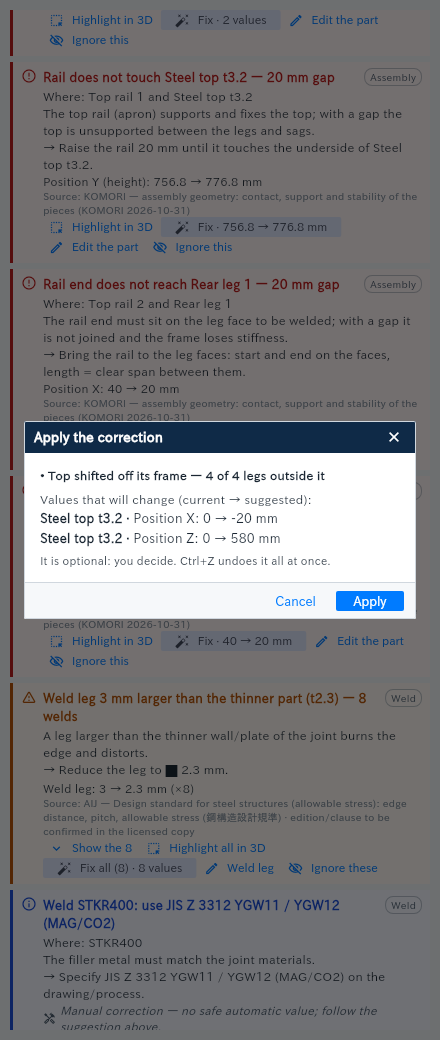
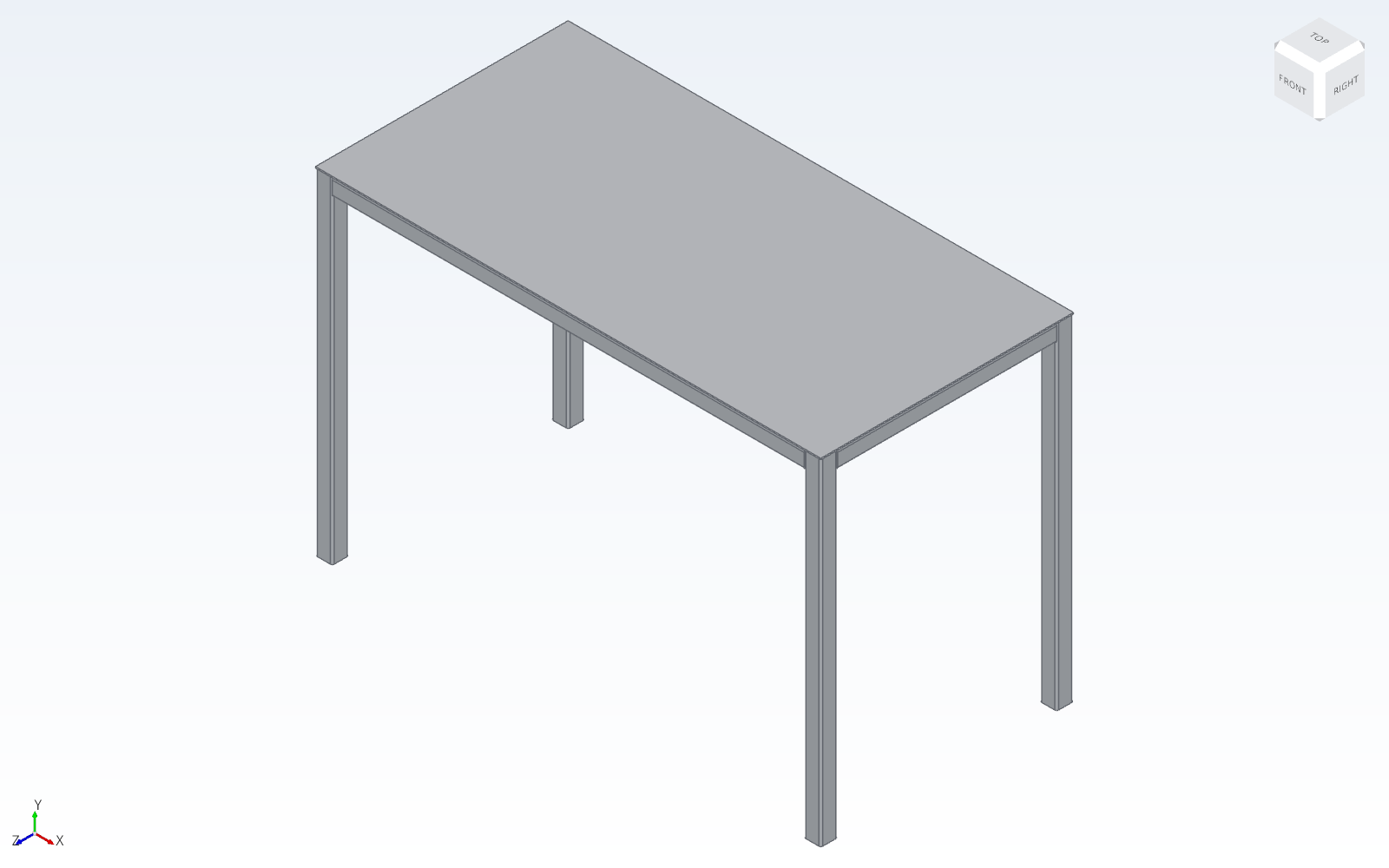
Fix. Fix · 0 → 580 mm opens Apply the correction with every value that will change. Apply writes exactly those values, checks again at once and says "✓ fixed — the warning is gone" or "Applied, but it still shows: …". Ctrl+Z undoes the whole correction. Fix everything that has an automatic correction (n) applies them all and re-checks up to 3 rounds.
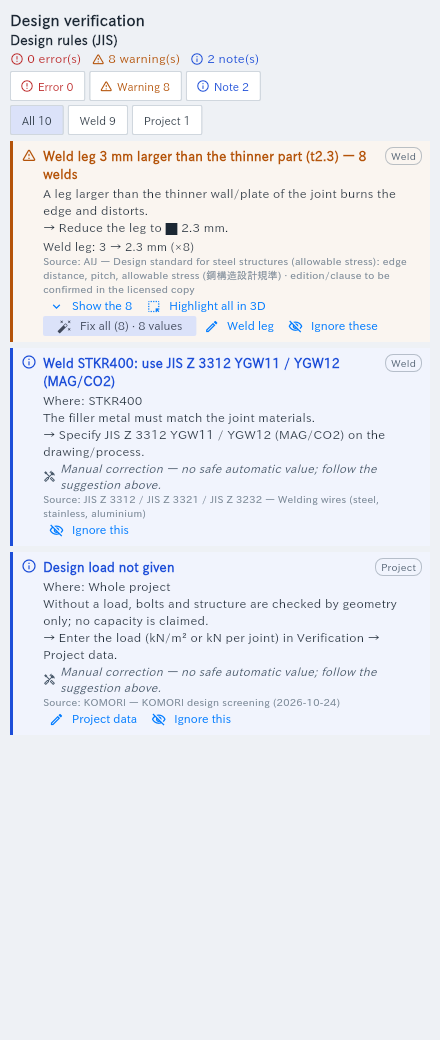
Manual correction. With no safe value (hole too close to the edge, unstable support) the warning says "Manual correction — …" and what to do; Edit the part opens its dimensions.
Ignore. Corrections are optional: Ignore this removes it from the counts and keeps the decision in the file (Ignored (n) → Restore).
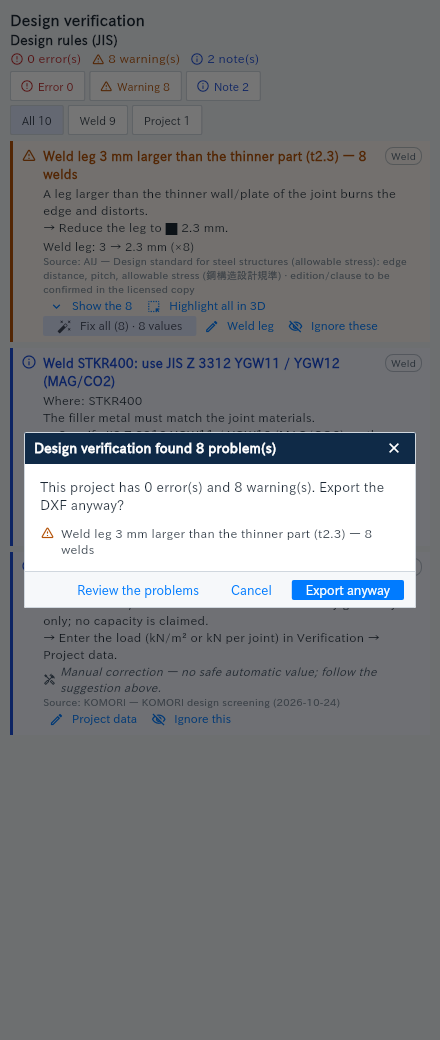
Before exporting. DXF, drawing (PDF/DXF/DWG) and flat pattern ask "Design verification found N problem(s) … Export anyway?" if there are still pending warnings.
The "Design verification · N" button (0.41). In the corner of the 3D view, N is the total to review: errors + warnings of the design rules plus those of geometry and engineering (e.g. "Density not confirmed"). The top-bar counter and the top of the panel show the same number, and the top splits it in two lines. Click: panel closed → opens; open → scrolls to the first item and it pulses blue; click again → closes. "N…" = one part is still being checked.