KoCAD · Pantallas y funciones
Save and open the complete project (every file, always current)
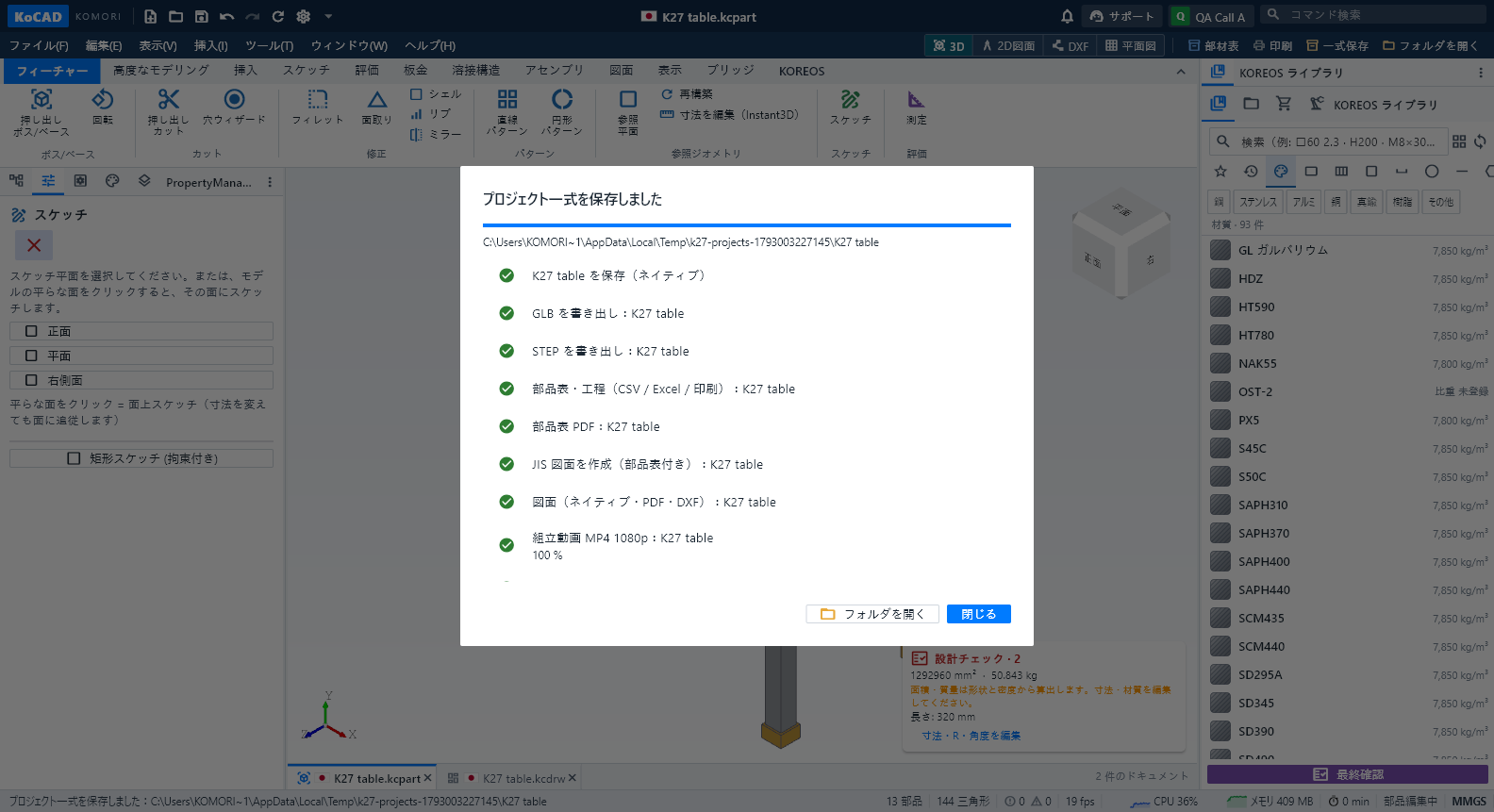
File › Save complete project (or the "Complete project" button next to Print and Open folder) writes everything into the project folder: native parts and assemblies in 01_3Dモデル (with GLB and STEP), native 2D drawings in 02_図面 with their PDF in 05_PDF・印刷, the drawing DXF and each sheet part's cutting/flat DXF in 03_DXF(切断・レーザー), bill of materials and processes as CSV, Excel, PDF and prints in 04_部品表, and the construction film as MP4 1080p in 07_動画 (plus the exploded-view film
Este artículo aún no está traducido a su idioma: se muestra la versión en English.
File › Save complete project (or the "Complete project" button next to Print and Open folder) writes everything into the project folder: native parts and assemblies in 01_3Dモデル (with GLB and STEP), native 2D drawings in 02_図面 with their PDF in 05_PDF・印刷, the drawing DXF and each sheet part's cutting/flat DXF in 03_DXF(切断・レーザー), bill of materials and processes as CSV, Excel, PDF and prints in 04_部品表, and the construction film as MP4 1080p in 07_動画 (plus the exploded-view film when there is one).
A part without a drawing gets the JIS sheet with 部品表 and full title block. The window shows each step with ✓ or ✗ and the reason, then "Open folder". Running it again updates the same files, never duplicates. The film can be switched off in the window on slow PCs.
The folder root holds README.html (opens in a browser) and kocad-project.json, listing every file with its origin and hash. When you change the model, the bill of materials, processes and sheet DXF update by themselves; STEP, GLB, PDF and film show "out of date" in the Files tab until the next complete save.
File › Open complete project (pick the folder, or open kocad-project.json) reopens every part, assembly and drawing linked together and says how many files are out of date. The film is also in File › Export › Film MP4 and in the timeline's "Play / export film" button.