











KS
Catálogo KOMORI Software (marca KŌLOGY)
KOLOGY Software Lite
Delivery routing on PC (KŌLOGY, KOMORI Software catalog).
Empiece aquí
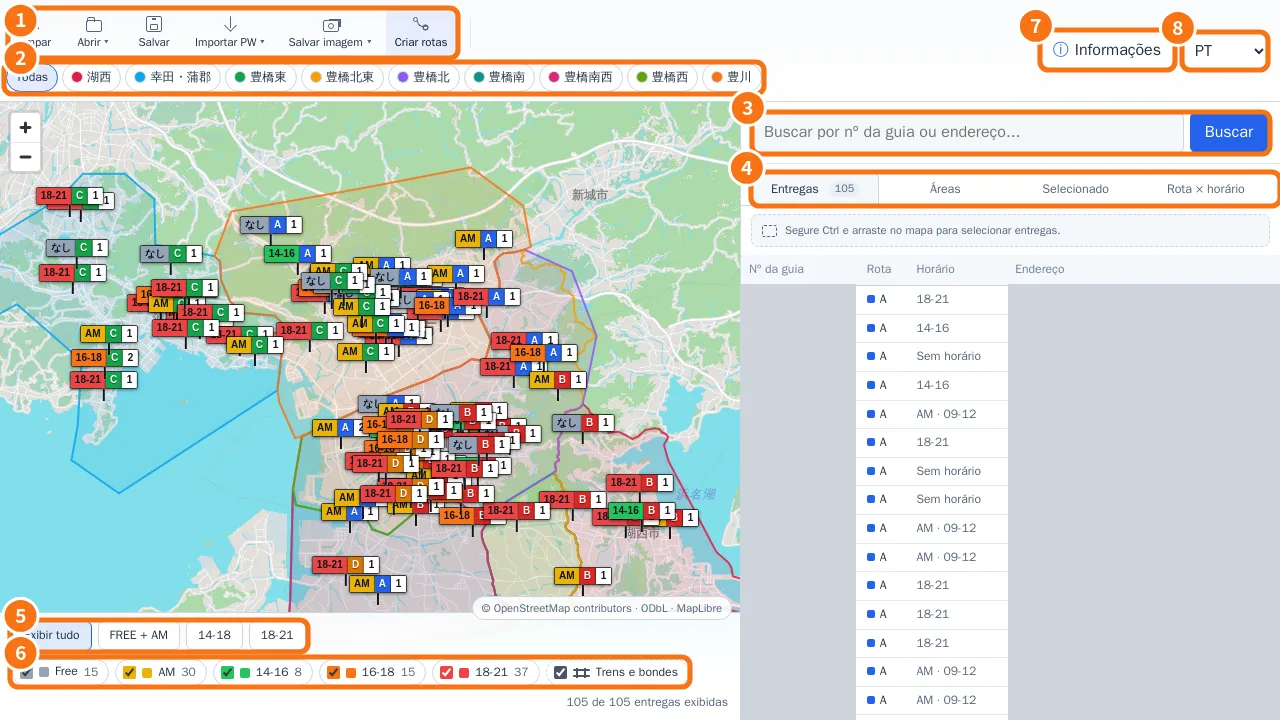 Getting started with KOLOGY Software LiteWhat the program is, what the first screen shows, and a safe routine for a delivery day.English
- Buy, install and activate KOLOGY Software LiteFrom buying in the client portal to entering the activation code on first launch, and what to do when you change PCs.English
Pantallas y funciones
Ver todos (19) →- Dispatch map: the main screenToolbar, area buttons, the panel with Deliveries, Areas, Selected and Route × time window, and the footer filters.English
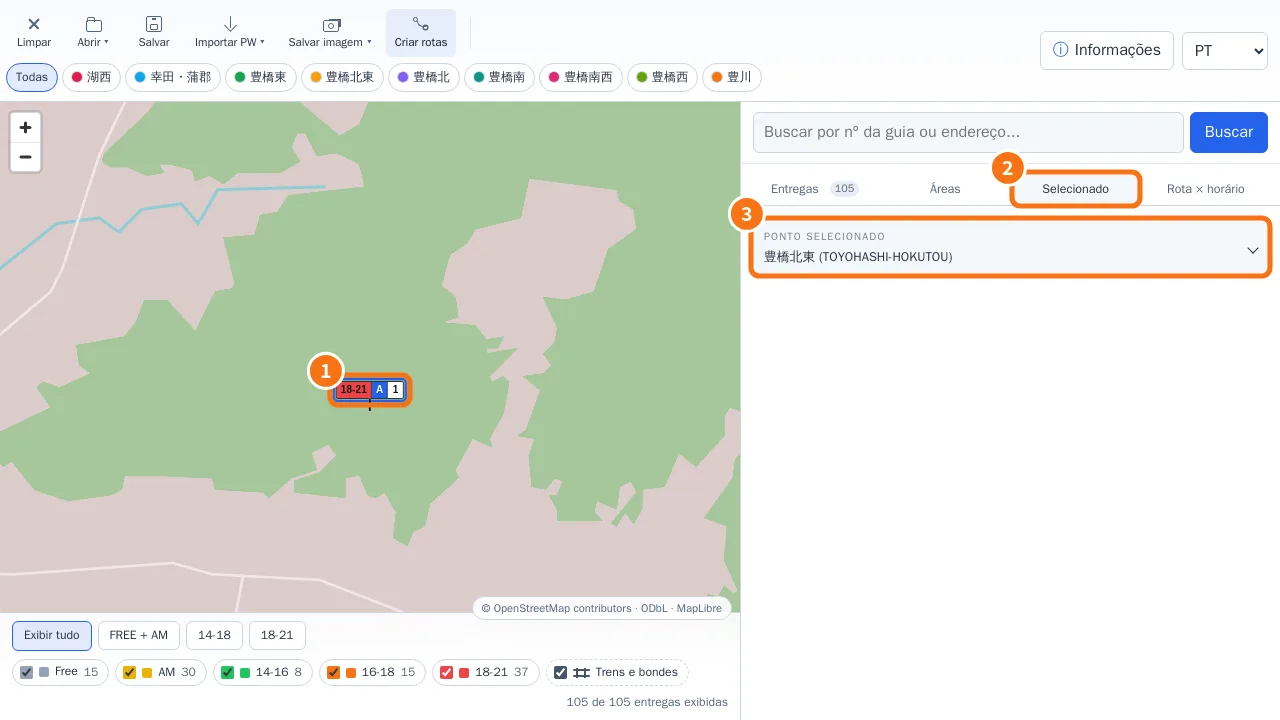 Edit a delivery from the mapQuick editor on pin click, Full edit, AM/PM period with exact time, and the Selected tab.English
- Right-click menu, markers and manual driversThe right-click menu changes with what you click: map background, delivery, marker or driver.English
- Distance and street routeMeasure between two points or build an accumulated route with Ctrl + click; the calculation runs on your own computer.English
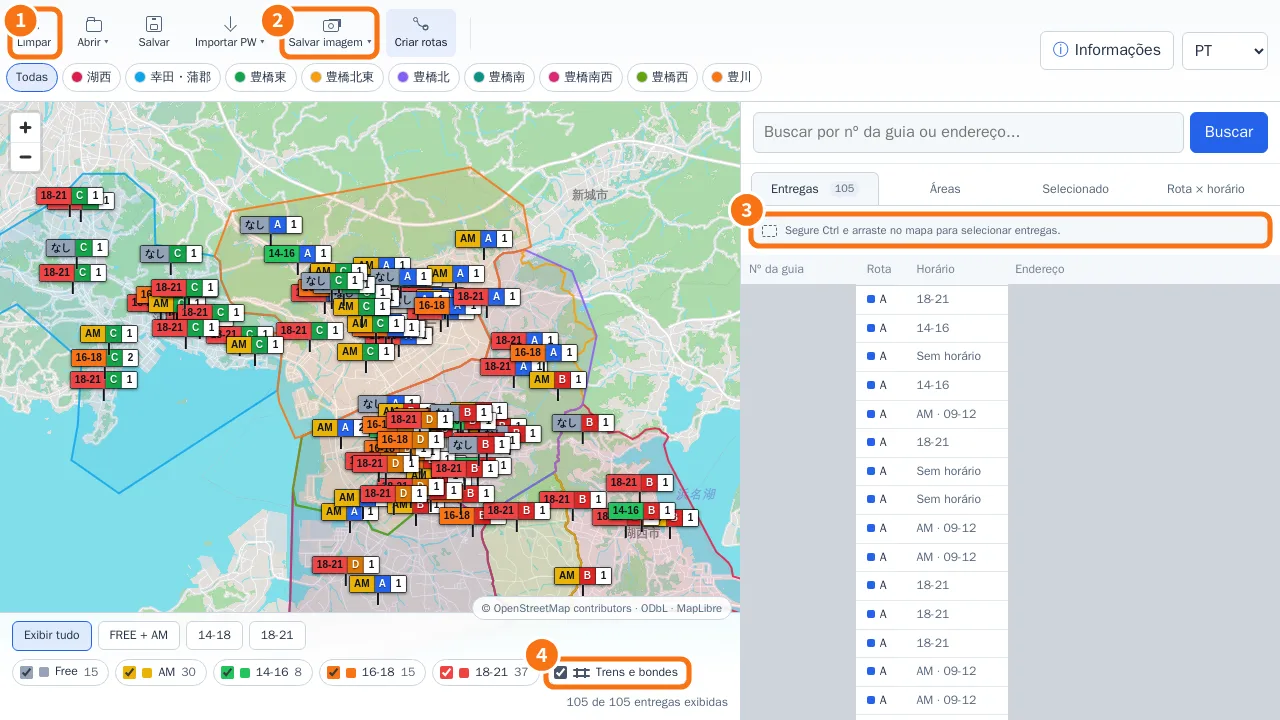 Ctrl selection, Save image (JPG/PDF) and layersSelect only the deliveries inside a rectangle, export the visible map as JPG or A4 PDF, and show or hide rail and tram lines.English
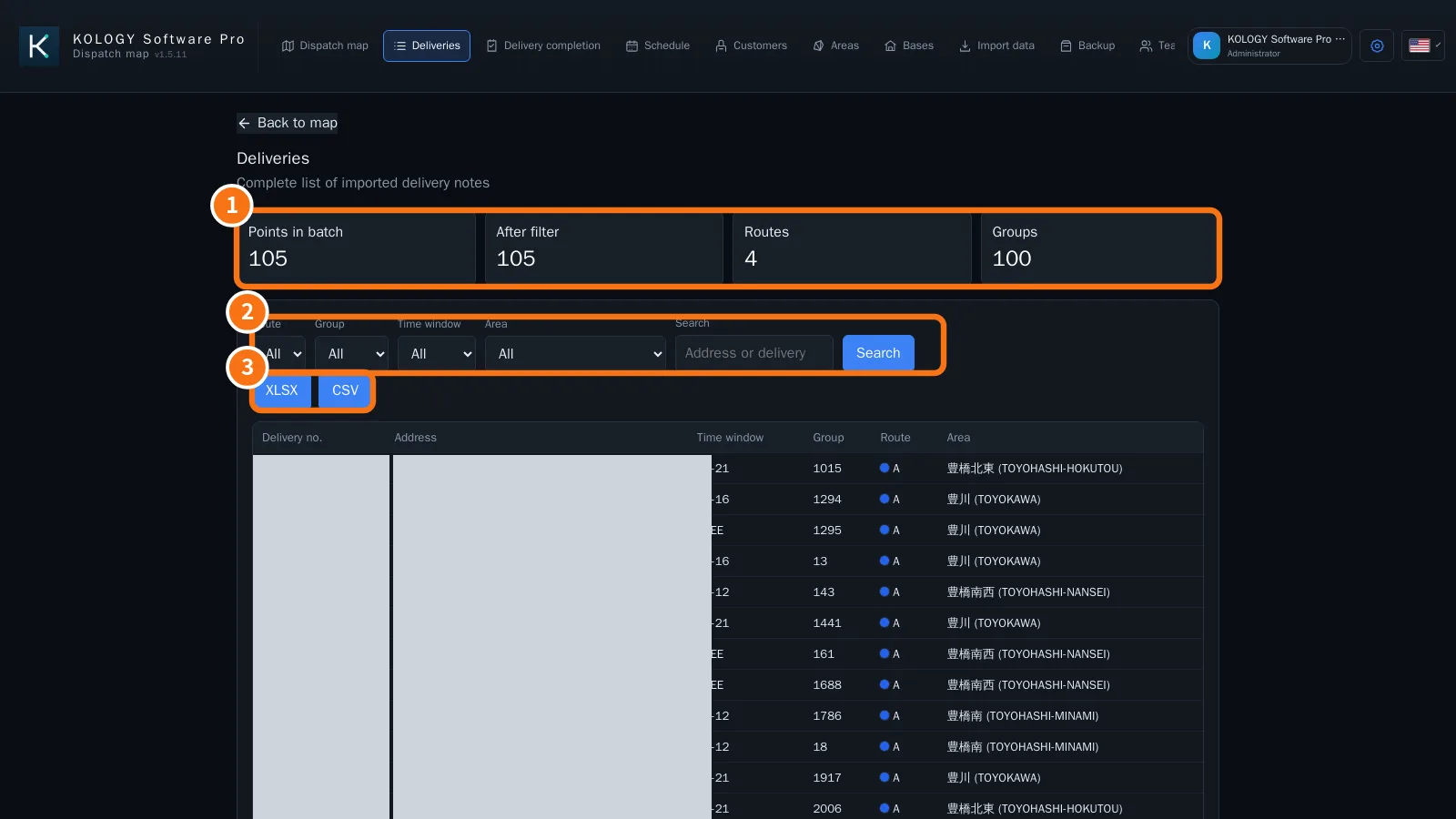 Delivery list and export (XLSX/CSV)The Deliveries screen lists every slip in the batch with filters, counts and export of the filtered result.English