- NuevoEvaluate → Strength → Plate in bending (pressure): a thin rectangular plate under uniform out-of-plane pressure. You choose EVERY edge condition (supported, clamped or free — nothing is preselected) and enter E, ν with their source. Shows the maximum deflection, w/t (above 0.3 in red: outside small-deflection theory), moments, the surface bending stress, mesh convergence and a colour map; PDF PT/JP/EN. Acceptance: within 1 % of the Navier series and the Timoshenko table.
- NuevoStructural analysis: "+ Temperature change ΔT" applies a uniform ΔT to members (all, horizontal or vertical). The α of each material is then requested, with its source; without it nothing runs. A member fixed at both ends shows σ = E·α·ΔT. Static analysis only; a gradient through the section (bowing) is not treated.
- NuevoTools → AI second opinion (optional): runs only when you ask. Before sending you see exactly which project facts go (features, material, KoCAD's checks and studies — no geometry, files or images) and choose the AI: KOIA/Cascata only with KOREOS Core access; otherwise the AI of your own key/subscription (explicit consent). Every AI receives the same rules. The reply is shown as SUGGESTIONS, each point with a source; points without a source are discarded, nothing is executed and text that reads like an approval is flagged. Editing the document marks the opinion as out of date.
Novedades
Actualizaciones de cada producto y artículos nuevos o revisados.
Actualizaciones
- MejoraMac: shortcuts accept ⌘ instead of Ctrl (⌘S save, ⌘Z undo, ⌘A select all, ⌘1…7 views…) and menus show ⌘; Ctrl still works. ⌘+click adds to the selection (on the Mac, Control+click is the right click). The double click follows the macOS default interval and the keyboard returns to the window after the file and print dialogs.
- MejoraTrackpad and Magic Mouse: resting fingers no longer start rotating the model; the menu closes only on a real scroll or pinch. Part tree: right-clicking a part opens the same menu as in the 3D view. Windows and Linux: nothing changes — the right button opens the menu and Ctrl is still Ctrl.
- CorregidoMac: every right-click menu opens and stays open with the trackpad two-finger click, Control+click, the right button of any mouse and the Magic Mouse — in the 3D view, the feature tree, the part tree, the document tabs, the panel tabs and the drawing sheet. Before, the mere touch of the fingers on the trackpad or the Magic Mouse closed the menu the moment it opened.
- NuevoDesign verification → Experimental studies (BETA): choose Stability, Clearance, Motion, Bend sequence or Process rules and fill in the form (vectors as x/y/z, parts picked from a list of the document). New rows start empty and the confirmation boxes start unchecked; an invalid number is refused with the reason. Inputs can be saved in the document (Undo reverts) and the result exported as JSON. Editing the model cancels the job and marks the result out of date.
- NuevoClearance and motion: exact distance between part pairs separates clearance, touching and overlap. Motion comes from already-solved mates (limit distance, concentric + limit angle), XR storyboard keys or a declared translation/rotation; it is sampled (refined near contacts) and shows where contact happened. "Show samples on the model" shows exactly the computed poses, without interpolating and without editing the document. The report always says "finite samples", never "continuously collision-free". Friction only with a confirmed coefficient.
- NuevoBending: envelope of ordinary flanges flat, partly bent and final, with the same bend allowance as modelling. Bend sequence searches a candidate order against the real geometry of the press brake, punch and V die registered in KOREOS (KOREOS tooling button) and rejects an order in which one flange of the sheet passes through another. Each bend is shown with orientation and reason; the engineer can reorder and everything is checked again. TOOLING NOT REGISTERED: the registry is still empty, so today the result is "Missing data" and no order is offered. Even with tooling, the result is only a candidate: it does not approve handling, springback, force or the real setup.
- MejoraProcess rules (weld access, tool access, stock allowance, bumping) with measured and required values, each with a source and confirmation; the verification rule catalogue now has 32 versioned rules in PT/JP/EN. Calculation only on request, default limit 10 s / 10,000 operations (max 120 s), a reported memory ceiling and Cancel; nothing new loads at start-up. Still pending: real tooling registered and factory acceptance with three real parts.
- NuevoEvaluate → Structural analysis (BETA): choose supports (fixed, pin, fork, roller or 6 DOF), loads (self-weight from the KOREOS density, distributed load, pressure × width, node load) and criteria (allowable stress with its source, deflection L/n, buckling factor). The colour map appears in the 3D view with legend, unit and deformation scale; the probe shows N, V, M, stress and displacement anywhere along a member.
- NuevoNatural frequencies (consistent mass, mass participation) and linear buckling (load multiplier) after the static case passes, with the mode drawn in the view. Results are bound to the document revision, the geometry hash and the rule/material versions and become "out of date" the moment you edit.
- NuevoSuggest the lightest JIS profile: per member group, it tries the profiles of the same family and proposes the lightest that meets stress, deflection and buckling for all members (option to keep outer dimensions). Shows weight and the official KOREOS cost before→after and the proposed 部材表 (CSV); nothing changes until you confirm, and Undo reverts it.
- NuevoPlate with a hole (plane stress): gross and net nominal stress separated from the peak at the hole edge, Kt, a mesh-convergence table and the extrapolated value; colour map with a probe. Out-of-plane plate bending is not handled and is refused.
- MejoraLightness: the calculation is a separate program (kocad_fea) that only starts when you ask, with a memory estimate first, an initial 2 GiB limit, one thread, a time limit and Cancel; closing the panel unloads the results. Nothing new loads when KoCAD opens.
- NuevoGenerate with AI thinks like an engineer: before generating, KoCAD shows how it read the request (overall size with feet and top, legs, frame, rails and height from the floor, bracing, top, feet) as editable premises. A line you correct binds every AI engine and the inspection.
- NuevoKoCAD inspects the REAL model before delivering: overall box, identical legs, leveling foot concentric with its stem inside the tube, top resting with no gap, rails at the requested height and sides, bracing only where asked, no loose part or interference, parts list = model. A critical error goes back to the engine (up to 4 rounds); it is never shown as done.
- MejoraEngineering patterns for any engine (KOIA, Cascata, your own key): a real leveling foot (pad, nut, stem) enters the tube through the welded end cap, rails are cut at the leg faces, the top rests on the frame, triangular gussets sit in the opening. A requested section missing from the catalogue is kept and marked to confirm. Creation rules come from the server and change without a new version.
- NuevoGenerate with AI delivers the full package in the project folder: 3D, JIS drawing with 部品表 and full title block, PDF, drawing DXF and one per sheet part, bill of materials and processes. Anything that fails is named with its reason.
- NuevoA new project starts with the country/standard (Japan JIS, USA ANSI/ASME, Brazil ABNT/ISO, ISO, EN) with its rules alongside, the names language and an automatic folder with the standard structure. A flag on tabs, title and files. "Open folder" next to Print.
- NuevoSave / Open complete project: parts, assemblies, drawings (native + PDF), cutting DXF, GLB/STEP, bill of materials and processes (CSV, Excel, PDF), MP4 1080p film and a README index. Running it again updates without duplicates; files left out of date by a change are marked.
- Nuevo3D navigation like SolidWorks/Fusion 360/AutoCAD: free orbit around the point under the cursor (trackball or turntable), zoom at the cursor, profiles and sensitivity in Options › Mouse. Selection: Ctrl+click, left→right (inside) and right→left (crossing) boxes, Ctrl+A, Esc, view-only Isolate, batch properties, print the selection only.
- MejoraPrint/PDF with live preview: A4–A0 sheet, orientation, kind and print language change at once; the saved PDF is the preview itself. New KoCAD icon in the KOMORI family.
- CorregidoFeet are centred and seated under their legs; a loose part (no contact) is refused before the preview and the Verifier flags it. "Standard parts" no longer leaves the library grey; ribbon labels are no longer cut at 1366/1600/1920.
- CorregidoKOCHAT on desktop now receives and answers voice calls. Invitations arriving before the audio offer also ring, and the app recovers invitations when a realtime notification is lost. Answering on one client stops ringing on the others.
- CorregidoOn desktop, reply mode opens in a compact menu above the button, with four options and a checkmark on the current choice. Switching modes no longer shows duplicate notices. On phones, the picker still opens from the bottom.
- MejoraPaste screenshots and files or drag them into the conversation. Check the preview, add a caption and send. The emoji panel includes search, recent items, favorites and licensed GIFs and stickers.
- CorregidoChat lists and notifications show the first useful line, including messages with Markdown. Download photos, videos, audio and files with their original names. Wiki/Guide is available in Settings.
- NuevoDelete messages, like on WhatsApp: touch and hold (or right-click) a message → Delete. "Delete for me" removes it only from your screen. "Delete for everyone" works on your own messages up to 60 minutes after sending: everyone sees "This message was deleted" and the attachment is deleted from the server. Use "Select" to delete several at once. Phone, computer and web.
- MejoraWhen part of a screen doesn't load, the notice is now simple: "Couldn't load this right now" with a Try again button. The app also retries on its own a few times, and the technical detail is tucked away under "Details". The team is still notified automatically.
- CorregidoCalendar: no longer breaks when opening a period with no events (the "Cannot modify an unmodifiable list" error on Windows and phones).
- NuevoIn the app: Wiki / Guide: tabbed topics, search and filters on how to use KOCHAT, in your language. The "?" on each screen opens that screen’s help.
- NuevoOperations Center v2 adds Today’s agenda with official tasks by department, photos and Japanese names. Included in automatic rotation.
- NuevoThe agenda footer highlights the current or next department meeting with a countdown.
- CorregidoShared accounts keep the language on each device. A discreet calendar icon sits beside pause.
- NuevoLunch and breaks announce with the existing bell and Japanese voice. Visual notices remain when muted, without repeating after restart.
- MejoraTVs: open Date / time anytime. A subtle Japanese calendar, clock and lunch/break countdown follow company settings.
- MejoraFAC v3 purchase cards show material photos, using the shared stock/material catalog images.
- NuevoDATE and TIME screen in the rotation: every so often, for 5 seconds, a big calendar with today's date and weekday (曜日) and a big clock appear, then the TV goes back to its screen by itself. In Japanese, or the language chosen on the TV.
- CorregidoCalls: the alert stays at least 15 seconds on screen, even when the sound does not play, and switching screens in the rotation does not restart the same call (nor play the music again).
- NuevoMENU is now Settings in tabs: Screen (choose screen, theme, notice previews) · Language · Device (name, account, open at power-on, sync, saved media) · About (version, update, What's new). All with the remote: ← → ↑ ↓ move between tabs and buttons, OK selects, BACK closes. Nothing was removed — only moved.
- Nuevo7 languages: 日本語 · Português · English · Tagalog · 简体中文 · Tiếng Việt · Español — in Settings › Language and in Choose screen, with a "Follow the device" option. The language you chose before stays. In 简体中文, Tiếng Việt and Español the menu is in that language; screen content (screen names, boards, notices) shows in English for now.
- NuevoStatus tab on KOCHAT web too: «My status» at the top and who posted below (a colored ring split per story, grey = already seen). The «+» opens «Photos & videos» (several at once, caption, HD) or «Text» (color and font), full screen and fitting any window. The carousel left the top of Chats.
- MejoraBackground sending: tap send and you can close — «My status» shows «Sending…» with your photo right away and says «Status update shared.» at the end. Privacy: My contacts (your company), My contacts except… or Only share with…; your choice is kept. Videos up to 30 s.
- CorregidoFixed: your story stayed on «Preparing your story…» forever. The app now follows the server and swaps to the ready one by itself (showing your photo meanwhile). Lighter on 3G: photos are compressed on the device (Windows and Linux too), viewers see a blurred preview instantly and nothing downloads twice.
- MejoraUrgent call (応援を呼ぶ) now shows above ANY TV screen — even with the menu, What's new or another window open — with music and voice. Before, a window on top could hide the call.
- NuevoFree account: use the email you already have — Gmail, Yahoo!, iCloud or your company's mail server — in KoMail. On the sign-in screen tap «Create a Free account», type the email and the mailbox password (or app password): KoMail finds the server by itself and opens your inbox. Your messages stay at your provider.
- NuevoSettings › Free account: profile (name, kana reading, phone and optional photo), up to 3 connected mailboxes and «Delete account», which immediately erases everything KoMail stored. The mailbox password is stored encrypted on the server and the connection is always encrypted.
- NuevoVerified attachments: every attachment gets a badge. Green «Verified» = checked and safe to open. Yellow «Can't verify» (e.g. a password-protected zip) = asks before opening. Red «Possibly dangerous» (program, macro, PDF with script, virus) = preview is blocked and you can only download after ticking «I understand the risk». Tap the badge to see why.
- NuevoNew KMR × KŌLOGY screen, drawn on the device itself (lighter on the TV box): the live KŌLOGY map, the drivers' pending items (daily report, roll call, odometer, pay statement and licence, with photo, today's status and how many days) and the KMR shift list. Screens rotate by themselves; ◀ ▶ changes the screen and OK opens the details.
- NuevoKMR · shifts: today highlighted plus the next 13 days, with each person's status (working, not checked in, finished), approaches, conversations and sign-ups, and the KMR alerts on the side.
- MejoraScreen memory: after an update, a crash, a restart or even reinstalling the app, the TV goes back by itself to the same screen, in the same language and with the same choices (KMR × KŌLOGY screen, map tab and company, Factory TV v3 columns, theme). After a reinstall, it comes back as soon as the device is paired again.
Actualizados recientemente
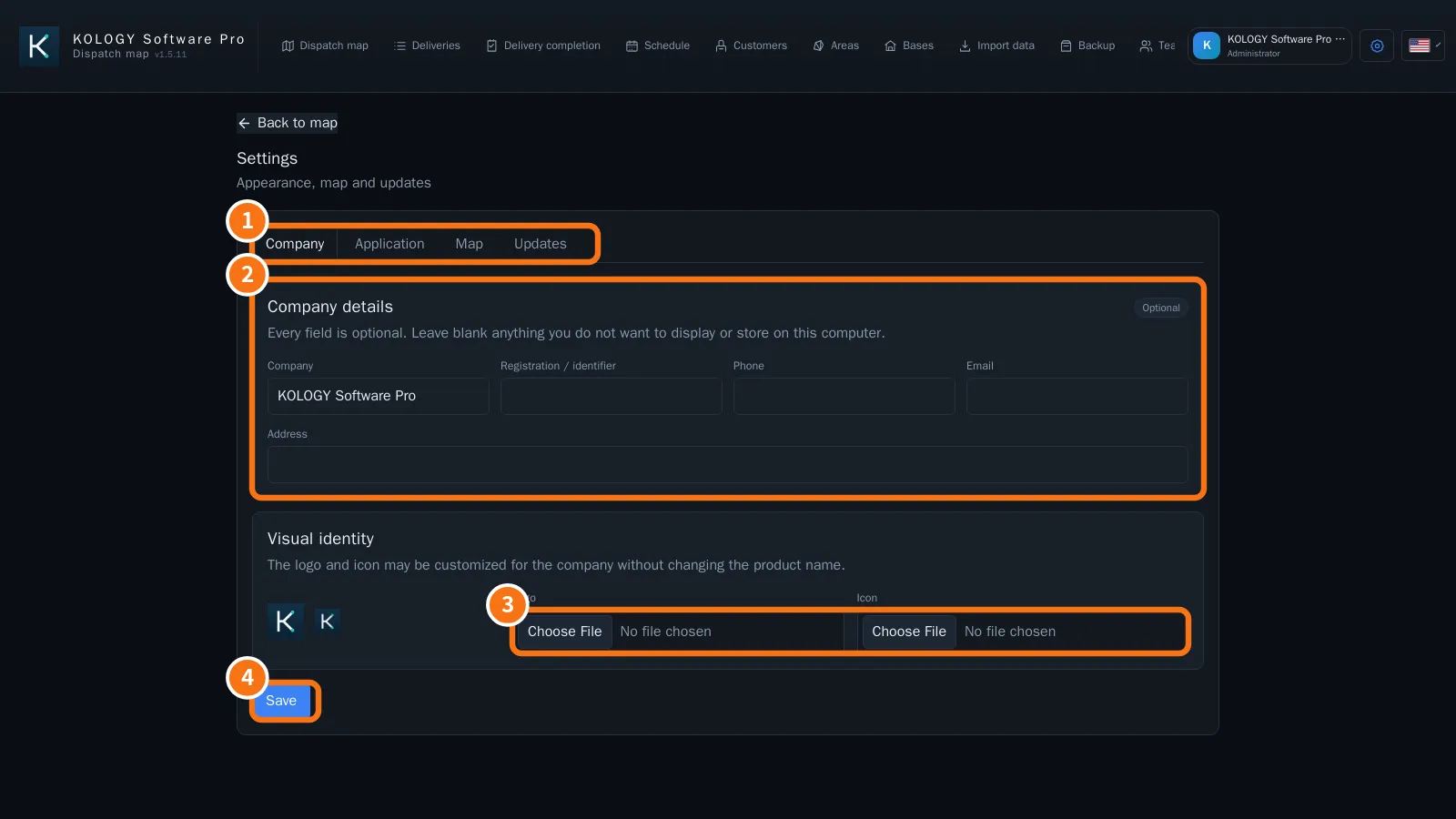
KOLOGY Software ProPrimeros pasosWhat KOLOGY Software Pro addsPro is the full edition: role-based accounts, driver schedule, driver portal with photo and location, customer portal and synchronization.English
KOLOGY Software ProPrimeros pasosGetting started with KOLOGY Software ProInstall, activate, create the administrator, register the company and team, and import the first batch.English
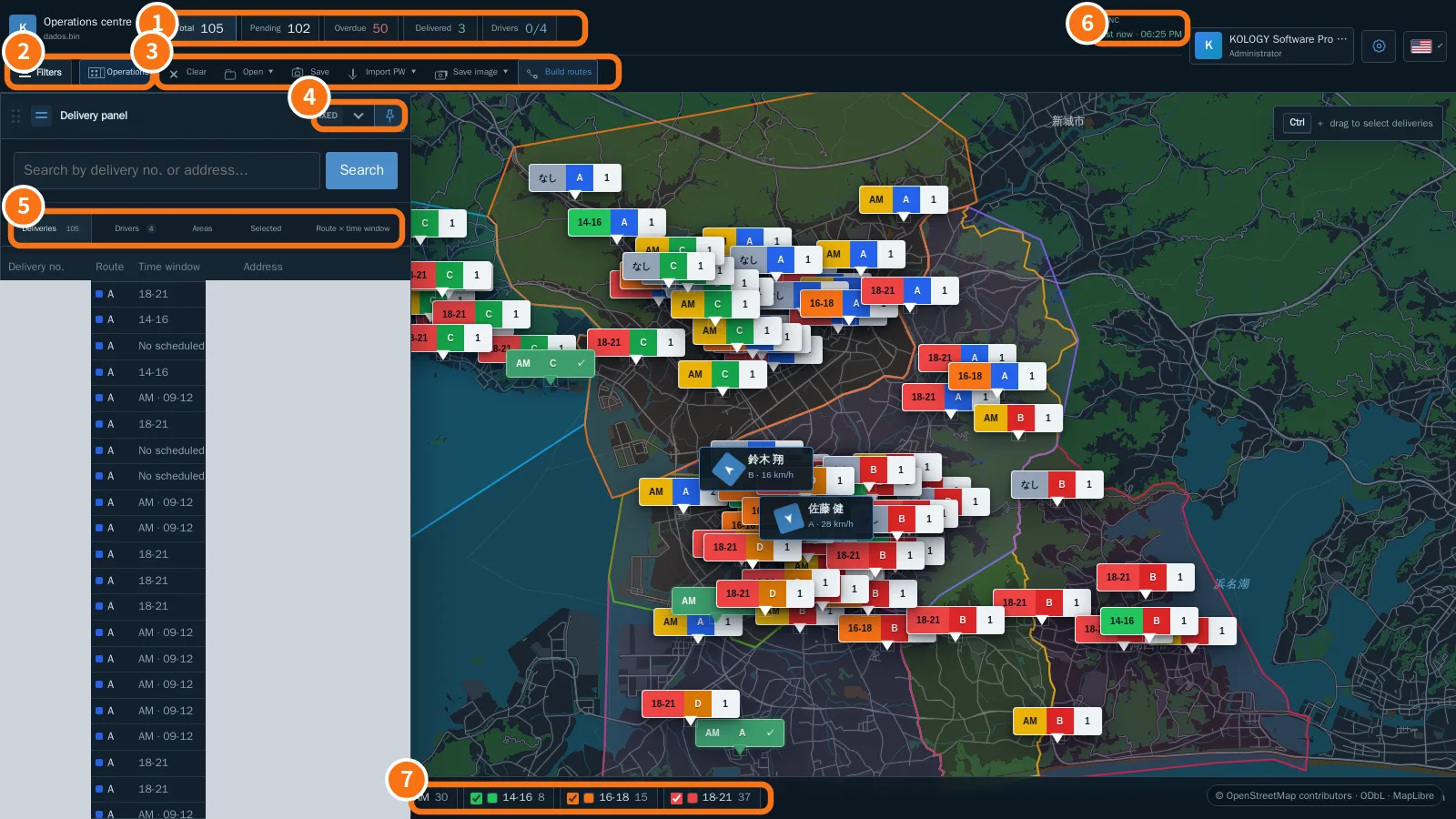
KOLOGY Software ProPantallas y funcionesOperations centre: the Pro mapBatch indicators, Filters, the Operations menu, fixed or accordion delivery panel, the Drivers tab and the Sync indicator.English
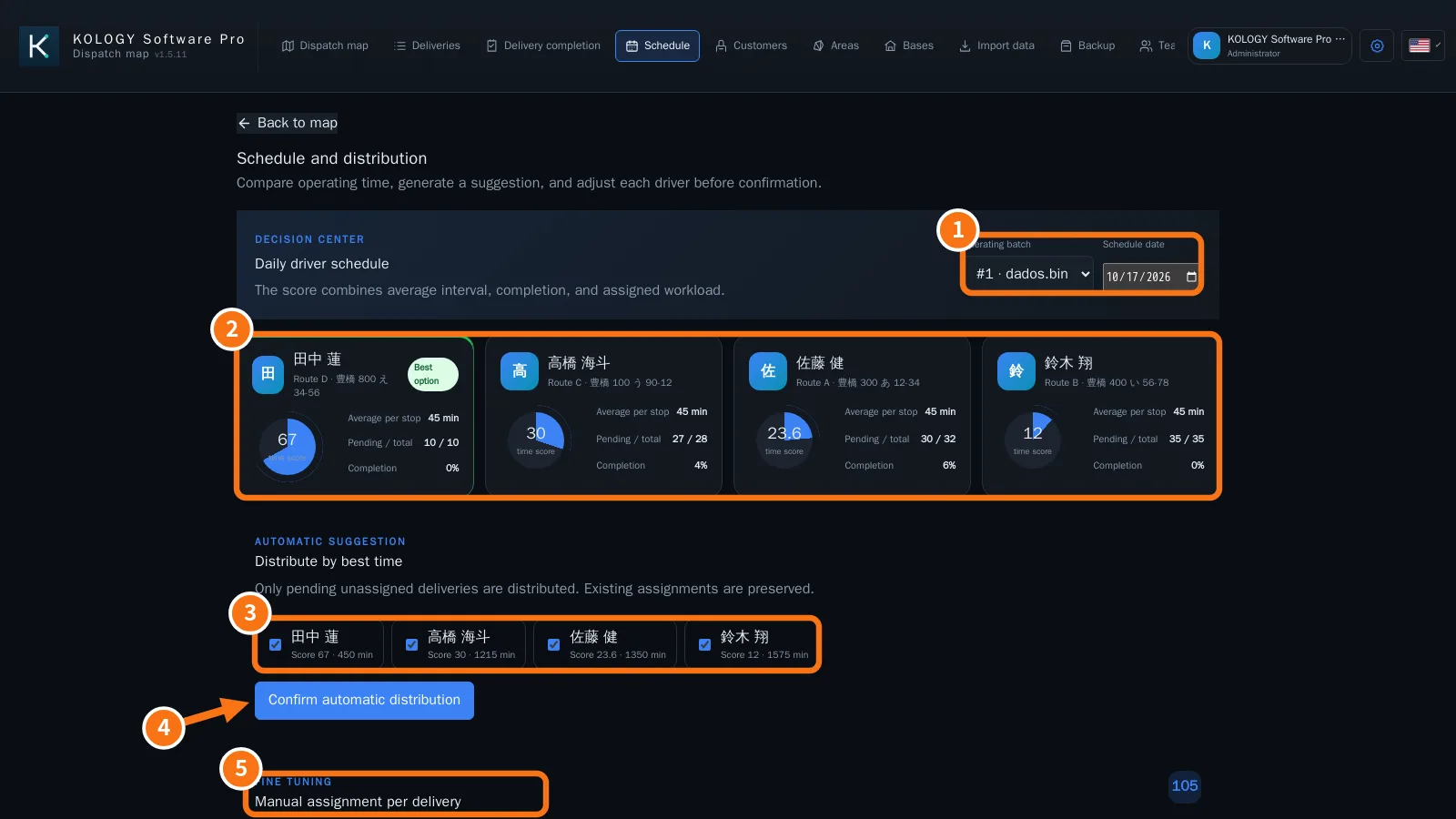
KOLOGY Software ProPantallas y funcionesSchedule and driver distributionCompare drivers' time scores, distribute pending deliveries automatically and adjust each stop by hand.English- KOLOGY Software ProPantallas y funcionesTeam: drivers, vehicles, users and emailThe Team screen registers drivers with vehicle and route, creates role-based access accounts and sets up route emails.English
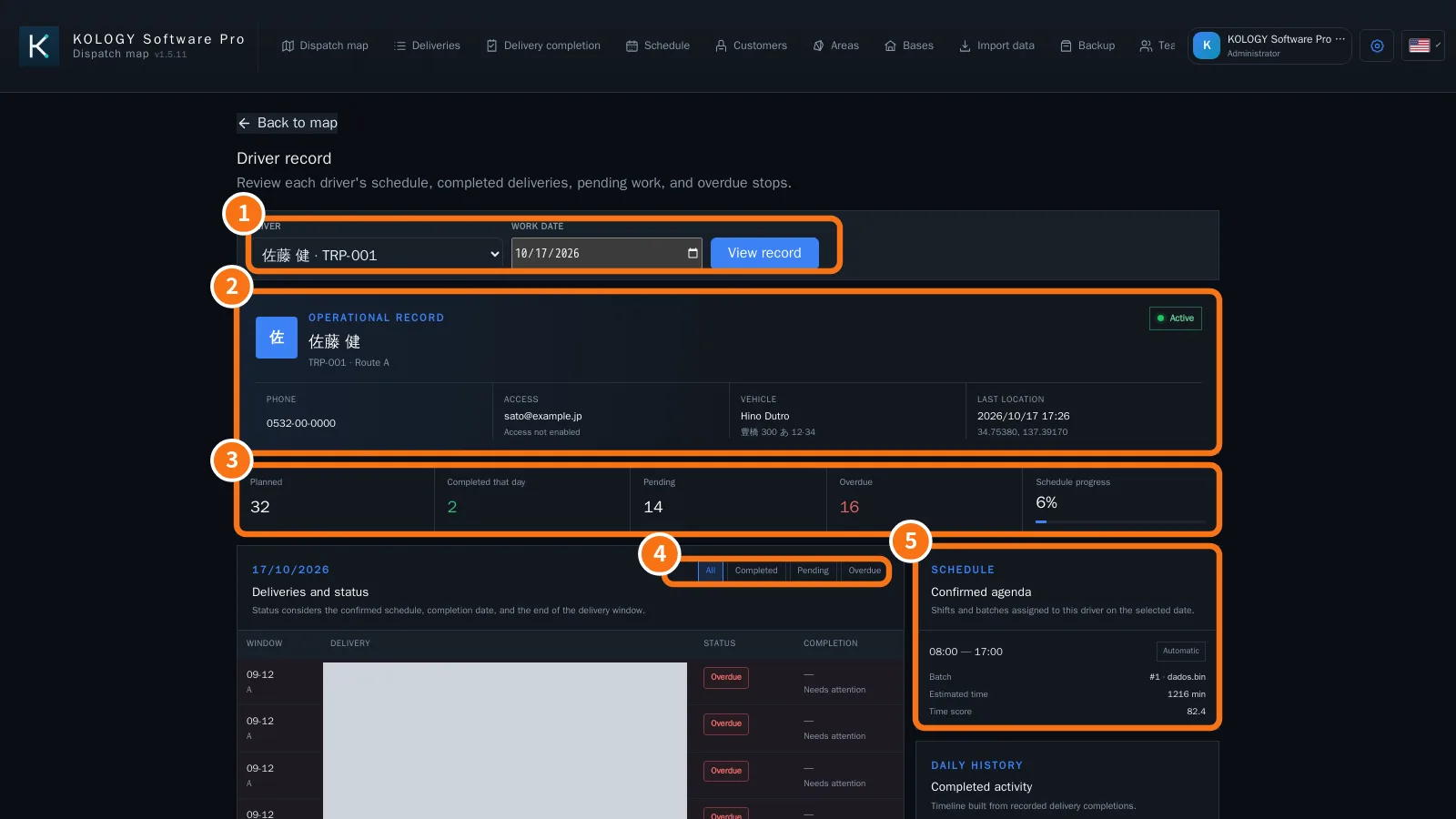
KOLOGY Software ProPantallas y funcionesDriver record (operational record)A driver's agenda, planned, completed, pending and overdue deliveries for a day, with a timeline of completions.English
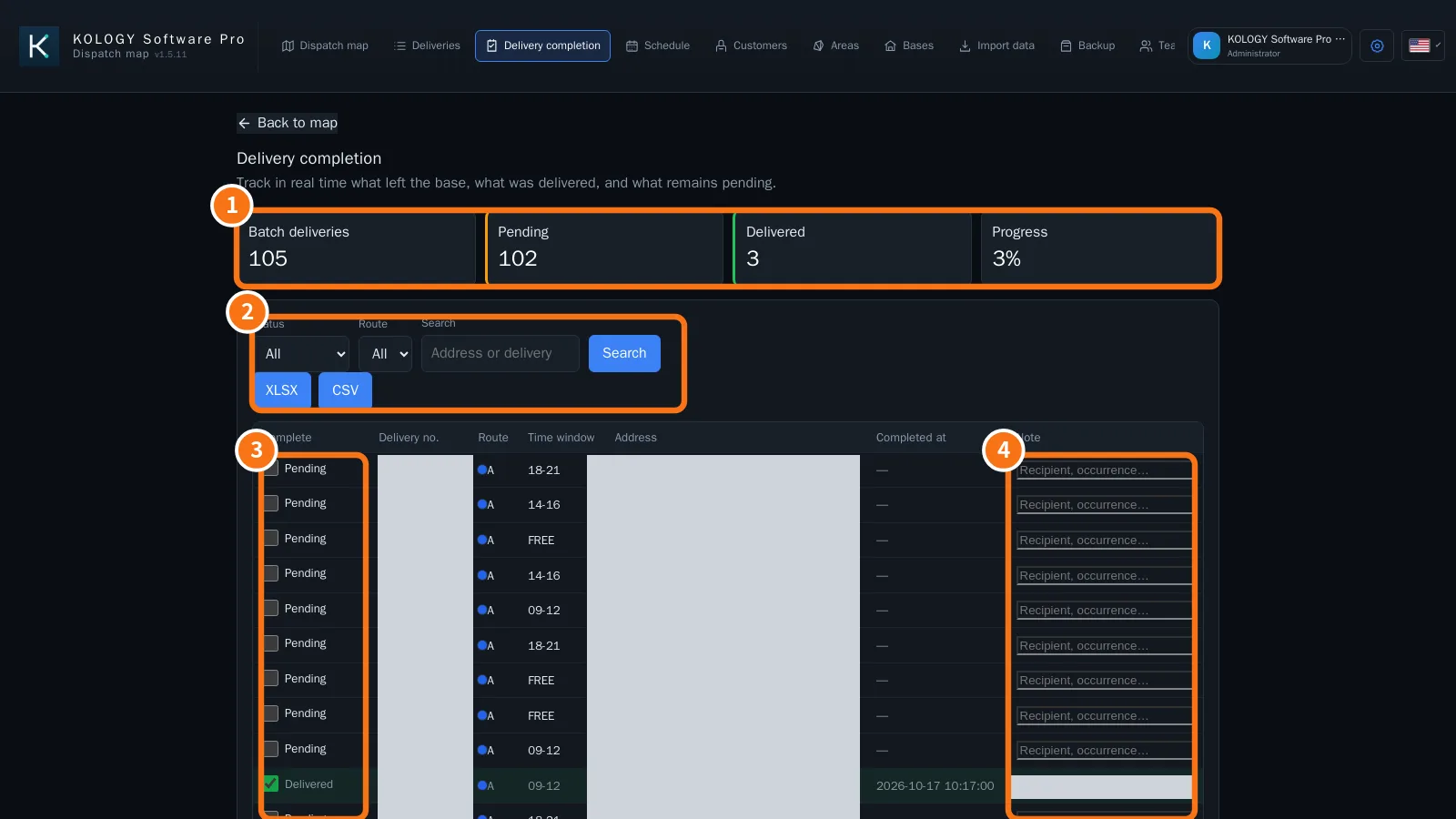
KOLOGY Software ProPantallas y funcionesDelivery completion and proofTrack the batch, record completions in the office, view completions and photos sent by drivers, and export the report.English
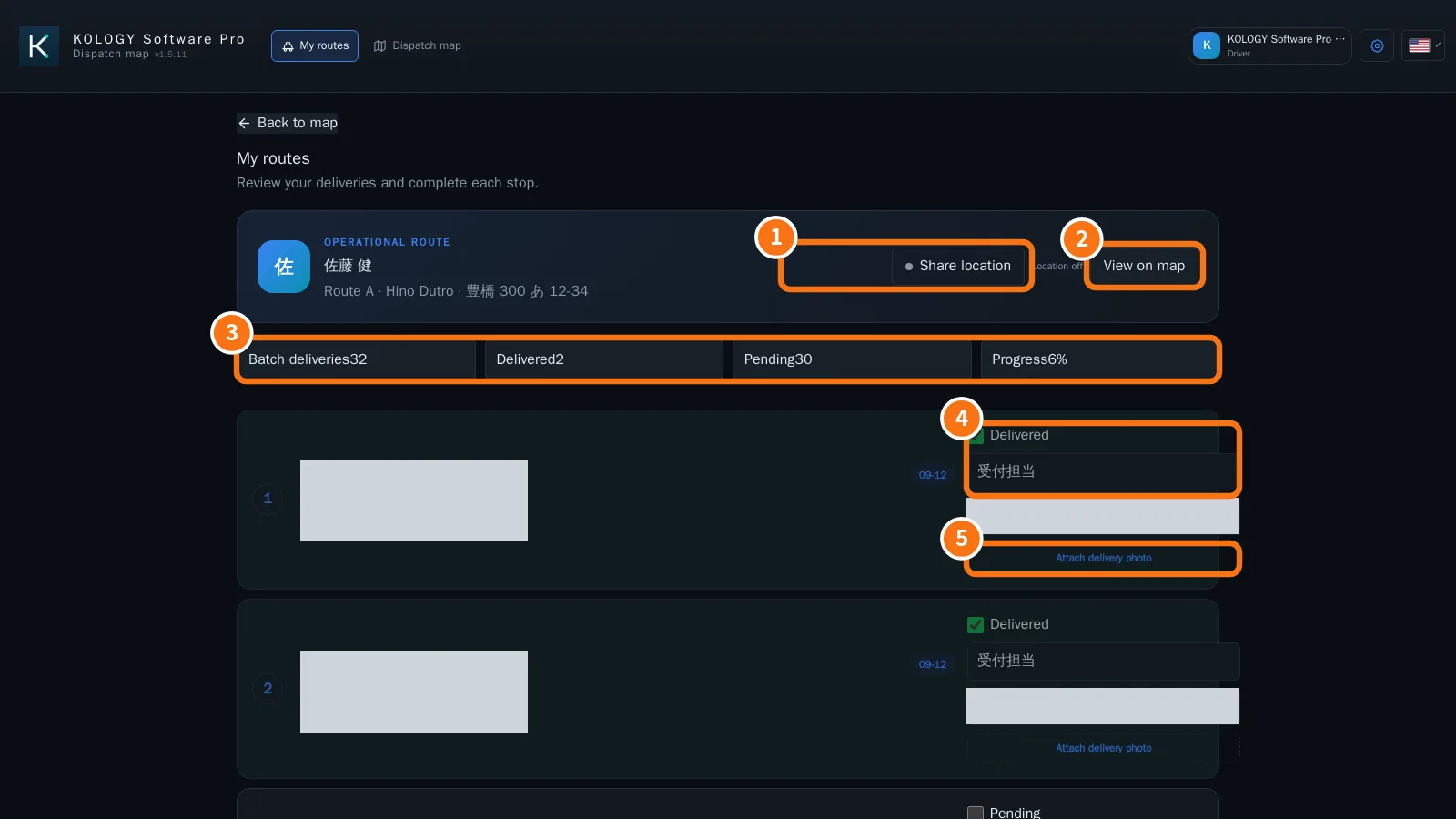
KOLOGY Software ProPantallas y funcionesDriver portal: My routesDrivers see only their own stops in order, share their location and record each delivery with recipient, note and photo.English
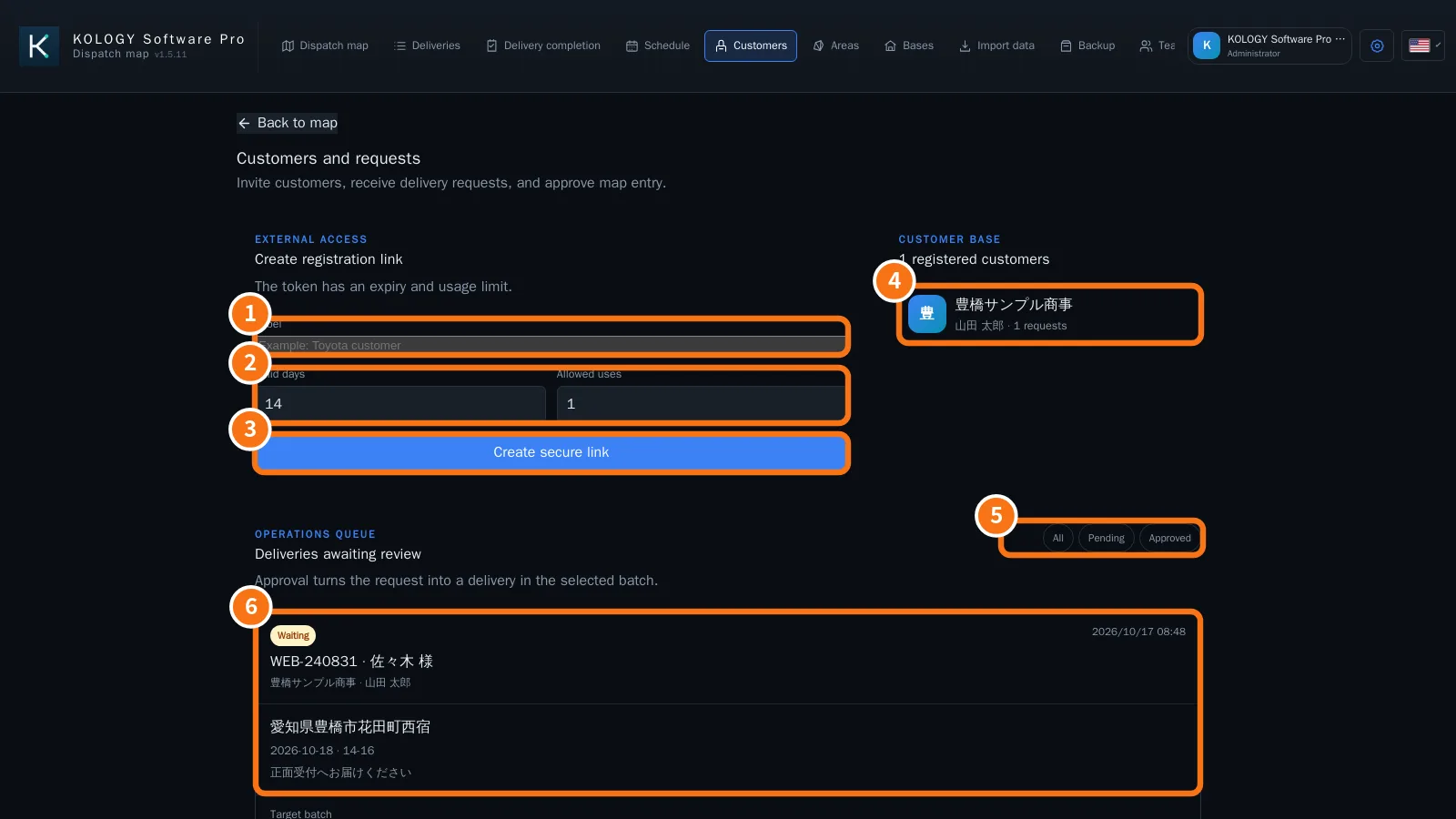
KOLOGY Software ProPantallas y funcionesCustomers and requests: invitations and approvalCreate a registration link with expiry and usage limit, receive customers' requests and approve them into the right batch.English- KOLOGY Software ProPantallas y funcionesCustomer portal: requesting deliveriesWhat an invited customer sees: creating the account, sending a new delivery request and following the history.English
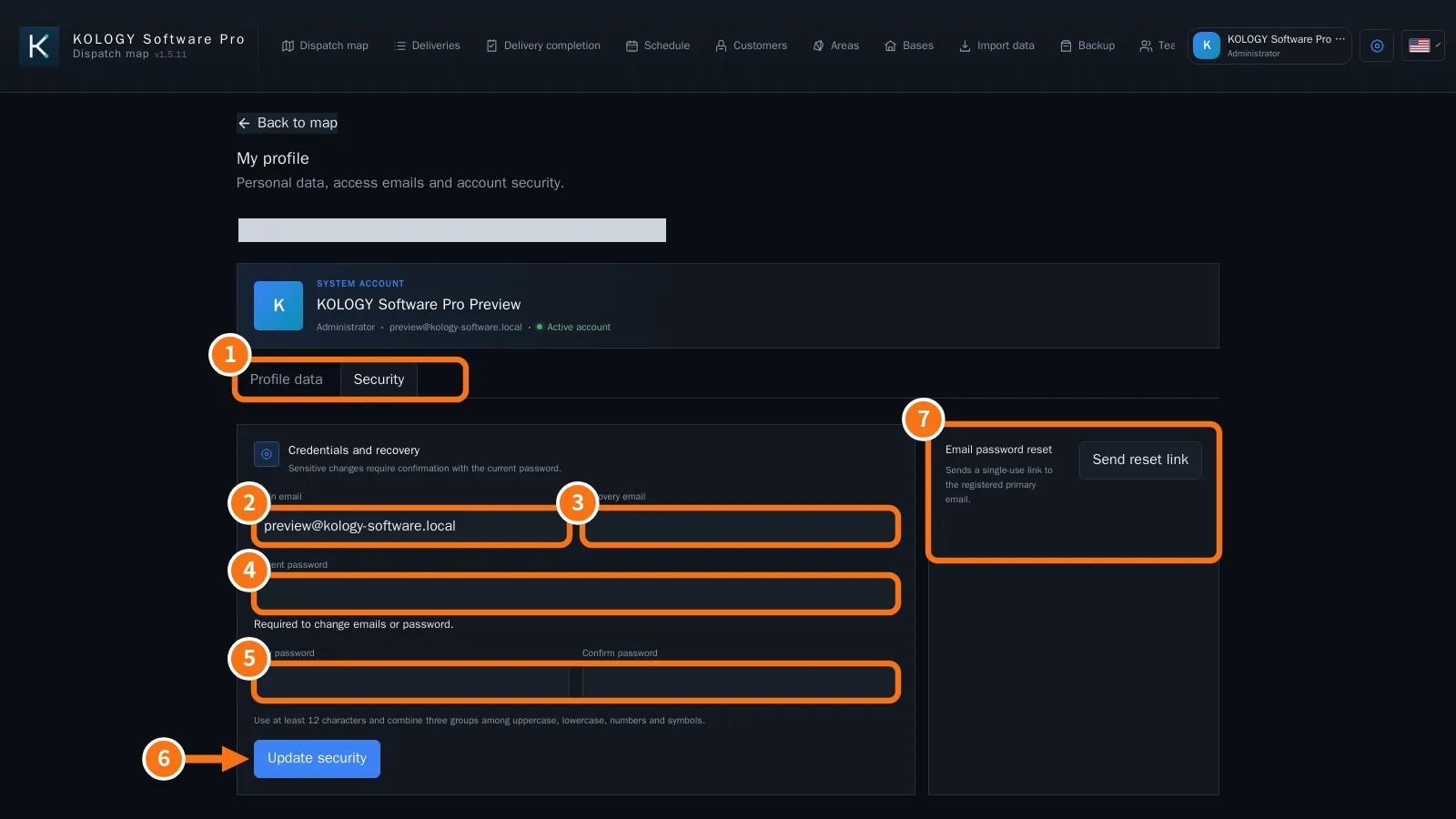
KOLOGY Software ProPantallas y funcionesSign-in, first access and password recoverySign in with email and password, activate access through the first-access link, recover a password and change emails and password safely.English
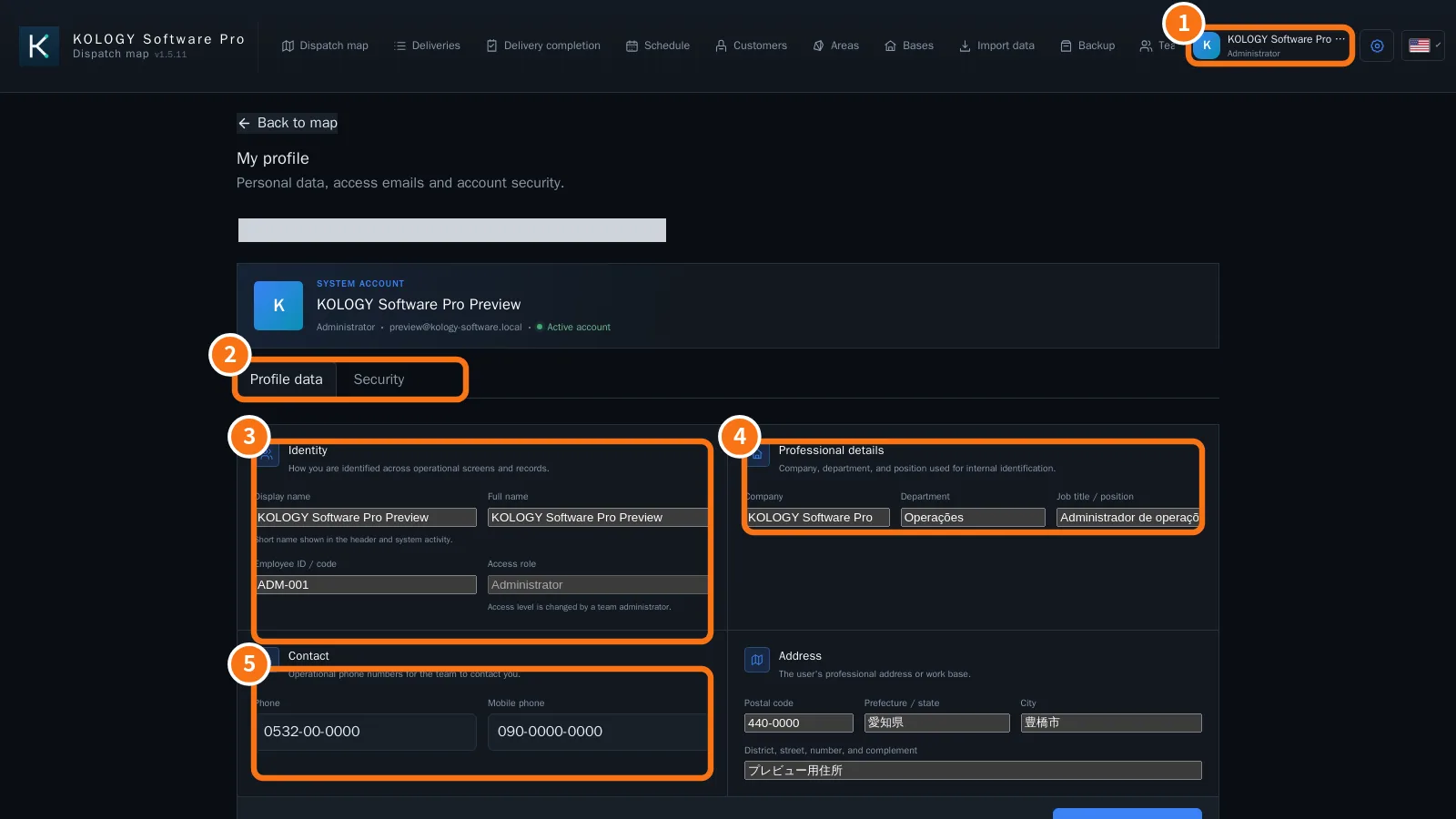
KOLOGY Software ProPantallas y funcionesMy profile: personal and work detailsUpdate display name, employee code, company, department, job title, phones and address, kept apart from sign-in credentials.English