











KOLOGY Software Pro · Primeros pasos
What KOLOGY Software Pro adds
Pro is the full edition: role-based accounts, driver schedule, driver portal with photo and location, customer portal and synchronization.
Este artículo aún no está traducido a su idioma: se muestra la versión en English.
En esta página
KOLOGY Software Pro is the full edition of the KOLOGY Software family. It does everything Lite does (map, import, areas, bases, backup, updates) and adds team operation: drivers, customers and several people using the system, each with their own role. It is also installed on the company's Windows PCs, with a perpetual licence.
Everything included, no extensions
Pro has no per-module purchase. Intelligent planning, street routing, additional offline maps, cargo and stock, delivery completion and advanced driver identifiers are all part of the edition.
What only Pro has
- Feature · What it is for
- Sign-in and roles · Administrator, operator, driver and customer, each sees only their screens.
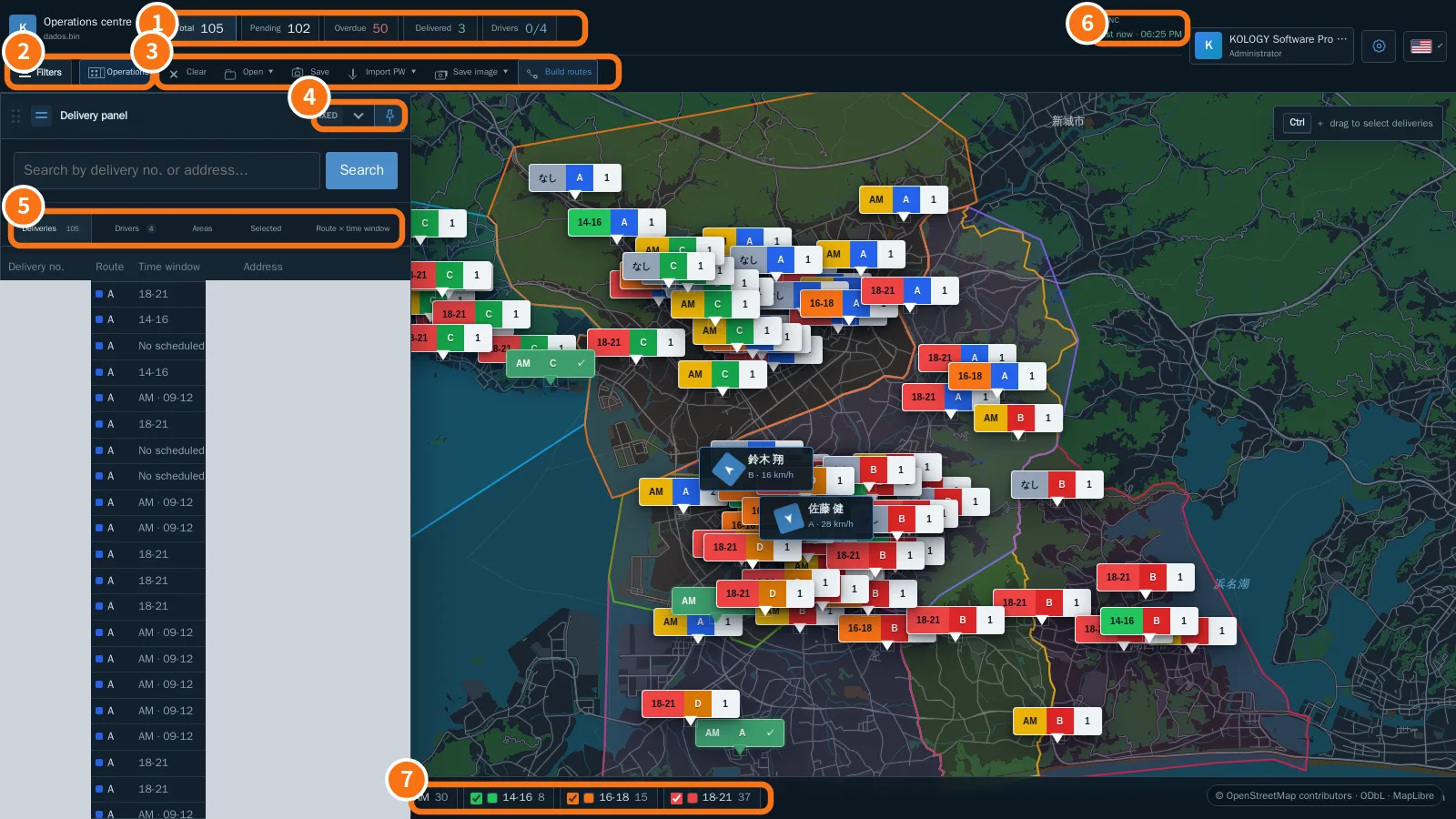
- Operations centre · Map with Total, Pending, Overdue, Delivered and Drivers indicators, filters and sync status.
- Schedule · Time score per driver, automatic distribution and manual assignment per delivery.
- Team · Drivers with vehicle and contact, access accounts and route emails.
- Driver record · Each driver's agenda, completed, pending and overdue per day.
- Driver portal · My routes: ordered stops, completion with recipient and photo, shared location.
- Customers · Invitation link, customer account and delivery requests with approval.
- My profile · Personal data and security (sign-in email, recovery, password).
- Sync · Works locally and sends the queue when the internet returns, without duplicates.
- Guide · Searchable wiki inside the program, with A4 printing.
How Pro is purchased
Pro is quoted: the number of computers and the included map are defined in the quote. The licence is perpetual per computer and monthly support is optional. See “Plans and limits”.
Who uses what
- Administrator: sets up company, accounts, email and access; can do everything an operator does.
- Operator: imports batches, distributes in the Schedule, follows completions and approves customer requests.
- Driver: uses the My routes portal in the browser.
- Customer: uses the My requests portal to ask for deliveries.
Related questions
- Getting started with KOLOGY Software Pro
- Operations centre
- Plans and limits: Lite vs. Pro