











KOLOGY Software Pro · Primeros pasos
Getting started with KOLOGY Software Pro
Install, activate, create the administrator, register the company and team, and import the first batch.
Este artículo aún no está traducido a su idioma: se muestra la versión en English.
En esta página
This is the path from installation to the first operating day in Pro. It takes a few minutes and is done once by the administrator.
1. Install and activate
- Install the program on Windows 10 or 11 (64-bit) with the installer received from KOMORI or downloaded from the client portal (Software tab).
- On first launch, enter the computer's activation code and click Activate on this computer. The licence is tied to the PC and works offline afterwards.
2. Create the administrator
- The Initial setup → Create the administrator screen appears once.
- Enter Name, Email, Password and Confirm password. The password needs 12 or more characters and three groups (upper case, lower case, numbers, symbols).
- Click Create administrator and sign in. This is the first full-access account.
3. Company details
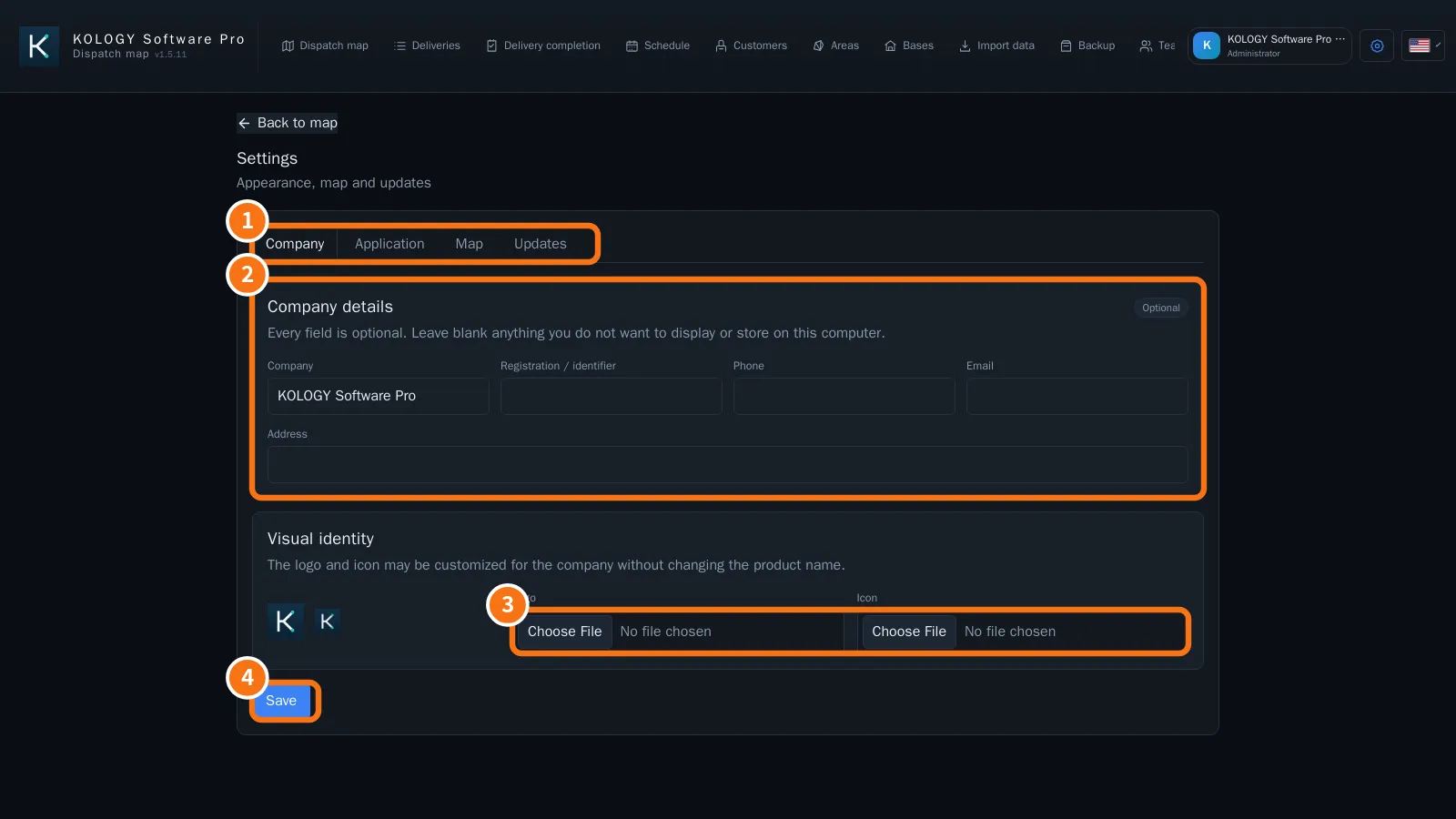
- Open Settings → Company (①).
- Fill in Company details (②) and, if you like, the logo and icon (③).
- Click Save (④).
4. Register the team
- Open Team → Drivers → Register driver: name, code, phone, Route code and vehicle.
- Under System users → Create access account, create accounts for operators (and other administrators).
- If drivers will use the portal, set up email under Email and reminders and use Enable access on the driver (see “How to enable a driver's access”).
5. First batch
- On the map, import the deliveries (Open or Import PW → Paste from browser).
- Check the indicators at the top (Total, Pending, Overdue, Delivered).
- Distribute them in the Schedule or with Build routes.
Common mistakes
- “Check the name, email and password.” A setup field is invalid or the password is too weak.
- “Passwords do not match.” Type the same password in both fields.
Related questions
- What KOLOGY Software Pro adds
- Team: drivers, users and email
- Sign-in, first access and password recovery
- Import deliveries