











KoCAD · Pantallas y funciones
Workflow: weldment → cut list → stock bars to buy
Catalogue members, corners, gussets and welds; cut list with angles; Bars works out how many 5.5/6 m bars to buy; proposal to the 部材表.
Este artículo aún no está traducido a su idioma: se muestra la versión en English.
En esta página
Step by step
- Draw the frame lines in a sketch.
- Weldments → Structural Member: choose the catalogue profile (e.g. □60×60×2.3 STKR400) and select the lines.
- Solve corners (Corner treatment) and joints (Trim/Extend). Add Gusset, End cap and Weld bead.
- Cut List: each member with length, cut angles, quantity and mass (including plates and weld metal).
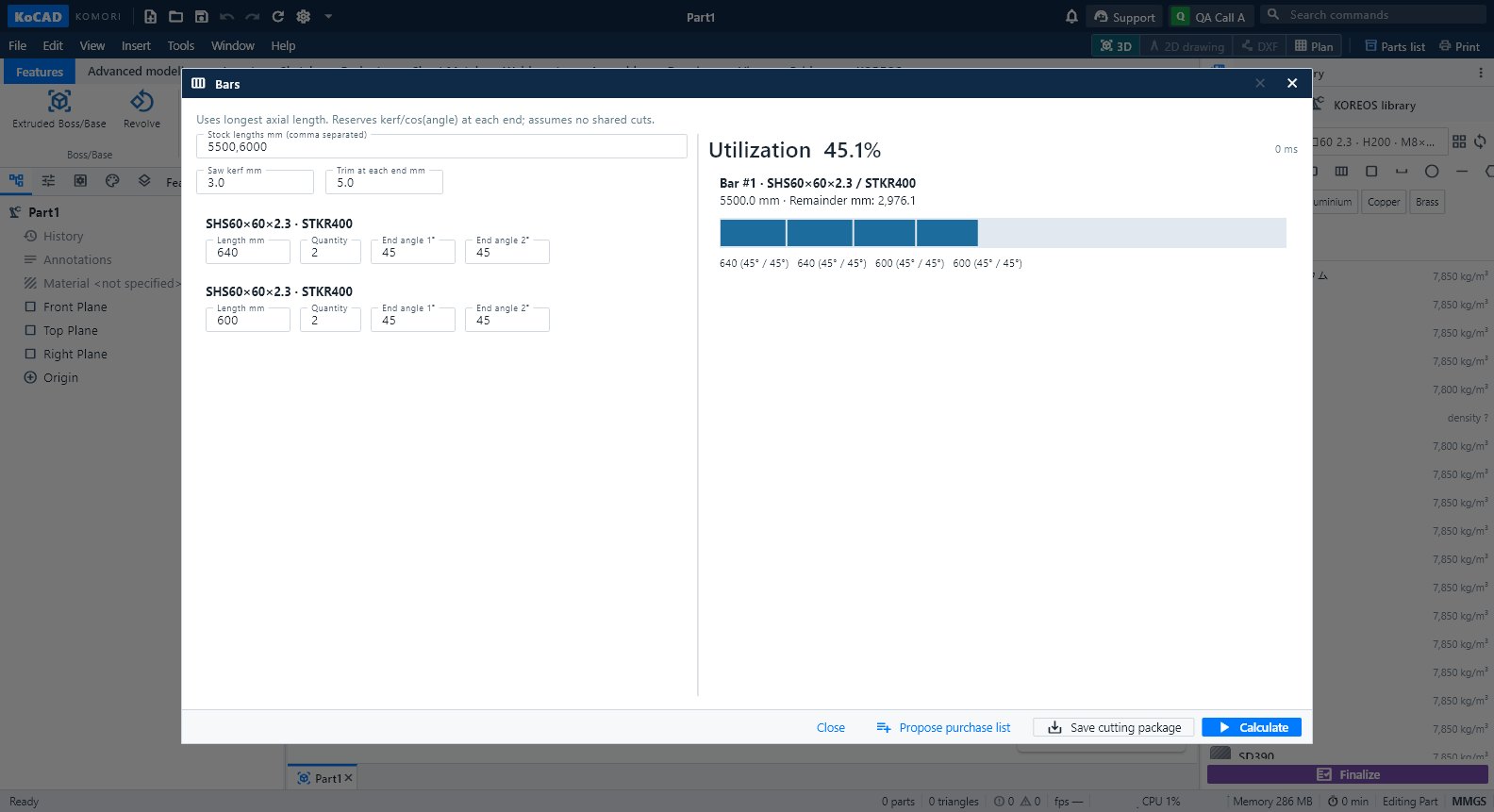
- Bars: choose the stock length (5,500 / 6,000 mm or other), saw kerf and trims. Each bar shows its pieces, angles, offcut and kg.
- Save the plan and use Propose 部材表 to send the bars to the case.
Tips
- The longest axial length comes from the real members; grouping never rounds down.
- In the drawing the cut list and balloons are automatic; the JIS weld symbol comes from the bead.
Common mistakes
- Members overlapping: run Evaluate → Interference Detection and adjust the corner.
- Profile outside the catalogue: red badge in Materials & purchasing; pick an existing register entry.