











KoCAD · Pantallas y funciones
How to change computers and free a PC from the license (limit of 3)
See the connected PCs, disconnect one from KoCAD, from the 4th-PC message or from the customer portal.
Este artículo aún no está traducido a su idioma: se muestra la versión en English.
En esta página
What this is for
One license covers up to 3 computers at the same time. Changed laptops, reinstalled the PC or want to use it at home? Free one of the old PCs.
Option 1: inside KoCAD
- Click your picture at the top right → My account / License.
- Open the Devices tab. The PCs appear with version and last access; the current one is marked "this PC".
- Click Revoke on the PC you no longer use.
- To sign out of this PC only, use Sign out (this PC) — save your work first.
Option 2: in the 4th-PC message
- Sign in on the new PC with the portal e-mail and password.
- If there are already 3 PCs, KoCAD shows the list and asks you to disconnect one.
- Choose the old PC. The sign-in continues on the new one.
Option 3: in the customer portal
- Sign in to the customer portal and open KoCAD.
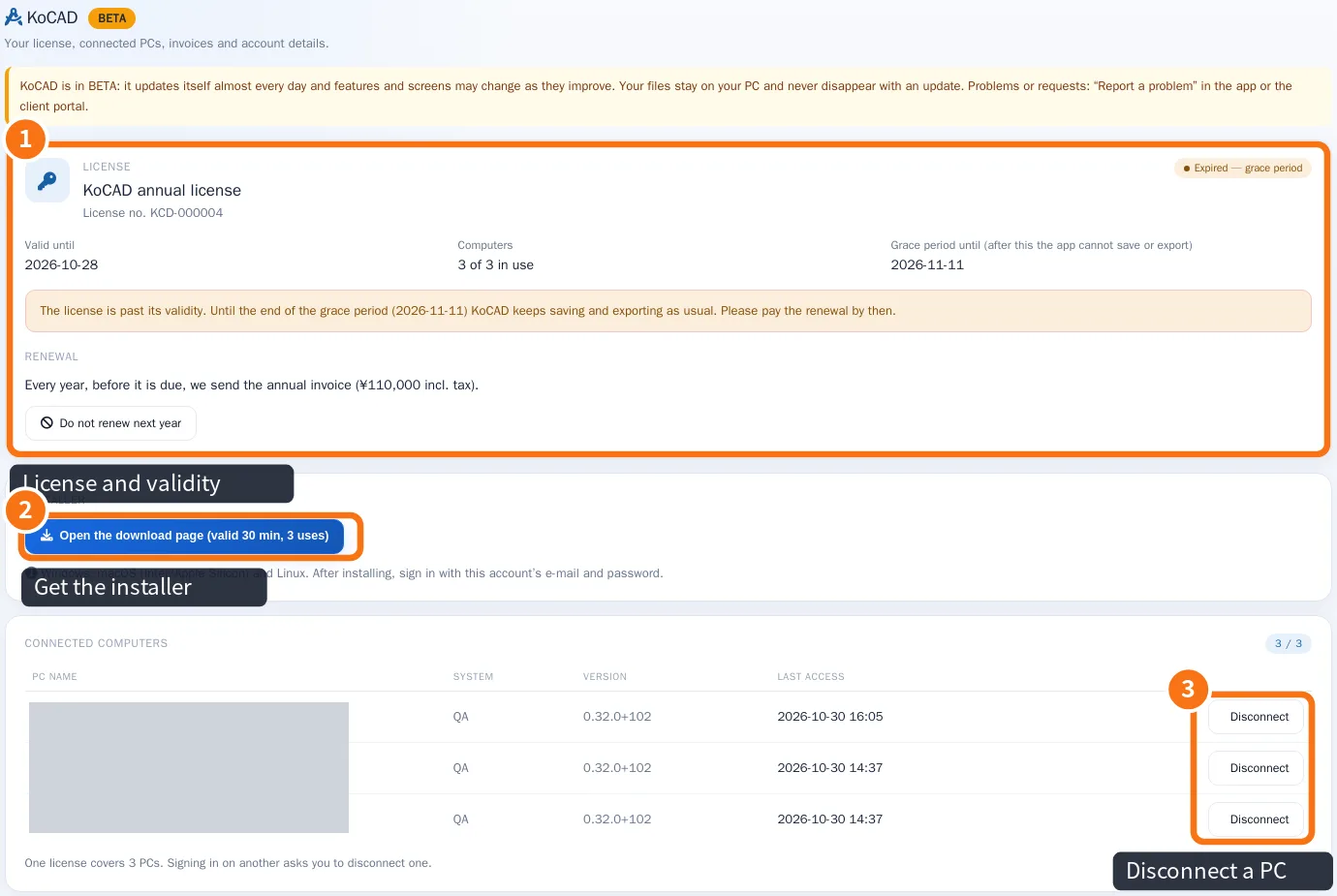
- In Connected computers, click Disconnect ③ on the PC to free.
Common mistakes
- A reinstalled PC is still listed: KoCAD does not know it was reinstalled; disconnect it in the portal.
- I cannot sign in on the new PC: check that a seat was really freed (the list still shows 3 of 3).
Related articles
- Plans and limits: annual license, 3 PCs, grace period and what is included
- Install KoCAD and sign in with your account
- What to do when… (sign-in, license, PCs and AI)