











KŌLOGY · Màn hình & chức năng
View a driver's screen (read-only)
Open a driver's screen from the Drivers list, just to look. Nothing you tap there is recorded for them.
Bài viết này chưa được dịch sang ngôn ngữ của bạn: đang hiển thị bản English.
Trong trang này
What it is for
Managers with logistics permission can see exactly what the driver sees in the app, like the «View driver screen» button of KOLOG on the web.
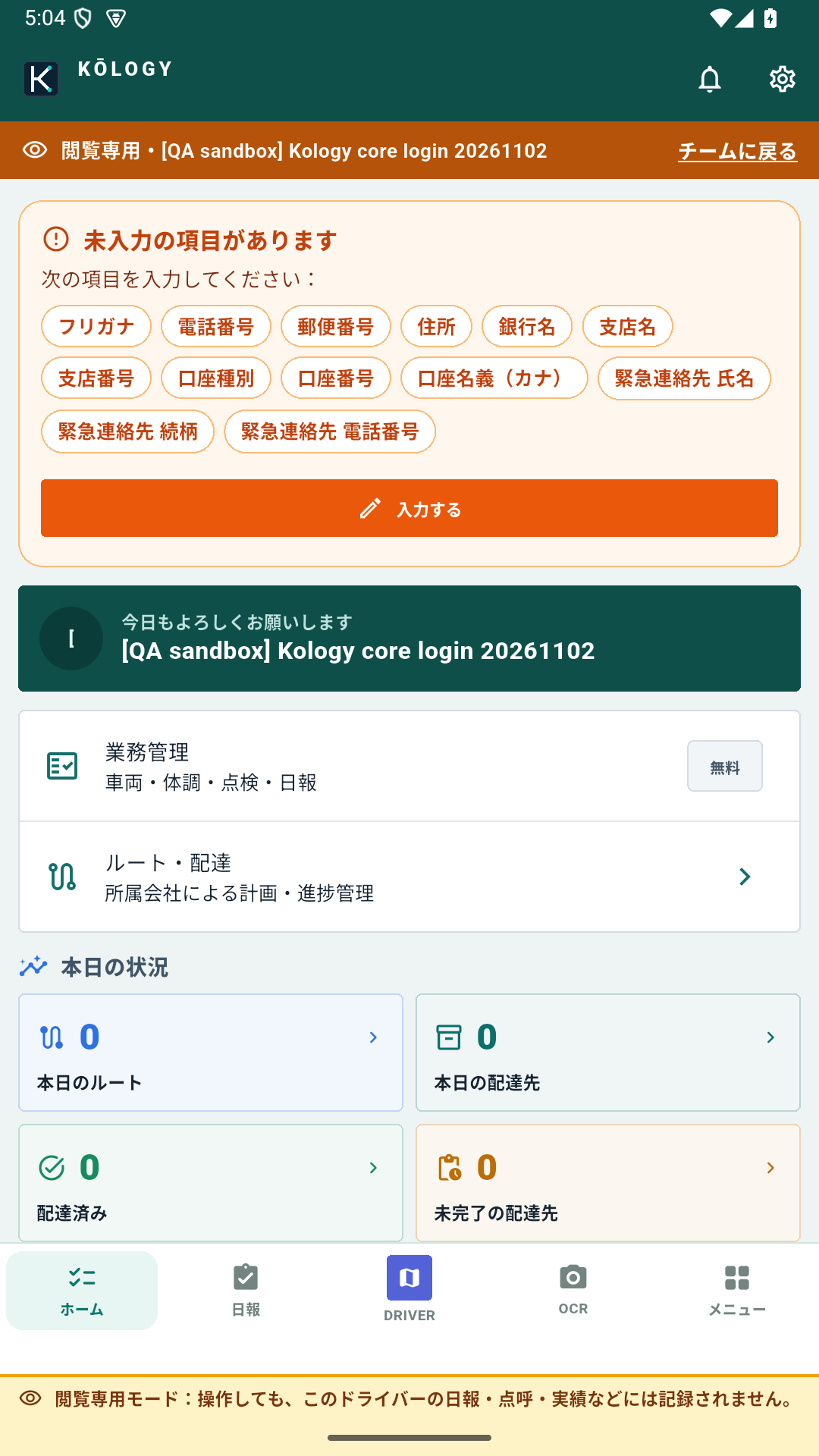
How to open it
- Sign in as a manager and open the Drivers tab.
- Tap the driver's name.
- Tap View driver screen.
Look only
- A fixed amber bar says Read-only.
- Buttons such as Start daily report, roll call, vehicle loan/return, fuel card, receipts or edit profile record nothing for the driver: the server refuses and the app shows “Read-only mode — nothing was saved”.
- GPS, duty, the offline queue and device notifications are off in this view.
How to go back
Tap the amber bar (Back to team). The view also ends by itself after 2 hours.
If the app says the driver is not available
The driver must be active and have a linked registration. Check their card.