











Nhân sự và vận hành
KMR
Tổ chức nhân sự và theo dõi hoạt động quảng bá.
Bắt đầu từ đây
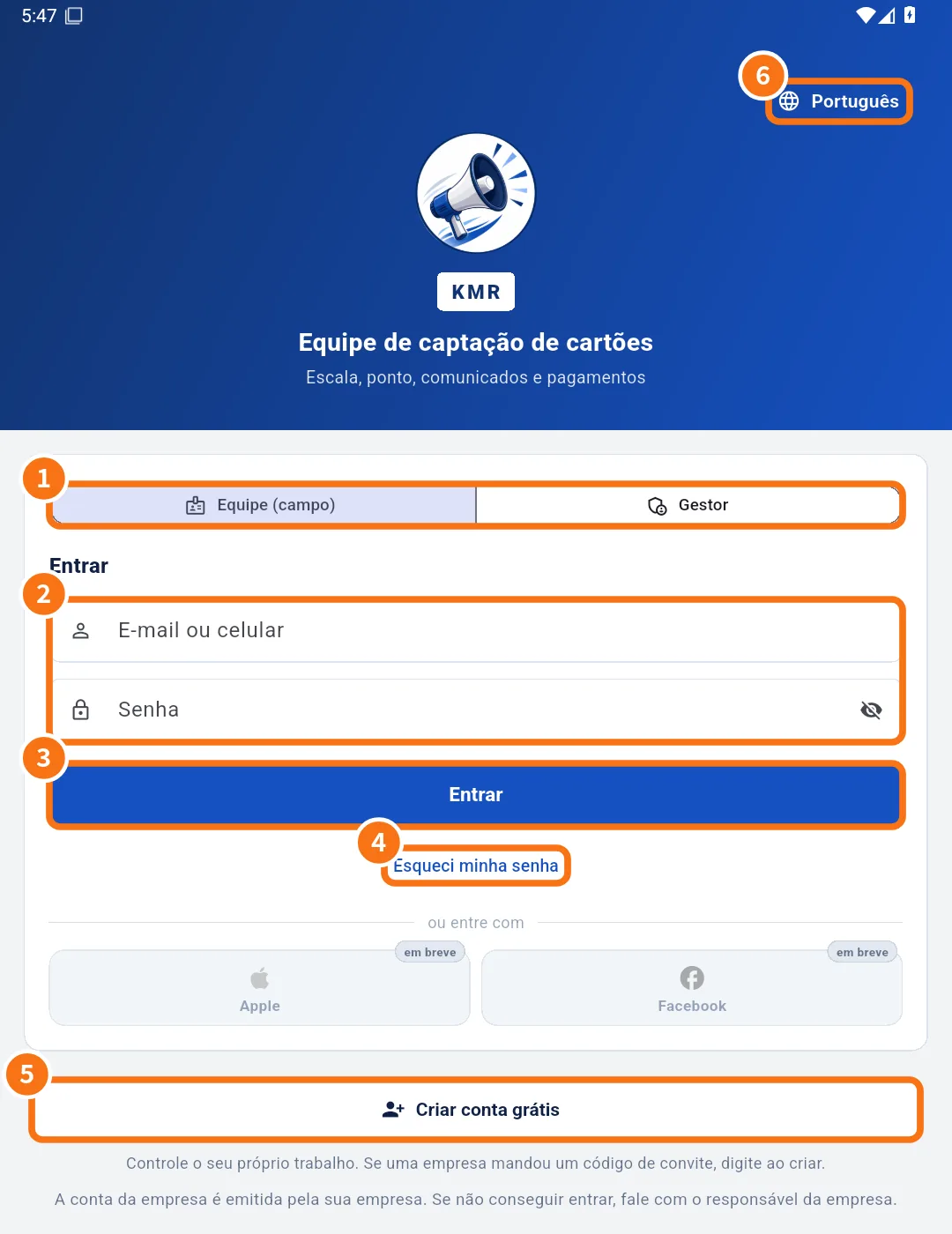 Getting started with KMRWhat KMR is, who uses it, how to install, sign in and do the first task of the day.English
- Sign in, choose your company and reset your passwordHow to sign in as staff or manager, what to do when your e-mail is in several companies, and how to reset your password.English
- Roles in KMR: staff, manager, administrator and free accountWho sees what in KMR: field staff, manager, company administrator and people with a free account.English
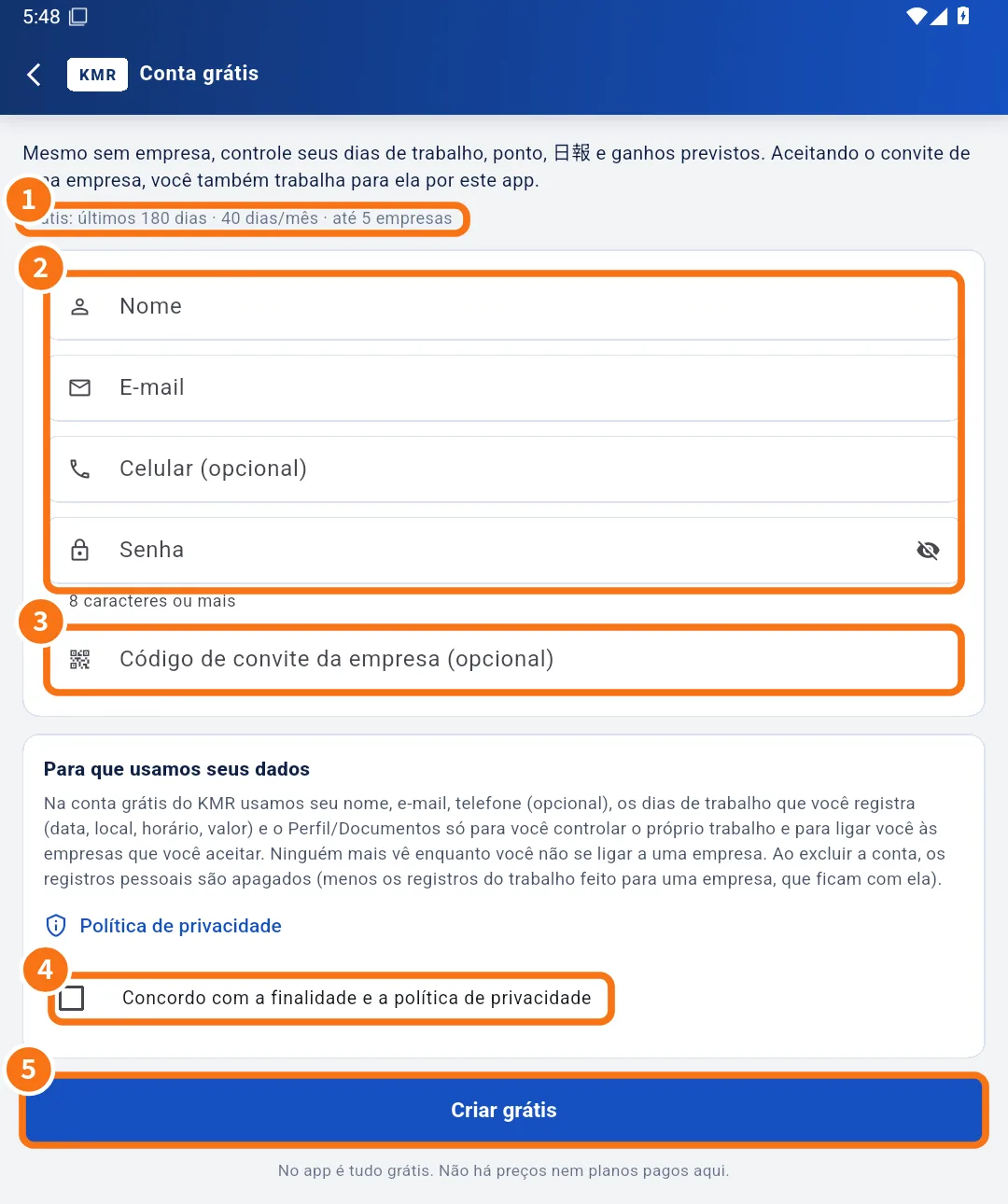 Create a free account (no company)How anyone creates a free account in the KMR app, what it does and what the limits are.English
Màn hình & chức năng
Xem tất cả (40) →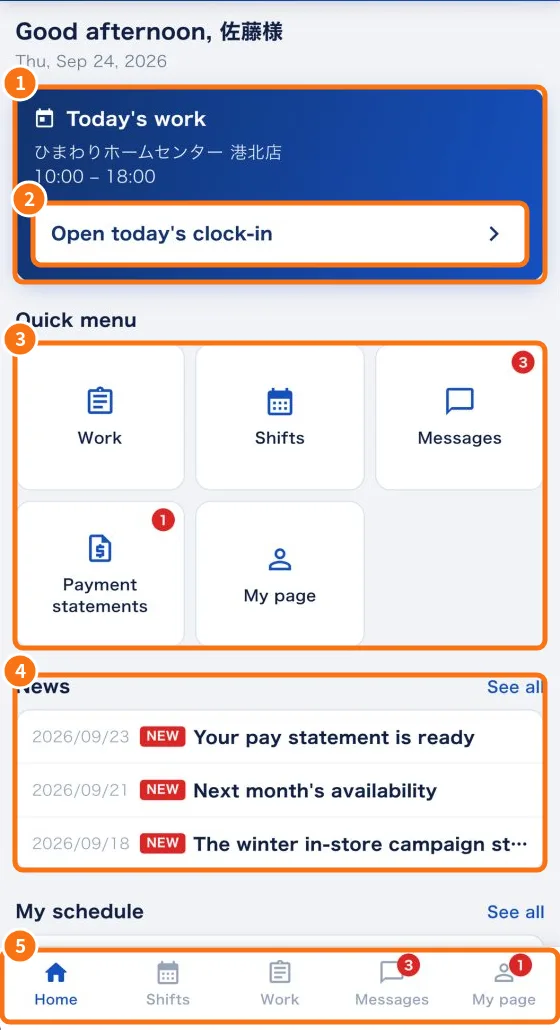 Home screen (staff)Your day at a glance: today's work, things to answer, quick menu, news and your schedule.English
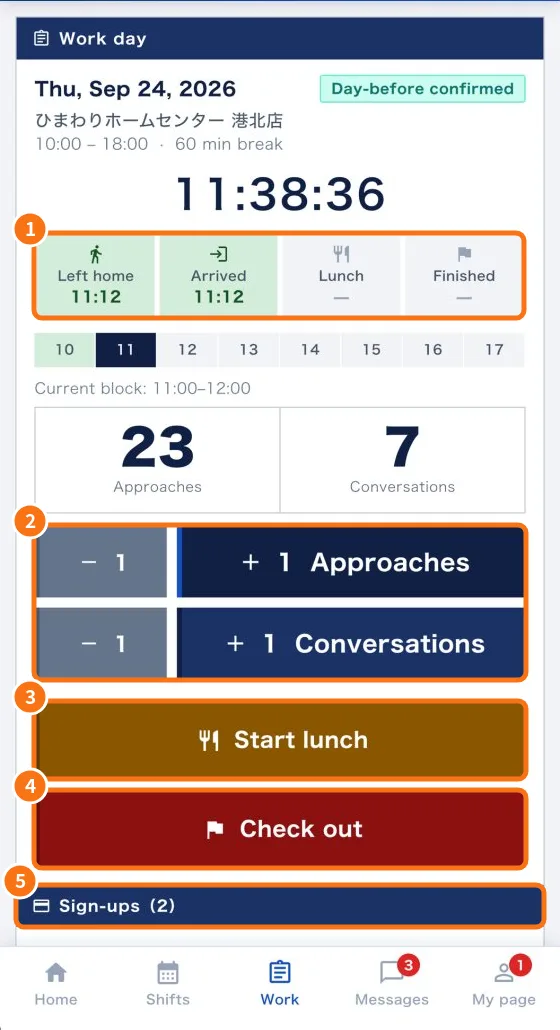 Work tab: confirm the shift and record the dayAnswer shift confirmations, record leaving home, arrival, lunch and check-out, count approaches and conversations, and add sign-ups.English
- Daily report (日報): questions, photos and required fieldsWhat the app asks at check-in, lunch and check-out, how to attach photos and how to fix “required items missing”.English
- No signal and location: how the app saves and sends recordsWhat happens when the internet drops at the store, and when the app uses your location.English
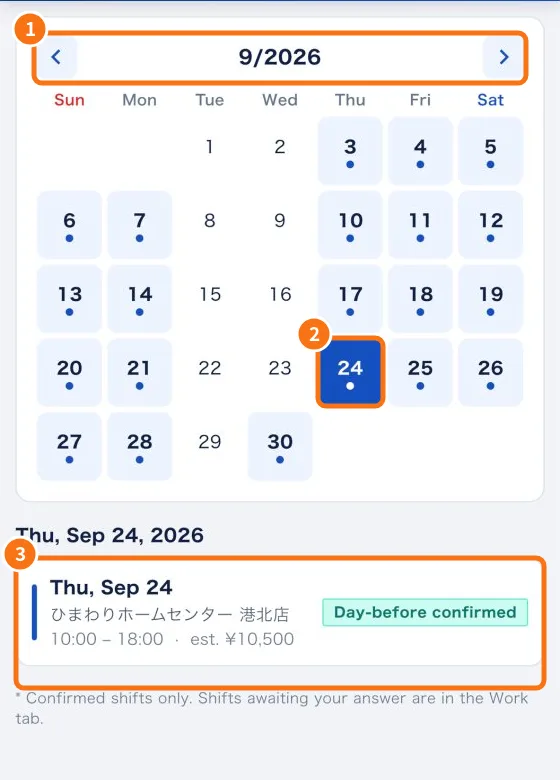 Shifts tab: your shift calendarSee the days you work on a calendar, with store, hours and estimated pay.English
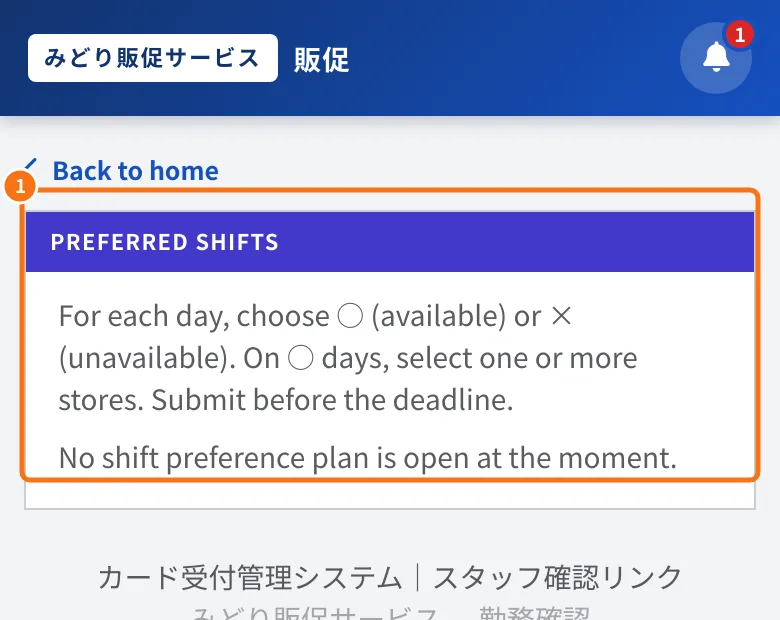 Submit availability (shift preferences)How to mark the days you can work and the stores you prefer, before the deadline set by your company.English
Câu hỏi thường gặp
- KMR frequently asked questions (staff and free account)Short answers about accounts, free accounts, location, no signal, languages, attachments, shifts, payments and data deletion.English
- Manager frequently asked questionsShort answers for managers and administrators: sign-in, purchases, worker mode, confirmations, location, forms, documents and cancellations.English