











KMR · Màn hình & chức năng
Accounts, free-account invitations and worker mode
How the administrator manages manager and worker accounts, how to invite staff by e-mail and how managers use worker mode.
Bài viết này chưa được dịch sang ngôn ngữ của bạn: đang hiển thị bản English.
Trong trang này
What it is for
This article gathers the access features: Admin accounts (who signs in as manager), Worker accounts (staff sign-in), inviting people with a free account and the manager's Worker mode.
Admin accounts (administrators only)
- Open Menu → Accounts → Admin accounts.
- Tap New account, enter name, e-mail and the Role (permission).
- Use Set password (10+ characters) or send the invitation so the person creates the password. The account shows “No password” until then, and “Ready” after.
- To remove access, tap Disable; to give it back, Enable.
Worker accounts
- Open Menu → Accounts → Worker accounts to see each staff member's access.
- Use Renew login link when an old link leaked or was lost (the old one stops working), or Change password.
Invite staff (free account)
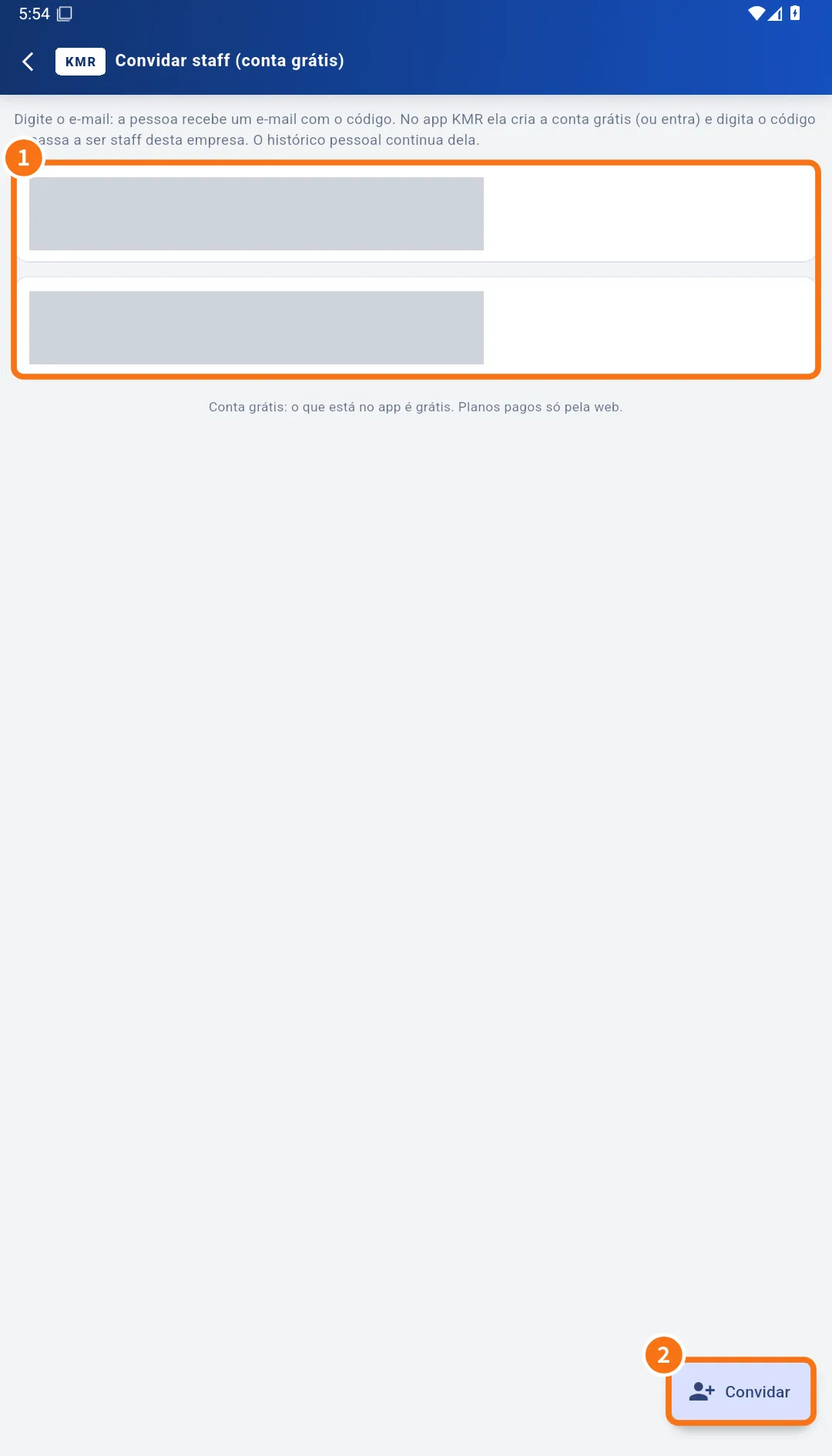
- Open Menu → Invite staff (free account) and tap Invite (②).
- Enter the E-mail and, if you like, Name (optional). Tap Send invitation.
- The invitation code appears (only now). If the e-mail does not arrive, use Copy and give the code directly.
- In the list (①) each invitation shows its status, “valid until … · sent N×”, and the Resend and Cancel buttons.
- The person creates a free account (or signs in) and enters the code: they become staff of your company, and their personal history stays theirs.
Worker mode
- If there is a worker record with the same e-mail as your manager account, Menu → Worker mode appears.
- Tap it and choose the record. The app opens as staff, with the In worker mode bar.
- To return, tap Back to management.
Common mistakes
- “There is no worker record with the same e-mail as this account.”: register the staff member with the manager's e-mail.
- “Please check the e-mail address.”: the invitation address has a typo.
- Accounts are managed by another system: if your company contracted KMR together with KOREOS, accounts are changed in the KOREOS user settings.
Related questions
- How to bring a new person into the team
- Company invitations: link your free account to a company
- Plans and limits: company plan and free account
- Roles in KMR: staff, manager, administrator and free account