











KS
KOMORI Software catalog (KŌLOGY brand)
KOLOGY Software Pro
Full logistics on PC with cloud (KŌLOGY, KOMORI Software catalog).
Bắt đầu từ đây
 What KOLOGY Software Pro addsPro is the full edition: role-based accounts, driver schedule, driver portal with photo and location, customer portal and synchronization.English
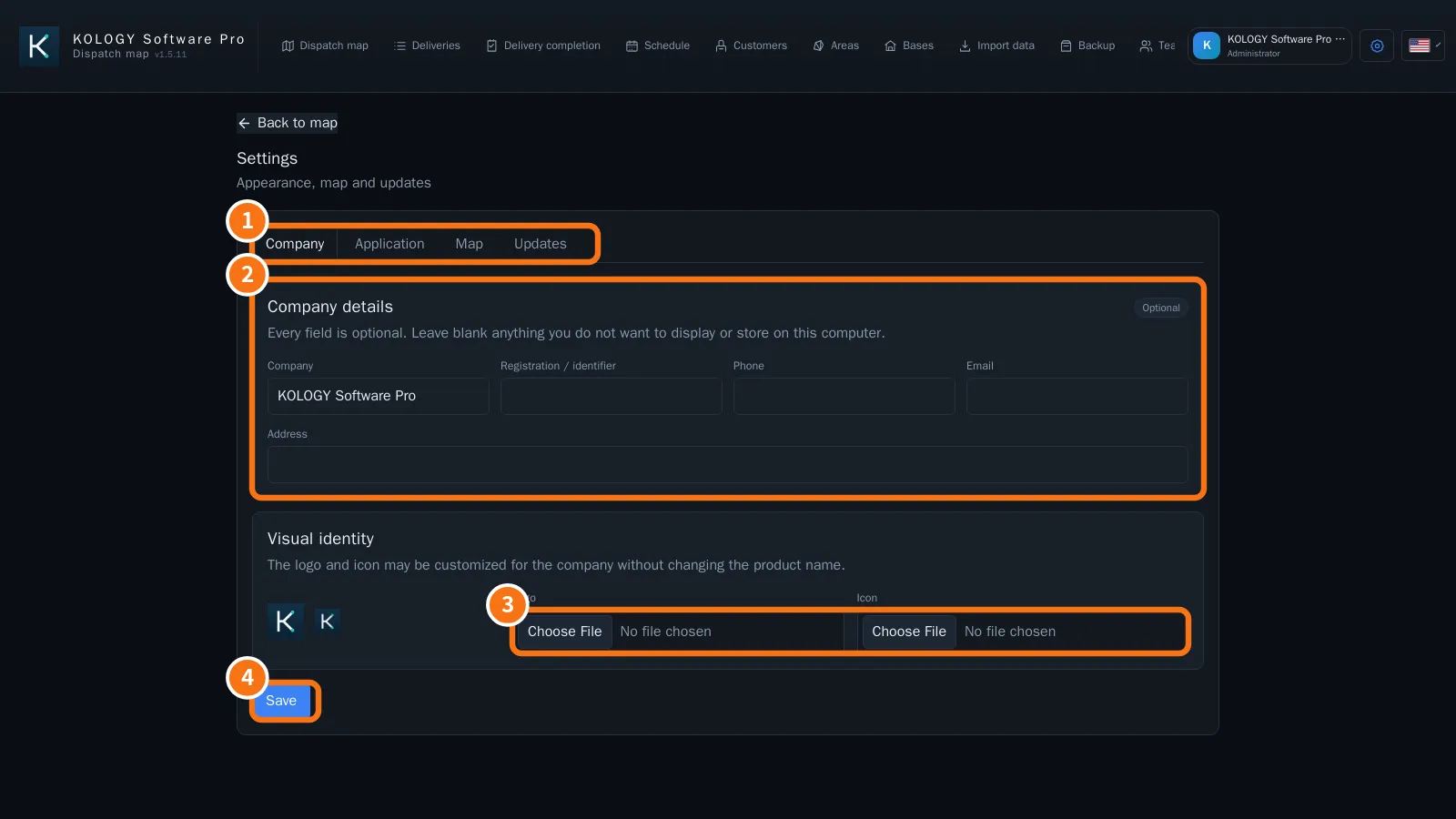 Getting started with KOLOGY Software ProInstall, activate, create the administrator, register the company and team, and import the first batch.English
Màn hình & chức năng
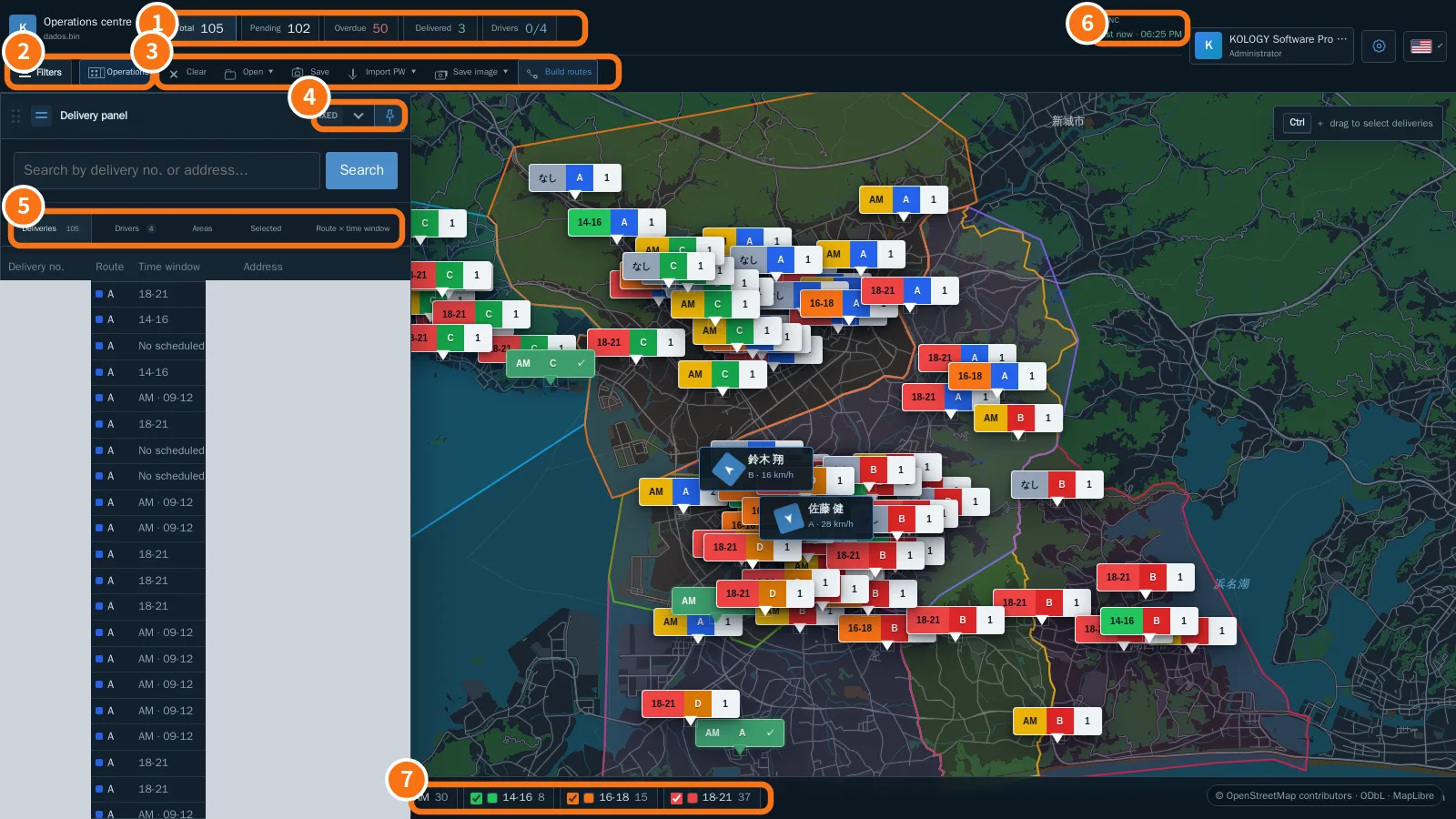
Xem tất cả (31) →- Operations centre: the Pro mapBatch indicators, Filters, the Operations menu, fixed or accordion delivery panel, the Drivers tab and the Sync indicator.English
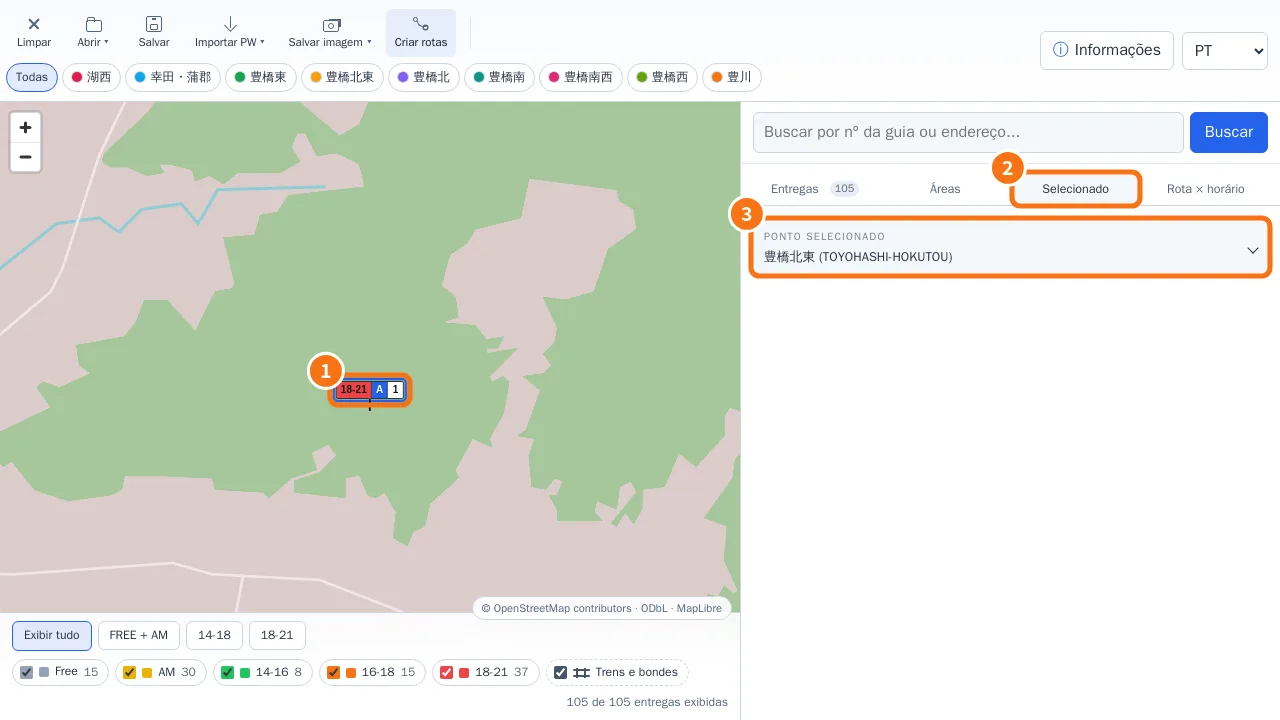 Edit a delivery from the mapQuick editor on pin click, Full edit, AM/PM period with exact time, and the Selected tab.English
- Right-click menu, markers and manual driversThe right-click menu changes with what you click: map background, delivery, marker or driver.English
- Distance and street routeMeasure between two points or build an accumulated route with Ctrl + click; the calculation runs on your own computer.English
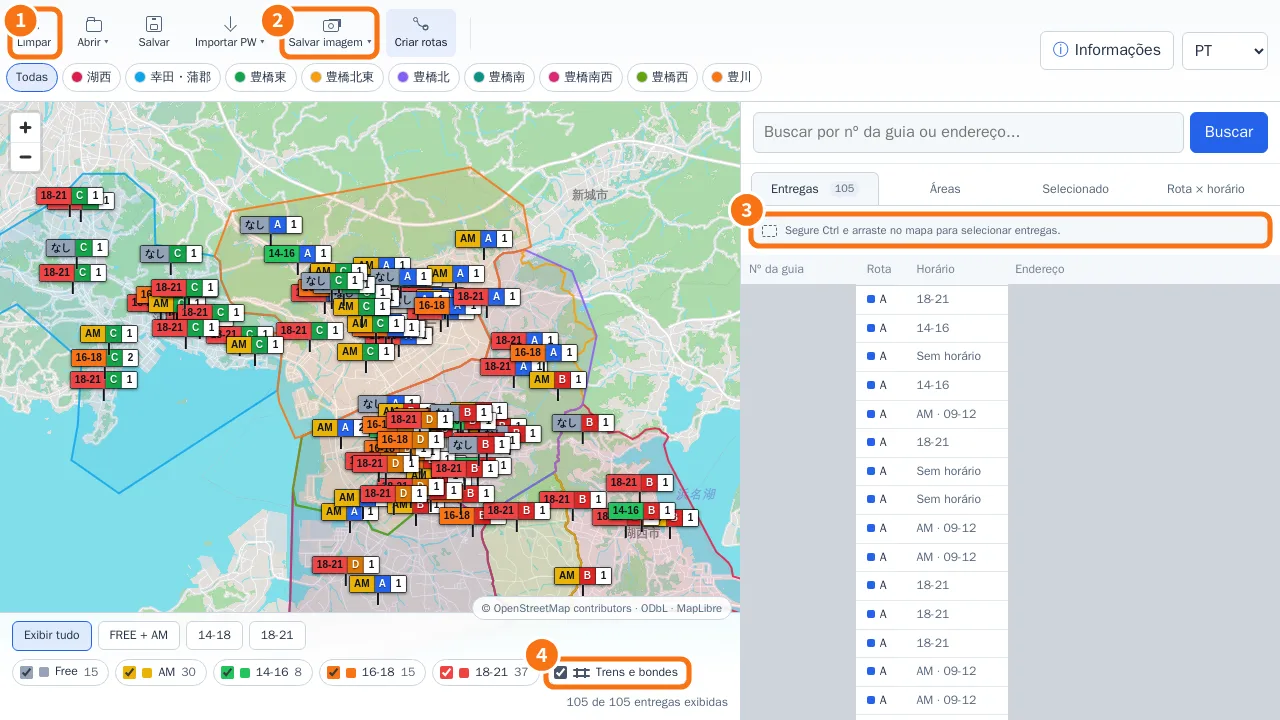 Ctrl selection, Save image (JPG/PDF) and layersSelect only the deliveries inside a rectangle, export the visible map as JPG or A4 PDF, and show or hide rail and tram lines.English
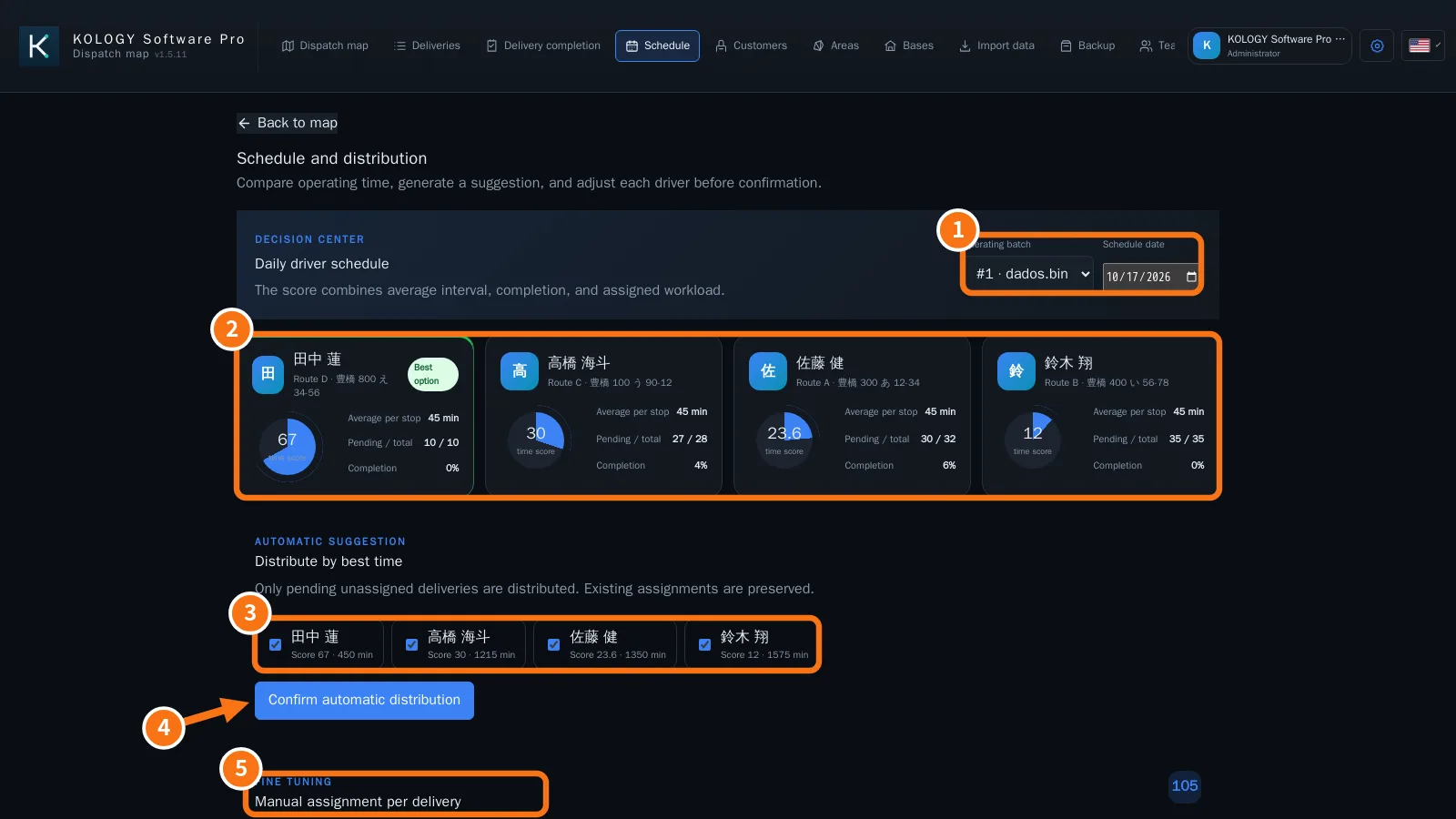 Schedule and driver distributionCompare drivers' time scores, distribute pending deliveries automatically and adjust each stop by hand.English
Câu hỏi thường gặp
Khắc phục sự cố
- Common problems and how to fix themBlank map or reduced mode, activation, import, updates, offline maps, backup and a window that will not close.English
- Pro common problems and how to fix themLocked sign-in, expired invitations and links, a driver with no deliveries, location, emails, sync and restart during updates.English