











KŌLOGY · Màn hình & chức năng
Payments: review and approve the statement
Open each payment statement (支払明細), review it, approve it with your digital seal or return it with a reason.
Bài viết này chưa được dịch sang ngôn ngữ của bạn: đang hiển thị bản English.
Trong trang này
What it is for
Payments receives the statements (支払明細) your company prepares for you. You open them, check the amounts and approve — which issues the invoice and sends it for payment — or return it to the office explaining what is wrong.
Where it is
More → My work → Payments. Also from the Unread statements number and the Payment statement row on Home, and from the payment notification. Also in the browser.
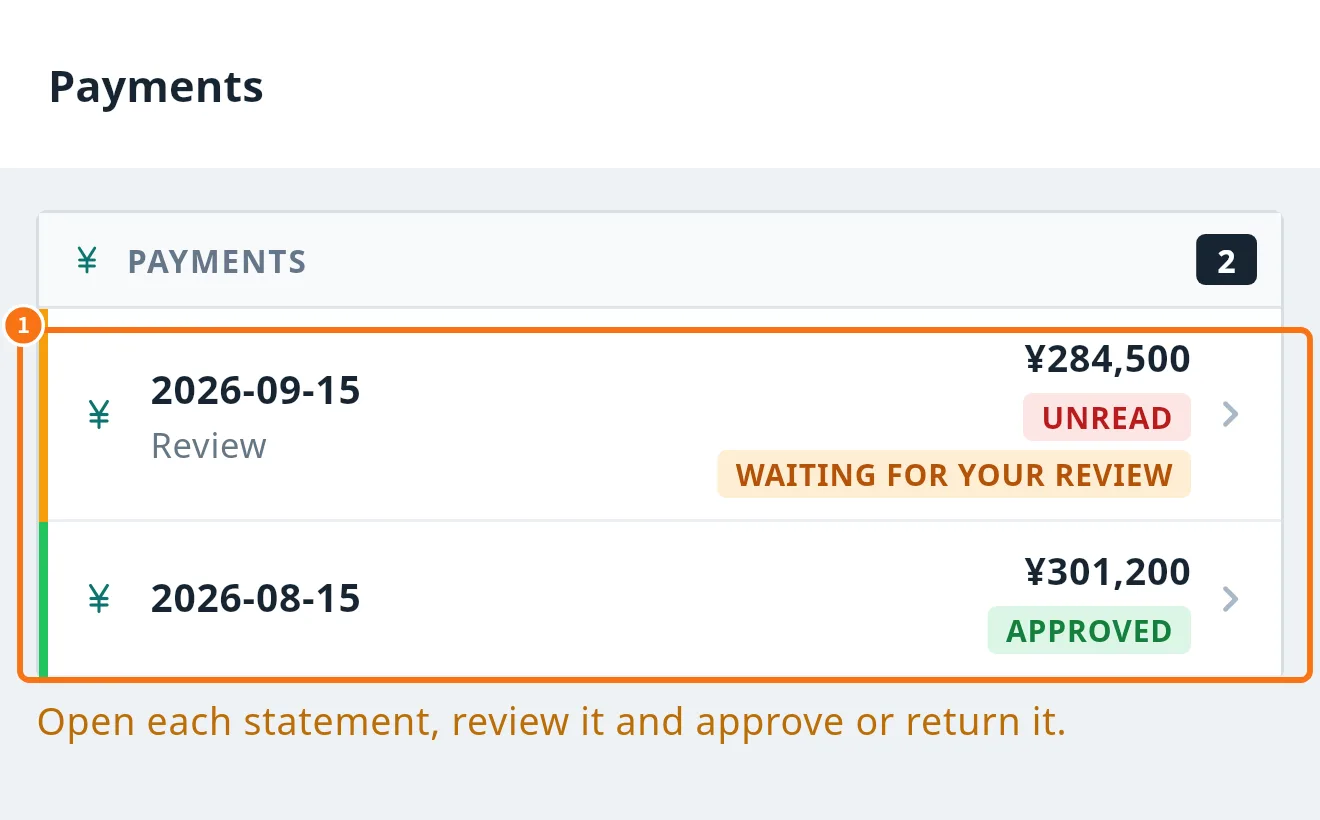
What is in the list
Each row (①) shows date, amount and status: Unread, Waiting for your review, Approved, Rejected or Paid. Below: “Open each statement, review it and approve or return it.”
Step by step: approve
- Tap the statement (for example the one showing Review).
- Read the content, the Payment due date and the Message from the office. Use Open PDF to see the document if there is one.
- Under Review and approve, tick I confirm I have reviewed the contents of this statement.
- Check Your name; the Digital seal (auto) is generated from it. Optionally add a Note (optional).
- Tap Approve and issue invoice and confirm. Once approved it goes to payment and cannot be undone in the app. Open invoice (PDF) appears with the Invoice No.
Step by step: return
- Under Return (if there is a discrepancy), write the reason.
- Tap Reject and confirm. You see “Return sent. The person in charge will review it.”
Common mistakes
- “Please tick the confirmation box.”: tick it before approving.
- “Please enter the reason.”: a return needs a reason.
- “No PDF”: the company has no PDF template; the content on screen is the same as the statement.
- Empty list: there is no statement for you yet.
Related questions
- Driver performance
- Notifications and notices
- Driver Home (Today) screen