











KŌLOGY · Màn hình & chức năng
Notifications and notices
Turn on notifications, read the notice box of the last 30 days and choose the categories.
Bài viết này chưa được dịch sang ngôn ngữ của bạn: đang hiển thị bản English.
Trong trang này
What it is for
Notifications reach you even with the app closed: a new delivery on your route, a failed delivery, a finished route, shift and payments. Tapping a notification opens the right screen (for example the payment statement). The Notifications box keeps the notices of the last 30 days.
Where it is
- Notice box: the bell at the top.
- Preferences: Settings → Notifications.
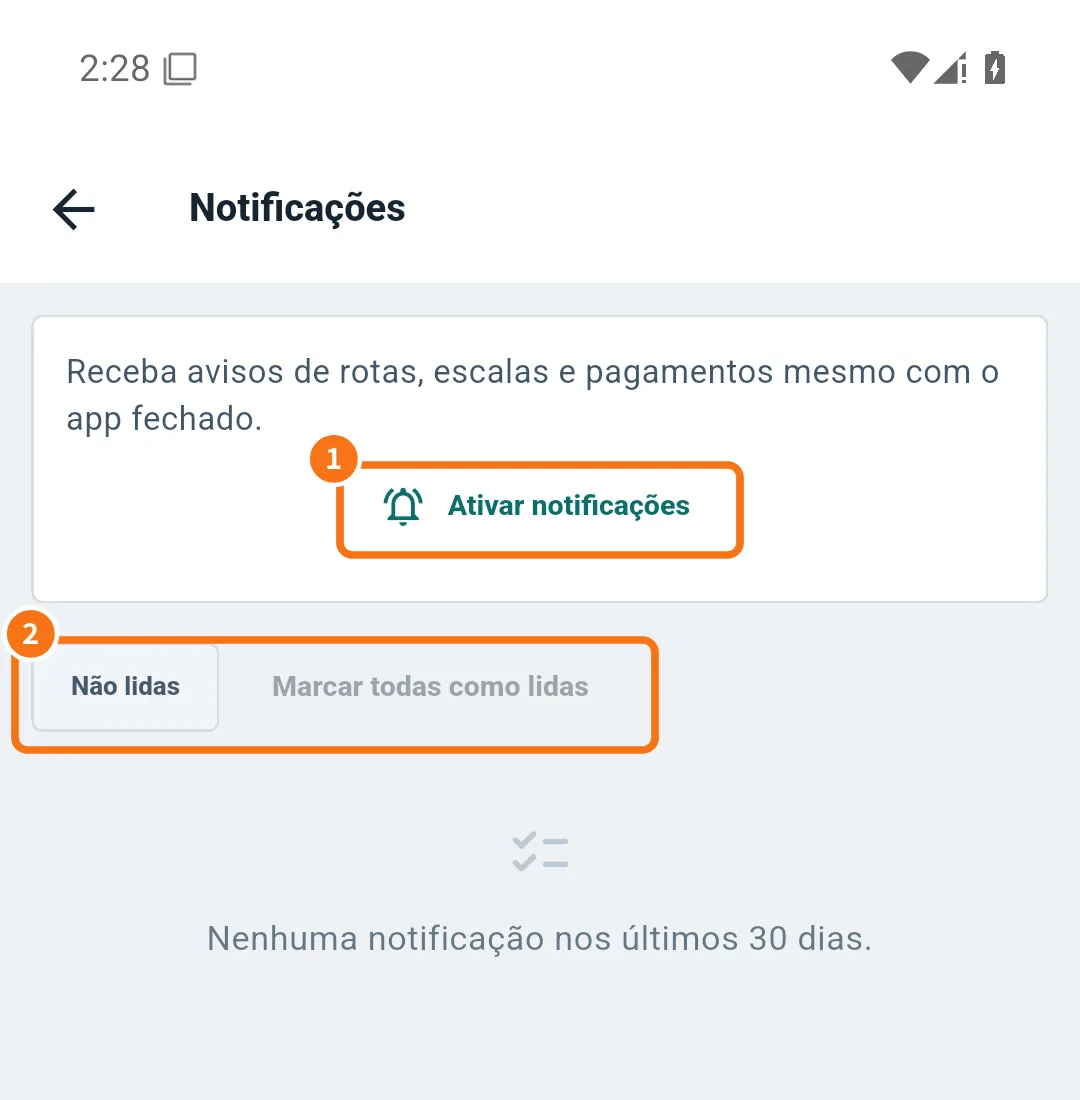
The screenshot is in Portuguese.
Step by step: turn them on
- The first time, the app asks Turn on notifications?. Tap Turn on.
- If you tapped Not now, open the bell and tap Enable notifications (①). If the phone already blocked them, tap Open settings and allow KŌLOGY notifications.
- When everything is fine you see “Notifications allowed on this device”.
Step by step: read the notices
- Tap the bell.
- Use the Unread filter (②) to see only new ones, or Mark all as read.
- Tap a notice to open the related screen. At the end of the list, Load more.
When they arrive
Notices are sent from 8:00 to 18:00 Japan time, except urgent ones. In Settings → Notifications you choose the categories. Notices about the day's work — route, shift and payment — are operational and keep coming.
Common mistakes
- “Could not connect to the notification service”: check the internet and try again.
- I get nothing: check that KŌLOGY notifications are allowed on the phone and “do not disturb” is off.
- “No notifications in the last 30 days”: there were no notices in that period.
Related questions
- Reports, dispatch messages and support
- Payments: review and approve the statement
- Driver app settings