











KŌLOGY · Màn hình & chức năng
How to review and correct a daily report
Check each driver's roll call and daily report (日報) and fix a wrong value.
Bài viết này chưa được dịch sang ngôn ngữ của bạn: đang hiển thị bản English.
Trong trang này
What it is for
The 日報 is the official record of the driver's day: roll call, alcohol, inspection, odometer, deliveries and refuelling. Checking it every day prevents mistakes at month-end.
Step by step: the day's check
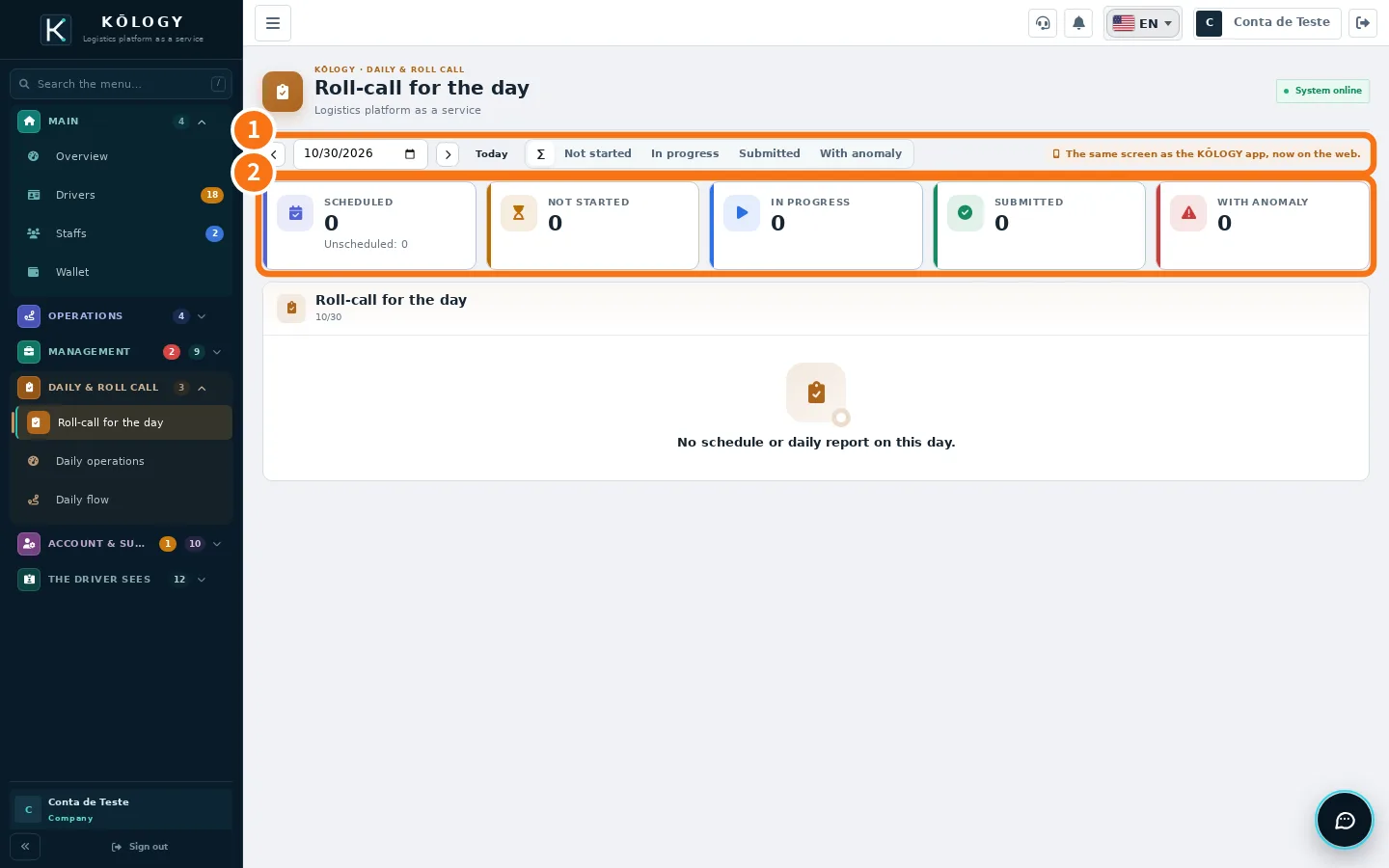
- Open Daily & roll call → Roll-call for the day and pick the ① date.
- Look at the ② numbers. Tap With anomaly to see only problems and Not started to see who has not opened the report.
- Tap the person: Roll-call detail shows health, alcohol, inspection and odometer. Tap Open the full daily report if needed.
Step by step: correct a daily report
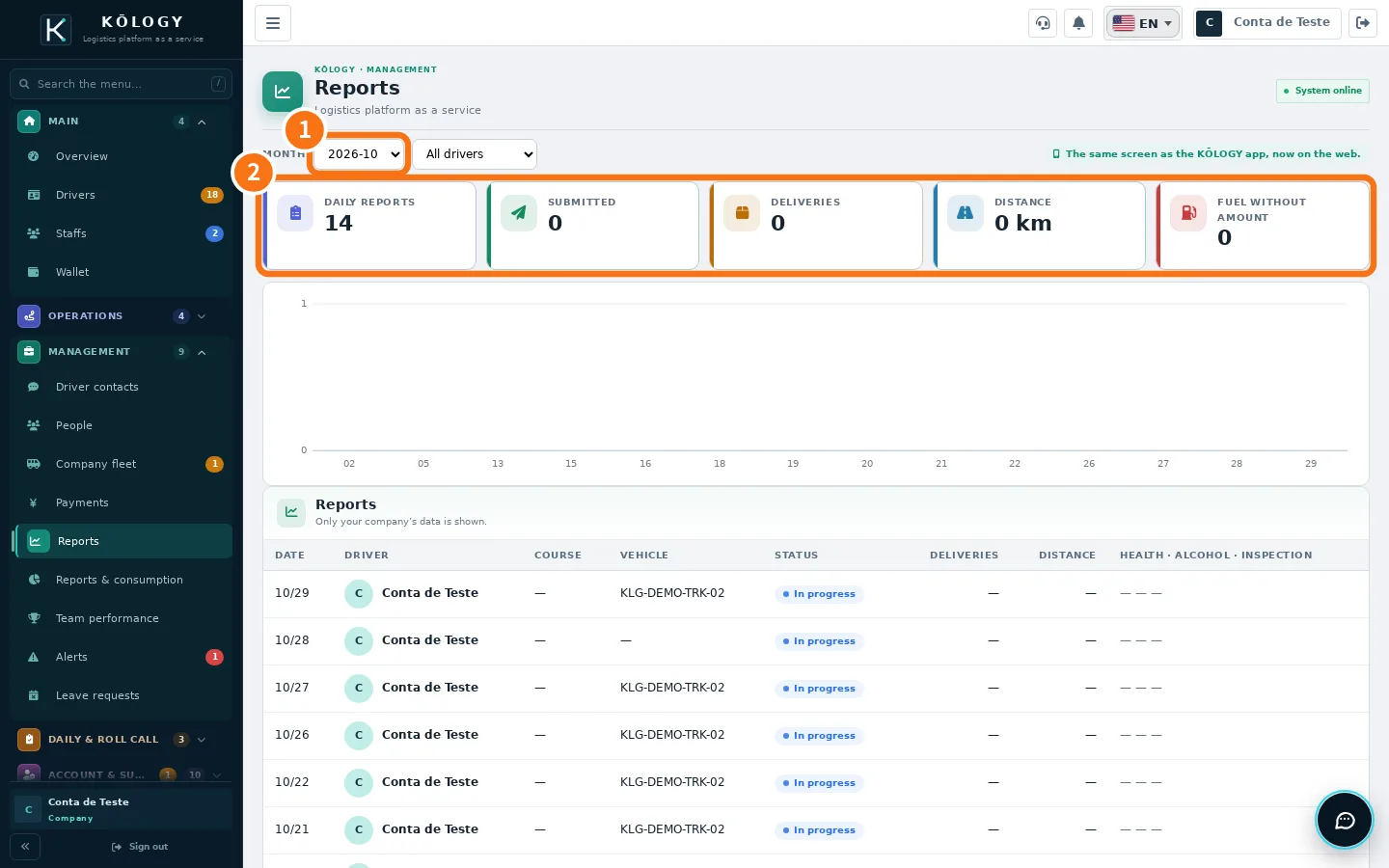
- Open Management → Reports (in the app, More → Management → Reports & consumption → daily reports) and choose the ① month and the driver.
- Tap the day.
- In the app, tap Edit daily report.
- Fix it in the right part: Operation, Health and alcohol, Vehicle inspection, Delivery results, Refuelling or Odometer.
- Tap Save changes.
Suggested routine
- Morning: Roll-call for the day — who has not started and who had an alcohol or inspection anomaly.
- Afternoon: Daily operations — vehicles with inspection pending and the day's issues.
- End of day: Reports — reports still «In progress» and fuel without amount.
Common mistakes
- Inconsistent odometer. Fix it under Odometer: departure cannot be lower than leaving home, and arriving home cannot be lower than the end of duty.
- Fuel without amount. Card refuelling: confirm the amount in Reports & consumption.
- A report stays «In progress» for days. The driver did not send it. Ask them to open the app: the Today screen shows the unsubmitted-report reminder.
Related questions
- Roll call, daily operations and daily reports
- Reports, fuel, team performance and alerts