











KŌLOGY · Màn hình & chức năng
Navigate to the delivery: KŌLOGY, Google Maps or always ask
Choose which app to navigate with, keep the choice or ask every time, and open the whole route in Google Maps.
Bài viết này chưa được dịch sang ngôn ngữ của bạn: đang hiển thị bản English.
Trong trang này
What it is for
When you tap Navigate, KŌLOGY can open its own voice navigator, Google Maps, Apple Maps (iPhone) or Yahoo!カーナビ (if installed). Choose once and the app remembers — or leave it on Always ask.
Where it is
- The Navigate button on each stop sheet and on the Next stop card.
- Next to Navigate, the Navigation shortcut shows the current choice.
- Settings → General → Navigation.
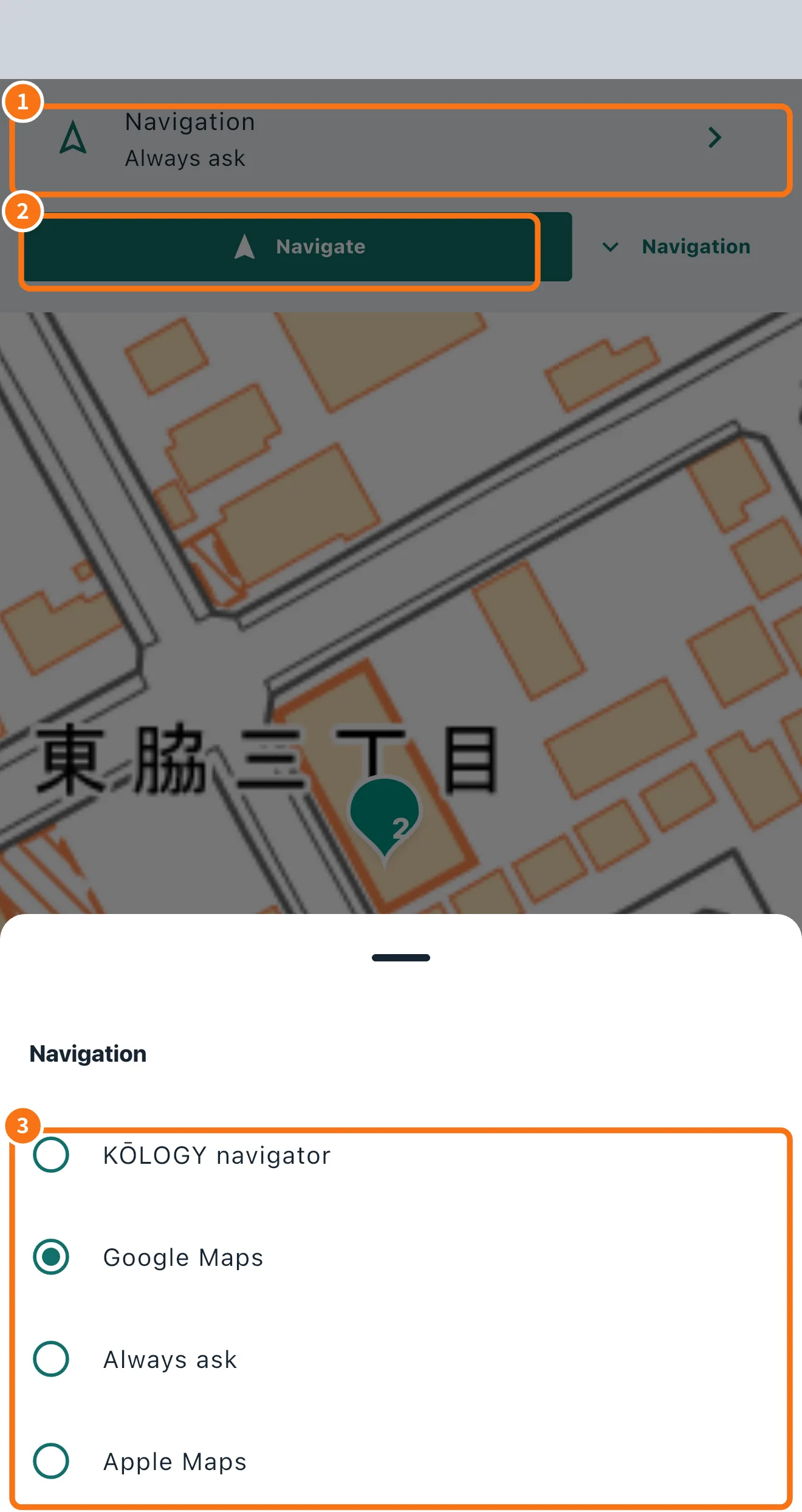
Step by step: choose the navigator
- Tap the Navigation row (①) — it shows the current choice, for example “Always ask”.
- The Navigate button (②) uses that choice.
- In the Navigation list (③) pick KŌLOGY navigator, Google Maps, Always ask or, on iPhone, Apple Maps.
With Always ask, each Navigate opens a sheet with the address and the buttons Google Maps, Apple Maps (iPhone), Yahoo!カーナビ (if installed), Google Maps · use pin location and KŌLOGY navigation. Switch off Always ask on that sheet to make the app remember the next choice.
Address or pin?
By default Google Maps gets the full address, because an approximate pin can lead to the wrong place. When the entrance was corrected by a person (human pin or saved destination), the app sends the exact point. Use Google Maps · use pin location to force the map point.
Whole route in Google Maps
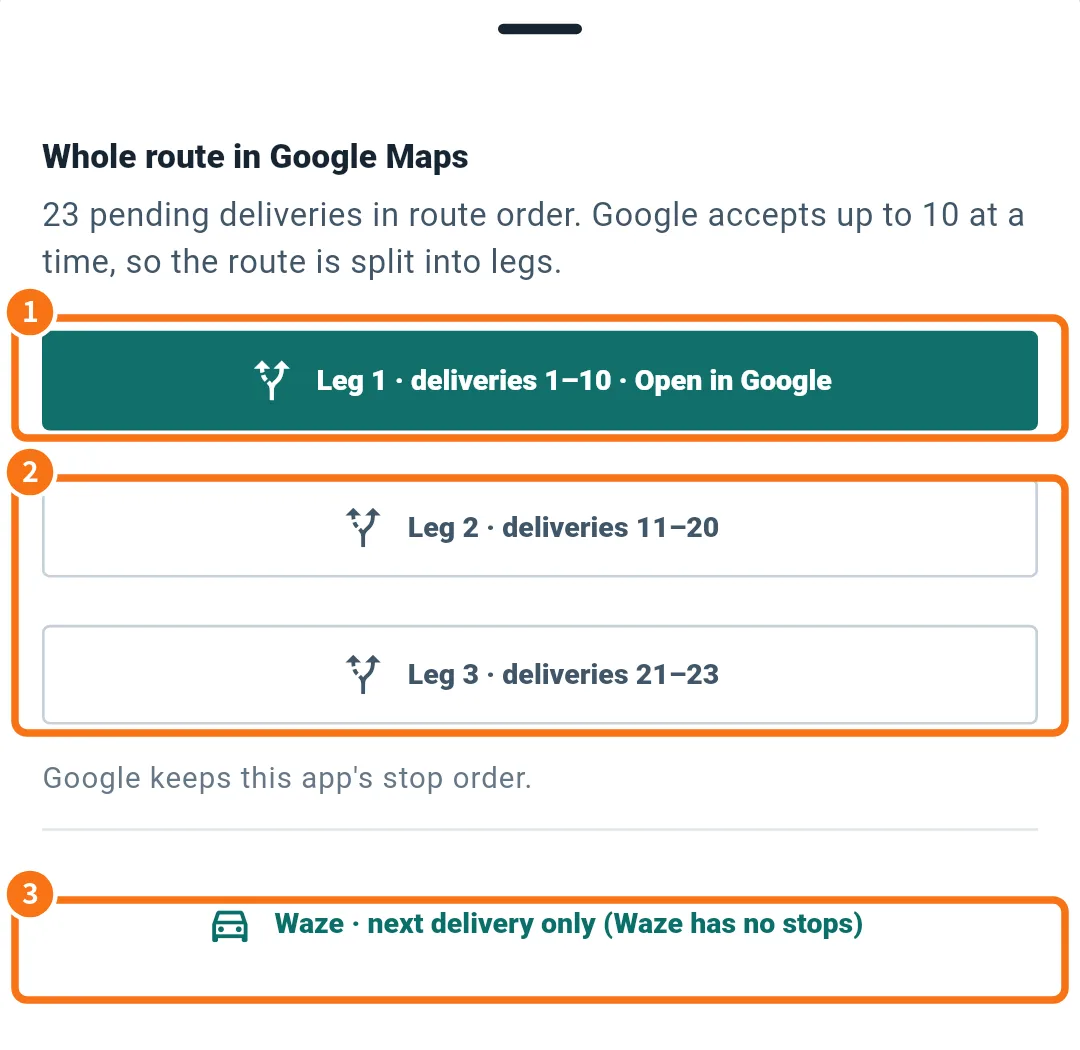
- Open Map tools → Whole route in Google Maps (or choose it on the Navigate sheet).
- Pending deliveries come in route order, split into legs of up to 10 (Google's limit). Tap Leg 1 · deliveries 1–10 · Open in Google (①).
- The next legs (②) stay in the list. When a leg is finished, the app offers Next leg.
- Waze and Apple Maps (③) open only the next delivery, because they do not accept stops.
Common mistakes
- “App unavailable. Choose another.”: the chosen app is not installed. Pick another.
- “Google Maps app not found”: in the web browser Google accepts fewer stops per leg. Install Google Maps.
- “No pending delivery with an address”: there is nothing pending to open.
Related questions
- KŌLOGY navigator (voice, 3D and night mode)
- Correct the address pin
- Route order: optimize and reorder