











KŌLOGY · Màn hình & chức năng
Buying or changing a plan: store or web
The Google Play and App Store app does not sell plans; see where to check the plan and invoices and how to ask for a change.
Bài viết này chưa được dịch sang ngôn ngữ của bạn: đang hiển thị bản English.
Trong trang này
Summary
- The KŌLOGY app downloaded from Google Play or the App Store does not sell anything: there are no in-app purchases, plan prices or payment buttons.
- In the app you view the current plan and invoices.
- To subscribe or change plan, use the web or talk to KOMORI.
Where to see the current plan
- App: Settings → General → Current plan. On the free account it also shows usage (drivers X of Y, vehicles X of Y) and the 90-day history.
- Web: the Drivers card on Overview («of 10 included in the plan») and the Seats used box.
Where to see invoices
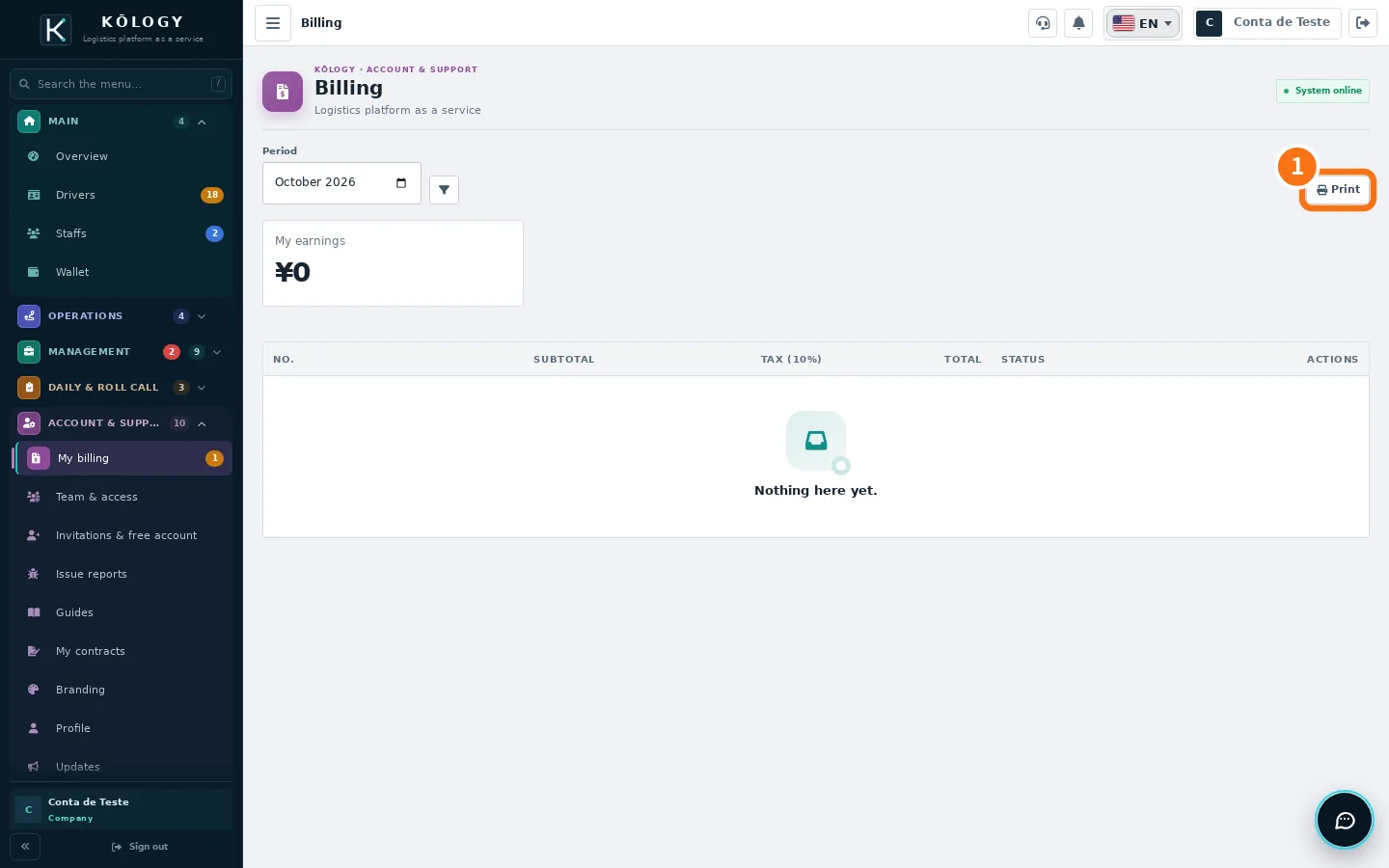
Web: Account & support → My billing — choose the period and use ① Print. App: More → Account & support → My billing — the month's list with Open, Paid or Cancelled and each invoice's detail (subtotal, tax and total), read-only.
How to change plan
- On the web, open a screen with a padlock. A box shows the current plan and the plan that unlocks the feature (in the app, the same box shows «Available on the … plan»).
- Tap Talk about changing plan: it opens Issue reports, where the KOMORI team answers. On the free account there is also See plans on the website, which opens the official KŌLOGY page.
- Agree the plan with KOMORI. When the plan changes, the screens open by themselves, with your usual data.
Why the app does not sell plans
KŌLOGY plans and payments are handled on the web and with KOMORI. The store app has no purchases or prices. The company invoice shows subtotal, tax (10%) and total, and can be printed on the web. The app keeps every feature of the plan you have.
Related questions
- KŌLOGY plans and limits
- Payments, wallet, billing and contracts
- KŌLOGY FAQ