











KŌLOGY · Màn hình & chức năng
How to do a full working day
From the roll call before leaving to submitting the daily report: the recommended sequence of a delivery day in KŌLOGY.
Bài viết này chưa được dịch sang ngôn ngữ của bạn: đang hiển thị bản English.
Trong trang này
What it is for
This walkthrough puts in the right order what a driver does on a normal day: checks before leaving, taking the vehicle, registering boxes, delivering and closing the daily report. Do it once calmly; then it becomes routine.
Before leaving
- Open KŌLOGY and check Home: today's routes, checks and dispatch messages (tap Received if there are any).
- Check the day's Shift (route, base and time) if in doubt.
- Tap the Daily Report tab and Start the daily checks (②). Go through: vehicle (QR or list), work type and route, health, alcohol and the inspection items (OK/NG).
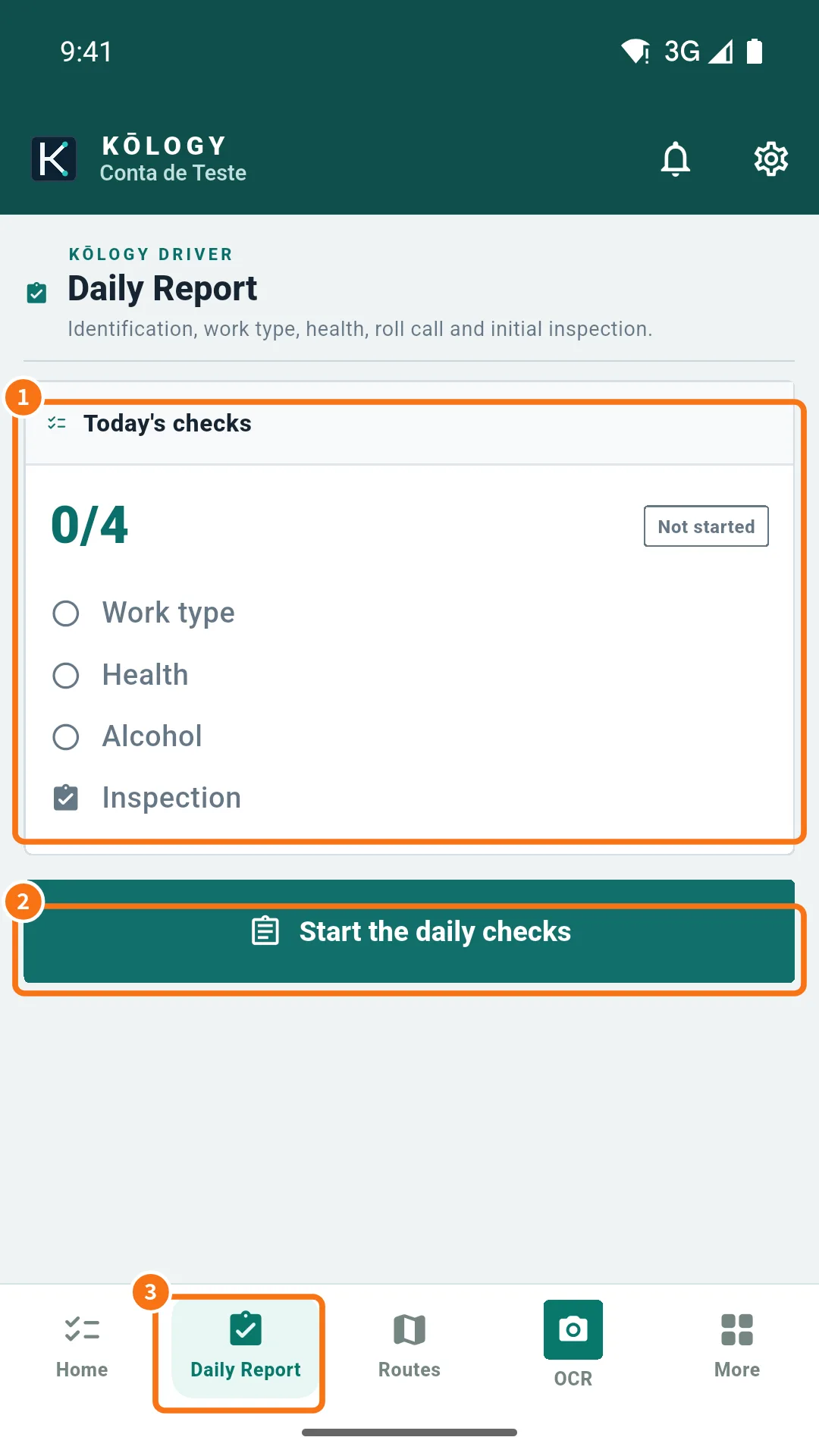
At the base: load and register
- If the car is not with you yet, record it in Vehicle → Take out (or in the daily report's Vehicle step). Take the fuel card in Fuel card → Take the card if you use one.
- Boxes not on the route: in the OCR tab, use Photograph label or Scan multiple labels, check and save.
- In the daily report, photograph the departure odometer and start delivering.
On the road: deliver
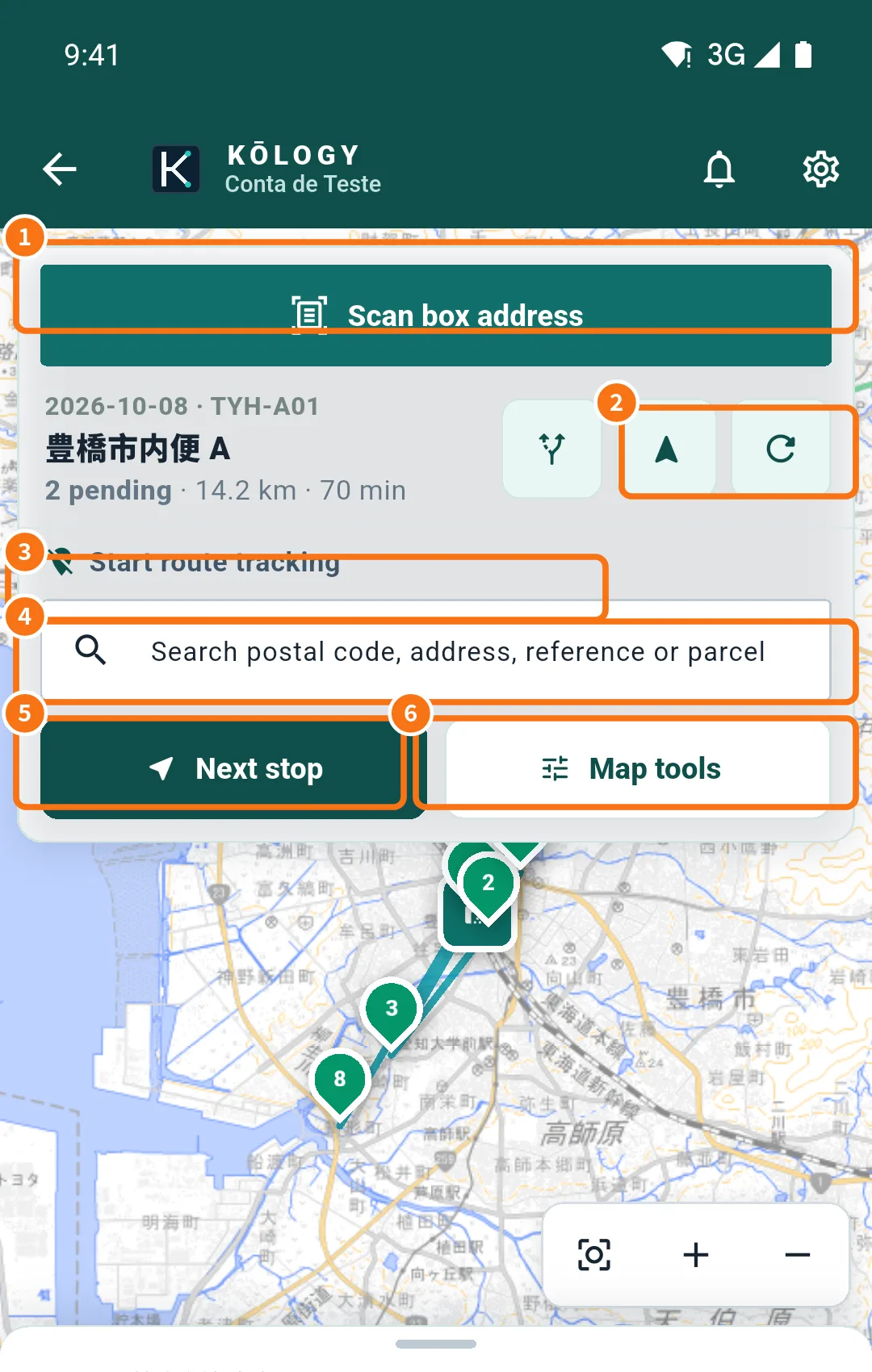
- Open the map (DRIVER tab). If you like, use Map tools → Best sequence.
- Tap Next stop and Navigate.
- At each address record Arrived and then Delivered — or Failed with the reason (see “How to record a delivery”).
- Wrong pin? Use Correct pin on the spot.
- No signal? Keep going: records wait in Pending uploads and go up by themselves.
At the end of the day
- Go back to Daily Report → Continue the daily checks: end-of-service odometer, the day's results and, if you refuelled, litres, amount and receipt photo. Submit.
- Return the vehicle and the fuel card (Return).
- Check that the N pending badge is gone. If not, tap it and Send now.
- If your company uses “On duty”, tap Go off duty.
Common mistakes
- Forgetting to submit the daily report: the next day the app asks you to finish the previous one first.
- End odometer lower than departure: the app blocks sending until the number is fixed.
Related questions
- Driver daily report (日報 and 点呼)
- How to record a delivery
- Delivery history and pending uploads