











KoCAD · Bắt đầu
Game designer path: low-poly modules as GLB for Unity, Unreal and Godot
Why use a CAD for game modules, a stairs module with exact sizes and the GLB/OBJ export to the engine.
Bài viết này chưa được dịch sang ngôn ngữ của bạn: đang hiển thị bản English.
Trong trang này
For games, KoCAD helps when you want modules with exact sizes (walls, stairs, platforms, crates, props) that snap together, and that you change in seconds: 6 steps become 8 by changing one number.
Step by step
- Start from a ready model (e.g. Architect/site › Stairs) or from Ready blocks (Box, Cylinder, Tube, Plate).
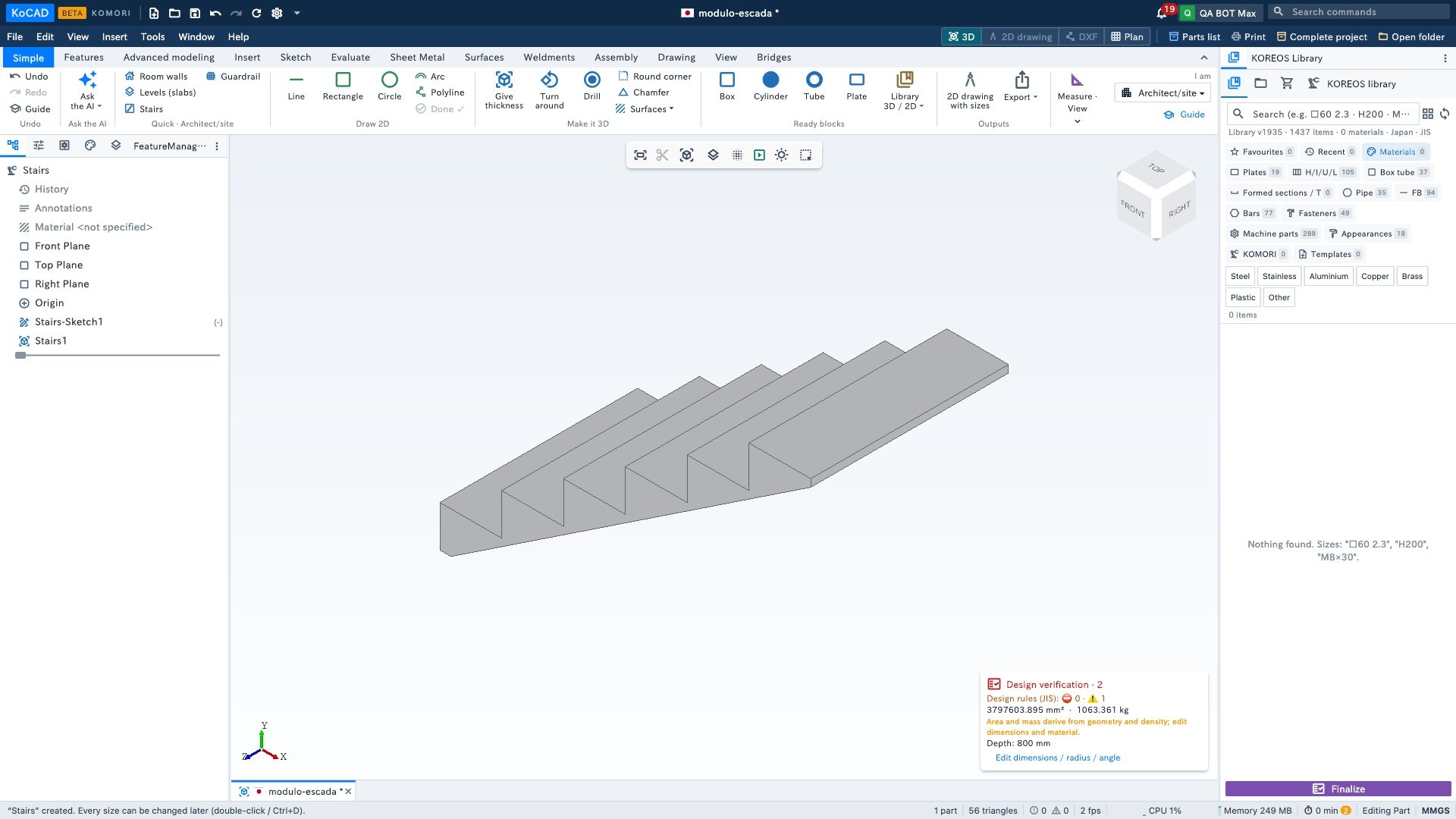
- Check the triangle count in the bottom bar of the window: flat faces = few triangles.
- Menu File › Export › glTF binary (*.glb). OBJ and STL are there too.
- In the engine: Godot 4 imports .glb directly (drag it into the project folder). Unity: install the glTFast package (Package Manager) and drag the .glb into Assets. Unreal 5: Import › pick the .glb (Unreal’s own glTF importer).
Low-poly tips
- The GLB follows the glTF standard: metres, Y up. A 1000 mm part in KoCAD arrives as 1 m in Unity and Godot; Unreal converts to centimetres by itself on import.
- Round corners and round holes add many triangles. For a game module, prefer chamfers or flat faces.
- Use round sizes (1 m, 0.5 m grid) so modules snap in the level editor.
- Final colour and texture: do it in the engine. The GLB carries the clean geometry, one mesh per body.
- Assemblies become a GLB with several meshes (one per component), handy for doors or moving parts.