











KoCAD · Màn hình & chức năng
How to renew the annual license and what happens if it expires
Renewal notice and invoice, paying in the portal, 14-day grace period, expired license and "Already paid — check again".
Bài viết này chưa được dịch sang ngôn ngữ của bạn: đang hiển thị bản English.
Trong trang này
How renewal works
- Before expiry you receive the notice and the annual invoice (¥110,000 with tax).
- Pay in the customer portal (card or bank transfer).
- Validity is extended by 12 months. KoCAD picks it up by itself within 30 minutes, without restarting.
Step by step: pay
- In KoCAD: your picture → My account / License → Invoices tab, or the pay/renew button. The portal opens in the browser already signed in (single-use link, valid for 2 minutes).
- Or go straight to the customer portal → KoCAD ① → Invoices.
- Pay the open invoice.
- Go back to KoCAD. If it shows a license message, click Already paid — check again.
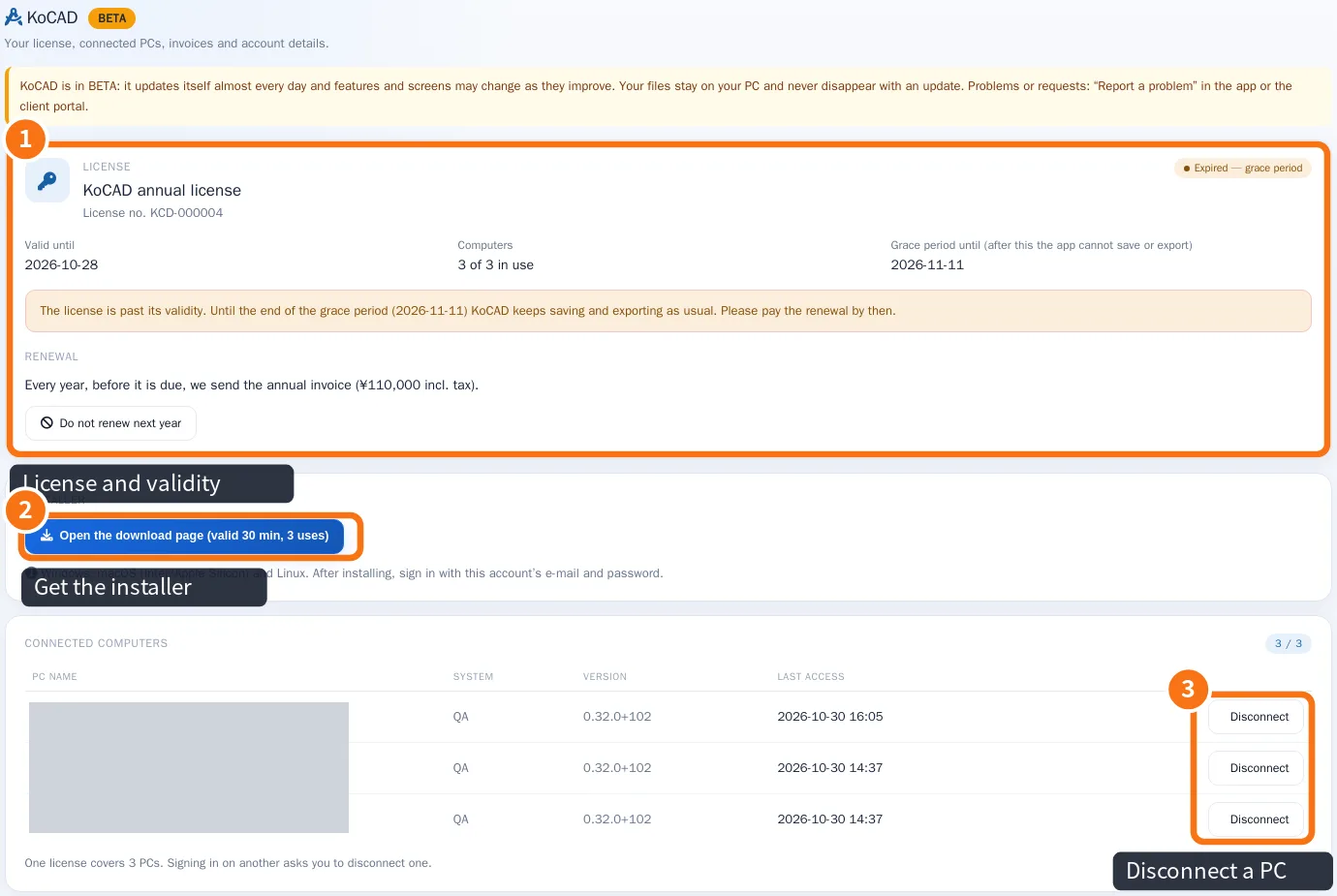
If you do not pay in time
- Situation · What happens
- Until expiry · Everything normal
- Grace period (14 days) · Everything works; a yellow warning band appears
- Expired · KoCAD opens and shows the files; Save, Export and printing are blocked. Nothing is deleted.
Not renewing? In the portal, use Do not renew next year. The license is valid until the end of the paid period.
Common mistakes
- I paid and it is still expired: check that the invoice paid is the KoCAD annual one and that the account e-mail is the same.
- Offline at expiry: KoCAD also checks the date on the PC clock; connect to refresh the license.
Related articles
- Plans and limits: annual license, 3 PCs, grace period and what is included
- Questions: purchase, license, PCs, payment and privacy
- What to do when… (sign-in, license, PCs and AI)