











KoCAD · Màn hình & chức năng
Insert tab: standard parts, materials and members
Standard parts (bolts, nuts, washers, bearings…), KOREOS Materials and Structural Member from the company library.
Bài viết này chưa được dịch sang ngôn ngữ của bạn: đang hiển thị bản English.
Trong trang này
What it is
Shortcuts to bring ready-made items from the KOREOS library into the model.
Buttons
- Standard parts: bolts, nuts, washers and machine parts drawn by the KoCAD kernel. Search by size (e.g. M8×30).
- KOREOS Materials: the same material table as KOREOS (density, price per kg/m or kg/m²).
- Structural Member: profiles (□, L, H, U, tubes) for weldments — see the Weldments tab.
- Rebuild (Ctrl+B) and Edit dimensions (Ctrl+D).
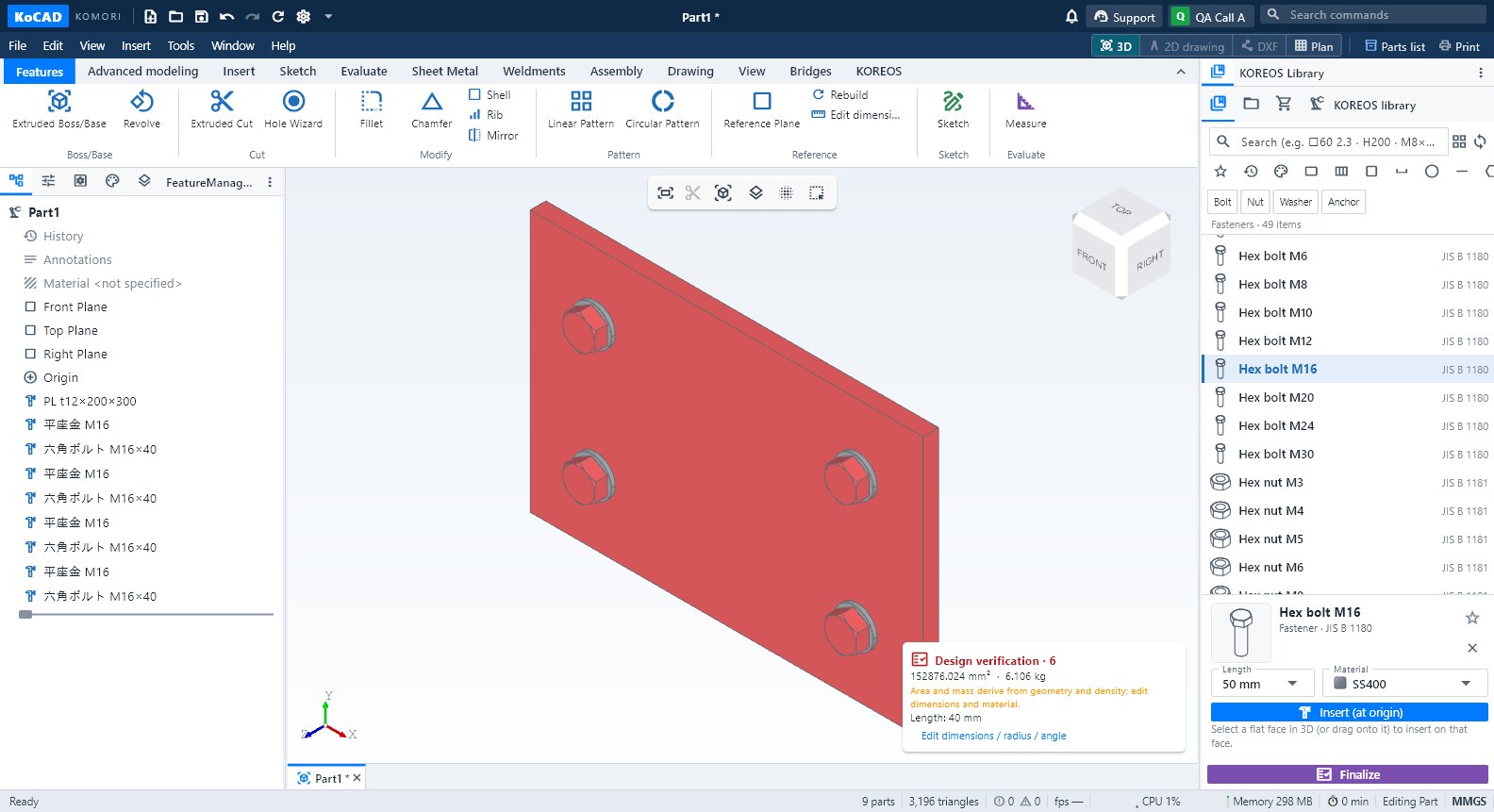
Step by step: bolts on a plate
- Make the holes with the Hole Wizard.
- Click Standard parts, search M16 and choose bolt, washer and nut.
- Drag onto the face: the item drops on the face under the cursor and stays selected.
- Check the 部材表: the purchased item comes with quantity and code.
Tips
- The library syncs from KOREOS and is cached on the PC; offline it uses the last copy.
- A material dropped on a part applies only to that part; Ctrl+Z undoes it.
Common mistakes
- Item not found: sync the library (Options → KOREOS & account → Sync library).