











KoCAD · 界面与功能
Insert tab: standard parts, materials and members
Standard parts (bolts, nuts, washers, bearings…), KOREOS Materials and Structural Member from the company library.
此文章暂无您的语言版本,以English显示。
本页目录
What it is
Shortcuts to bring ready-made items from the KOREOS library into the model.
Buttons
- Standard parts: bolts, nuts, washers and machine parts drawn by the KoCAD kernel. Search by size (e.g. M8×30).
- KOREOS Materials: the same material table as KOREOS (density, price per kg/m or kg/m²).
- Structural Member: profiles (□, L, H, U, tubes) for weldments — see the Weldments tab.
- Rebuild (Ctrl+B) and Edit dimensions (Ctrl+D).
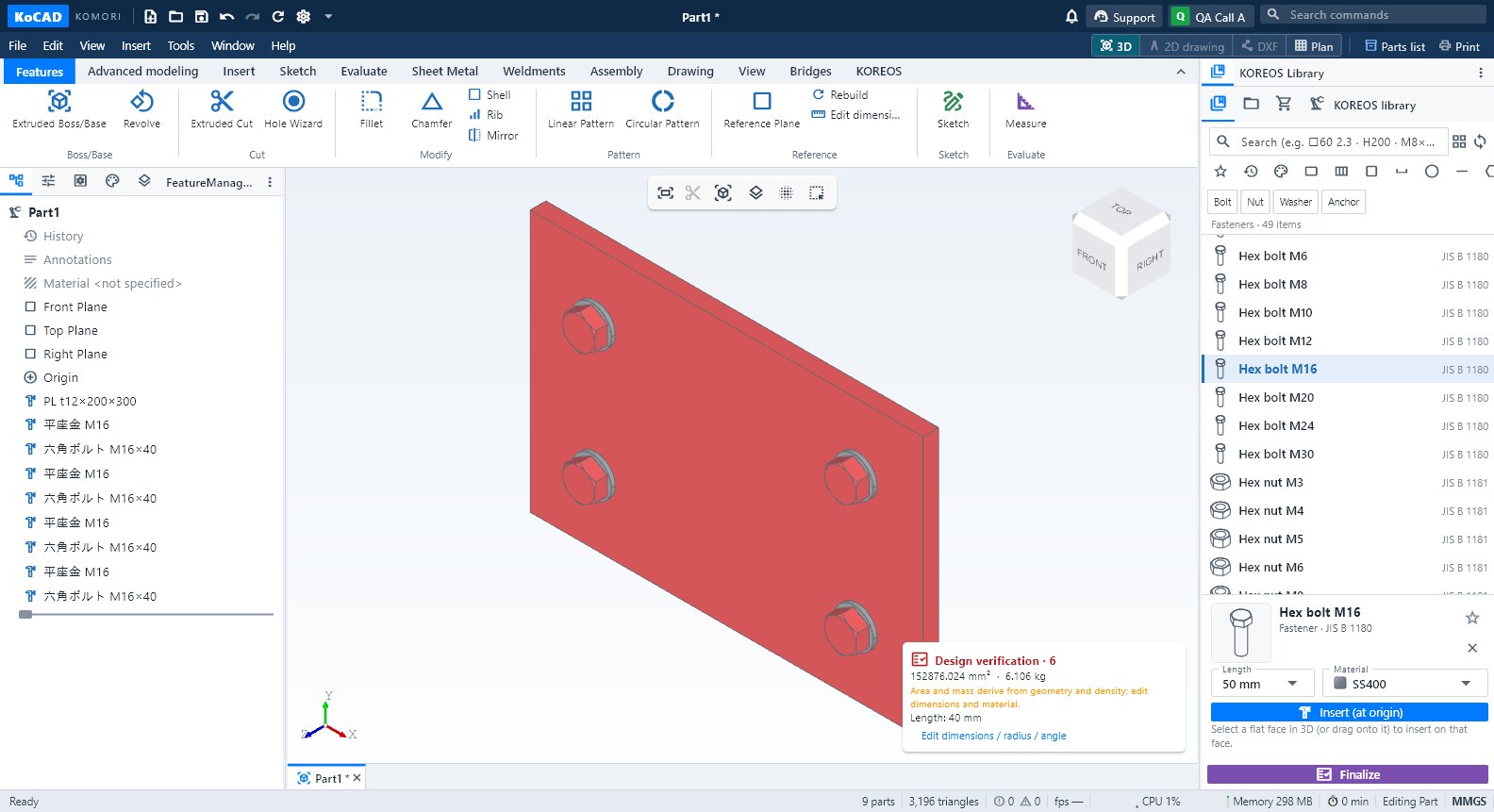
Step by step: bolts on a plate
- Make the holes with the Hole Wizard.
- Click Standard parts, search M16 and choose bolt, washer and nut.
- Drag onto the face: the item drops on the face under the cursor and stays selected.
- Check the 部材表: the purchased item comes with quantity and code.
Tips
- The library syncs from KOREOS and is cached on the PC; offline it uses the last copy.
- A material dropped on a part applies only to that part; Ctrl+Z undoes it.
Common mistakes
- Item not found: sync the library (Options → KOREOS & account → Sync library).