











KoCAD · 界面与功能
Evaluate tab: measure, mass, verification, interference and cost
Measure, Mass Properties, Design verification (design rules), Section View, Interference Detection, sheet-metal manufacturability and Process cost.
此文章暂无您的语言版本,以English显示。
本页目录
What it is
Tools to check the model before it goes to the shop.
Groups and buttons
- Measure: Measure · Mass Properties.
- Inspect: Design verification · Section View · Interference Detection · Sheet-metal manufacturability check.
- Cost: Process cost (KOREOS tariffs and standard times).
Step by step: check the model
- Measure: pick two entities (edges, faces, vertices). Distance and angle appear at once.
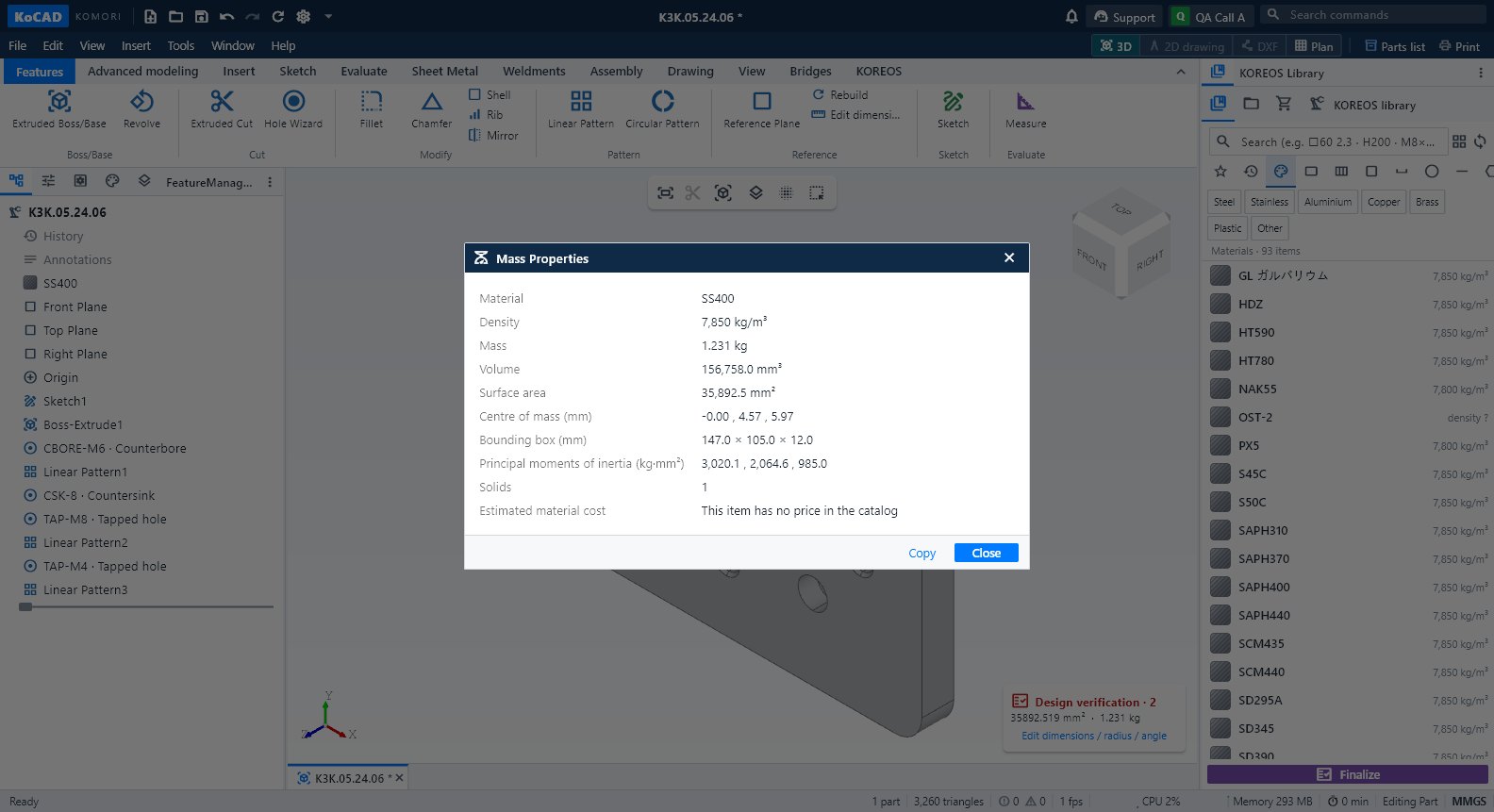
- Mass Properties: mass, volume, area and centre of gravity using the KOREOS material density.
- Design verification: opens the rules panel (also from the badge in the view corner). Each warning gives the value, the reason, the source (JIS/house rule) and a suggestion. Use Check all for the full check.
- Interference Detection: lists overlapping parts (in red). Touching without overlap volume is not a collision.
- Process cost: cutting, bending, welding and drilling with KOREOS tariffs. Missing prices show as pending.
Tips
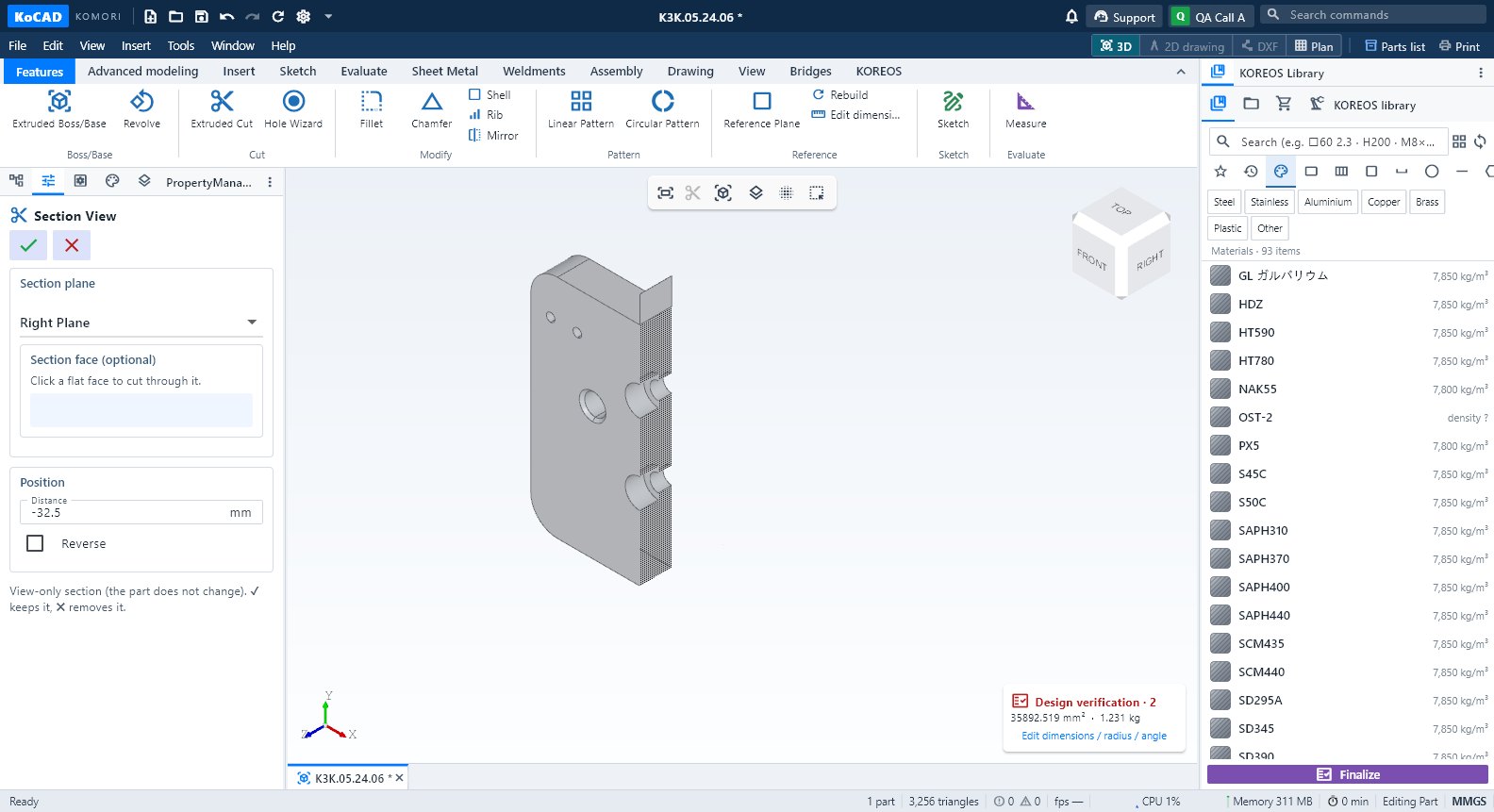
- Section View shows the inside; View → Section view off returns to normal.
- The "Design verification" badge in the view shows area, mass and editable radius/angle (Dimensions and calculation).
Common mistakes
- "Partial verification" or "Missing data" is not an approval: complete material/process and run Check all.
- GLB/OBJ/STL assemblies are display meshes without interference checking. Open the STEP to verify.