











KoCAD · 界面与功能
Features tab: extrude, cut, holes, fillets and patterns
The everyday part commands: Extruded Boss/Base, Revolve, Extruded Cut, Hole Wizard, Fillet, Chamfer, Shell, Rib, Mirror, Patterns and Reference Plane.
此文章暂无您的语言版本,以English显示。
本页目录
What it is
The Features tab holds the operations that create and modify the solid. Each operation becomes an item in the design tree and can be edited later.
Groups and buttons
- Boss/Base: Extruded Boss/Base · Revolve.
- Cut: Extruded Cut · Hole Wizard (JIS holes: through, tapped, countersunk, counterbored).
- Modify: Fillet · Chamfer · Shell · Rib · Mirror.
- Pattern: Linear Pattern · Circular Pattern.
- Reference: Reference Plane · Rebuild (Ctrl+B) · Edit dimensions (Ctrl+D).
- Sketch and Evaluate → Measure as shortcuts.
Step by step: an M8 hole
- Select the face for the hole.
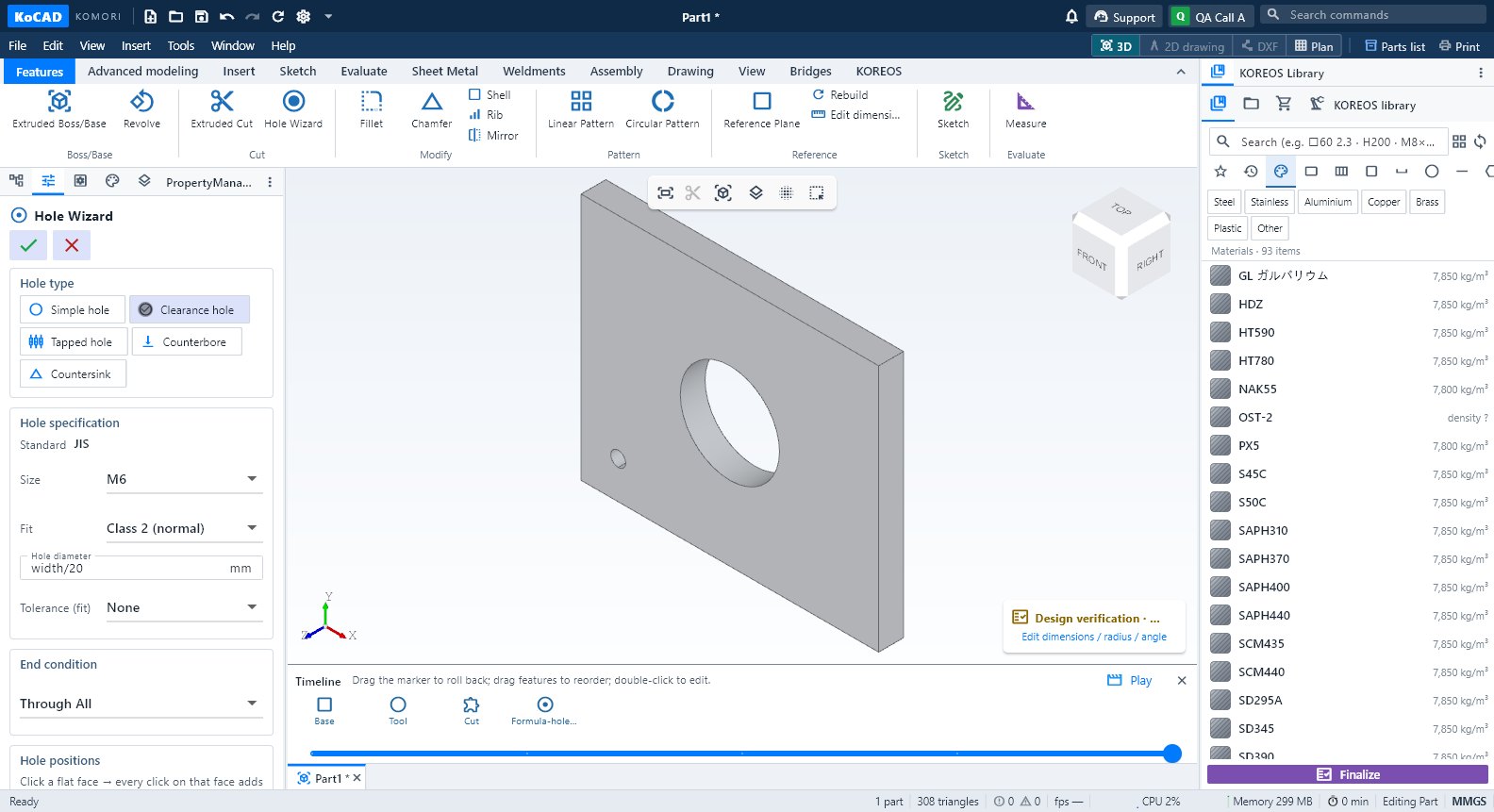
- Click Hole Wizard. In the PropertyManager choose type and size (e.g. M8 through with JIS clearance).
- Place the hole on the face and enter the distances from the edges.
- Confirm with ✓. The hole appears in the tree and in the notes of the 2D drawing.
Tips
- Double-click a face to show the dimensions of the feature that made it; edit them right there (Instant3D).
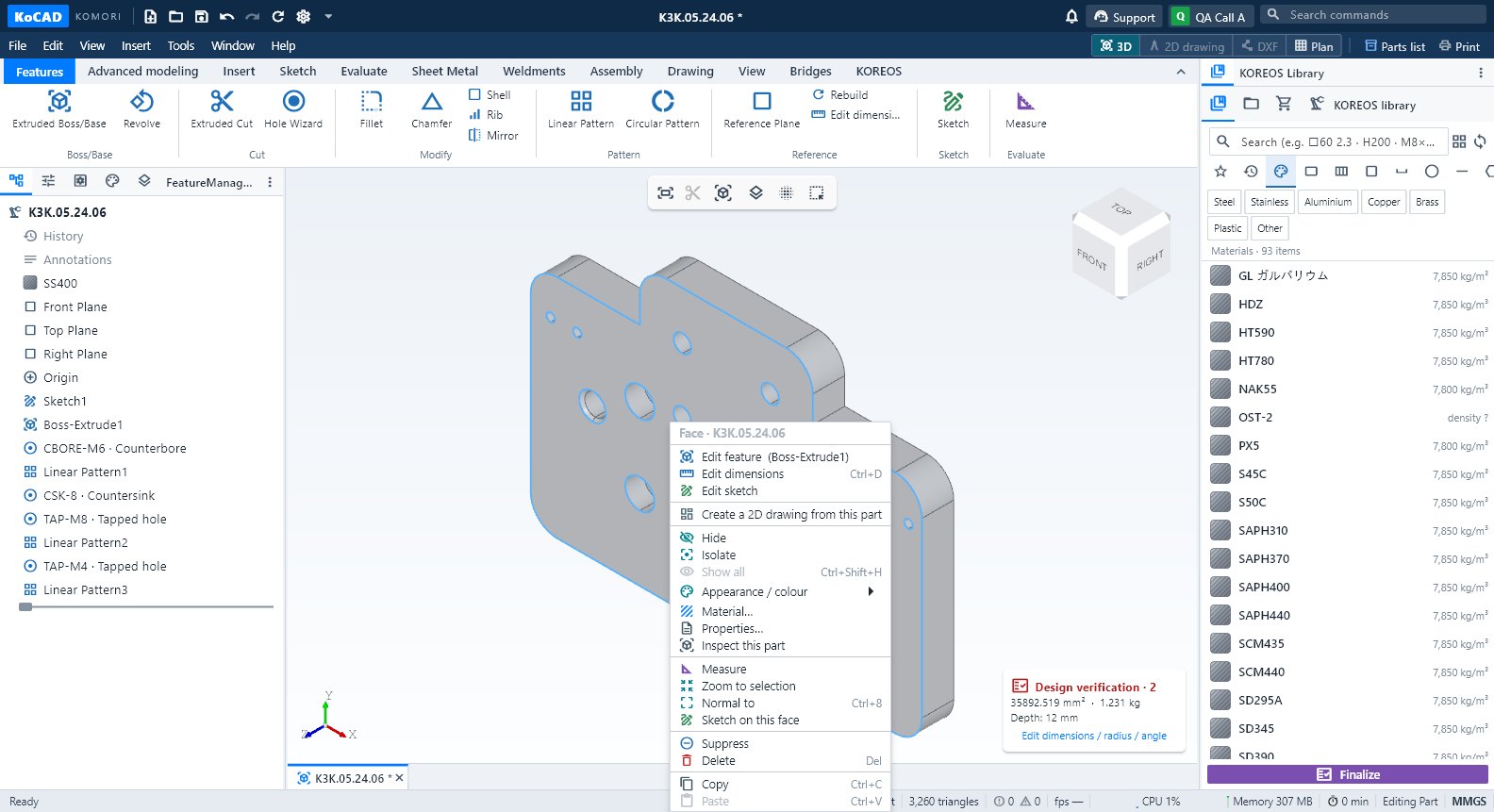
- Right-click a face → context menu with the feature, hide/isolate and measure.
- If a dimension uses parameters (Advanced modeling → User parameters), the part follows.
Common mistakes
- Fillet fails: the radius is larger than the edge allows. Reduce it or select fewer edges.
- Cut does not cut: direction or depth does not cross the solid. Flip the direction or use through-all.