











KoCAD · Màn hình & chức năng
KoCAD Options (Settings)
Tools → Options… (Ctrl+,): General, Language, Colours, Selection, Mouse, Display, GPU, Sketch, Drawings, Files, Shortcuts, Backup, Updates (Wiki/Guide), Notifications, KOREOS & account, Connect AI, Units and Standards.
Bài viết này chưa được dịch sang ngôn ngữ của bạn: đang hiển thị bản English.
Trong trang này
What it is
The Options window has two parts: System options (for this PC) and Document properties (saved in the open file).
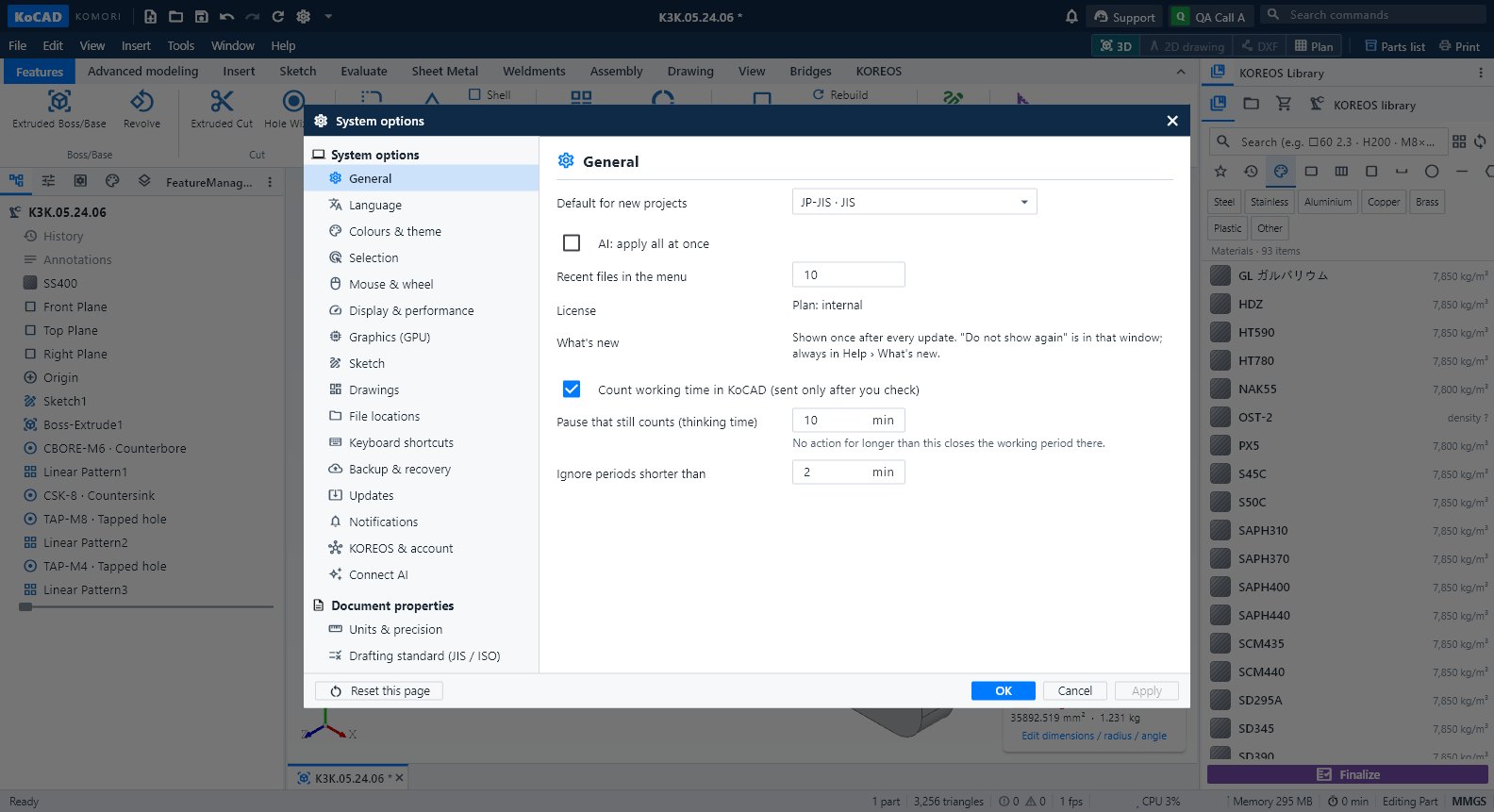
System options
- General: recent files in the menu, license, What's new, working-time counting, AI: apply all at once, default for new projects.
- Language: follow the system, Japanese, Portuguese, English and extra languages from KOREOS.
- Colours & theme: light/dark/follow Windows, density, font size, graphics background.
- Selection: pre-selection colour (orange) and selection colour.
- Mouse & wheel: navigation style, trackpad, inertia, zoom.
- Display & performance: large assembly mode (Auto/On/Off).
- Graphics (GPU): which card draws the 3D (restart to apply).
- Sketch: show relations, state colours.
- Drawings: default sheet, projection (third angle JIS), standard, text height, automatic section A-A, balloons, sheet templates per client (.kcdwt).
- File locations: open/save folders, autosave, library cache.
- Keyboard shortcuts, Backup & recovery (autosave interval), Notifications (position and types).
- Updates: Wiki / Guide, First steps, Report a problem, check for updates at start, channel.
- KOREOS & account: user, network folder, license, My PCs, Sync library.
- Connect AI: your personal AI account/key for Bob and Generate with AI.
Document properties
- Units & precision: unit system and decimals (the model is always mm inside; only the display changes).
- Drafting standard (JIS / ISO): this project's standard. Old projects stay JIS.
Tips
- "Reset this page" resets only the open page. Apply saves without closing.
Common mistakes
- Document page greyed out: open a document first ("Open a document to set this").