KoCAD · Bắt đầu
Open and save for other programs (STEP, DWG, 3MF, IFC, SolidWorks…)
Open: File › Open… (or drop the file on the window). The list starts with "Everything KoCAD opens", then by use: Recommended (KoCAD, STEP), 2D drawing (DXF, DWG, PDF), 3D printing and mesh (3MF, STL, OBJ, PLY), Other (IGES, glTF, IFC, BREP) and Native files of other programs.
Bài viết này chưa được dịch sang ngôn ngữ của bạn: đang hiển thị bản English.
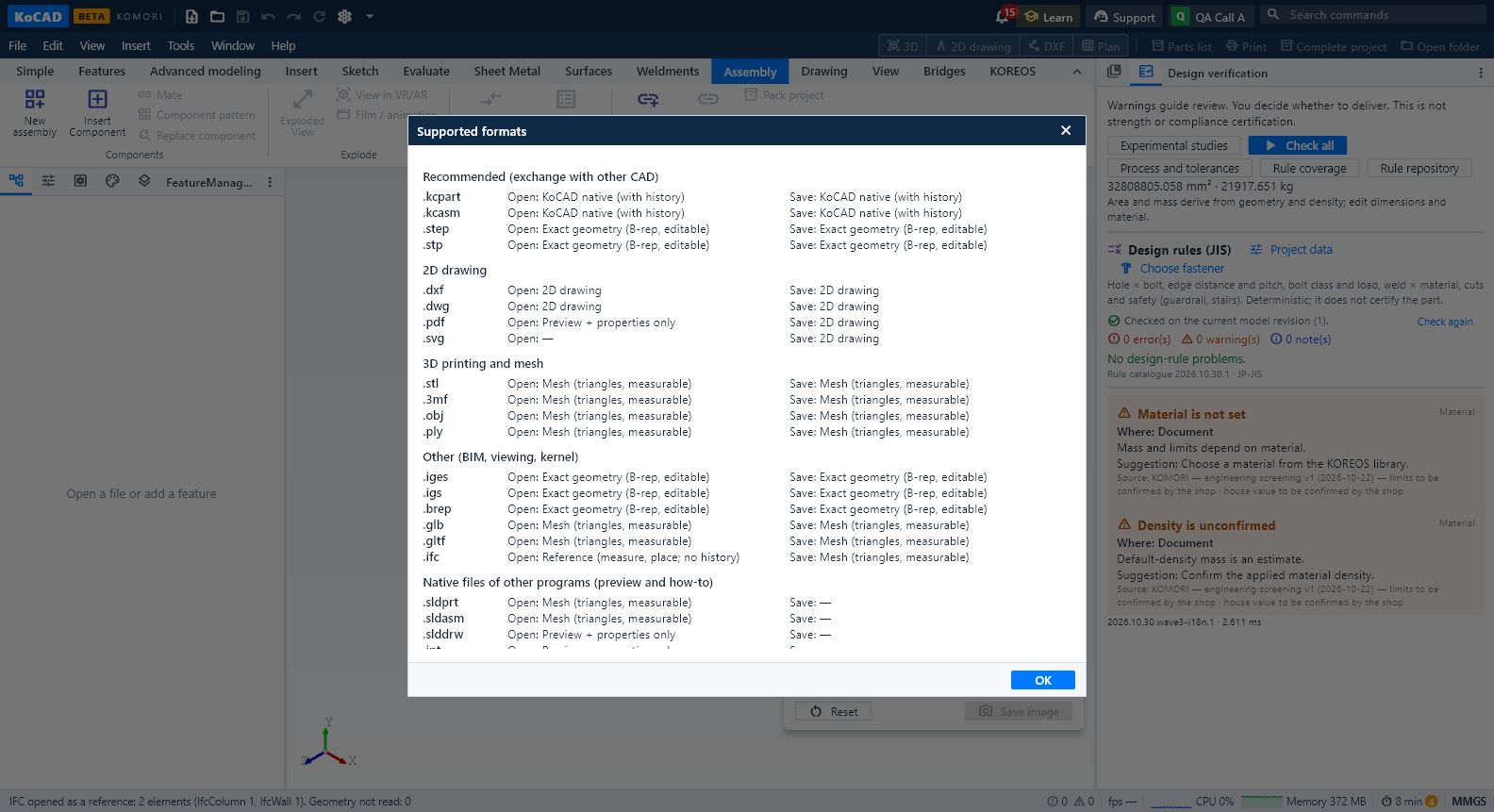
Open: File › Open… (or drop the file on the window, or by the Open in KoCAD button in KOREOS, which downloads and opens the file at once). The list starts with "Everything KoCAD opens", then by use: Recommended (KoCAD, STEP), 2D drawing (DXF, DWG, PDF), 3D printing and mesh (3MF, STL, OBJ, PLY), Other (IGES, glTF, IFC, BREP) and Native files of other programs.
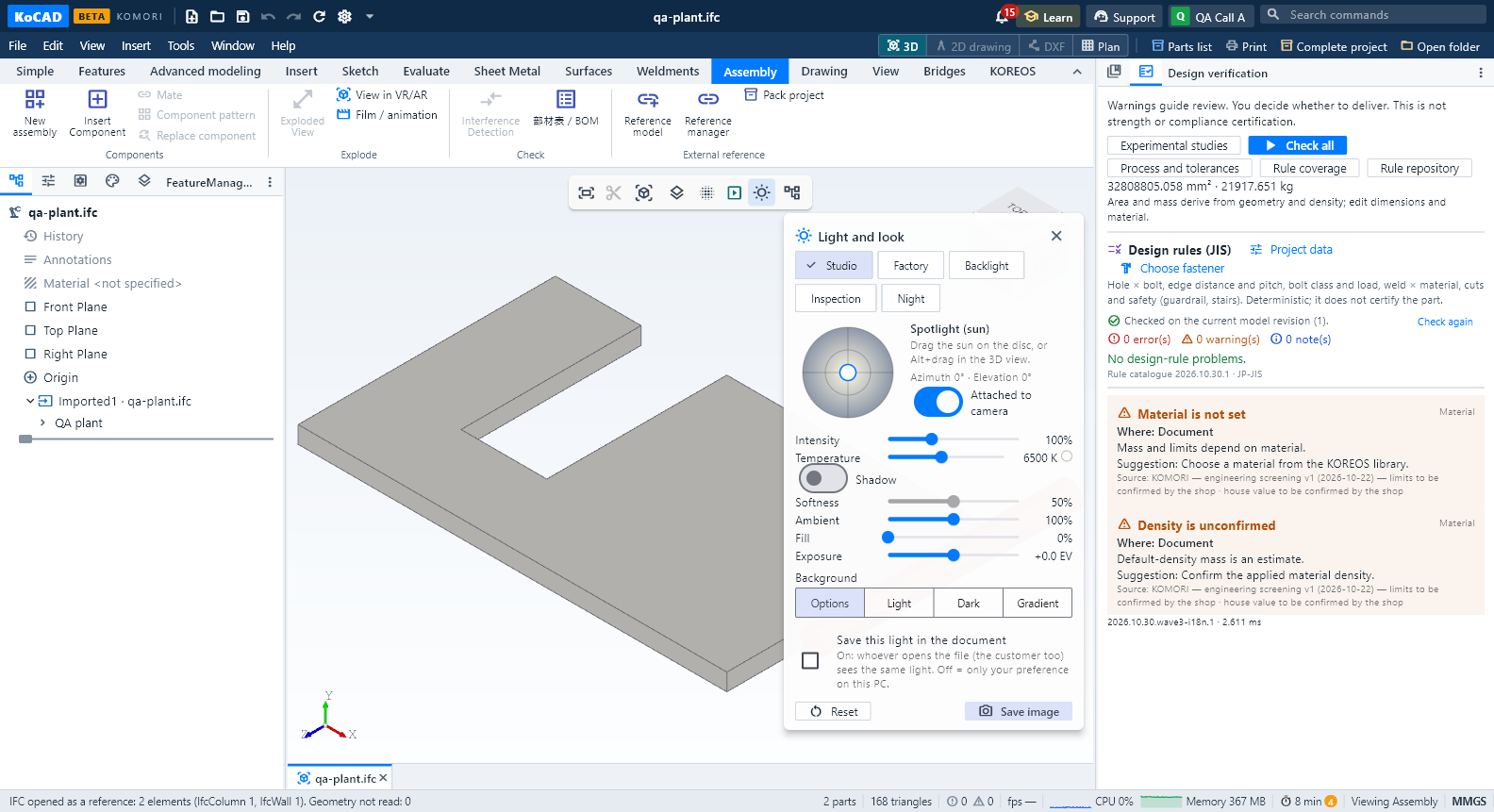
What each format becomes: STEP, IGES and BREP open as exact geometry (B-rep) with names, colours, assembly tree and material when the file has them. STL, OBJ, glTF, 3MF and PLY open as a mesh: measure and place, not edited as a solid. DXF and DWG open in the 2D editor (or as a sketch of a new part). IFC (Revit, ArchiCAD…) opens as a reference: each element named, its class as a layer (switch walls, slabs, beams… on and off), openings cut, millimetres; what KoCAD did not understand in the IFC is listed, never invented.
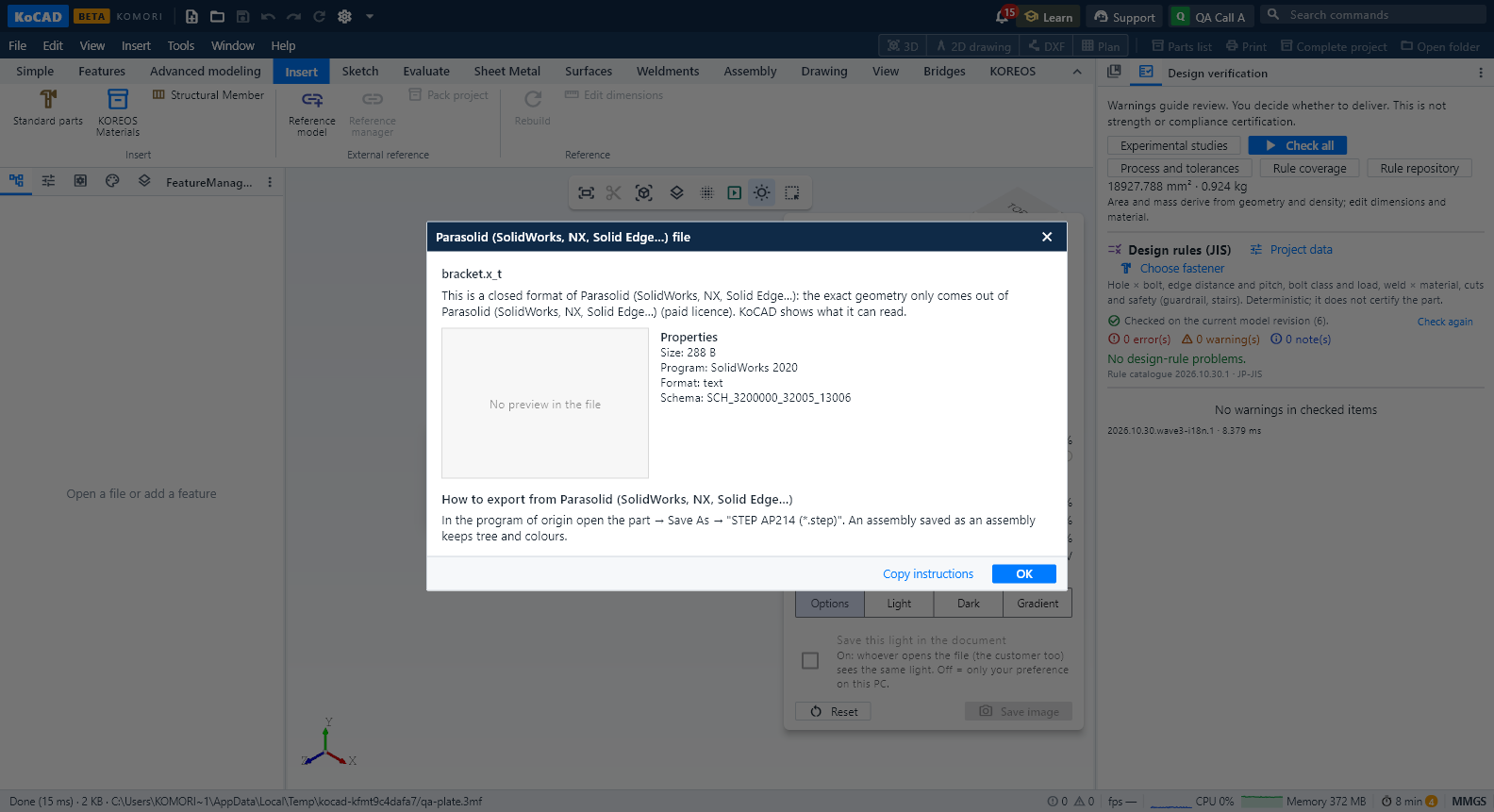
SolidWorks (.sldprt/.sldasm) opens through the display mesh SolidWorks itself saves in the file — measure and place, no parametric history. Inventor, Revit, Fusion, Parasolid, CATIA, NX, Creo, Solid Edge, SketchUp, Rhino: closed formats; KoCAD shows the preview and properties the file carries and the steps to export STEP (or IFC from Revit) in that program, with a copy button.
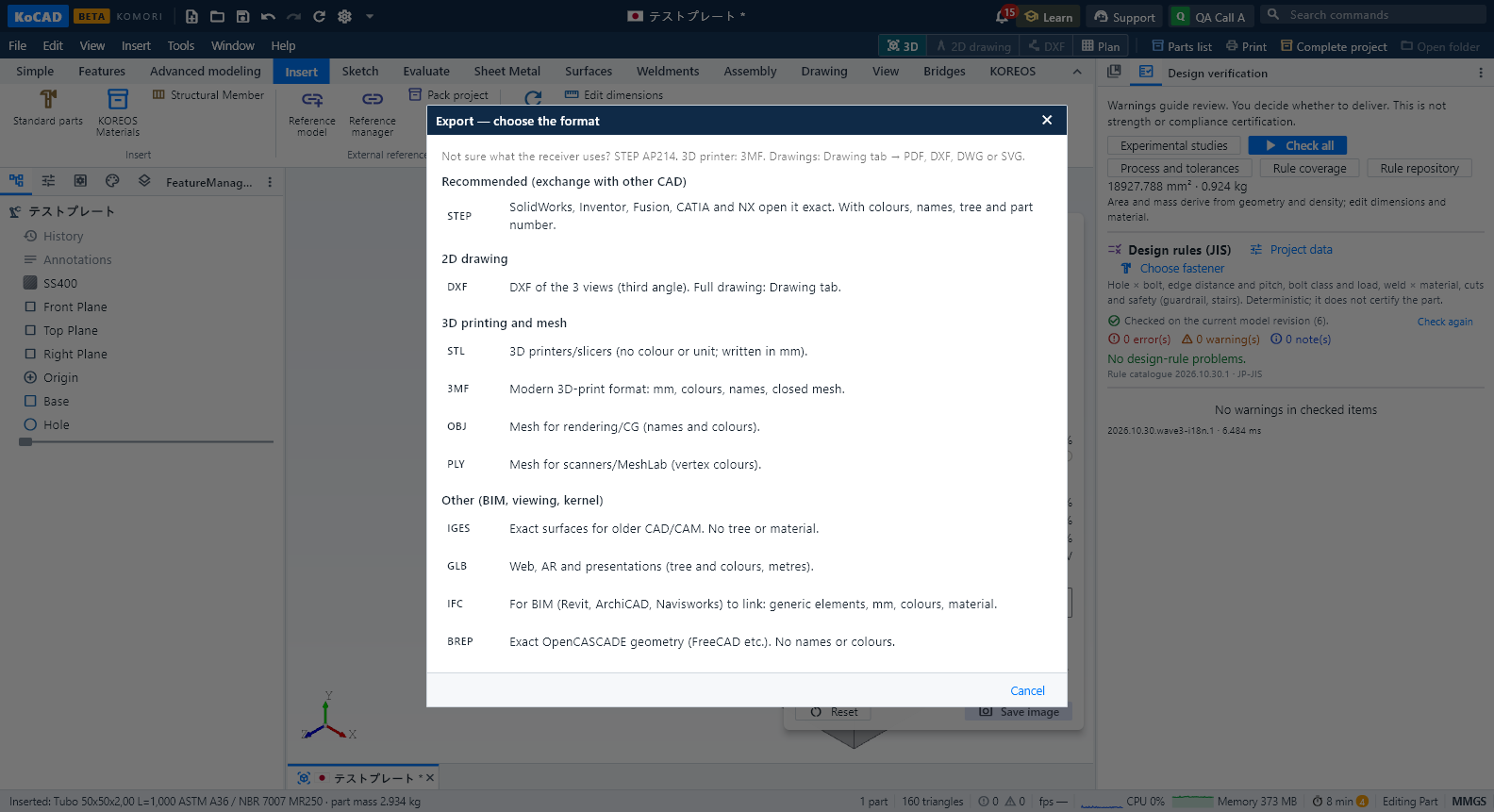
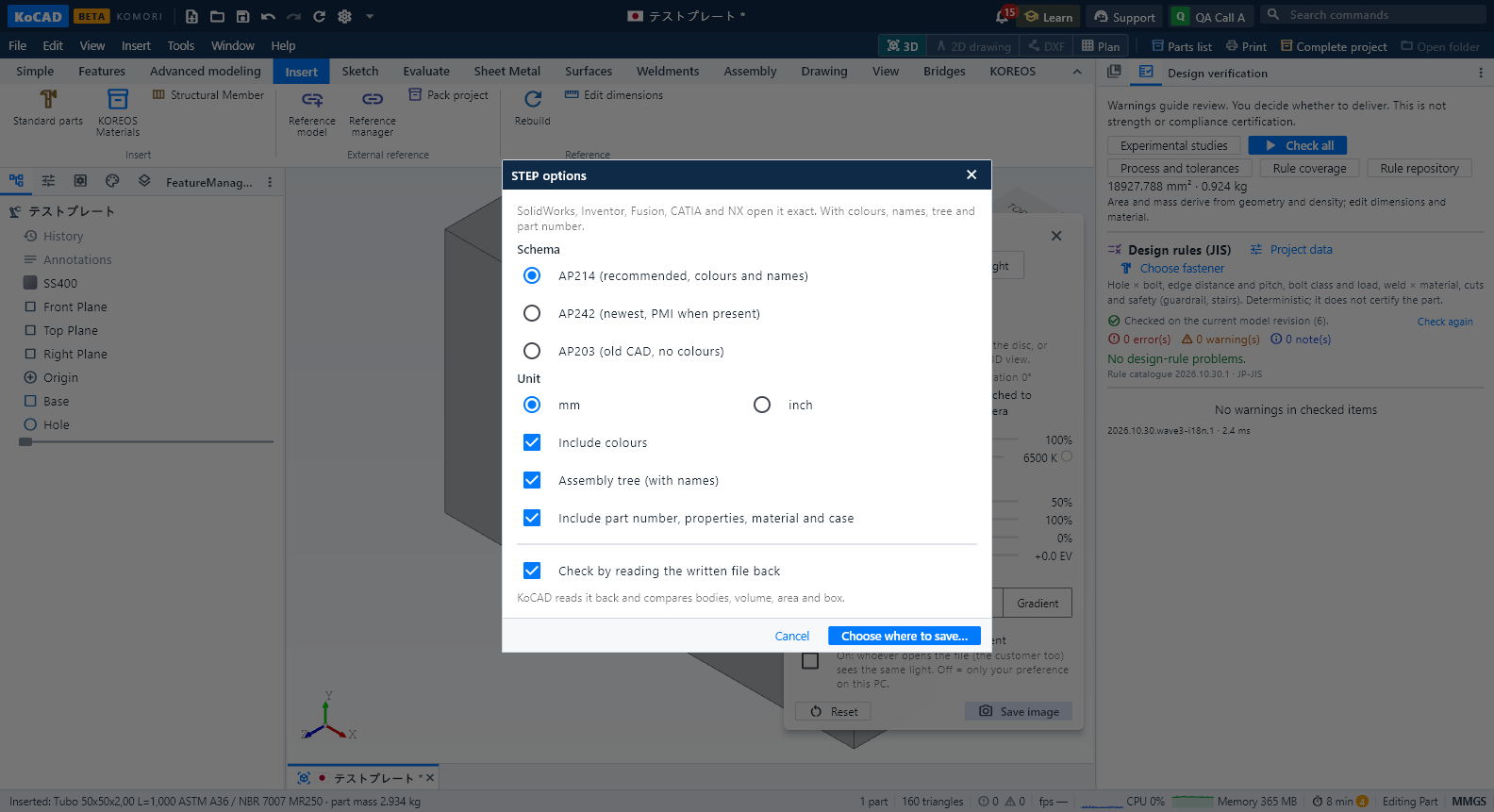
Export: File › Export › Export… (choose format). STEP AP214 is recommended for SolidWorks/Inventor/Fusion/CATIA/NX users: assembly tree with the real names, colours, mm (or inch), material, and the part number + custom properties + KOREOS case as attributes the other CAD shows. AP242 and AP203 are in the list too. For 3D printers: 3MF (mm, colours, names, closed mesh). For BIM: IFC4 or IFC2X3 (each part a generic element, mm, colours, material).
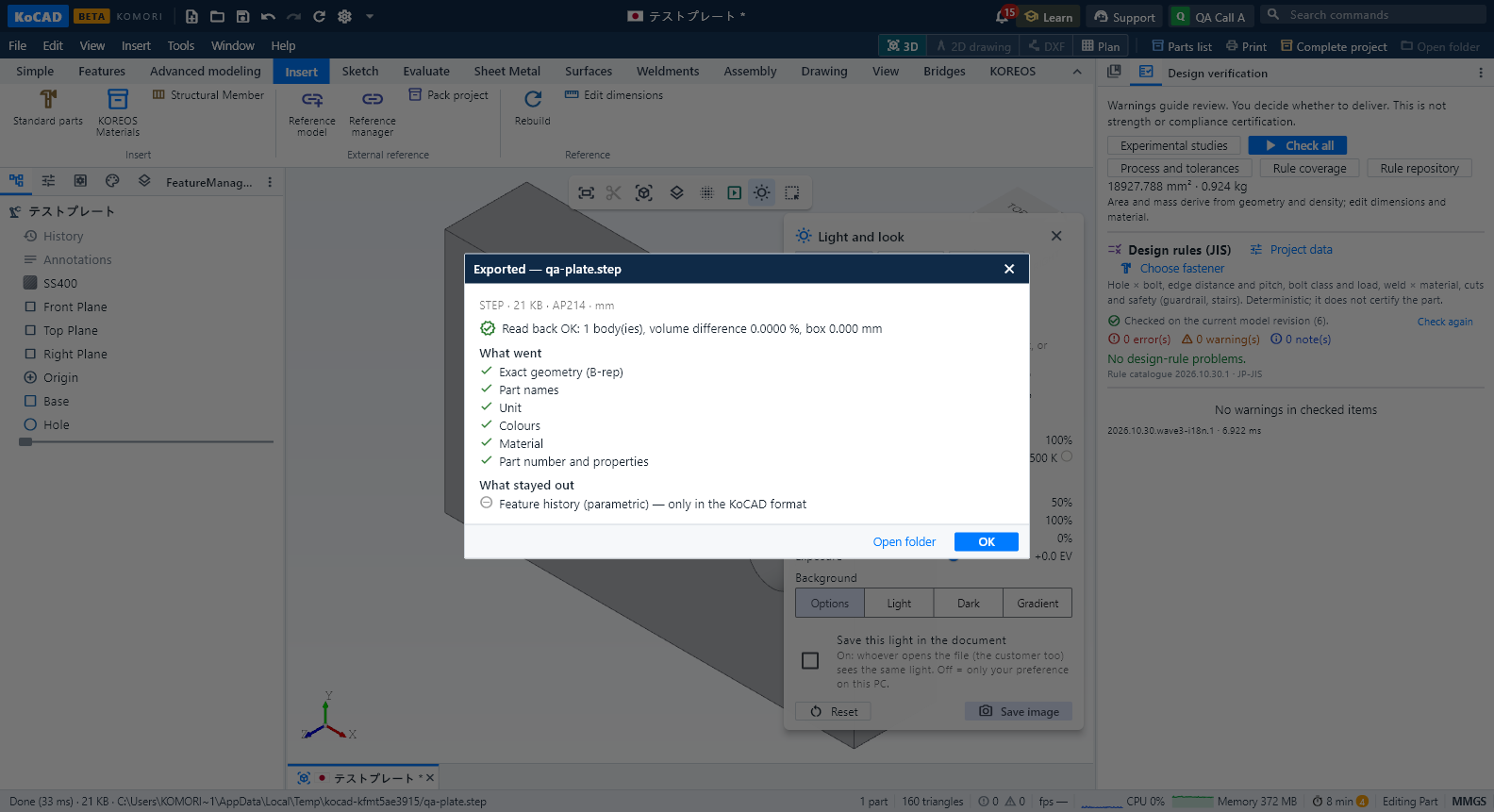
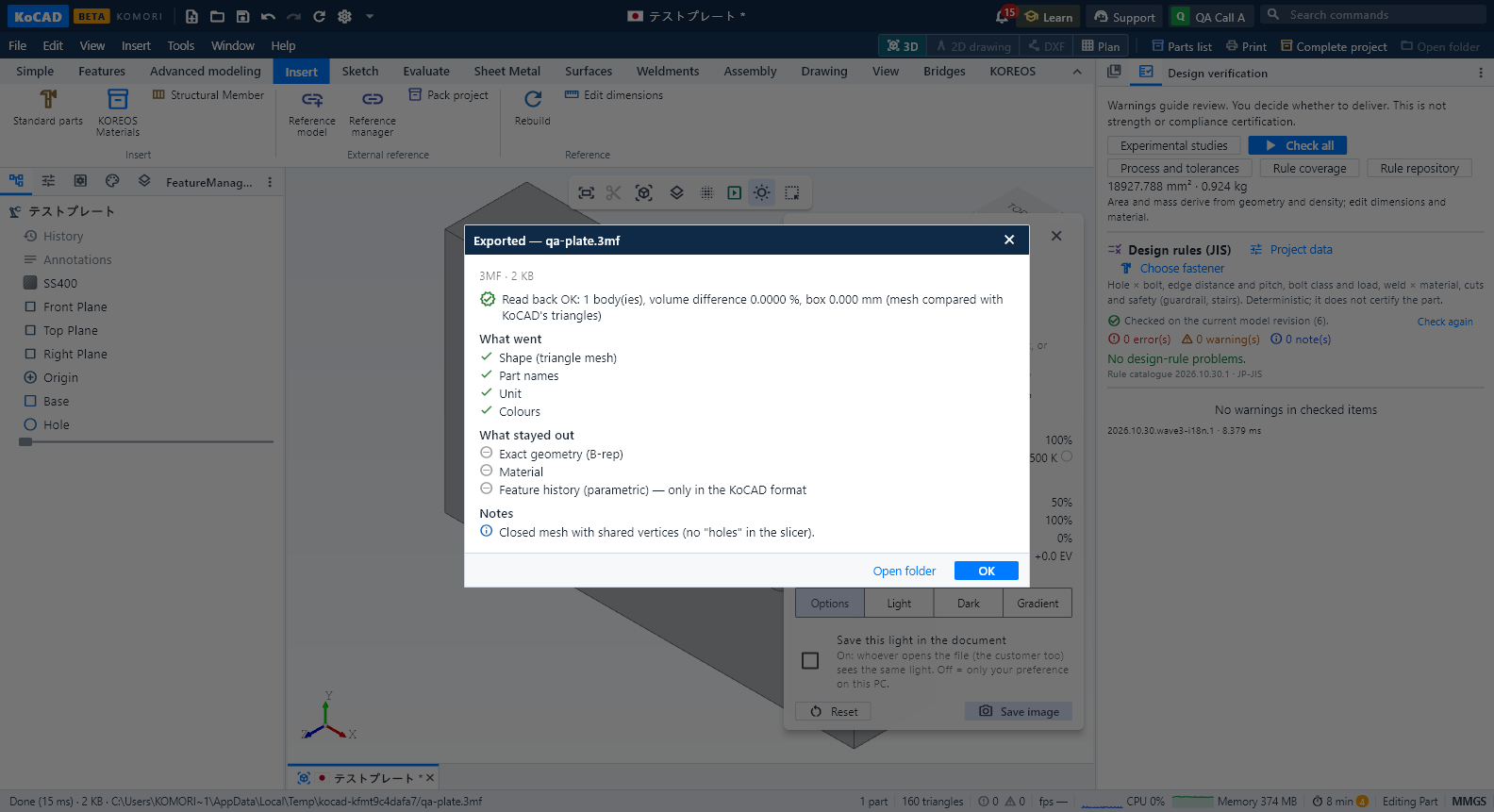
Report after exporting: KoCAD reads the file it just wrote back, compares bodies, volume, area and box with the model, and shows what went and what stayed out (for example: the parametric history only exists in the KoCAD format; STL keeps no colour or unit). If a difference shows, check it in the receiving program.
2D drawing: in the Drawing tab, vector PDF (JIS font embedded), DXF R2018 (dimensions, blocks, hatches), DXF R12 (old AutoCAD, Jw_cad, laser: everything exploded into lines, arcs and Shift-JIS texts), DWG R2000 (through the LibreDWG converter in a separate process; writing is experimental — check it in AutoCAD) and SVG (vector, 1 unit = 1 mm).
Honest limits: Parasolid, Inventor, Fusion, Revit and the other closed formats are not read as geometry (that needs paid libraries). DWG is not a lossless round trip. IFC is read as a reference (mesh/extrusions), not as an editable BIM project. A mesh does not become an exact STEP.