











KoCAD · Màn hình & chức năng
Engineering studies (experimental BETA): stability, clearance and motion
What it is. On-request checks on the open part or assembly: stability (tipping), clearance between bodies, rigid motion with contact, and process rules (weld/tool access, stock allowance, bumping). It is experimental: every result states what it checked and what is missing; nothing here is a factory approval. Open it from Design verification → Experimental studies.
Bài viết này chưa được dịch sang ngôn ngữ của bạn: đang hiển thị bản English.
What it is. On-request checks on the open part or assembly: stability (tipping), clearance between bodies, rigid motion with contact, and process rules (weld/tool access, stock allowance, bumping). It is experimental: every result states what it checked and what is missing; nothing here is a factory approval. Open it from Design verification → Experimental studies.
1. Entering data. Pick the study and press Input template. The panel opens on the Form: every field is named in your language, vectors have x/y/z, bodies are picked from a list. Every value needs a source and the Confirmed box — both start unchecked. An invalid value never becomes zero: the calculation refuses it and says why. The JSON tab shows exactly the same content; Save in document stores the inputs (undoable).
2. Stability. Enter the support plane, gravity, the confirmed mass of each body and the actual support points (touching the part). The result is the signed margin between the projected centre of mass and the edge of the support base; negative = it tips. The model's bounding box is never used as a base.
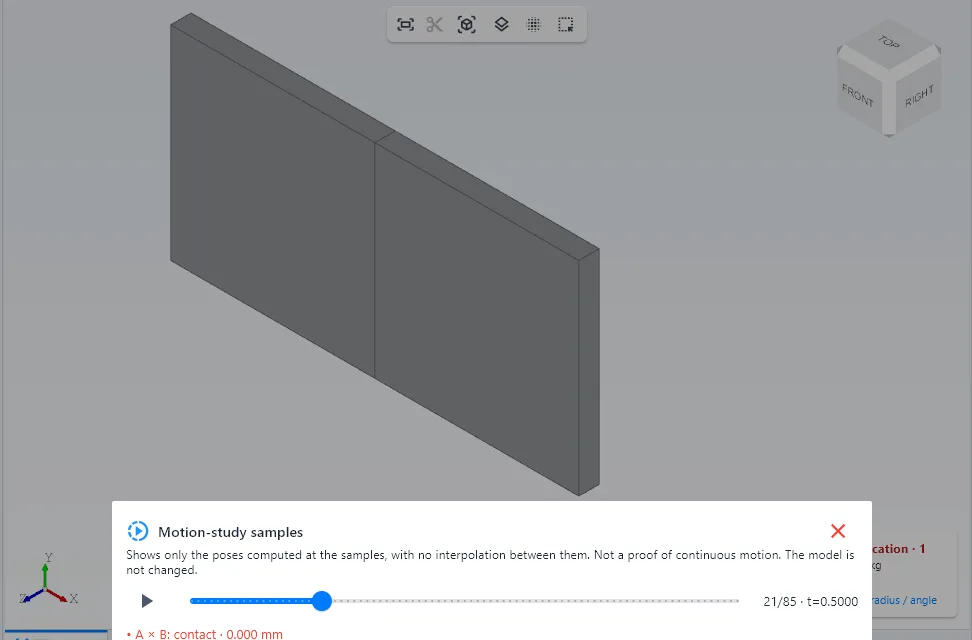
3. Clearance and motion. Choose the body pairs and the required clearance. For motion, the joint can be an already solved assembly mate (limit distance, or concentric + limit angle), a stretch of the XR storyboard, or a declared translation/rotation. The calculation uses finite samples refined near contact: not a continuous proof. Contacts show as "entry between … and …" intervals. Friction only with a given coefficient. Show samples on the model steps through exactly the computed poses in 3D, inventing no in-between positions; the model is not changed.
5. Limits and lightness. Every study has time, operation and memory limits and can be cancelled; when a limit is hit the result is "incomplete" with the reason. Nothing of this loads when KoCAD opens.
Related articles
- How to run an engineering study (BETA): frame, plate, thermal and second opinion
- How to check the design before sending it to the shop (Verification and JIS rules)