











KŌLOGY · Screens & features
Vehicles, company fleet and fuel cards
Who has each vehicle, 車検 (shaken) and insurance expiries, maintenance, repairs and fuel cards.
On this page
What it is for
Three screens look after the company's vehicles:
- Vehicles (Operations): the board of the day — status of each vehicle, who has it, expiries and repairs.
- Company fleet (Management): the register of company vehicles drivers can use instead of their own car.
- Fuel cards (Operations): who has each card, expiry, monthly limit and history.
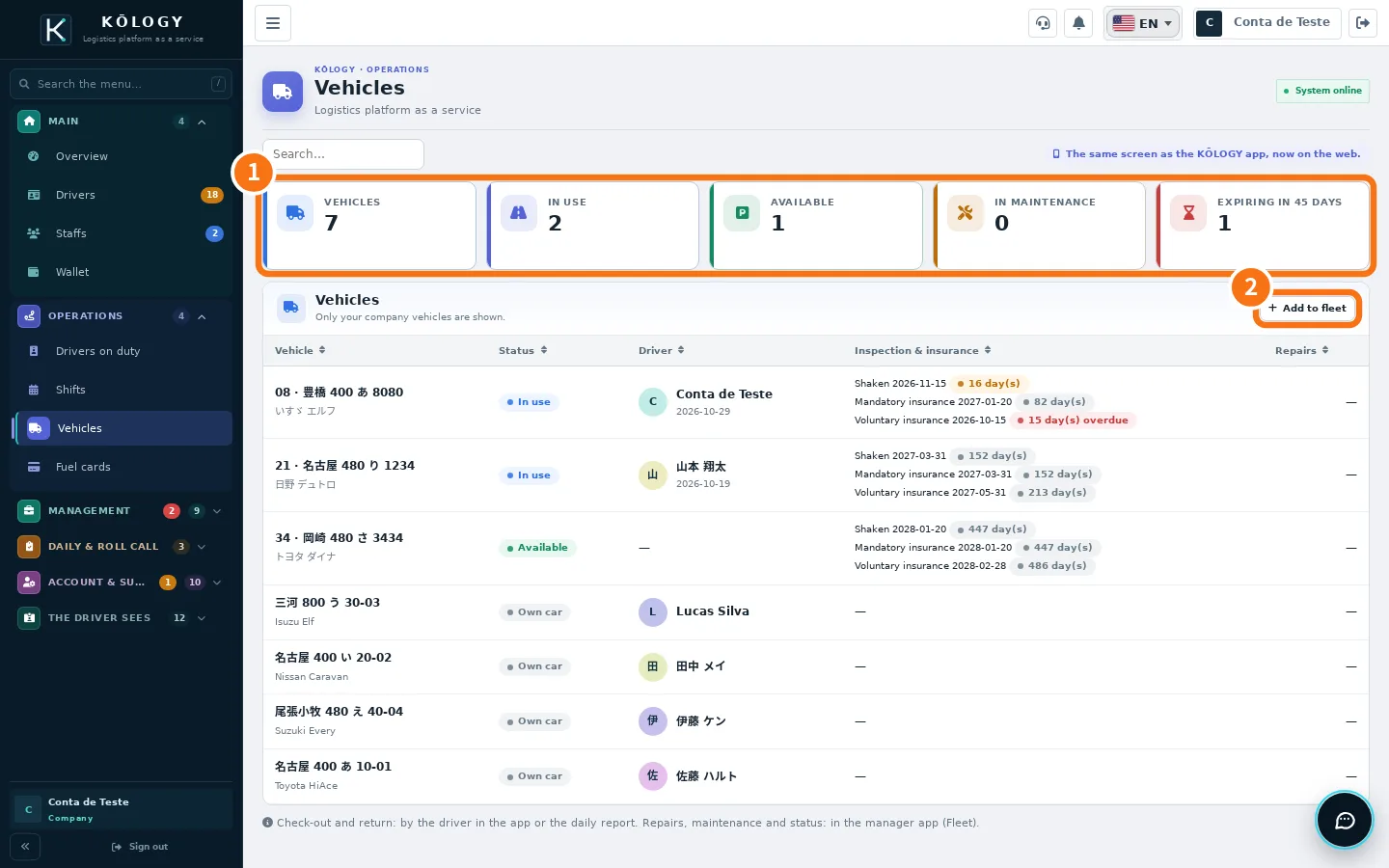
Vehicles screen
- ① Numbers: Vehicles, In use, Available, In maintenance and Expiring in 45 days.
- ② Add to fleet: opens the register (Company fleet).
The table shows the vehicle, status, who has it and since when, the expiries of 車検 (shaken), mandatory insurance and voluntary insurance with days left, and repairs. Drivers' own cars show as «Own car».
Vehicle record (app)
In the app, tap a vehicle to open its record: Expiries, Current use, Maintenance (change by km) using the km of the latest daily report, Repairs and incidents (including those sent by drivers) and Check-outs and returns. Buttons: Record return (返却) (when the driver forgot to return it), record a change, record a repair, change status and edit data and expiries.
Company fleet
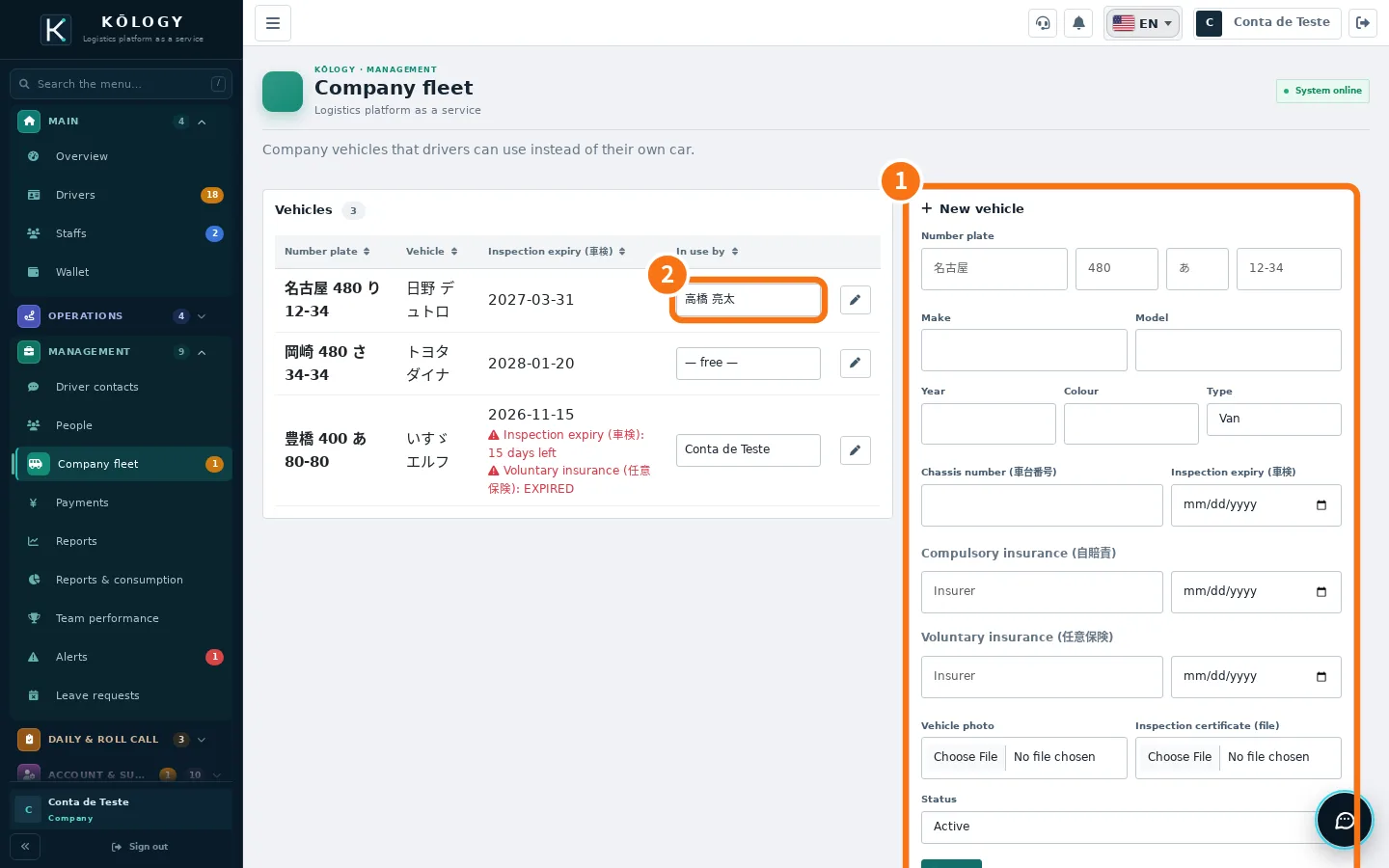
- Fill in ① New vehicle: number plate, make, model, year, colour, type (Kei, Van, Truck, Other), chassis number (車台番号), 車検 expiry, insurance, photo and the 車検証 file.
- In the list, use ② In use by to say which driver has the vehicle.
A vehicle registered here shows up for drivers to check out and return in the daily report and in the app's Vehicle tab.
Fuel cards
The screen shows Cards, In use, Stored, Not returned and Expiring. In the app, open a card to hand it over (貸出), record its return (返却) or edit it, and see the check-out and return history. Cards linked to one of your company's vehicles appear here.
Common mistakes
- The vehicle is not in the daily report's car list. Check it is registered in Company fleet and Active.
- «Vehicle limit of the free account reached.» The free account has a vehicle limit. See «KŌLOGY plans and limits».
Related questions
- Register a company vehicle
- Reports, fuel, team performance and alerts
- KŌLOGY plans and limits