











KŌLOGY · Screens & features
Reports, fuel, team performance and alerts
Fuel economy (燃費), flash revenue (速報値), team performance by period and expiry alerts.
On this page
What it is for
These screens turn daily reports into management numbers: what each vehicle burns, the month's estimated revenue, each person's work and what is about to expire.
Where: web Management → Reports & consumption, Management → Team performance and Management → Alerts; app More → Management.
Reports & consumption
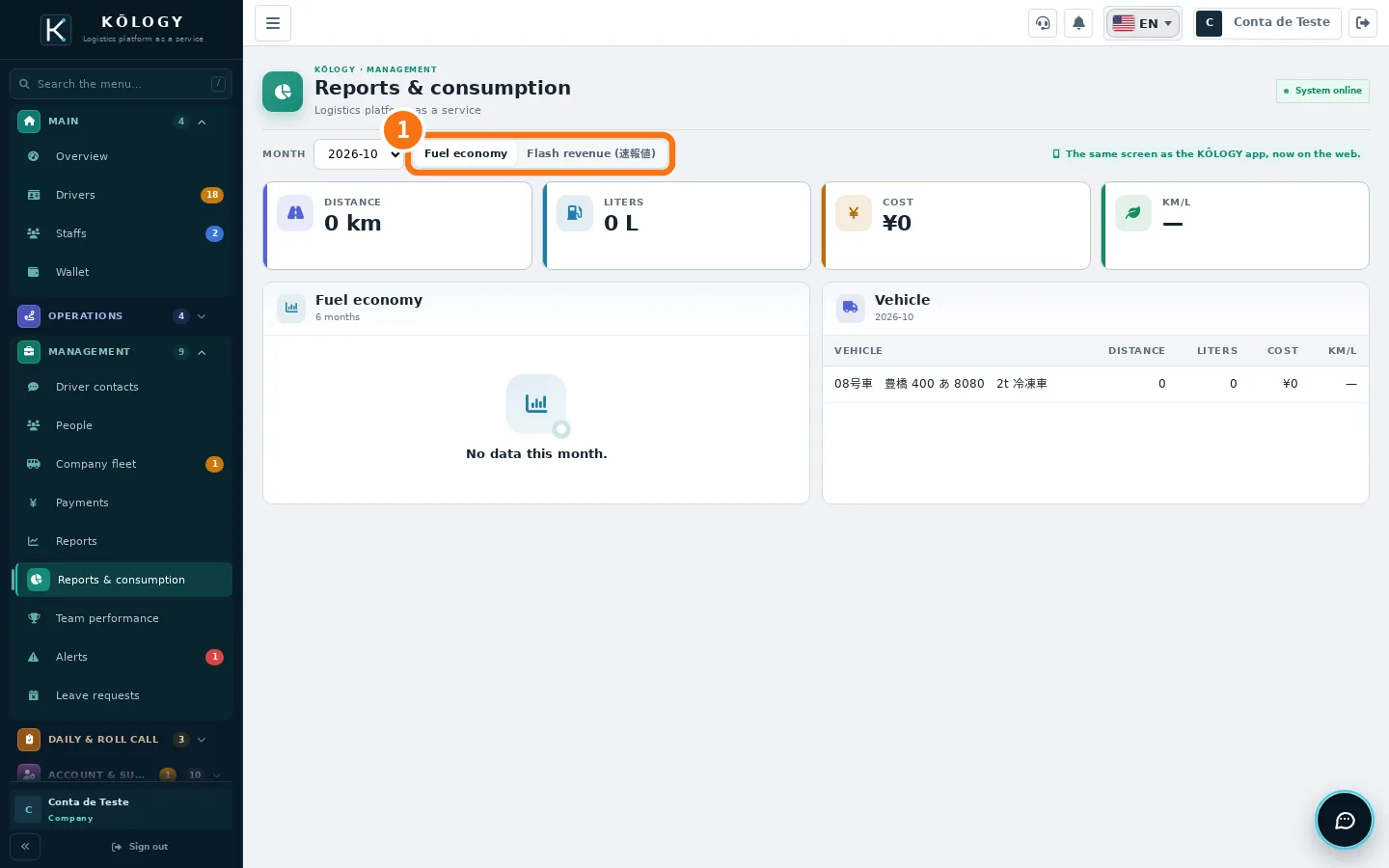
Choose the month and the tab ①:
- Fuel economy: distance, litres, cost, km/L and cost per km, with a 6-month trend, by vehicle, by driver and vehicle × driver. In Change thresholds you set from how many km/L a vehicle is «economical» and up to how many it «uses too much». When refuelling was paid by card and the amount is pending, use Confirm amount with the statement figure.
- Flash revenue (速報値): completed pieces × unit price, by driver and by branch, with a carrier filter.
Team performance
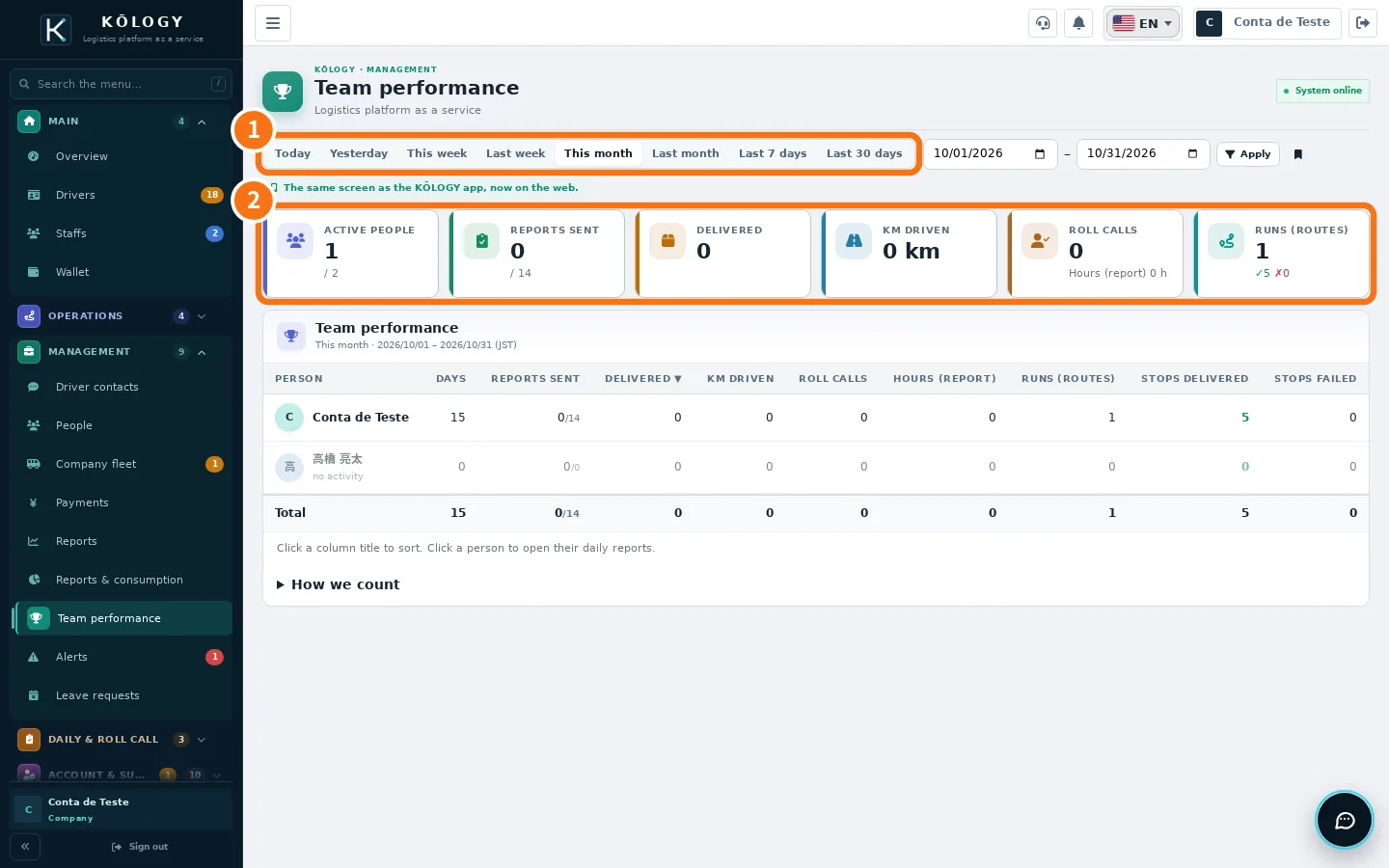
- Choose the ① period: Today, Yesterday, This week, Last week, This month, Last month, Last 7 or 30 days, or your own dates and Apply. Save a period you use often with the bookmark (★ shortcut).
- Check the ② totals and the table: one row per person with days, daily reports sent, deliveries, km driven, roll calls and hours; with the route centre, also runs and stops delivered/failed.
- Click a column title to sort; click a person to open their daily reports.
Km come from the daily report's odometer, not from GPS. Drivers only see their own numbers.
Alerts
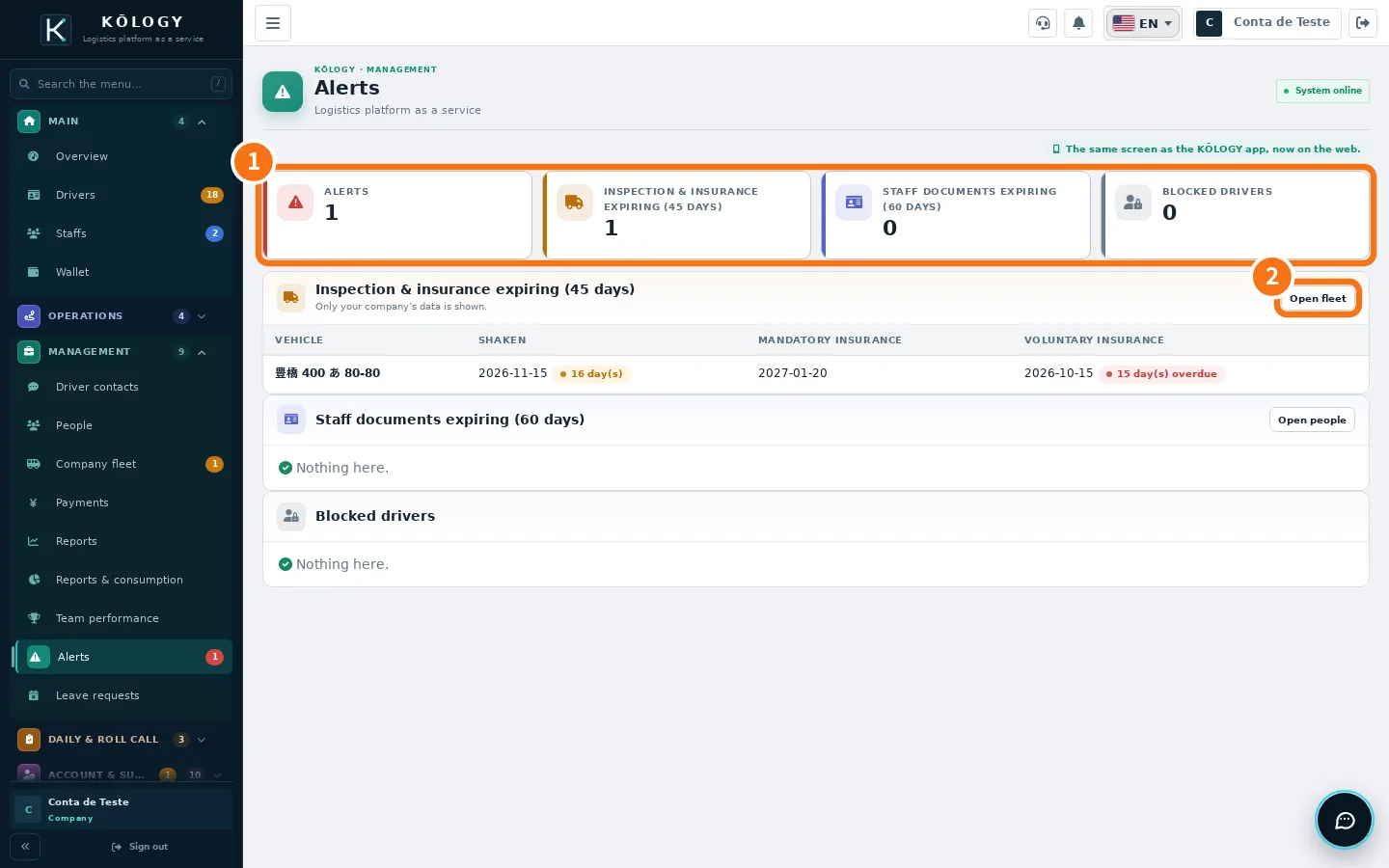
The ① numbers show: Alerts, Inspection & insurance expiring (45 days), Staff documents expiring (60 days) and Blocked drivers. Each list has a shortcut such as ② Open fleet.
Common mistakes
- «No data for this period.» No daily reports have been sent in the period yet. Change the month or wait for submissions.
- Fuel without amount. The driver refuelled with a card; confirm the amount from the statement.
Related questions
- Roll call, daily operations and daily reports
- Vehicles, company fleet and fuel cards
- Company overview