











KŌLOGY · Screens & features
Shift and day detail
See your monthly shift as a calendar, the coming days and each day's detail: type, base, route and start time.
On this page
What it is for
Shift shows the days you work, are off, or do office or maintenance duty, with each day's route and base. It is read-only: the office builds the shift. If something is wrong, contact the person in charge. (Vehicle and payments have their own articles: “Vehicle and fuel card” and “Payments”.)
Where it is
More → My work → Shift, or the Shift row under “My work” on Home. Also in the browser.
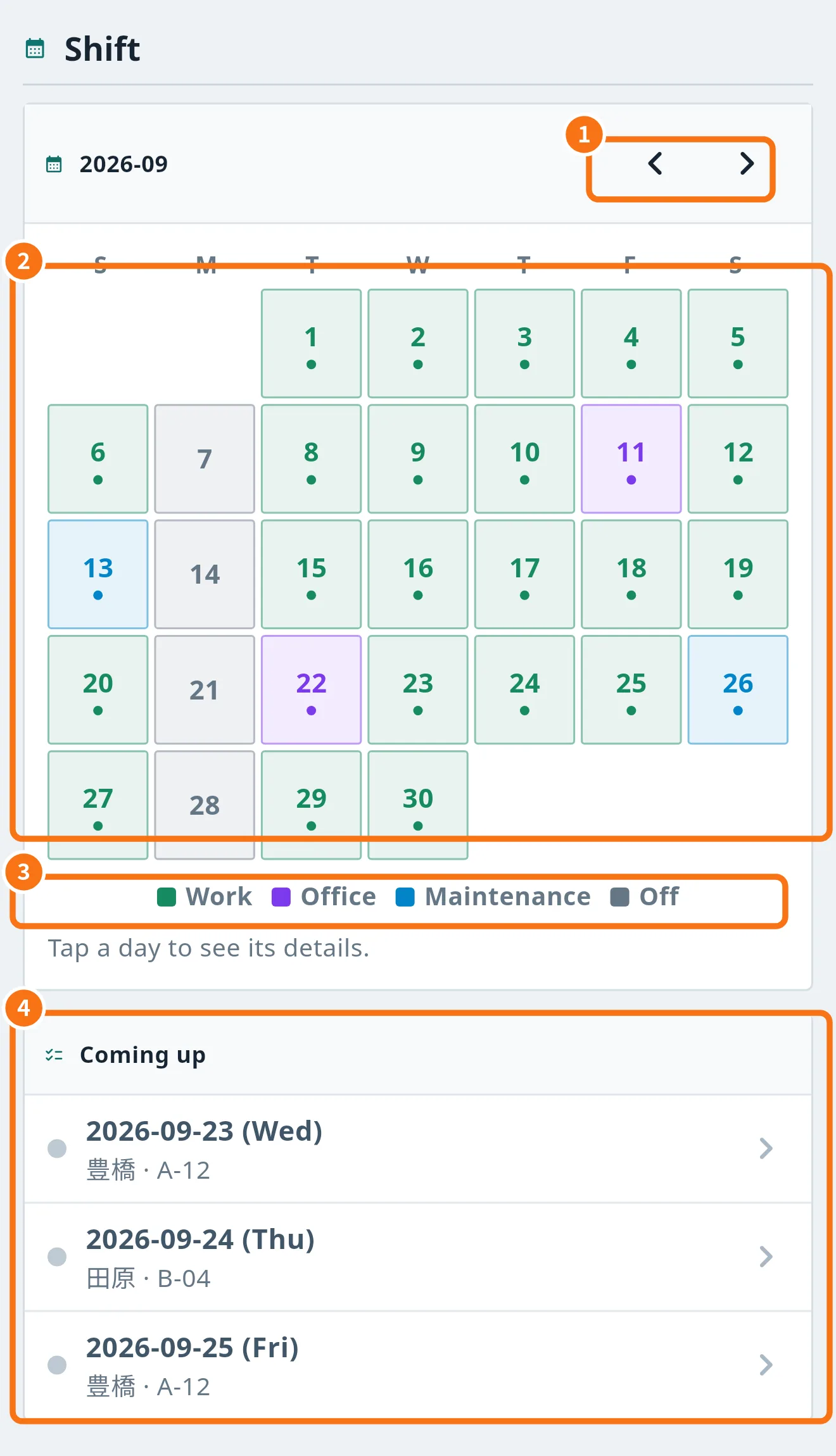
What is on the screen
- Previous month and Next month (①): the arrows next to the month (for example 2026-09).
- Calendar (②): each day has the colour of its type. A dot under the number means a route is assigned.
- Legend (③): Work, Office, Maintenance and Off. A day without colour = Not set.
- Coming up (④): the next 7 days with date, type, base and route.
Step by step: see a day's detail
- Tap the day on the calendar or a row in Coming up.
- Day detail opens with Work category, Carrier company, Workplace / base, Route, Expected start time and Shared notes.
- Check whether it is Confirmed or Not confirmed.
- Read Check before you leave: double-check the route and required items.
Common mistakes
- Empty calendar: the office has not entered the month's shift yet. Try the next month with the arrow or ask the office.
- A day looks wrong: the shift cannot be edited in the app. Contact the responsible administrator.
- Offline notice: you are seeing the last shift saved on the phone.
Related questions
- Driver Home (Today) screen
- Vehicle and fuel card
- Payments: review and approve the statement