











KŌLOGY · Getting started
Getting started with KŌLOGY (company and managers)
What KŌLOGY is, who uses each part and the shortest path for a company to start operating in the app and on the web.
On this page
What it is for
KŌLOGY is the management system for transport companies and delivery drivers in Japan. The company organises routes, deliveries, drivers, vehicles, shifts, 点呼 (roll call), 日報 (daily report) and driver payments in one place. Drivers use the same app on their phones to work through the day.
It works in two ways, with the same account and the same data:
- KŌLOGY app for Android and iPhone (Google Play and App Store).
- Management web at kology.its-komori.com, built for the office computer.
Who uses it
- Role · What they do
- Company administrator · Owner of the company account: plan, billing, contracts, team access and account deletion.
- Manager (office) · Creates routes and deliveries, follows the team live, checks roll calls and daily reports, handles shifts, vehicles and payments.
- Driver · Works the day, the deliveries and the daily report in the app. Has their own sign-in, created by the company or by invitation. See the driver manual.
Where things are
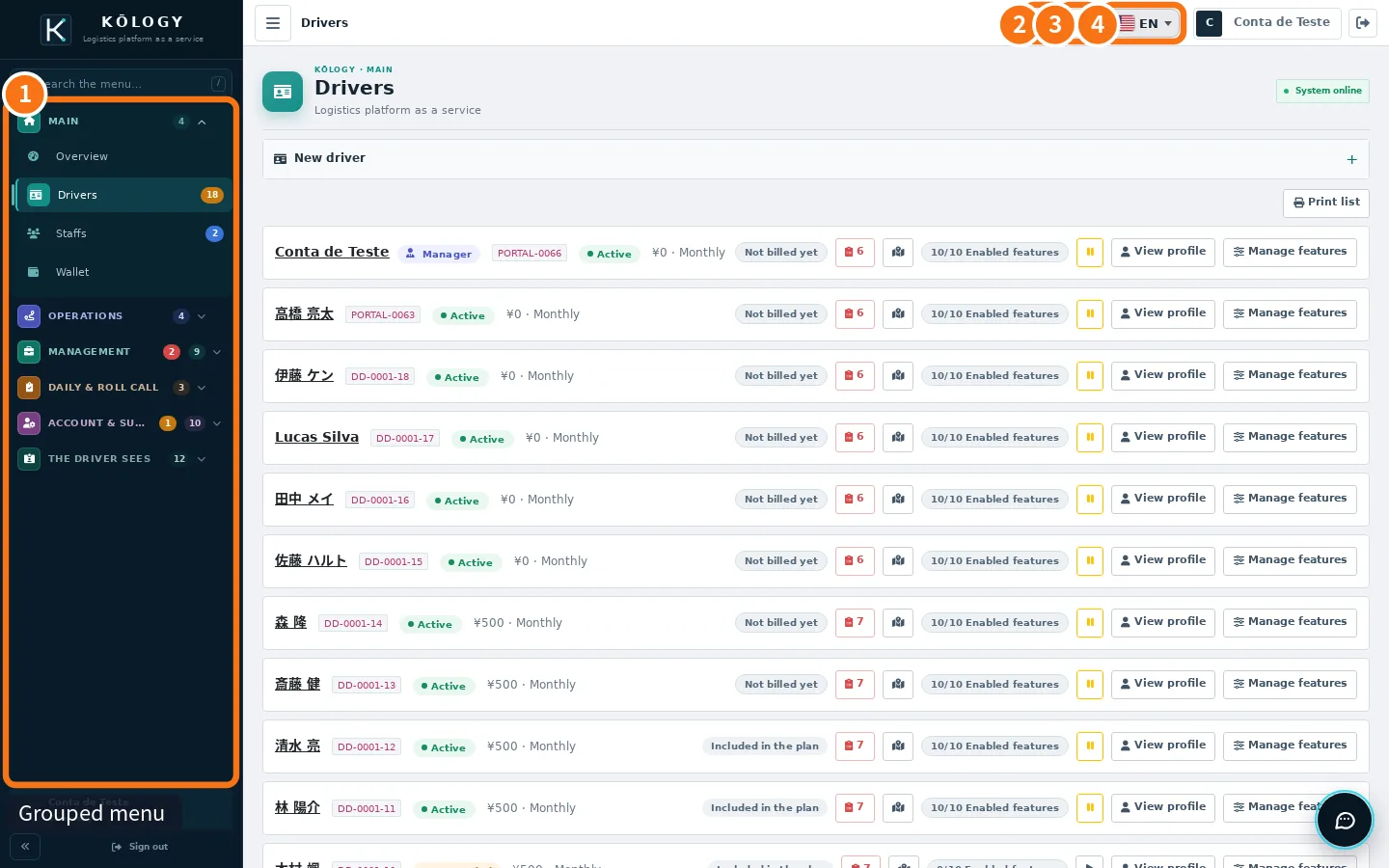
- ① Grouped menu (web): Main, Operations, Management, Daily & roll call, Account & support. Type in «Search the menu…» (or press /) to find a screen.
- ② Report an issue: sends an error report to the KOMORI team.
- ③ Notifications: notices about routes, shifts, documents and payments.
- ④ Language: switch between Portuguese, Japanese, English and other languages.
In the app, the bottom bar has Overview, Staffs, Drivers, Shifts (or Wallet, depending on the plan) and More. More has the same sections as the web: Operations, Management, Daily & roll call, Account & support and Tools.
First day: step by step
- Create the company account (free) or sign in with the login KOMORI sent you.
- Add or invite your drivers in Drivers or in Invitations & free account.
- Add vehicles in Company fleet (web) or Vehicles.
- Build the month's schedule in Shifts.
- Create the first route and deliveries in Staffs → Routes & deliveries (app) or Staffs (web).
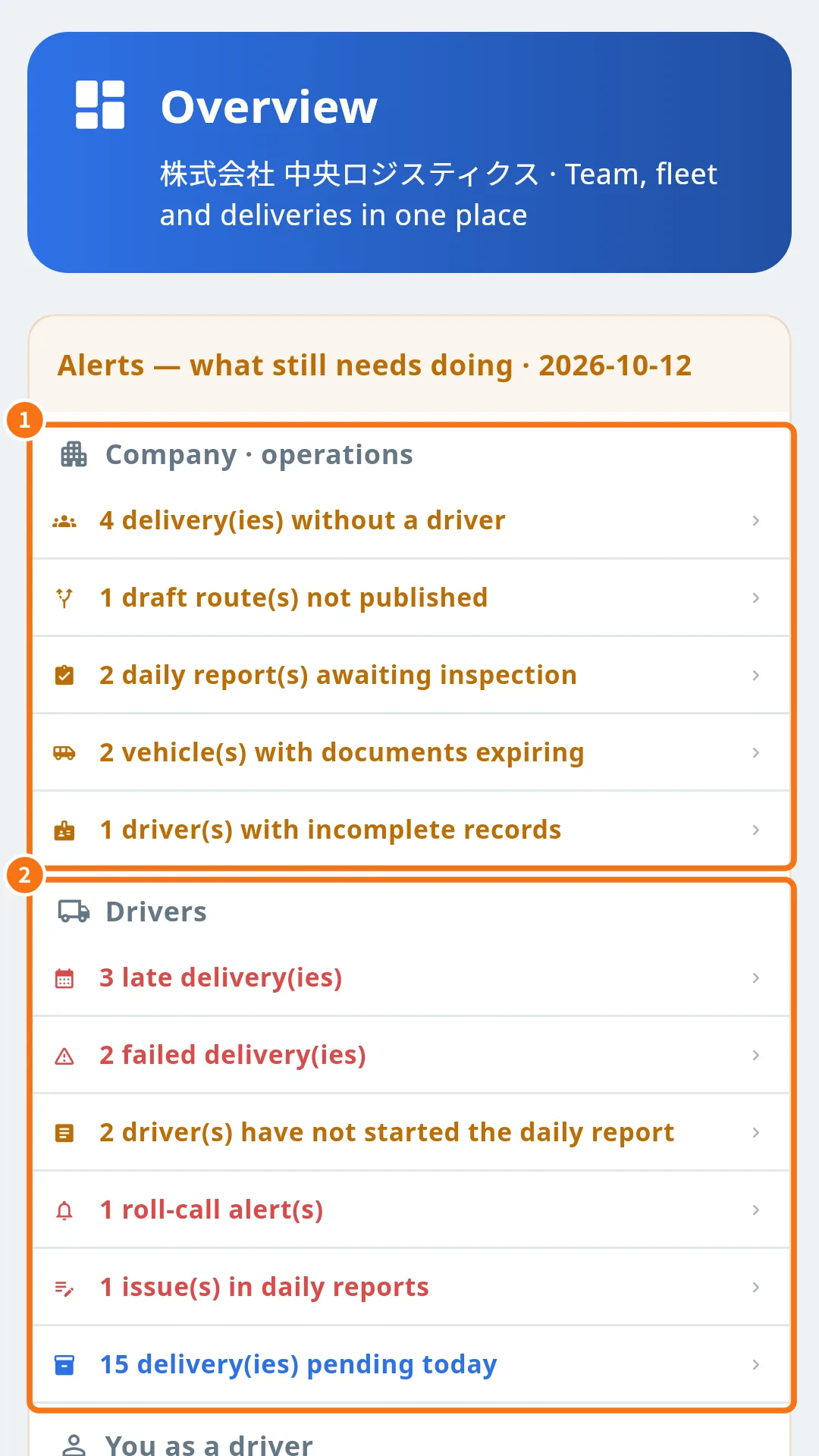
- Follow the day on Overview: ① what the company still has to do and ② what drivers have not done yet.
Common mistakes
- A screen shows a padlock. It is not in your current plan. See «KŌLOGY plans and limits».
- I signed in and cannot see the company menu. You signed in as a driver. Sign out and sign in again choosing «Company / manager».
Related questions
- Create the company account and sign in
- Roles and team access
- Company overview
- KŌLOGY plans and limits