











KŌLOGY · Screens & features
Correct the address pin
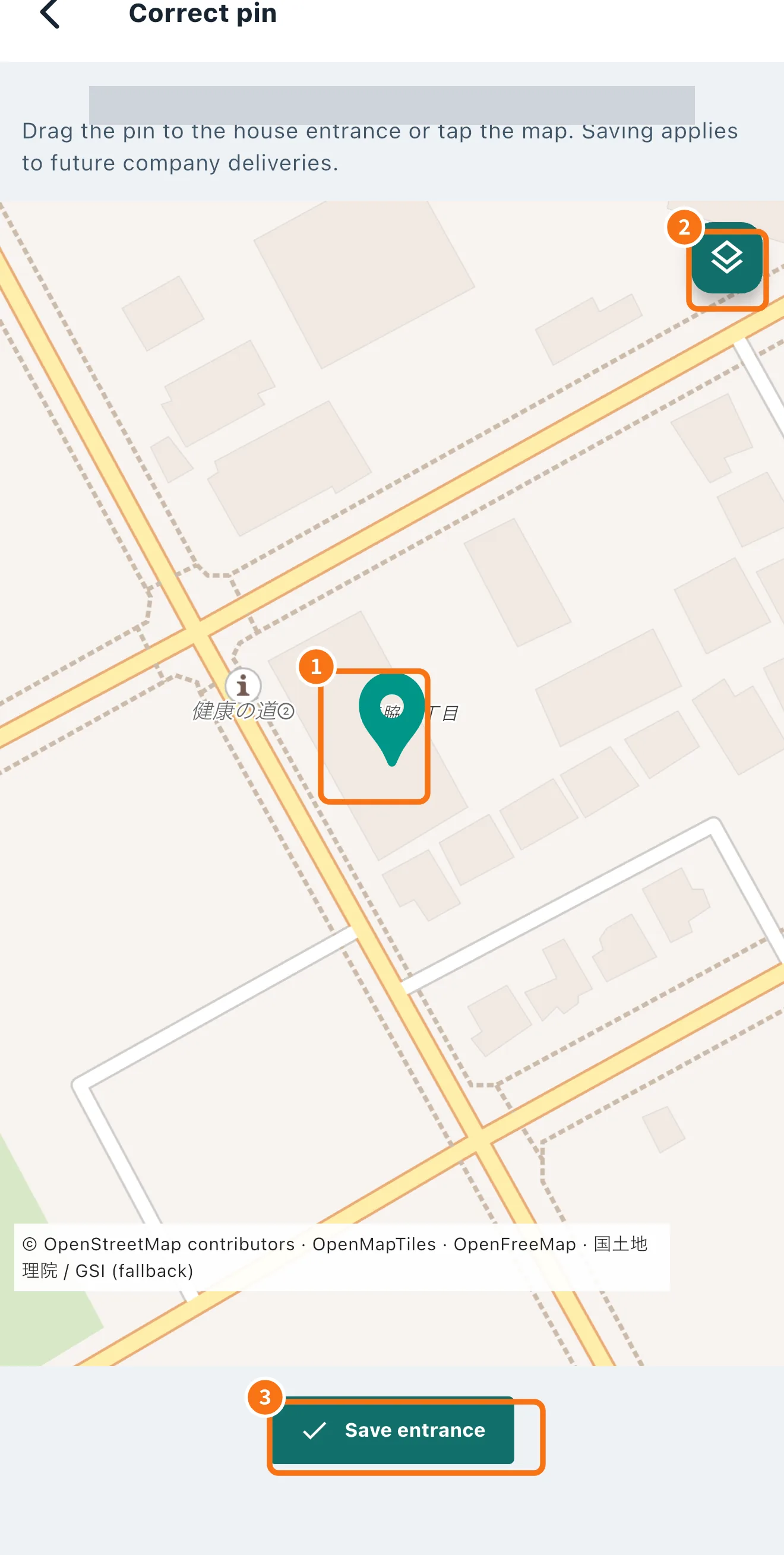
Drag the pin to the right entrance and save: the correction applies to the company's future deliveries to that address.
On this page
What it is for
In Japan many addresses become an approximate point on the map — the centre of the block (街区) or the neighbourhood. Correct pin lets you place the point exactly at the house or building entrance. Saving applies to the company's future deliveries to that address, and navigation then leads to the right entrance.
Where it is
Open the stop on the route map and tap Correct pin. The KŌLOGY navigator also warns you when the pin is approximate.
Step by step
- On the route map, tap the stop and choose Correct pin.
- Check the address at the top and read the instruction: “Drag the pin to the house entrance or tap the map.”
- Drag the pin (①) to the entrance — or tap the right spot on the map.
- For another view, switch the map with the layers button (②).
- Tap Save entrance (③).
How the app shows precision
- Saved entrance: someone already corrected it — the most reliable point.
- House number: the house-number point.
- Block (街区): centre of the block; check the house.
- Neighbourhood only: approximate; worth correcting.
A recent, accurate GPS fix recorded when a delivery is completed can improve the point by itself, but it never replaces a correction made by a person.
Common mistakes
- The pin went back to the old place: check you tapped Save entrance and had internet.
- Building with several shops or units: the point belongs to the full address. To keep destinations separate, include the unit or shop when registering (see “Pickup bases and saved destinations”).
- Correct pin is missing: it only appears on stops that are still open.
Related questions
- Navigate to the delivery
- KŌLOGY navigator
- Pickup bases and saved destinations