











KŌLOGY · Screens & features
KŌLOGY navigator (voice, 3D and night mode)
Use the app's own navigator: turns with road names, voice, map that turns with the car, 3D view and recording the delivery on arrival.
On this page
What it is for
The KŌLOGY navigator takes you to the stop without leaving the app. It shows each turn with the road name and number, speaks the instructions, recalculates if you leave the path and, on arrival, offers Record delivery on the same screen.
Where it is
Tap Navigate on a stop with navigation set to KŌLOGY navigator (or pick KŌLOGY navigation on the Navigate sheet).
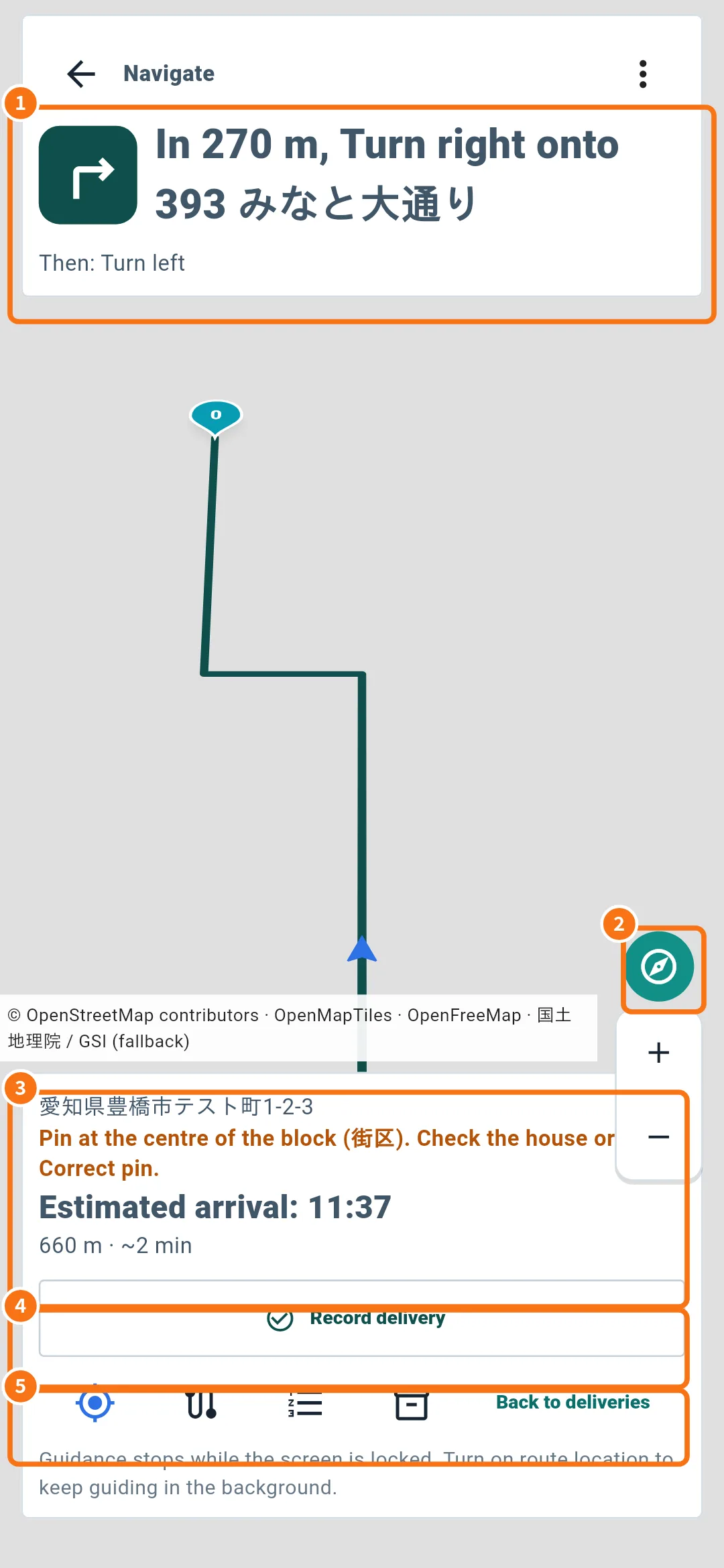
What is on the screen
- Next turn (①): “In 270 m, Turn right onto …” and below it “Then: …”.
- Follow my position (②): re-centres the map on you.
- Destination (③): address, pin precision warning (for example “Pin at the centre of the block (街区). Check the house or use Correct pin.”), Estimated arrival, distance and time.
- Record delivery (④): opens the record without leaving navigation. On arrival you see “You have arrived — record the delivery”.
- Action bar (⑤): position, route list and Back to deliveries.
The navigator's ⋮ menu
- Voice: on / off.
- Night mode.
- Map turns with the car and Tilted 3D view.
- Open in another map: passes the same stop to another navigation app.
House numbers on the map
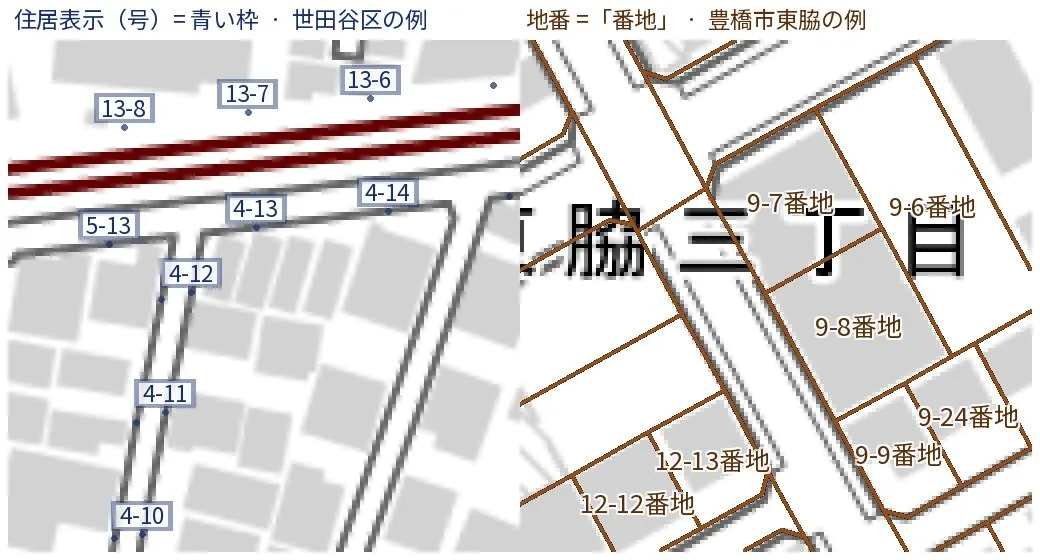
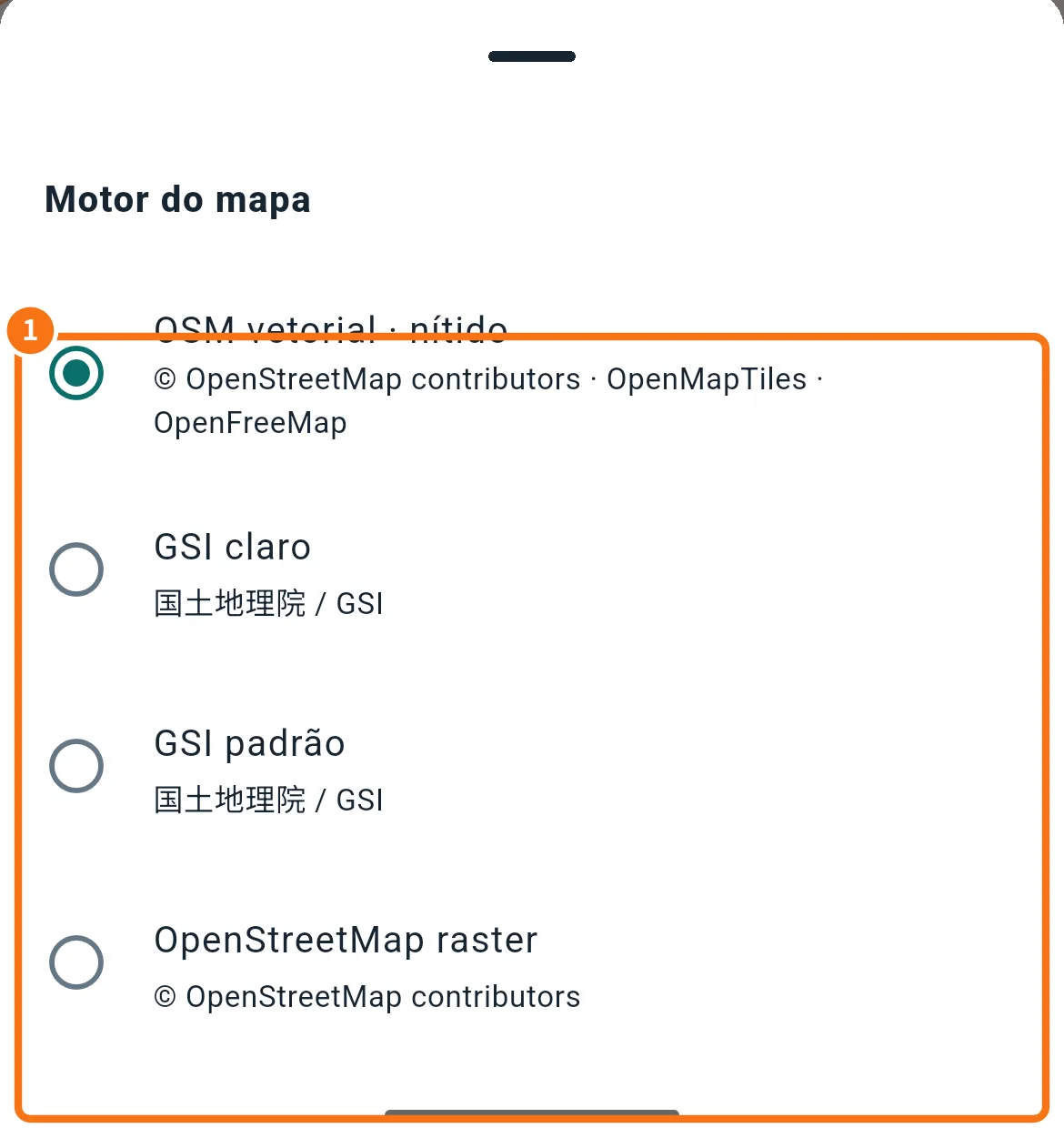
Zoomed in, the map shows block (街区) and house numbers where free public data exists. Turn it on or off in Map tools → Map engine.
Common mistakes
- “Enable location to navigate on the map”: turn GPS on and allow location for KŌLOGY.
- “Weak GPS signal”: wait a few seconds under open sky.
- “Could not calculate the road route” or “Route could not be updated”: check the connection and retry, or use Open in another map.
- I cannot hear the voice: check Voice: on, the phone's navigation volume and silent mode.
Related questions
- Navigate to the delivery
- Correct the address pin
- Driver app settings (sounds)