











KŌLOGY · Screens & features
Shifts, leave requests, people and salary advances
Build the month's schedule, answer leave requests, keep personnel records and register salary advances (前借).
On this page
What it is for
These screens handle time and people: who works on each day, who asked for leave, each driver's record and salary advances.
Where: web Operations → Shifts, Management → Leave requests and Management → People; app, the Shifts tab (or More → Operations → Shifts), More → Management → Leave requests and More → Management → People.
Shifts
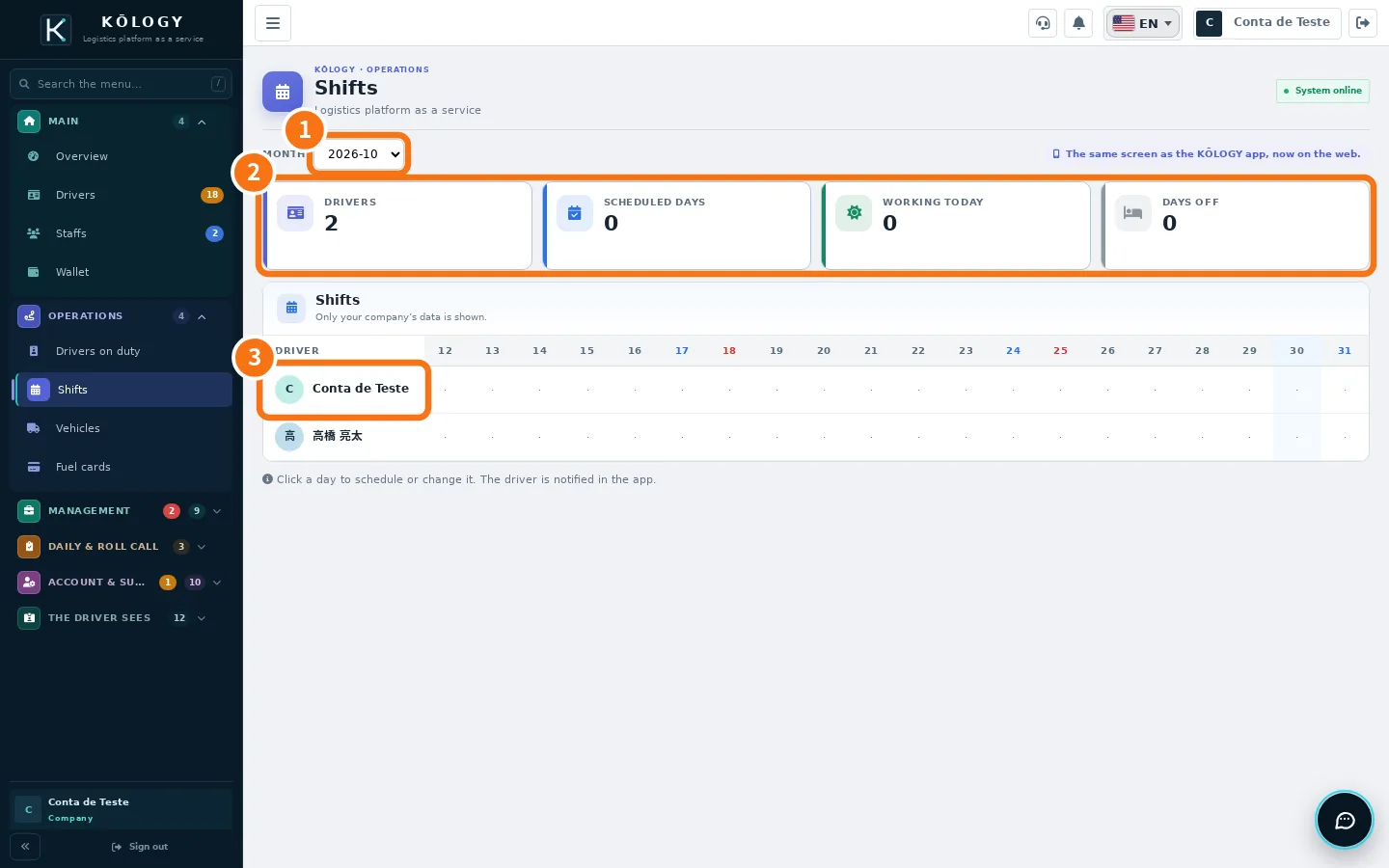
- ① Month: pick the month.
- ② Numbers: Drivers, Scheduled days, Working today and Days off.
- ③ Grid: one row per driver, one column per day. Click a day to schedule, change or delete. The change notifies the driver in the app.
In the app, tap a day to open Add shift: choose the driver, the Work type (Work, Office, Maintenance or Off), carrier, branch, time (HH:MM) and a note, then tap Save shift. To fill a whole month at once, use Bulk schedule.
Leave requests
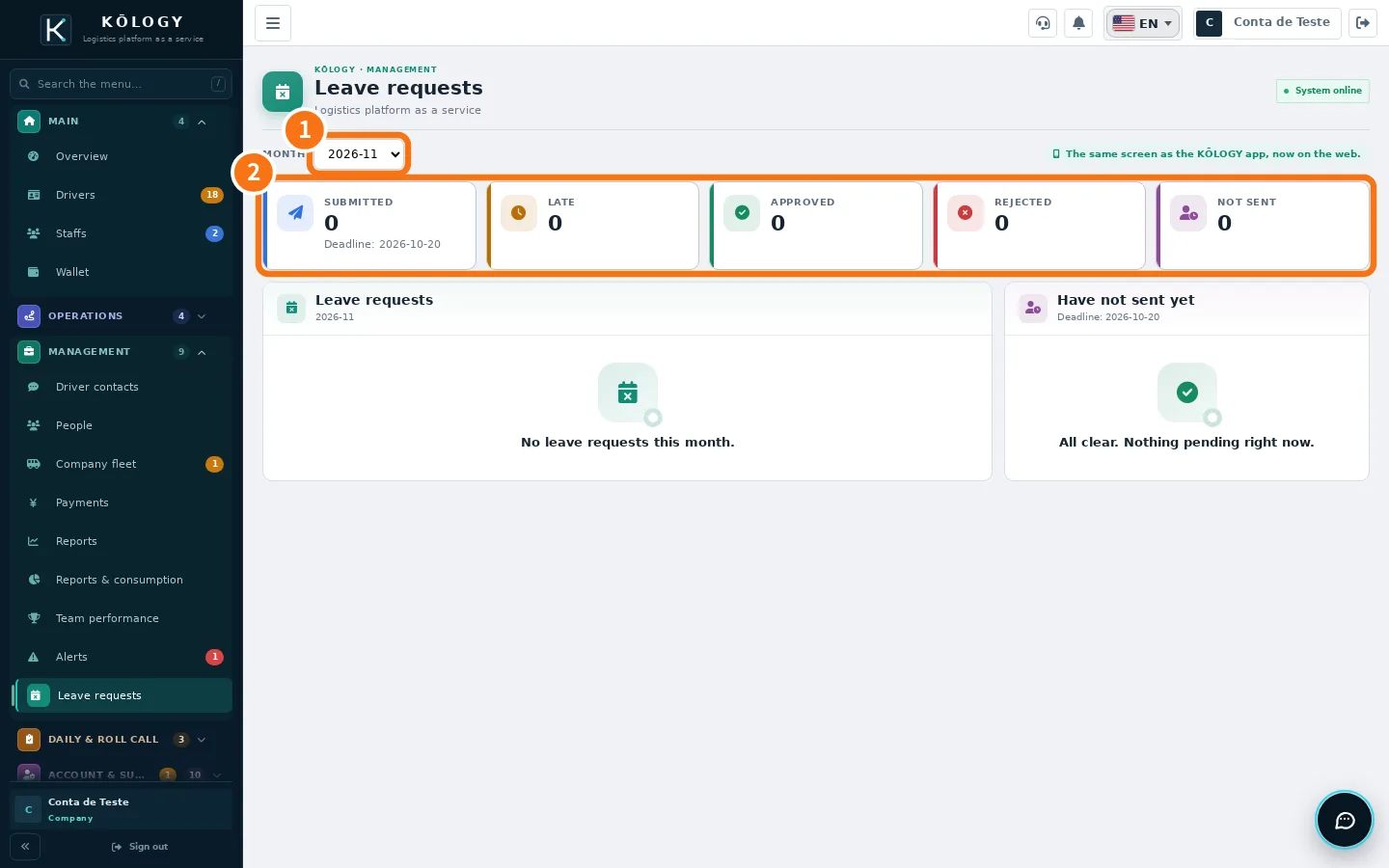
- Choose the ① month. The top shows the submission deadline.
- Check the ② numbers: Submitted, Late, Approved, Rejected and Not sent.
- Open a request and tap Approve or Reject. To reject, the Reason for rejecting is required. You can leave an Admin note and, if needed, go Back to pending.
The Not sent list shows who still has to send this month's request.
People and salary advances (前借)
People holds each person's record (名簿): general data, status, contract type, services covered and documents (driving licence, residence card) with expiries in the next 60 days. Use Edit record to correct it.
To register an advance: open the person → Salary advances → New advance. Enter the total requested, the number of installments, the worked month of the 1st installment and the request date. Check the installment preview and tap Register advance. The deduction goes into the payment statement (支払明細) of the worked month and payment comes out the following month. Later you can Edit installments or Cancel advance.
Common mistakes
- The driver did not get the shift notice. They need notifications allowed on the phone.
- People shows a padlock. The screen is not in the current plan.
Related questions
- Schedule a driver
- Payments, wallet and billing
- KŌLOGY plans and limits