











KŌLOGY · Pantallas y funciones
Profile, settings, maps, branding and support
Language, notifications, connected devices, map engine, company brand, desk tools, AI support, issue reports and guides.
Este artículo aún no está traducido a su idioma: se muestra la versión en English.
En esta página
What it is for
This is where your account settings and the manager's support tools live.
Profile
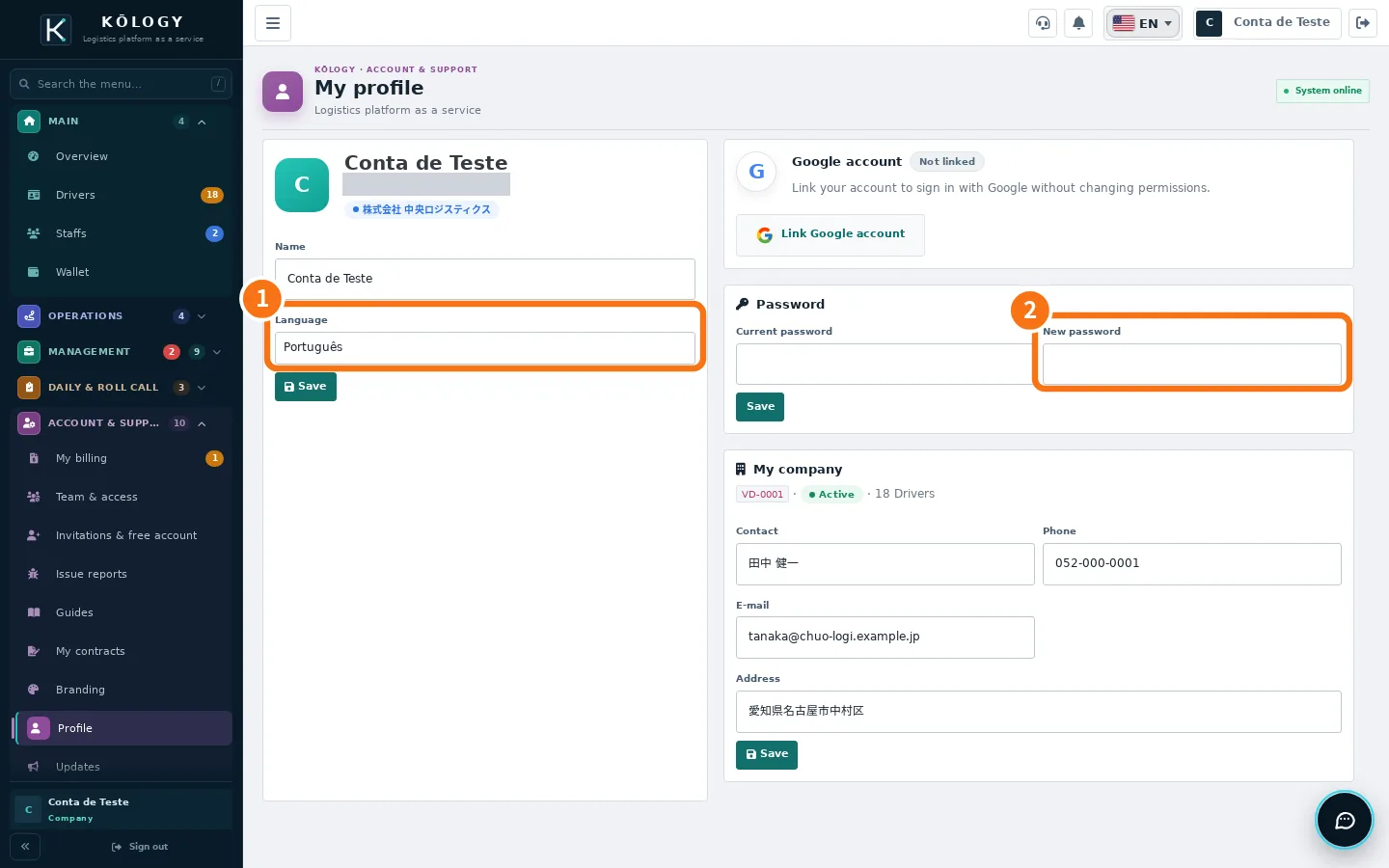
Where: web Account & support → Profile; app More → Account & support → Profile.
- Change the name and the ① Language and tap Save.
- To change the password, type the current password and the ② New password.
- Under My company, keep contact person, phone, email and address up to date.
- On the web you can link the account to Google with Link Google account to sign in with Google.
App settings
Tap the gear (at the top or in More → Tools → Settings). The tabs are:
- General: your profile, the mode (STAFFS or DRIVE), the Current plan, Share my location with dispatch (off until you turn it on; only sends while the app is open) and Sounds.
- Language: Português, 日本語 and English (written by the KOMORI team) plus Tagalog, 简体中文, Tiếng Việt and Español (automatic translation). Match the device follows the phone.
- Notifications: Enable notifications, see unread ones and Mark all as read. The last 30 days stay under the bell.
- Account & privacy: Connected devices (with Sign out), contracts and terms, Sign out and Delete my account.
- About: app version, Guides (the wiki) and Issue reports.
Maps
On any map, open Map engine and choose one of the free engines: OSM vector · sharp, GSI pale, GSI standard and OpenStreetMap raster (the web has more, such as OpenFreeMap light and dark). The choice is kept on your device; the company default comes from the platform. Turn on House and block numbers (zoomed in) to see numbers where free data exists.
Branding
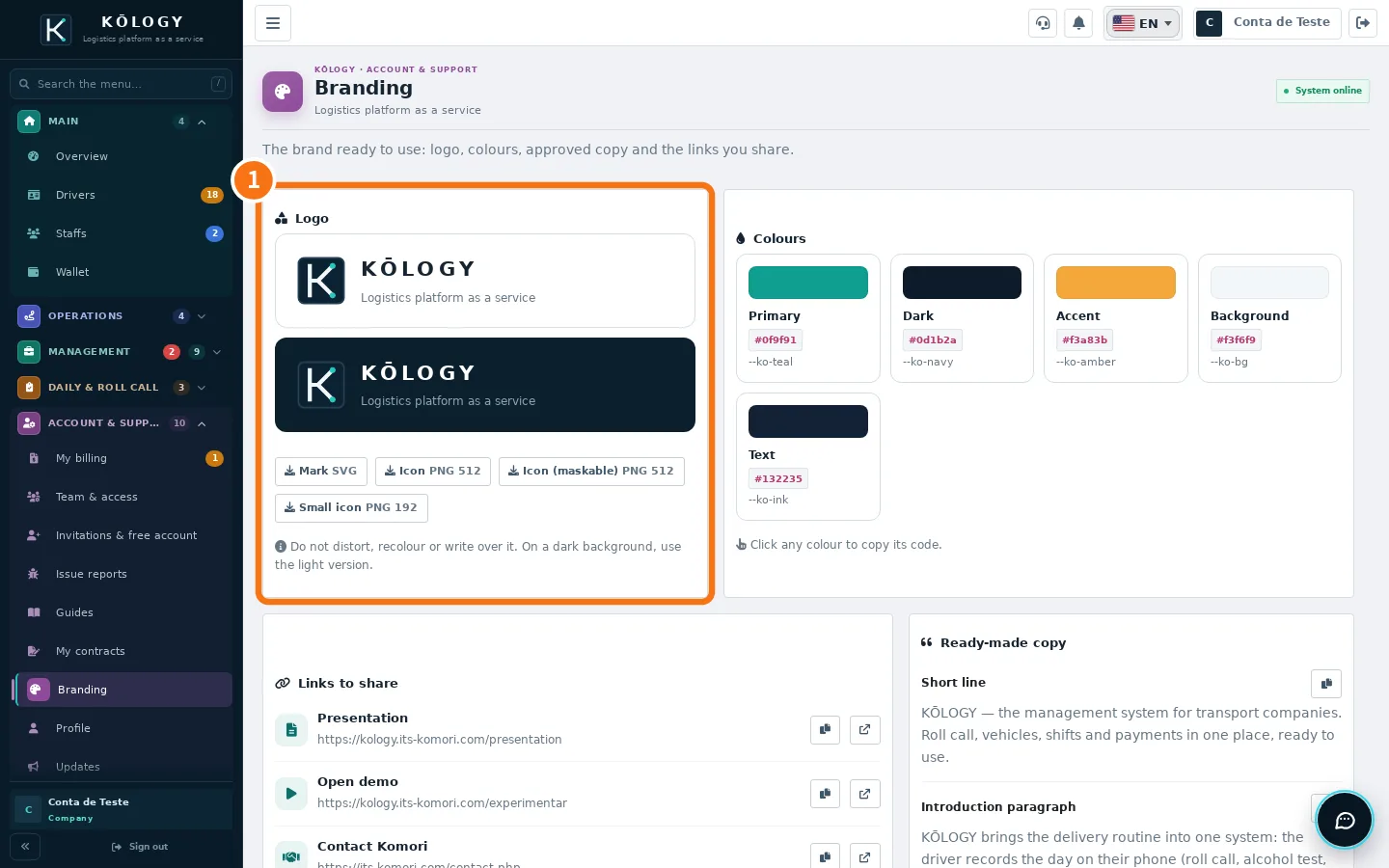
In Account & support → Branding you find the ① logo (SVG and PNG), colours, approved copy and links to share. Do not distort or recolour the logo.
Desk tools and support
- Desk tools (app): opens the web screens for Routes and maps, Payments, Reports, People and Shifts inside the app, already signed in.
- AI support: in the app, the support icon next to the bell; on the web, the round button in the bottom corner. The AI answers right away; tap «Talk to a person» to bring in the KOMORI team.
- Issue reports: describe a problem; the assistant asks what is missing and opens the ticket. Follow it in My reports.
- Driver contacts (Management): messages drivers send to the company; answer with Send reply and change the state with Update status.
- Guides and Updates: the manual and the history of new features.
Related questions
- Getting started with KŌLOGY
- Delete the company account
- KŌLOGY troubleshooting