











KŌLOGY · 界面与功能
Profile, settings, maps, branding and support
Language, notifications, connected devices, map engine, company brand, desk tools, AI support, issue reports and guides.
此文章暂无您的语言版本,以English显示。
本页目录
What it is for
This is where your account settings and the manager's support tools live.
Profile
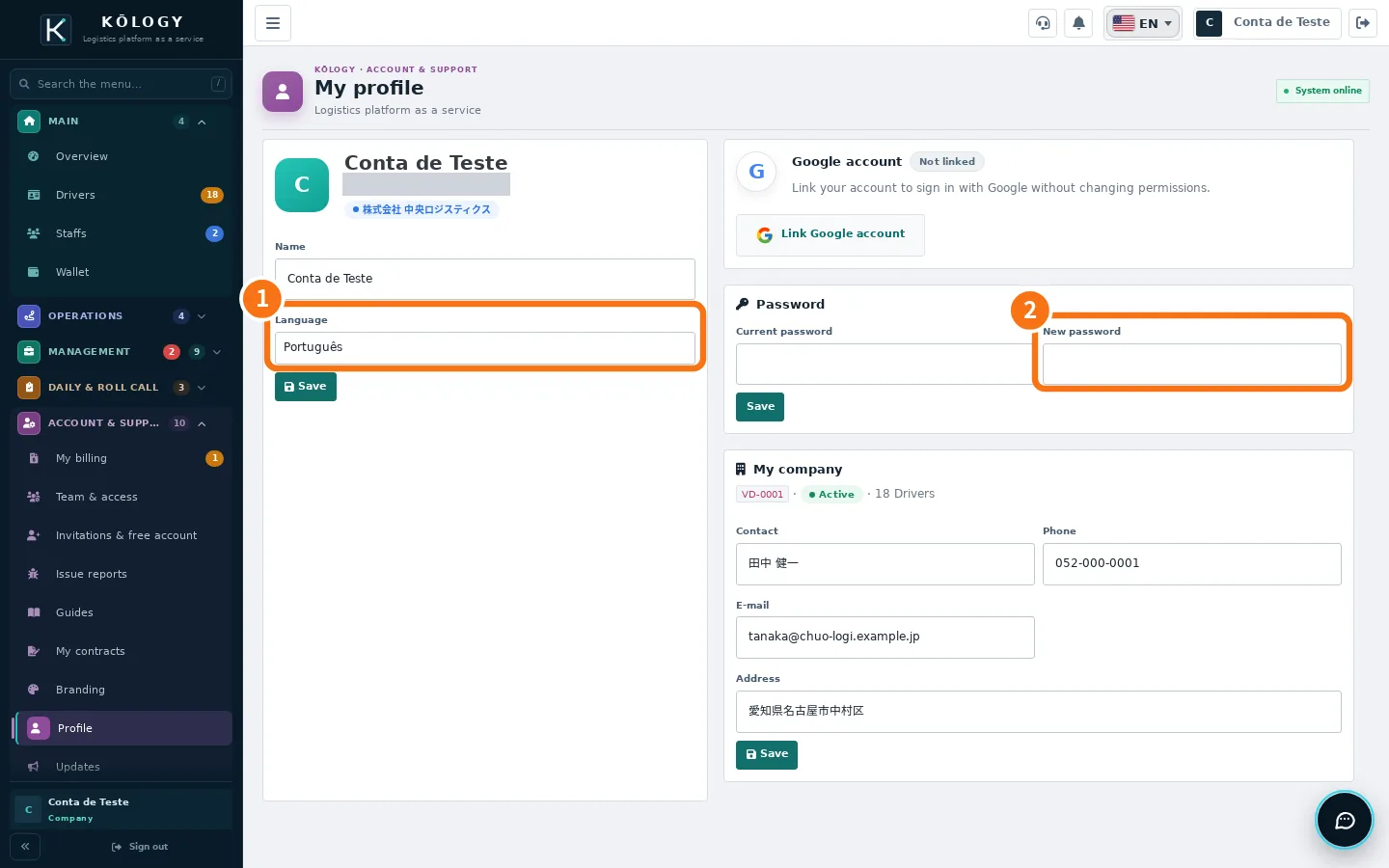
Where: web Account & support → Profile; app More → Account & support → Profile.
- Change the name and the ① Language and tap Save.
- To change the password, type the current password and the ② New password.
- Under My company, keep contact person, phone, email and address up to date.
- On the web you can link the account to Google with Link Google account to sign in with Google.
App settings
Tap the gear (at the top or in More → Tools → Settings). The tabs are:
- General: your profile, the mode (STAFFS or DRIVE), the Current plan, Share my location with dispatch (off until you turn it on; only sends while the app is open) and Sounds.
- Language: Português, 日本語 and English (written by the KOMORI team) plus Tagalog, 简体中文, Tiếng Việt and Español (automatic translation). Match the device follows the phone.
- Notifications: Enable notifications, see unread ones and Mark all as read. The last 30 days stay under the bell.
- Account & privacy: Connected devices (with Sign out), contracts and terms, Sign out and Delete my account.
- About: app version, Guides (the wiki) and Issue reports.
Maps
On any map, open Map engine and choose one of the free engines: OSM vector · sharp, GSI pale, GSI standard and OpenStreetMap raster (the web has more, such as OpenFreeMap light and dark). The choice is kept on your device; the company default comes from the platform. Turn on House and block numbers (zoomed in) to see numbers where free data exists.
Branding
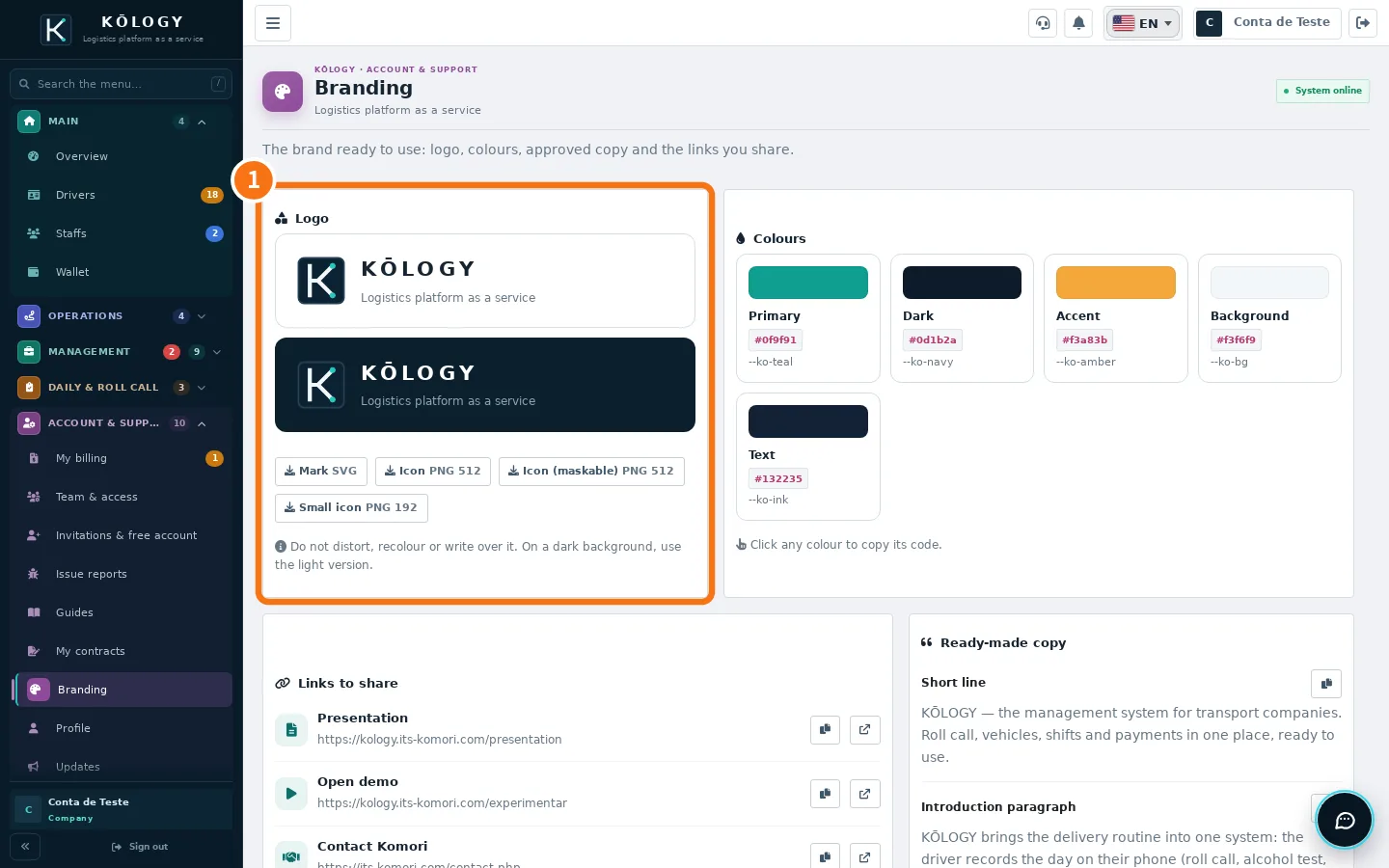
In Account & support → Branding you find the ① logo (SVG and PNG), colours, approved copy and links to share. Do not distort or recolour the logo.
Desk tools and support
- Desk tools (app): opens the web screens for Routes and maps, Payments, Reports, People and Shifts inside the app, already signed in.
- AI support: in the app, the support icon next to the bell; on the web, the round button in the bottom corner. The AI answers right away; tap «Talk to a person» to bring in the KOMORI team.
- Issue reports: describe a problem; the assistant asks what is missing and opens the ticket. Follow it in My reports.
- Driver contacts (Management): messages drivers send to the company; answer with Send reply and change the state with Update status.
- Guides and Updates: the manual and the history of new features.
Related questions
- Getting started with KŌLOGY
- Delete the company account
- KŌLOGY troubleshooting