











KŌLOGY · 界面与功能
Vehicle and fuel card
Take out and return the vehicle and the fuel card, log maintenance changes and request repairs in the app.
此文章暂无您的语言版本,以English显示。
本页目录
What it is for
The Vehicle screen shows the company cars, who has each one and when the next maintenance is due. Here you record taking a car out (持出) and returning it (返却), log changes (oil, brake, tyre, battery) and request a repair with a photo. The Fuel card works the same way for the fuel card.
Where it is
More → My work → Vehicle and More → My work → Fuel card. Also the My vehicle and My card rows on Home.
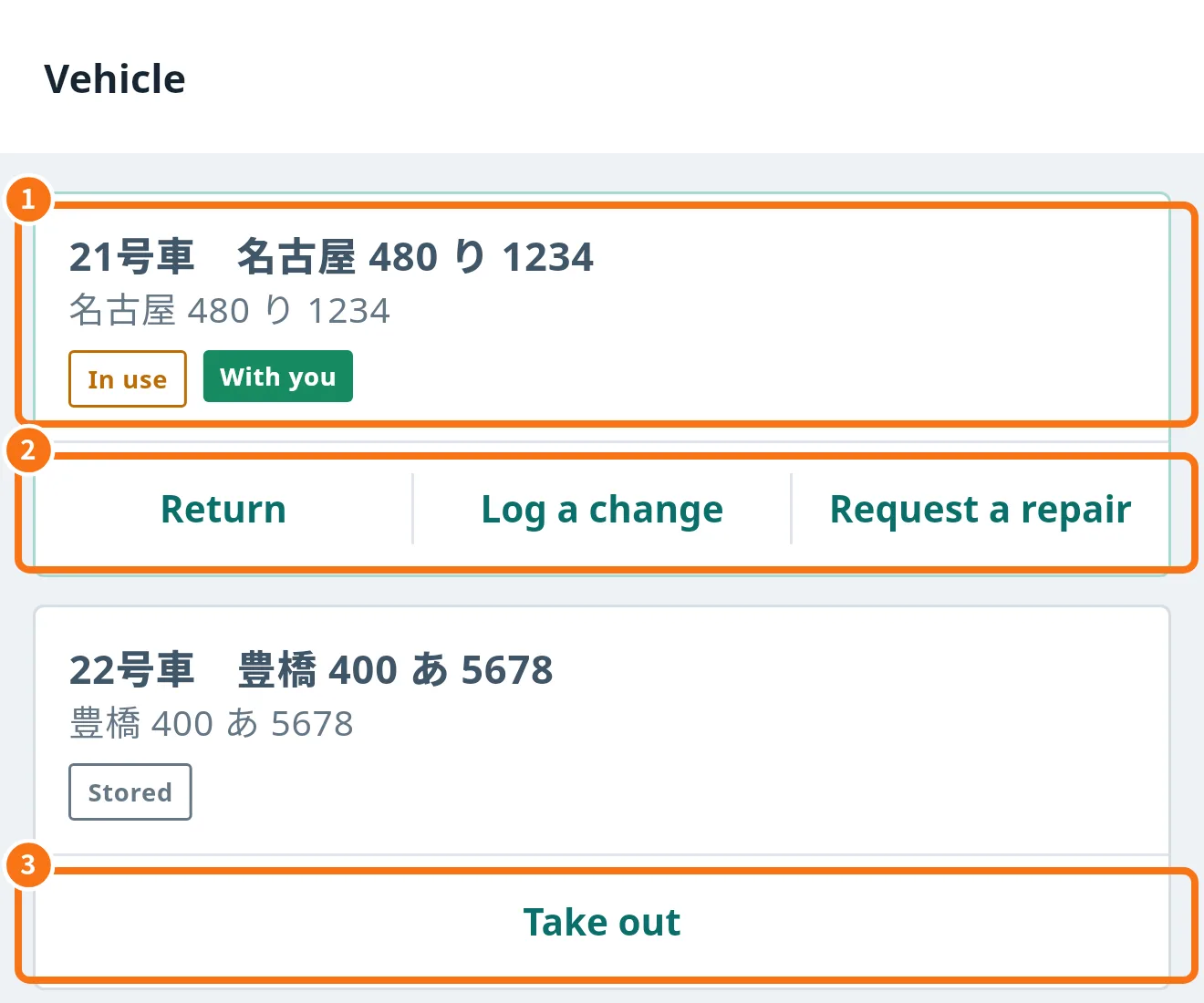
What is on the screen
- Vehicle card (①): number and plate, status (In use or Stored) and With you when the car is under your name.
- Actions on your car (②): Return, Log a change and Request a repair.
- Take out (③): shown on cars that are in the yard.
Step by step: take out and return
- Tap Take out on the car you will use. It then shows With you.
- When you finish, tap Return.
Step by step: log a change or request a repair
- Tap Log a change, choose Oil, Brake, Tyre or Battery, enter Odometer (km), Cost and Notes and tap Save.
- For a problem, tap Request a repair, write What is happening, attach the Photo of the problem and send. The photo is sent with the request and kept in the vehicle history.
The car card also shows warnings such as Change now or Change soon · N km left, the Last change, Recent repairs and registered expiry dates.
Fuel card
- Open Fuel card. The rule is one card per driver at a time.
- Tap Take the card on an available card. When done, tap Return the card.
Common mistakes
- No Return button: the car is not under your name. Contact the office.
- I cannot take another card: return the card you have first.
- “No vehicle taken out” on Home: record the take-out here or in the daily report (Vehicle step).
Related questions
- Driver daily report (日報 and 点呼)
- Driver performance
- Delivery history and pending uploads