











KOCHAT · Screens & features
Several chats side by side (computer)
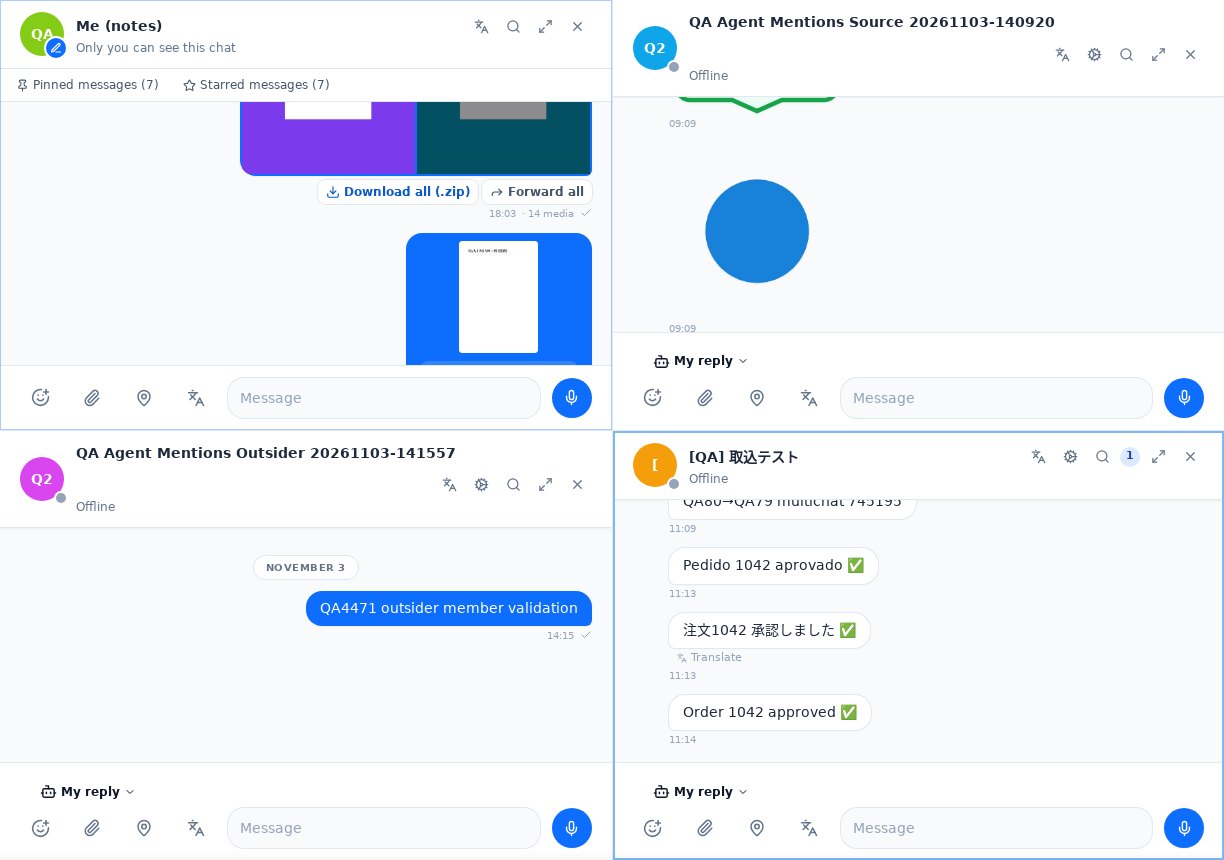
Open several chats at once: up to 4 on the web and up to 6 in the desktop app; the border lights up when a message arrives in a panel you are not looking at.
On this page
Open a chat side by side
In KOCHAT web, with the chat list on the left, use one of these:
- Right-click the chat › Open side by side.
- Ctrl+click (on Mac, ⌘+click) the chat.
- Drag the chat from the list to the right and drop it on Drop here to open side by side. Dropping it on a panel replaces that panel's chat.
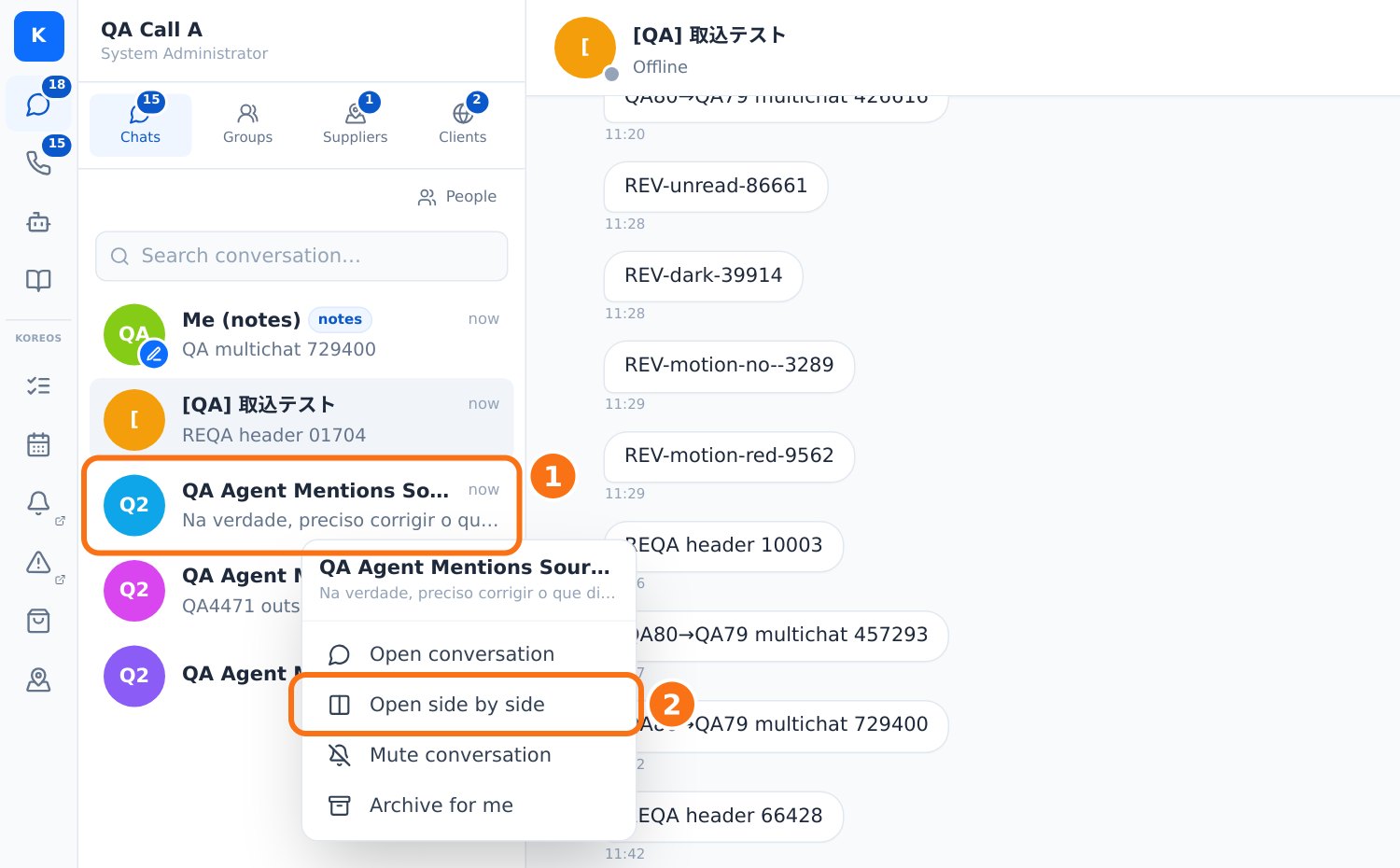
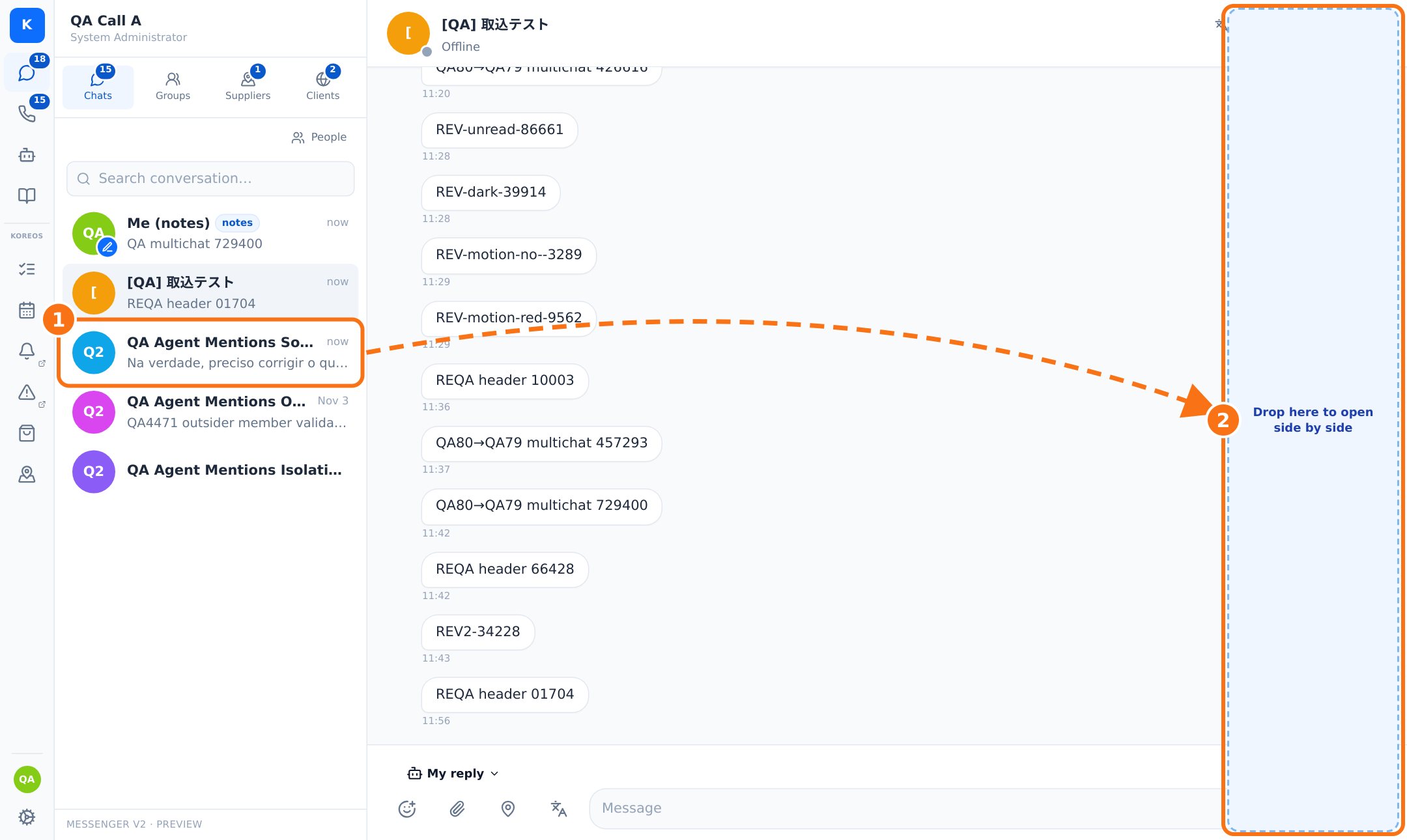
A normal click works as before: it changes the chat of the panel in use.
Up to 4 panels
1 chat fills the area; 2 and 3 sit in columns; 4 sit in columns or a 2×2 grid, depending on the screen. Each panel needs about 360 px: a 1366 px screen fits 2. When there is no room you see Room for up to N chats and the chat used longest ago makes room for the new one.
Using each panel
- Click anywhere in a panel to use it: it gets a subtle border and the keyboard goes there. Alt+1…4 also picks a panel.
- Each panel has its own composer, draft, attachments, stickers, mentions and calls.
- ⤢ Maximize shows only that panel (the others are kept); Esc or the same button restores.
- × closes the panel.
New messages
When a message arrives in a chat open in a panel you are not using, the panel border lights up (blinks 3 times, then stays on) and the count shows in its header. It clears when you click the panel or scroll to the end. A chat is only marked as seen when you actually see its end.
Reload and phone
Your open panels come back when you reload the page (per user, in this browser). On a phone or a narrow window KOCHAT shows one chat at a time, as before.
Desktop app: up to 6 chats (1.8.58)
- In the KOCHAT app for Windows, Mac and Linux you can open up to 6 chats. It arranges them to fit the window (e.g. 5 = 3 on top + 2 below, 6 = 3×2).
- To arrange them yourself, drag a chat from the list, or a panel by the handle on top: a preview shows where it will go. On a panel edge it splits that panel; on the grid edge it adds a row or column; in the middle of another panel the two swap places.
- Drag the dividers to resize. Double-click a divider to make everything equal.
- A 7th chat does not open; you see a short notice. In KOCHAT web the limit is still 4.