











KOCHAT · Screens & features
KOCHAT plans and limits
Personal Free (no cost) or company through KOREOS, and the real limits: file size, video, audio, long messages, delete for everyone and stories.
On this page
The plans
KOCHAT has two paths, as shown on the official page its-komori.com/kochat:
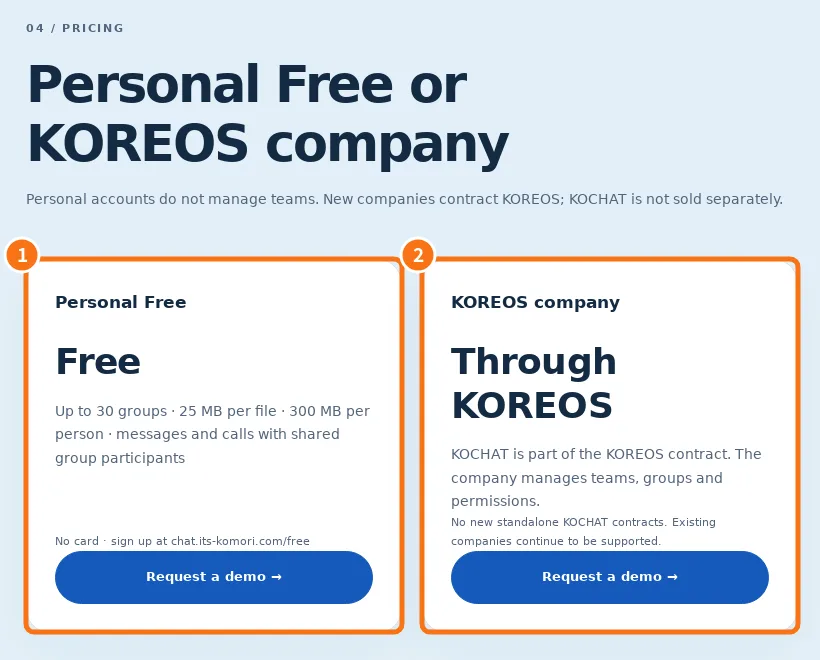
- ① Personal Free — free, no card. Sign up at chat.its-komori.com/free. Includes: up to 30 groups, 25 MB per file, 300 MB of files per person, messages and calls with people who share a group with you. Not included: staff directory, creating or managing groups/companies, tasks, AI and other company tools.
- ② KOREOS company — KOCHAT is part of the KOREOS contract. The company manages team, groups and permissions. Features and payment follow the KOREOS proposal (the total includes 10% tax). There are no new standalone KOCHAT contracts; existing companies continue to be supported.
Sending limits (all accounts)
- What · Limit
- Text of one message · 4,000 characters. More is not cut: KOCHAT splits it into parts and sends them in order, up to 40 parts.
- Video · Up to 500 MB. On Android and iPhone the app compresses the video before sending (720p), with a progress bar and a cancel option.
- Audio · Up to 50 MB (MP3, M4A, AAC, WAV, OGG, OPUS…).
- Images, PDF, Office and other files · Up to 10 MB each.
- Delete for everyone · Your messages, up to 60 minutes after sending. “Delete for me” works any time.
- Stories / Status · Disappear after 24 hours; story videos up to 15 seconds.
On Personal Free the 25 MB per file and 300 MB total limits also apply. For companies, total file storage depends on the plan and shows in My company → File storage.
Limit messages you may see
- “File too large. … can be up to … MB.”: the file exceeds its type limit. Compress or split it.
- File too large / storage full: free account limits.
- “This file type cannot be sent.”: unsupported format.
- “The media queue is full…”: try the video again later.
Where to buy or change plans
Companies: contact KOMORI (its-komori.com → contact) or, if you are already a client, use My company → Manage plan on the web. Current prices and terms are on the sign-up page or with the sales team; this manual does not list prices.
Related questions
- Create a free personal account
- My company: plan, seats and people
- Account types and roles in KOCHAT
- FAQ: account, devices and plans