











KOCHAT · Screens & features
Share photos and files
Download photos and files as ZIP and give each photo its own caption on the web and in KOCHAT 1.8.55 (115) for Android, Windows and Linux.
On this page
Version 1.8.55 (115) availability
- Web: browser features remain available.
- Android: version 1.8.55 (115) is published on Google Play.
- Windows: version 1.8.55 (115) is available through the download and update channel.
- Linux: version 1.8.55 (115) is available through the download and update channel.
- macOS: version 1.8.55 (115) is waiting for the Apple account agreement to be resolved and has not been published.
- iPhone and iPad: version 1.8.55 (115) is waiting for the same Apple agreement. It has not been submitted or published.
Browser: available now
Open a chat you belong to and click Download all (.zip) below its photo or file album. To pick a subset, open a message menu, choose Select, select the attachments and use the download button in the top bar.
You receive one ZIP with the original filenames. Its name is KOCHAT_<chat>_<date>.zip. The browser uses its configured downloads folder. The limit is 100 files and 100 MB per download. If it fails, check your connection and chat membership; no incomplete ZIP is delivered. Handle attachments with safety warnings individually.
App: version 1.8.55 (115)
The steps below describe version 1.8.55 (115). Use them on the platforms listed as available above; on other platforms, wait for this version to be released. Sharing from the Gallery to KOCHAT is a phone feature. On Windows and Linux, use Download all to save the ZIP.
- Download everything at once. When someone sends several photos or files in a row, press and hold one of them (on a computer: right-click) and choose Download all (.zip). KOCHAT packs them into one file, KOCHAT_<chat>_<date>.zip, with one progress bar and one notice at the end. On Android the zip goes to Download/KOCHAT; on a computer, to Downloads; on iPhone, choose Save to Files.
- Pick which ones. In the message menu, tap Select and tick the messages you want. The top bar shows Download all (.zip) and Share all.
- Share all. Photos and videos only: KOCHAT opens one share sheet with all of them, and the other app receives them as an album. If there is a document in the group (PDF, spreadsheet…), one .zip is sent. On Windows and Linux use Download all.
- Limit. In the app, up to 100 files and 500 MB at a time. On the web, up to 100 files and 100 MB. Above that, select fewer.
- From the Gallery to KOCHAT. In the Gallery (or any app), tap Share. Your latest KOCHAT chats appear in the people row at the top of the sheet. Tap a person or group and the chat opens with the photo ready: add a caption and send. If you tap the KOCHAT icon instead, you pick the chat from the list.
- When you sign out, the chats disappear from this device's share sheet.
- iPhone: the first time, scroll the app row to the end, tap More and turn on KOCHAT. Suggested people appear after you send messages with KOCHAT on this iPhone.
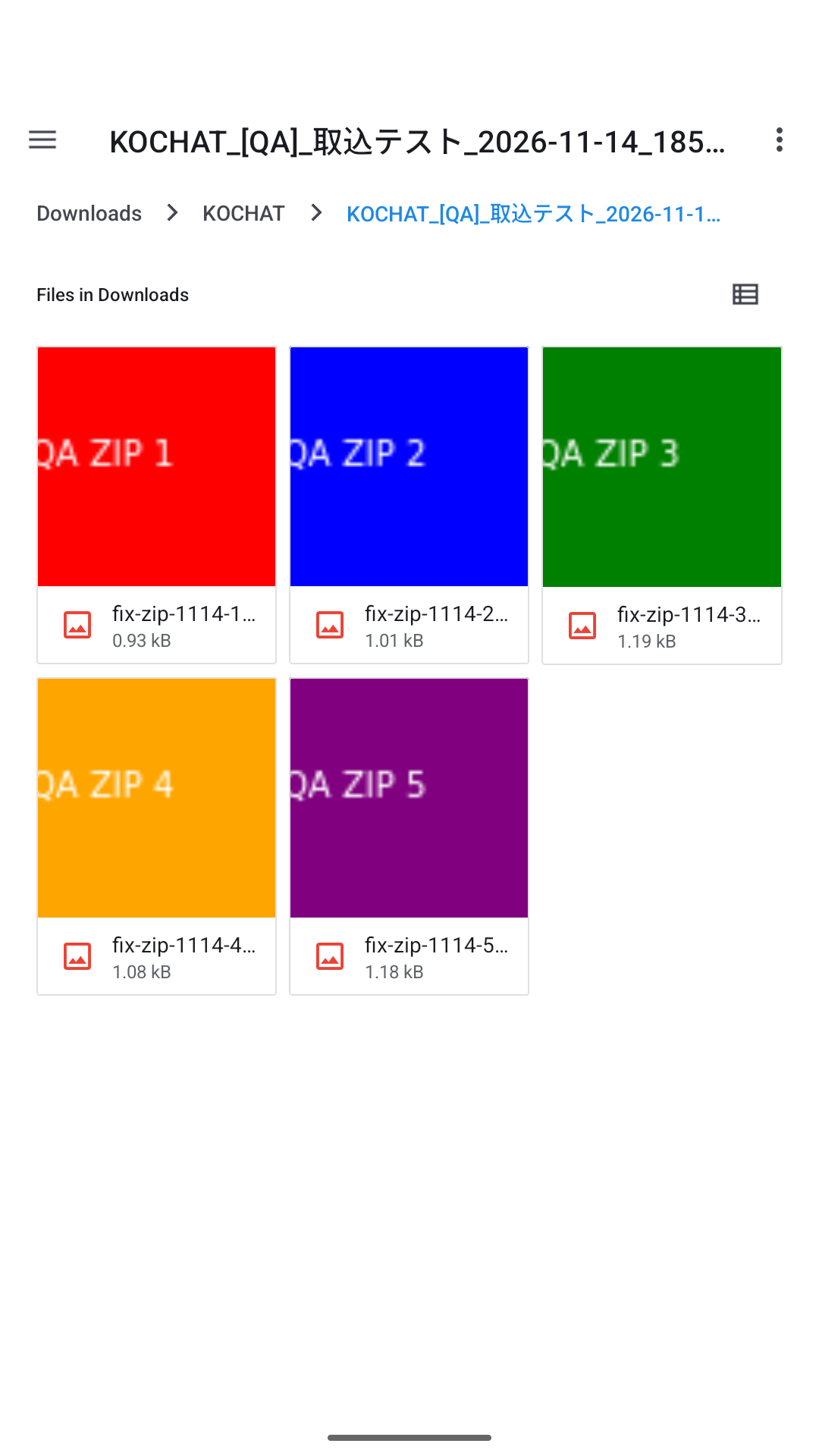
Test example: the ZIP contains all five original photos.
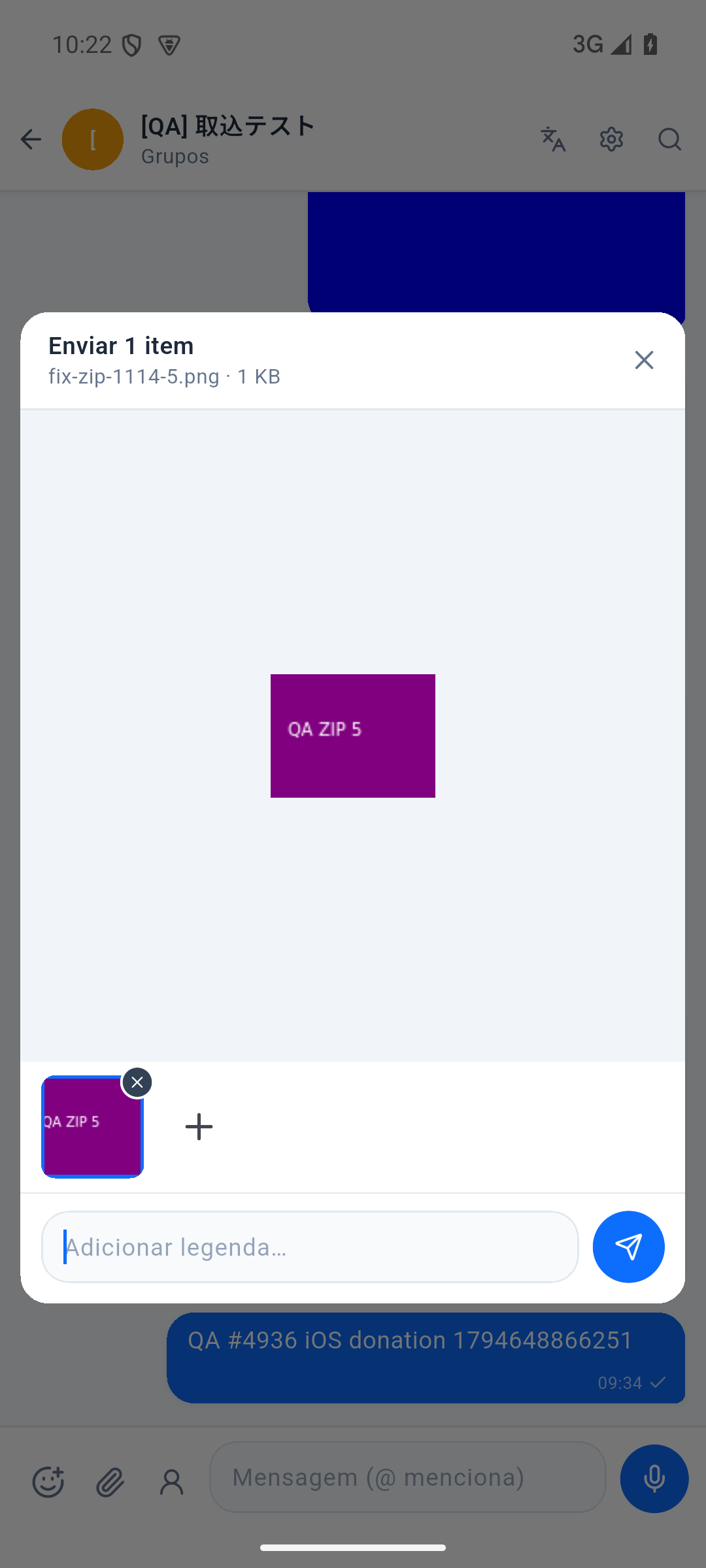
Test example: review the photo and add a caption before sending.
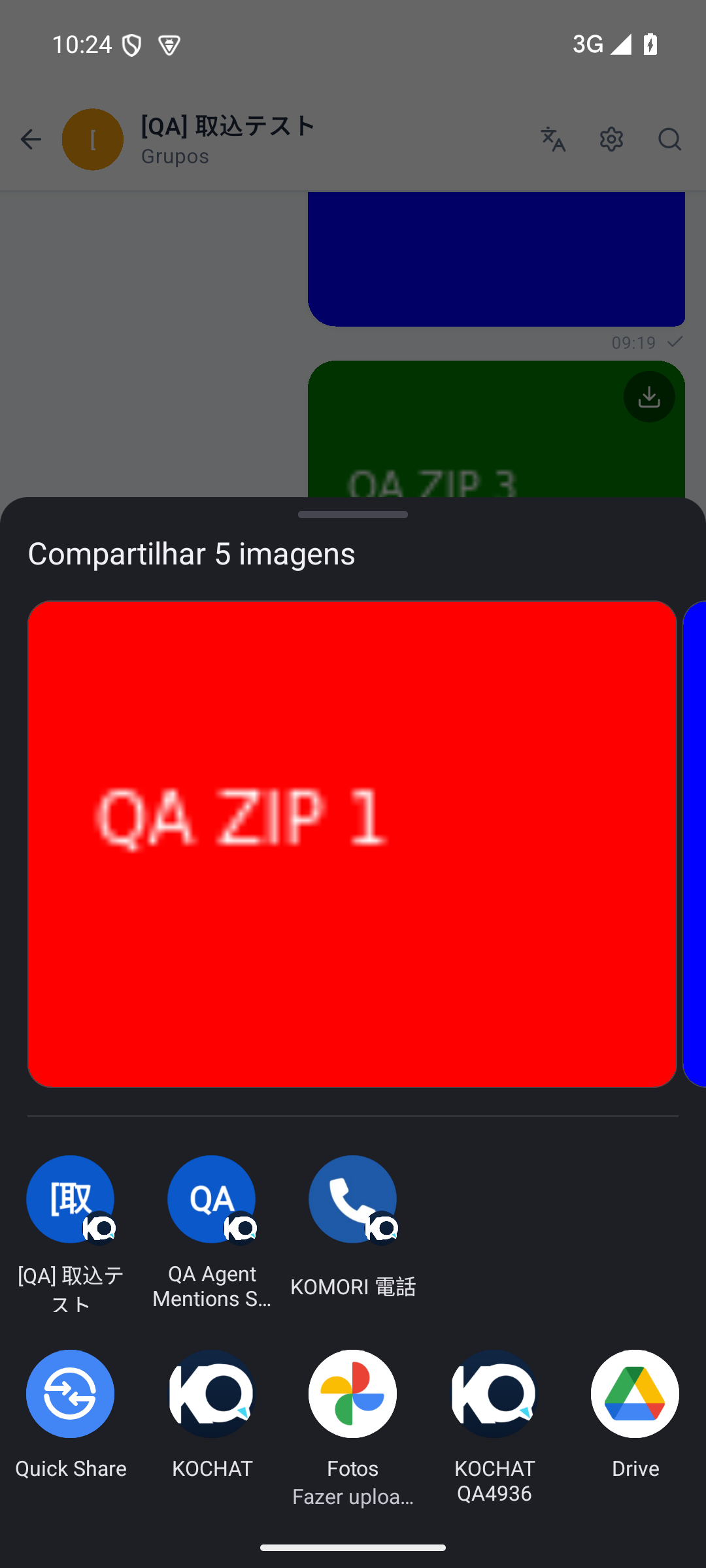
Test example: five images together in one share sheet.