











KOCHAT · Screens & features
Memory: my notes and company notes (Obsidian-style)
Two vaults, [[links]], tags, graph, save a message and the AI using your memory.
On this page
What it is
An Obsidian-style notebook inside KOCHAT with two vaults:
- My memory: only you can read it. Your AI uses it only when talking with you. What your Brain already had (Google Drive folder, KOREOS actions) shows here too, read-only.
- Company memory: the whole company reads it. Locked folders belong to one department (sections count as the department). Who can write depends on the folder.
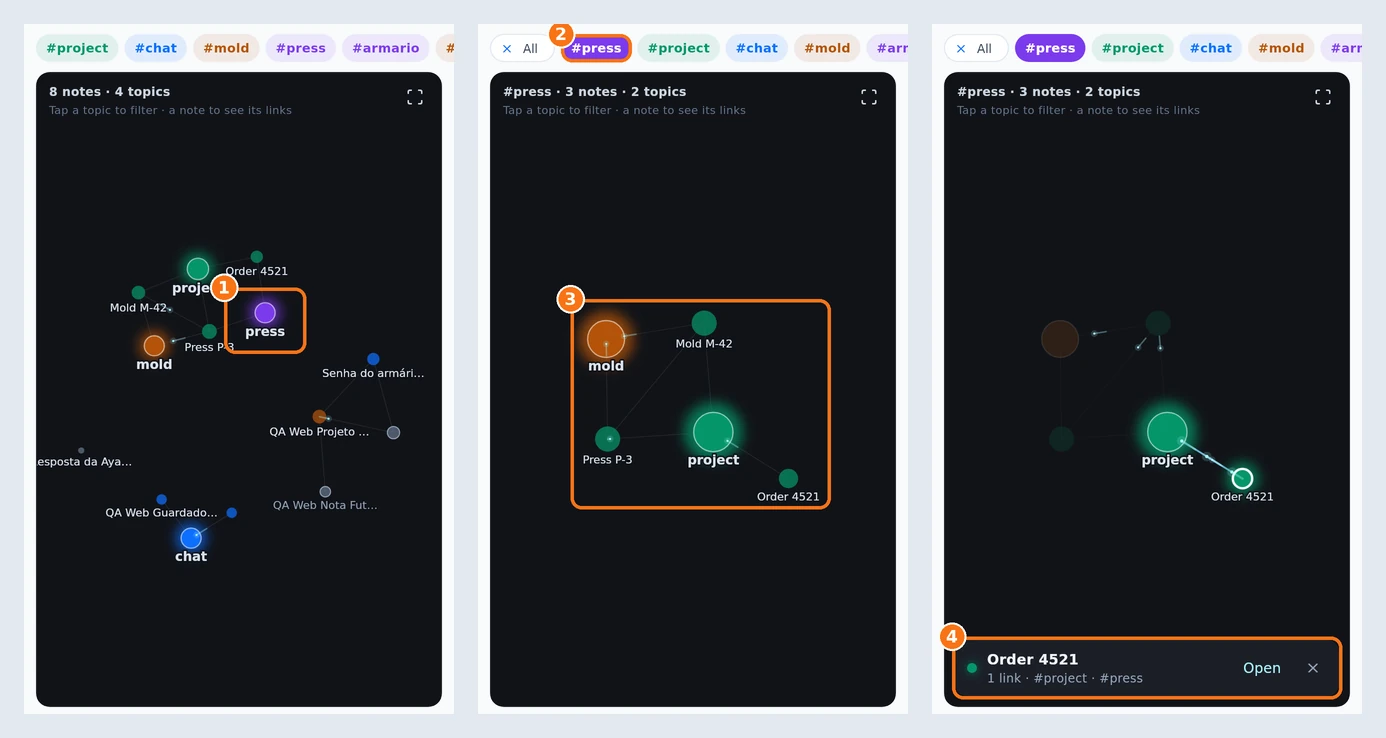
① Tap a topic. ② Its tag moves to the start of the bar. ③ The topic's notes stay, linked to the nearby topics. ④ Tap a note: the card shows its links (here, 1 link) and the Open button.
How to use
- Menu › Memory › + Note. Give it a title and write.
- Link notes with [[Another note]] or Link to a note. A grey link points to a note that does not exist yet; tap it to create it.
- Label with #tags or the Tags field. Tap a tag to filter.
- Linked from shows the backlinks.
- The Graph button shows notes as bubbles joined by lines. The big bubbles are topics (your tags). Tap a topic: only its notes stay, already linked to the nearby topics, and the tag moves to the start of the tag bar (All clears the filter). Tap a note to see how many links it has, then tap Open to open it.
- In a chat, open a message menu and choose Save to memory.
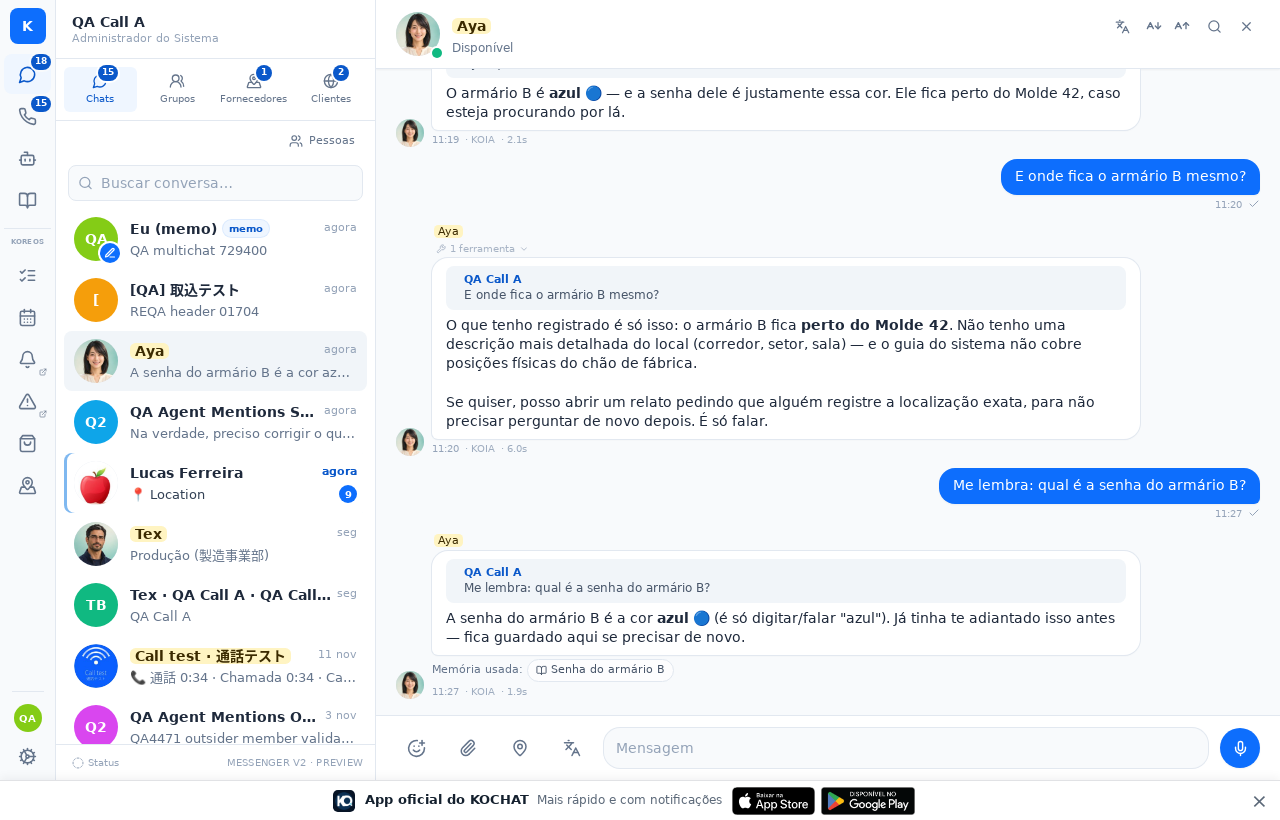
- Ask your AI something that is in your memory. Under the answer you see Memory used:.
Privacy
- Nobody reads your personal memory — not admins, not someone else's AI.
- In group chats the AI only uses company memory.
- The AI never writes to company memory on its own.