











KMR · Pantallas y funciones
Plans and limits: company plan and free account
How a company sees its contracted plan, how to change plan and what the free account limits are.
Este artículo aún no está traducido a su idioma: se muestra la versión en English.
En esta página
How KMR is contracted
KMR is contracted by the company, on the web, directly with KOMORI. There are no in-app purchases: the app shows no prices, paid plans or buy buttons. The company's staff use the app at no cost to them. People without a company can use the free account.
See the company plan (administrator)
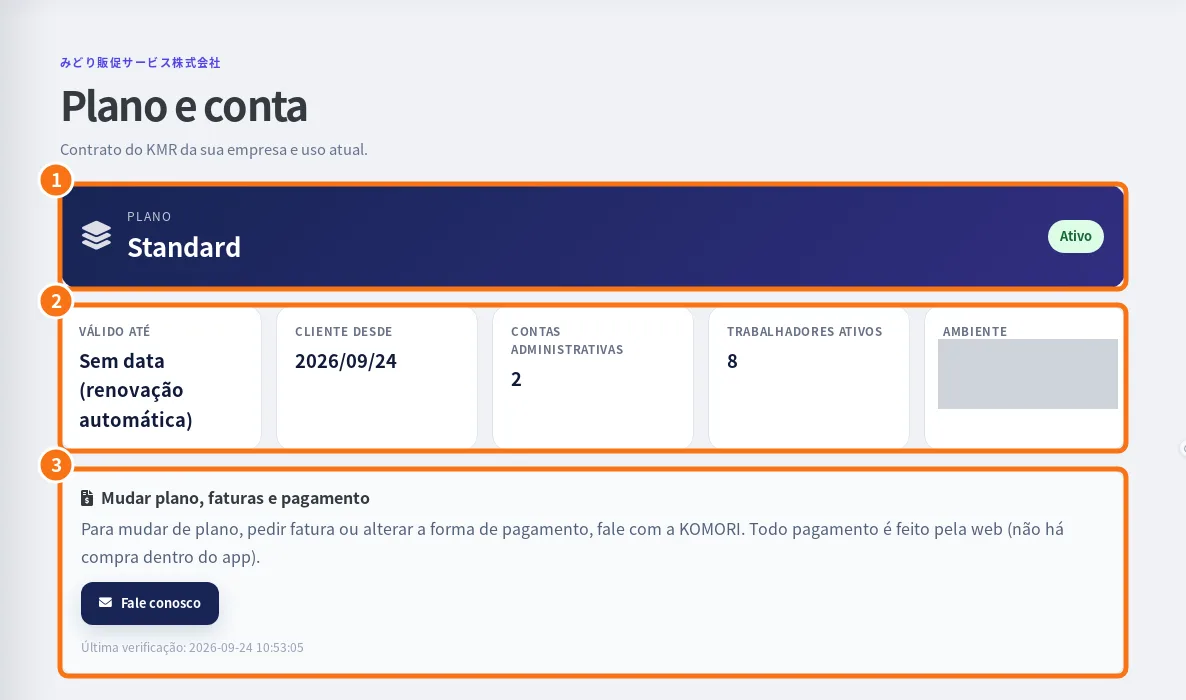
- In the app: Menu → Accounts → Company plan. On the web: the Plan & account page.
- See the Plan and its status (for example “Active”) (①).
- See Valid until (or “No end date (auto-renew)”), Customer since, Admin accounts, Active workers and Workspace (②).
- Change plan, invoices and payment (③) shows how to change it: contact KOMORI (Contact us). All payments are made on the web.
Plan notifications
Managers can receive plan (expiry and payment), limits and system notifications. Choose them in Settings → Notifications.
Free account: what it includes and the limits
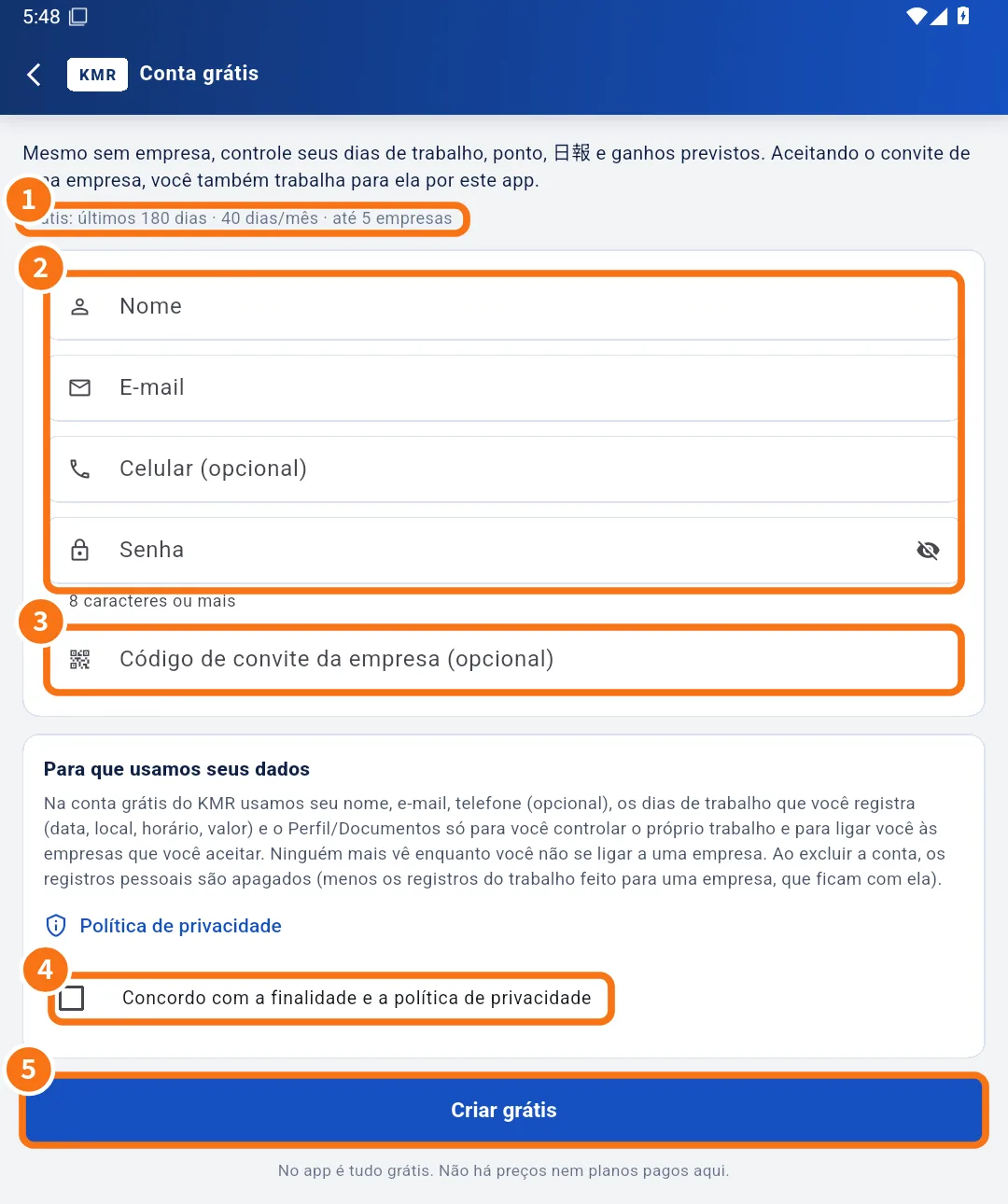
- Free in the app: work days, hours, clock-in, daily report, expected earnings, profile and documents, and linking with companies that invite you.
- The limits line shows on the creation screen (①). When this guide was written it showed: last 180 days · 40 entries/month · up to 5 companies. The numbers may change; what the screen shows is what counts.
- There is also a limit on how far ahead you can register a day.
- Automatic payment statements are only for company staff; on the free account, “expected earnings” are a calculation from the amounts you type.
Limit messages
- “The free account allows up to N entries per month.”
- “The free account covers the last N days.”
- “You can register up to N days ahead.”
- “A free account can link up to N companies.”
Prices of company plans are not shown in the app or in this guide. To contract or change plan, the company contacts KOMORI.
Related questions
- Create a free account (no company)
- Accounts, free-account invitations and worker mode
- Roles in KMR: staff, manager, administrator and free account