











KMR · Pantallas y funciones
Today in detail and Live map
Today's attendance by hour and confirmation, and the map showing where the team is and how each shift is going.
Este artículo aún no está traducido a su idioma: se muestra la versión en English.
En esta página
What it is for
Today shows the day's attendance in numbers and the team list with times. The Live map shows where each person is on the map and the stage of their shift: working, on break, on the way or not checked in.
Where it is
- Today: on Home, tap Today in detail (hourly, confirmations).
- Live map: from Home, Today or Menu → Live map. On the web panel, the Live map menu.
Today
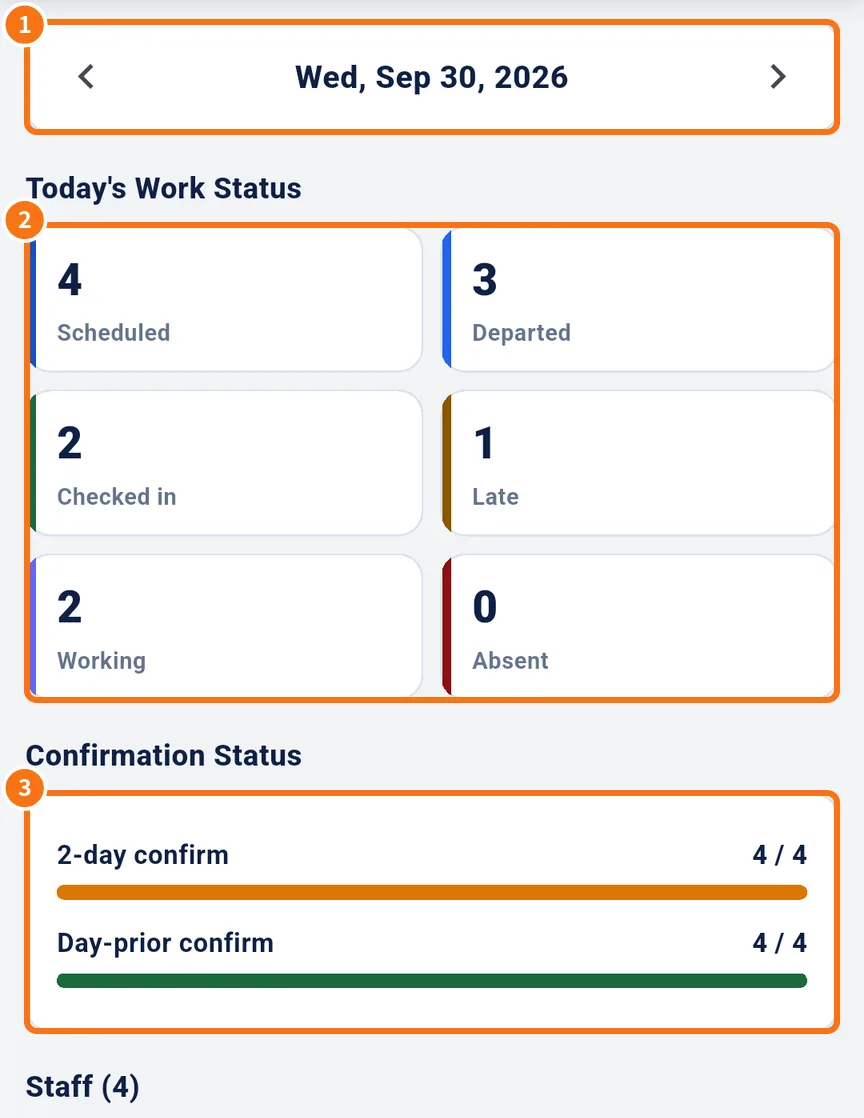
- Change the day with the arrows (①).
- In Today's Work Status (②): scheduled, departed, checked in, late, working and absent.
- In Confirmation Status (③): how many confirmed 2 days before and the day before.
- In Staff (N), each person with Departed, Check-in, Check-out, lateness (Late +N min) and counters (approaches, conversations, applications). There is also an hourly breakdown.
Live map
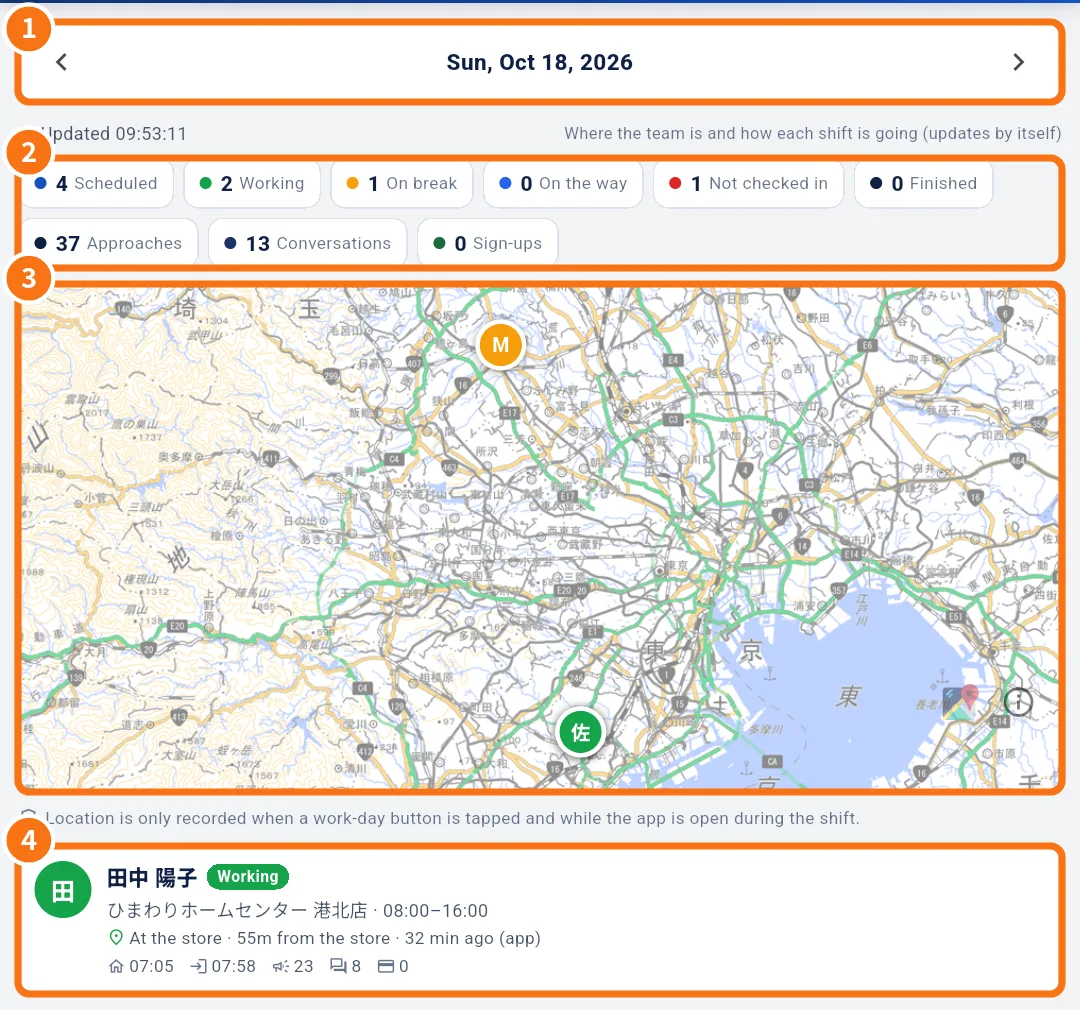
- Choose the day (①) and, if you like, one store (“All stores”).
- The counters (②): scheduled, working, on break, on the way, not checked in, finished, approaches, conversations and sign-ups.
- On the map (③), each person shows with their initial and status colour; stores show with their area. Show all fits everyone.
- In the list (④), each person: store, hours, “At the store / Near the store / Away from the store”, distance from the store, how long ago, and whether it came from the app or the web.
- Tap a person to see the day's Track.
Zooming in close shows bus stops with routes, traffic lights with the intersection name, one-way streets, height limits, parking and lot numbers (地番, where data exists), plus a circle with each person's accuracy (±m).
Common mistakes
- “No location”: the person did not allow location or has not tapped a work-day button yet.
- “Store position not set”: register the store position so the map can calculate distance.
- “Nobody is scheduled on this day.”: there is no shift on that day or store.
Related questions
- Managers on the phone: tabs, Home and Menu
- How to follow the team's day on your phone
- No signal and location: how the app saves and sends records
- Alerts, stores, projects and training