











KMR · Screens & features
Plans and limits: company plan and free account
How a company sees its contracted plan, how to change plan and what the free account limits are.
On this page
How KMR is contracted
KMR is contracted by the company, on the web, directly with KOMORI. There are no in-app purchases: the app shows no prices, paid plans or buy buttons. The company's staff use the app at no cost to them. People without a company can use the free account.
See the company plan (administrator)
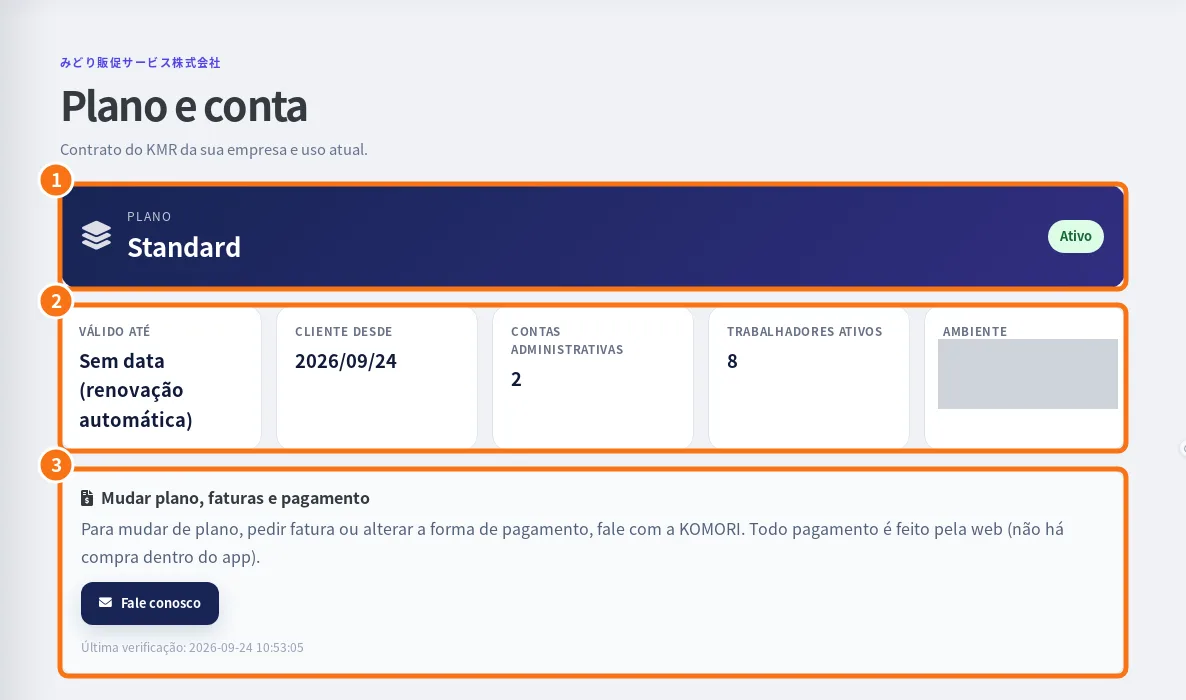
- In the app: Menu → Accounts → Company plan. On the web: the Plan & account page.
- See the Plan and its status (for example “Active”) (①).
- See Valid until (or “No end date (auto-renew)”), Customer since, Admin accounts, Active workers and Workspace (②).
- Change plan, invoices and payment (③) shows how to change it: contact KOMORI (Contact us). All payments are made on the web.
Plan notifications
Managers can receive plan (expiry and payment), limits and system notifications. Choose them in Settings → Notifications.
Free account: what it includes and the limits
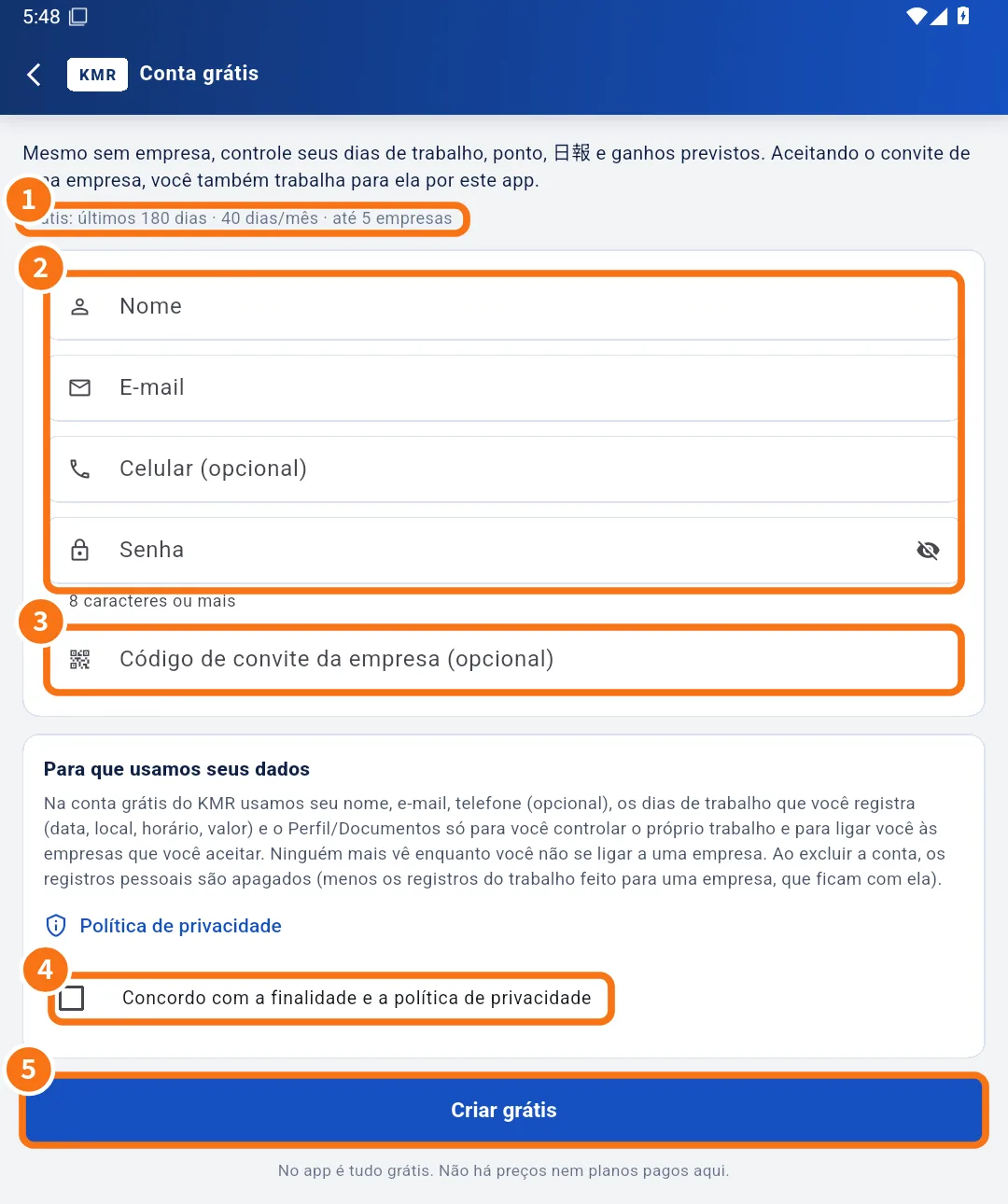
- Free in the app: work days, hours, clock-in, daily report, expected earnings, profile and documents, and linking with companies that invite you.
- The limits line shows on the creation screen (①). When this guide was written it showed: last 180 days · 40 entries/month · up to 5 companies. The numbers may change; what the screen shows is what counts.
- There is also a limit on how far ahead you can register a day.
- Automatic payment statements are only for company staff; on the free account, “expected earnings” are a calculation from the amounts you type.
Limit messages
- “The free account allows up to N entries per month.”
- “The free account covers the last N days.”
- “You can register up to N days ahead.”
- “A free account can link up to N companies.”
Prices of company plans are not shown in the app or in this guide. To contract or change plan, the company contacts KOMORI.
Related questions
- Create a free account (no company)
- Accounts, free-account invitations and worker mode
- Roles in KMR: staff, manager, administrator and free account