










Transport management
KŌLOGY
Delivery, fleet and transport management in one workflow.
Screens & features
AllDriver — Home 2Driver — Daily report and duty 2Driver — Routes and deliveries 3Driver — Navigation 3Driver — Labels and new deliveries 2Driver — Shift 1Driver — Vehicle and fuel 1Driver — Payments and performance 2Driver — Messages and notices 2Driver — Profile and settings 2Company — overview 1Company — team and routes 2Company — drivers 1Company — vehicles and fleet 1Company — shifts and people 1Company — roll call and daily reports 1Company — reports and alerts 1Company — payments and billing 1Company — account and settings 1How to — driver 6How to — company 10Plans and limits 2
Driver — Home
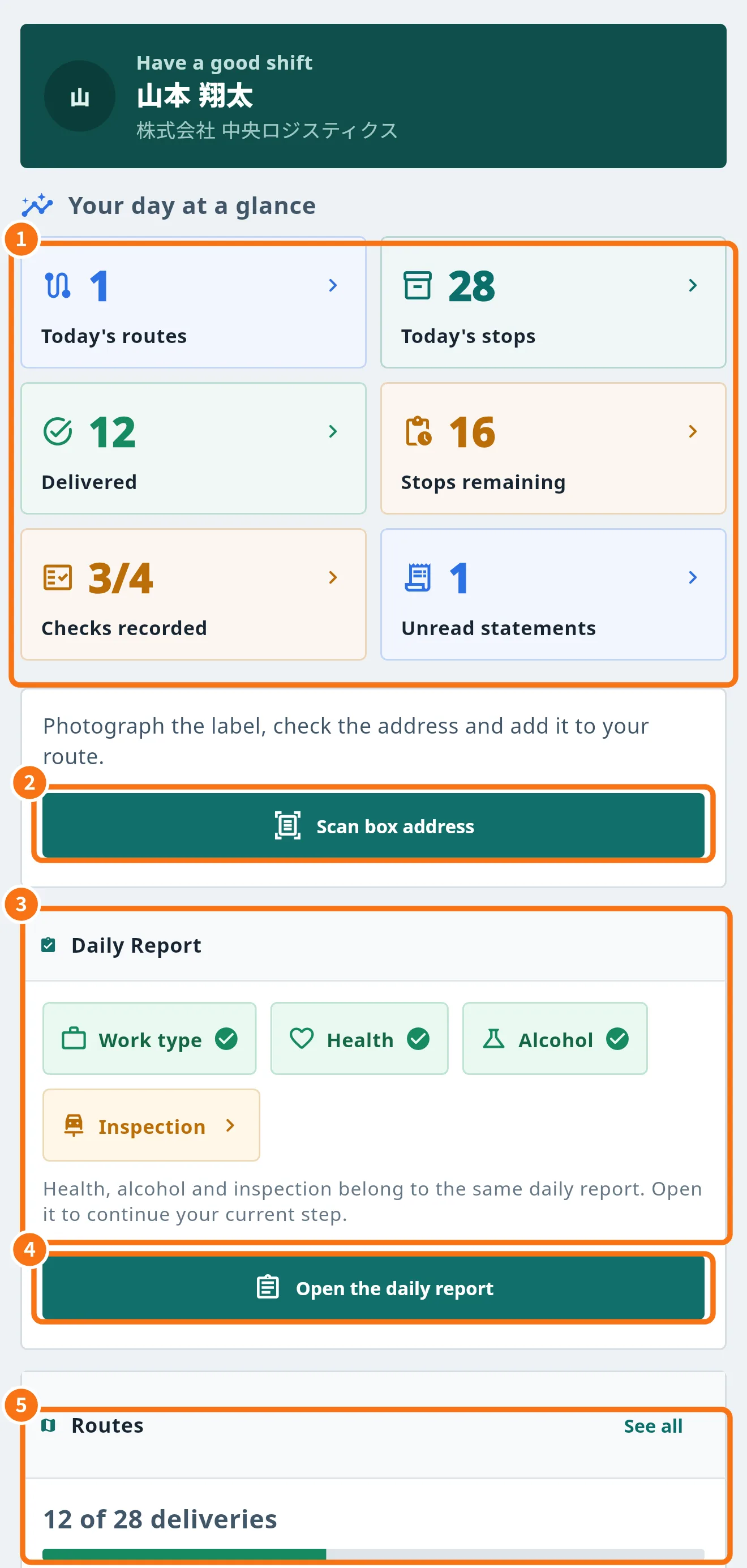 Driver Home (Today) screenYour day at a glance: route numbers, daily-report checks, shortcuts to scan labels and to your work.
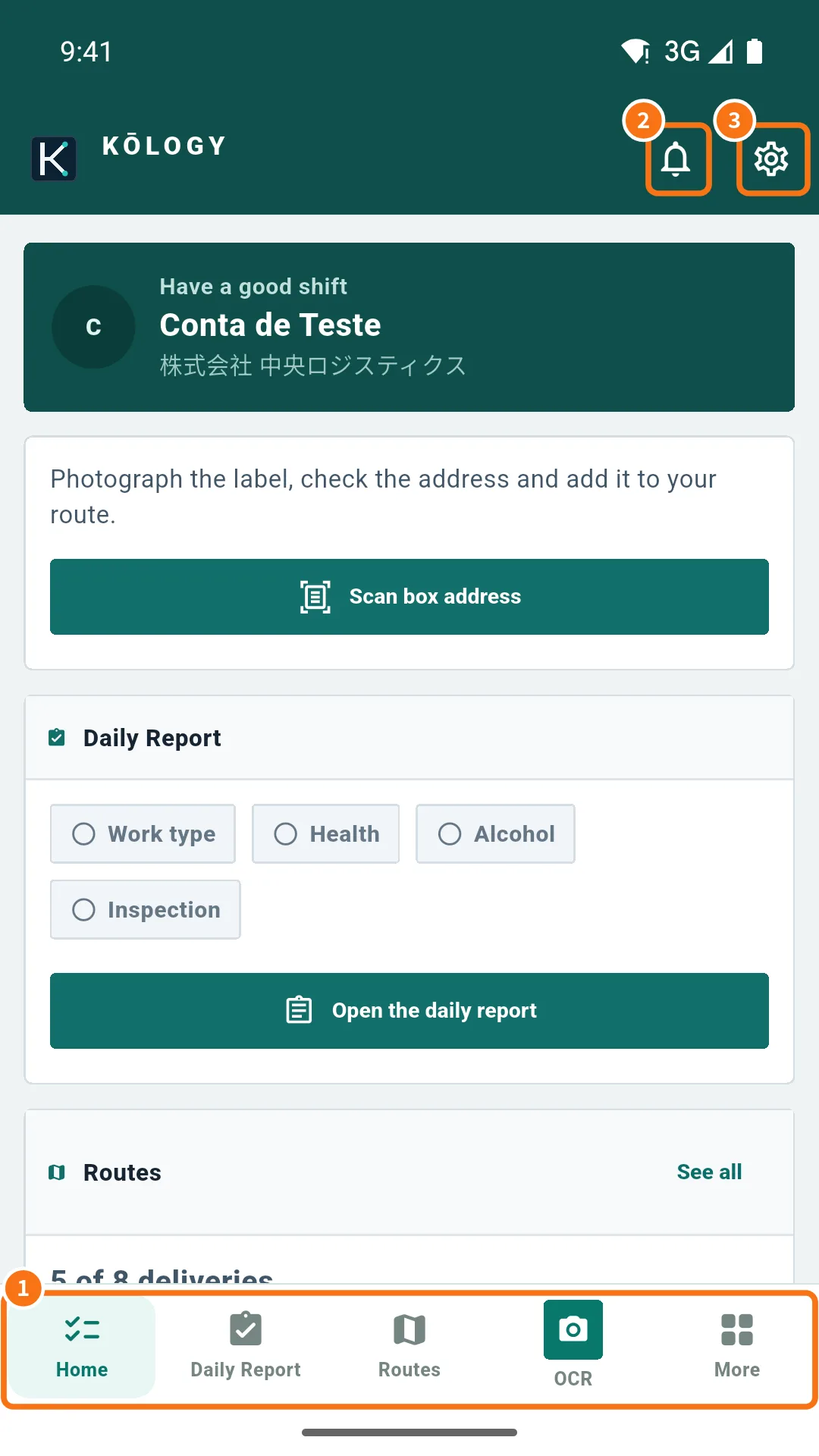 The More menu and driver shortcutsWhere every driver feature lives: bottom bar, top icons and the More menu with Operations, My work and Account.
Driver — Daily report and duty
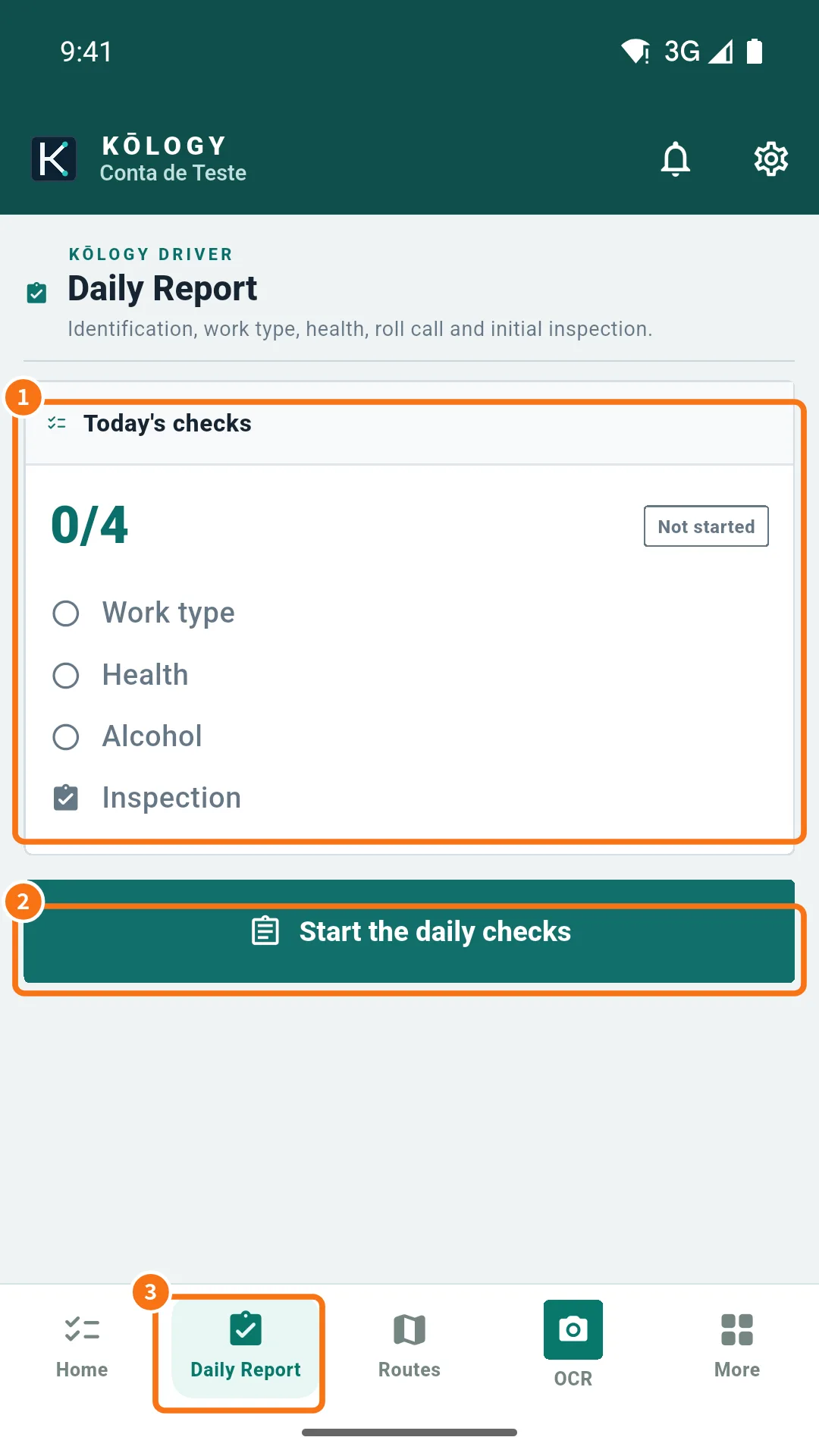 Driver daily report (日報 and 点呼)Do the daily checks — vehicle, work type, health, alcohol and inspection — and record start, end and fuel in the daily report.
- On duty and location for dispatchHow “On duty” tracking works: when location is sent, how to go on and off duty and how to turn it off.
Driver — Routes and deliveries
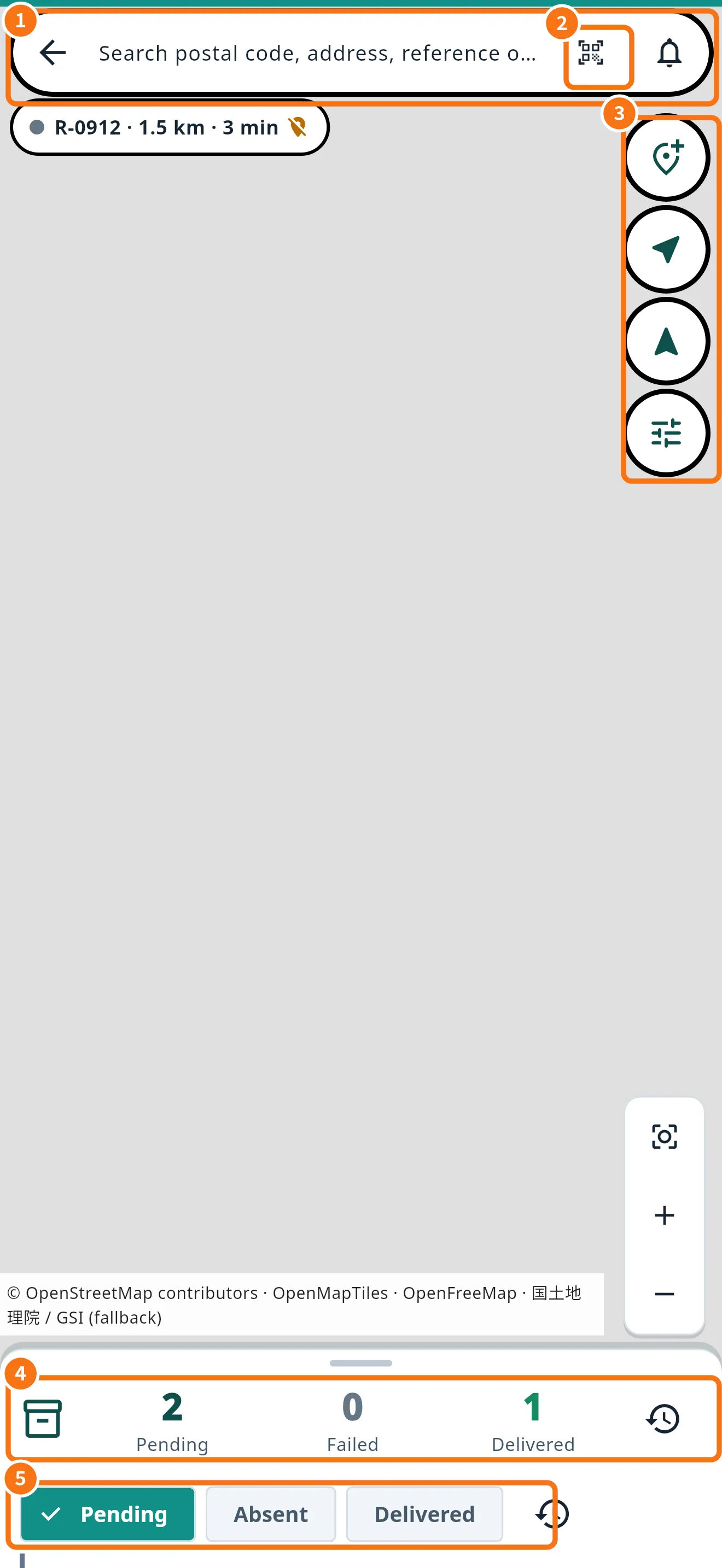 Routes and deliveries on the mapThe route map: search a stop, see what is left, open each delivery and use the actions for each address.
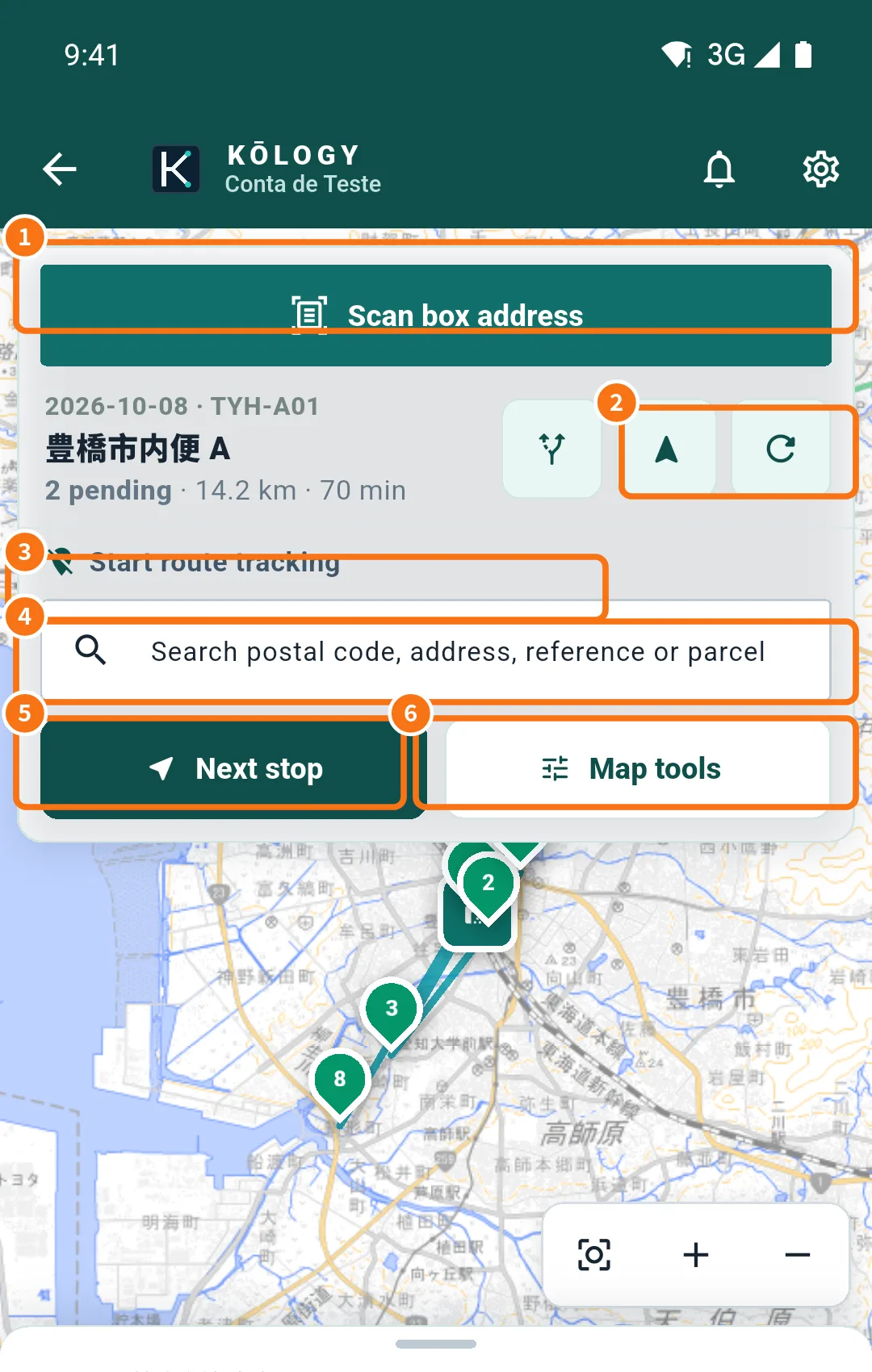 Route order: optimize, reorder and map toolsLet the app calculate the best sequence, change the order by hand and learn each item in Map tools.
- Delivery history and pending uploads (no signal)See deliveries by day and understand the pending-uploads box: what the app keeps without signal and how to resend.
Driver — Navigation
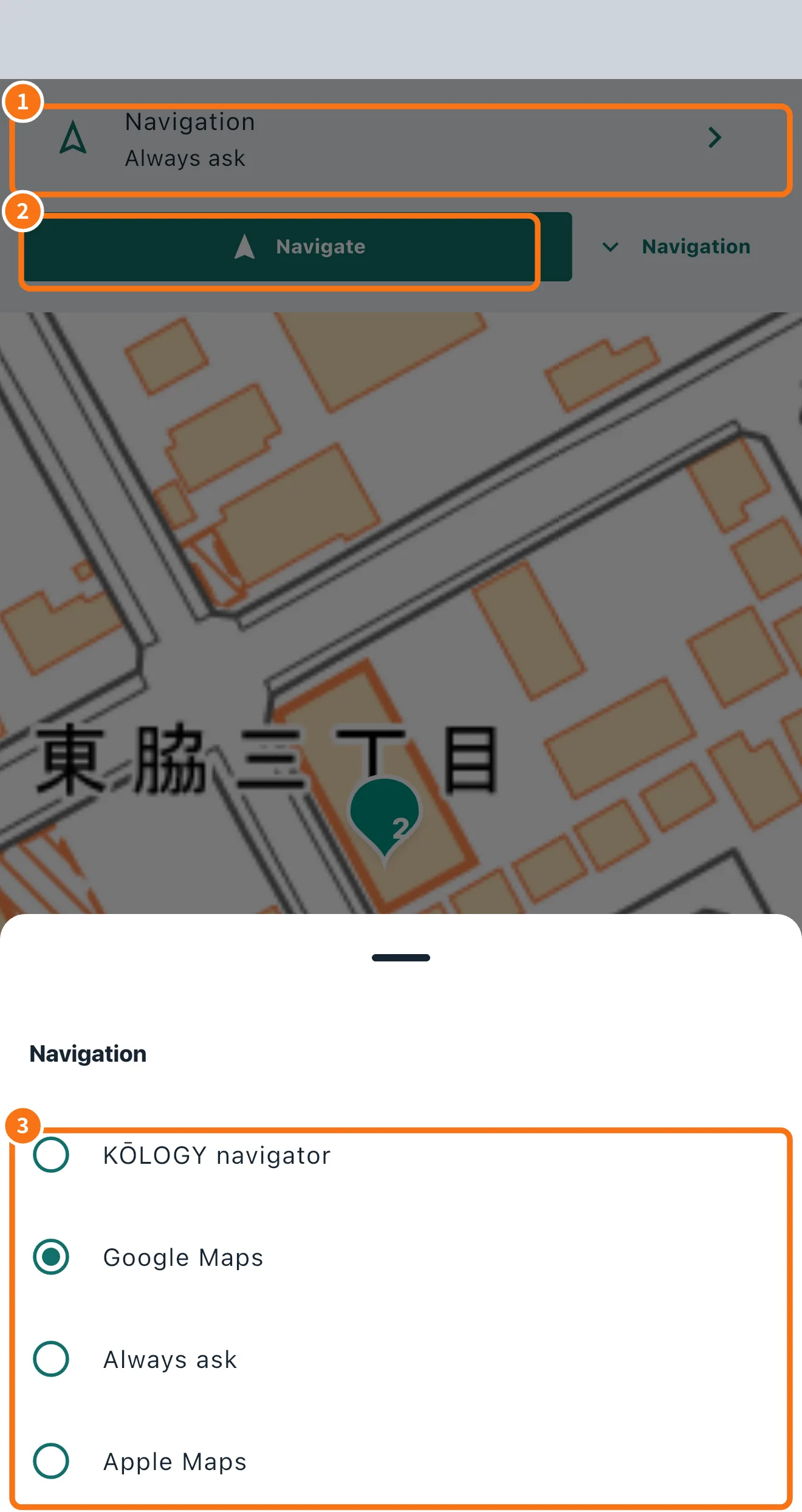 Navigate to the delivery: KŌLOGY, Google Maps or always askChoose which app to navigate with, keep the choice or ask every time, and open the whole route in Google Maps.
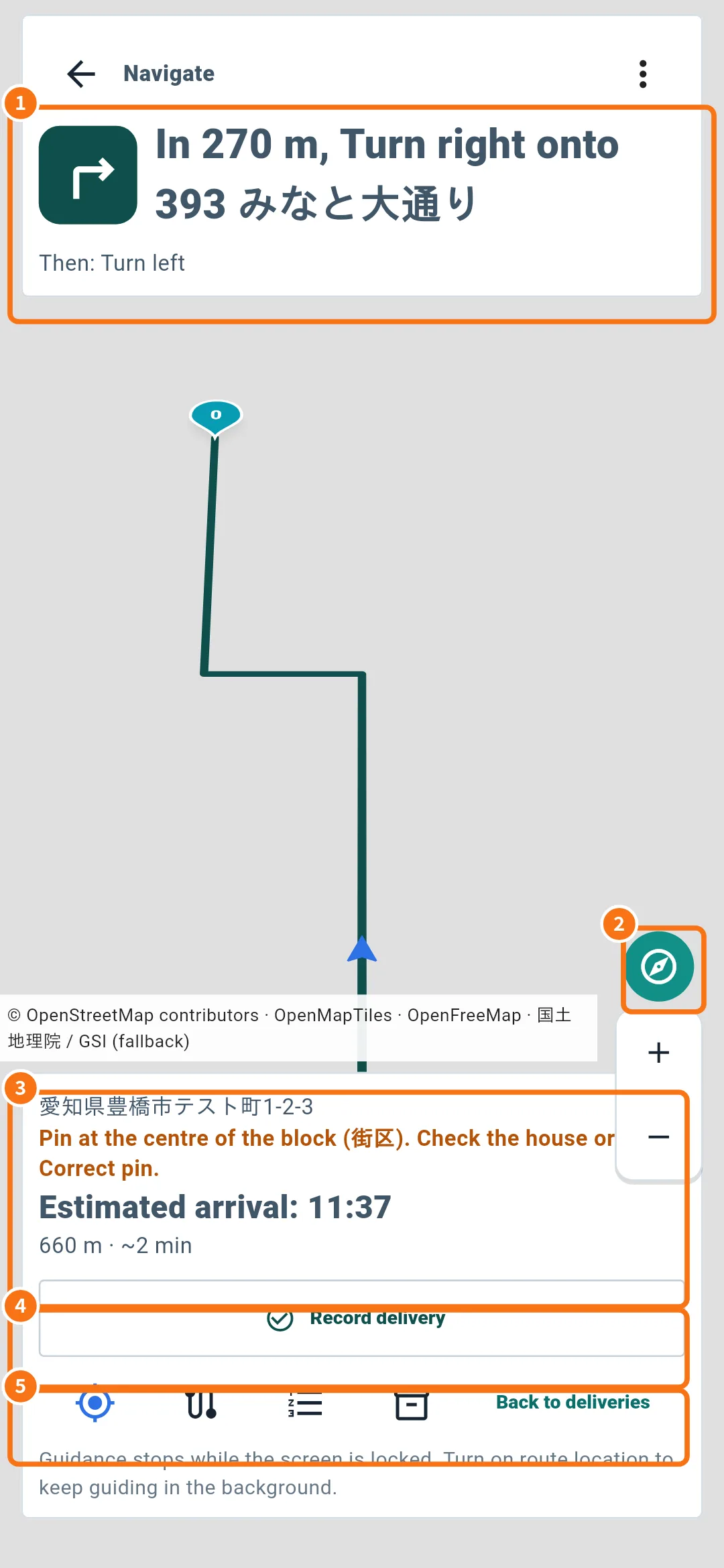 KŌLOGY navigator (voice, 3D and night mode)Use the app's own navigator: turns with road names, voice, map that turns with the car, 3D view and recording the delivery on arrival.
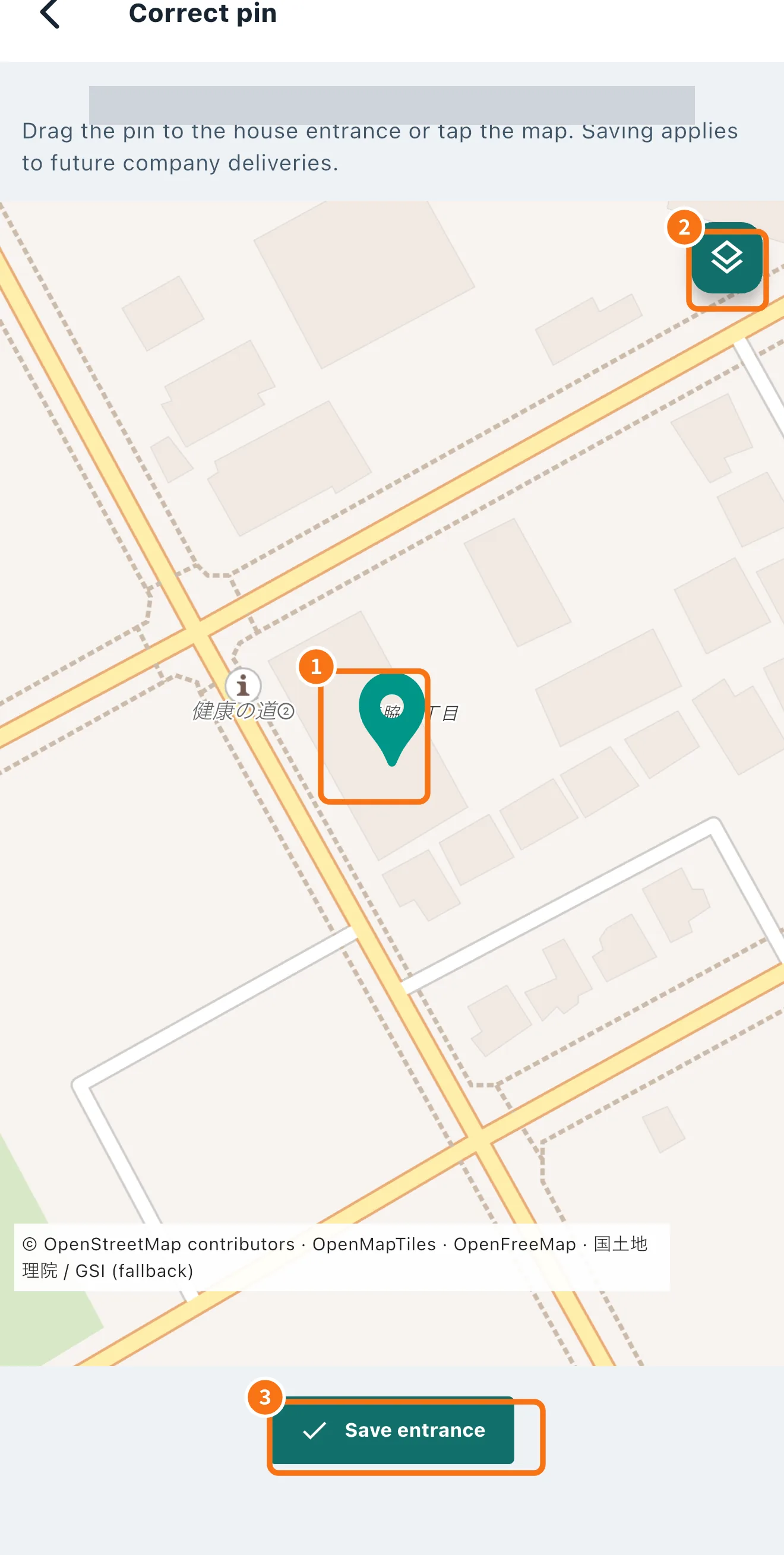 Correct the address pinDrag the pin to the right entrance and save: the correction applies to the company's future deliveries to that address.
Driver — Labels and new deliveries
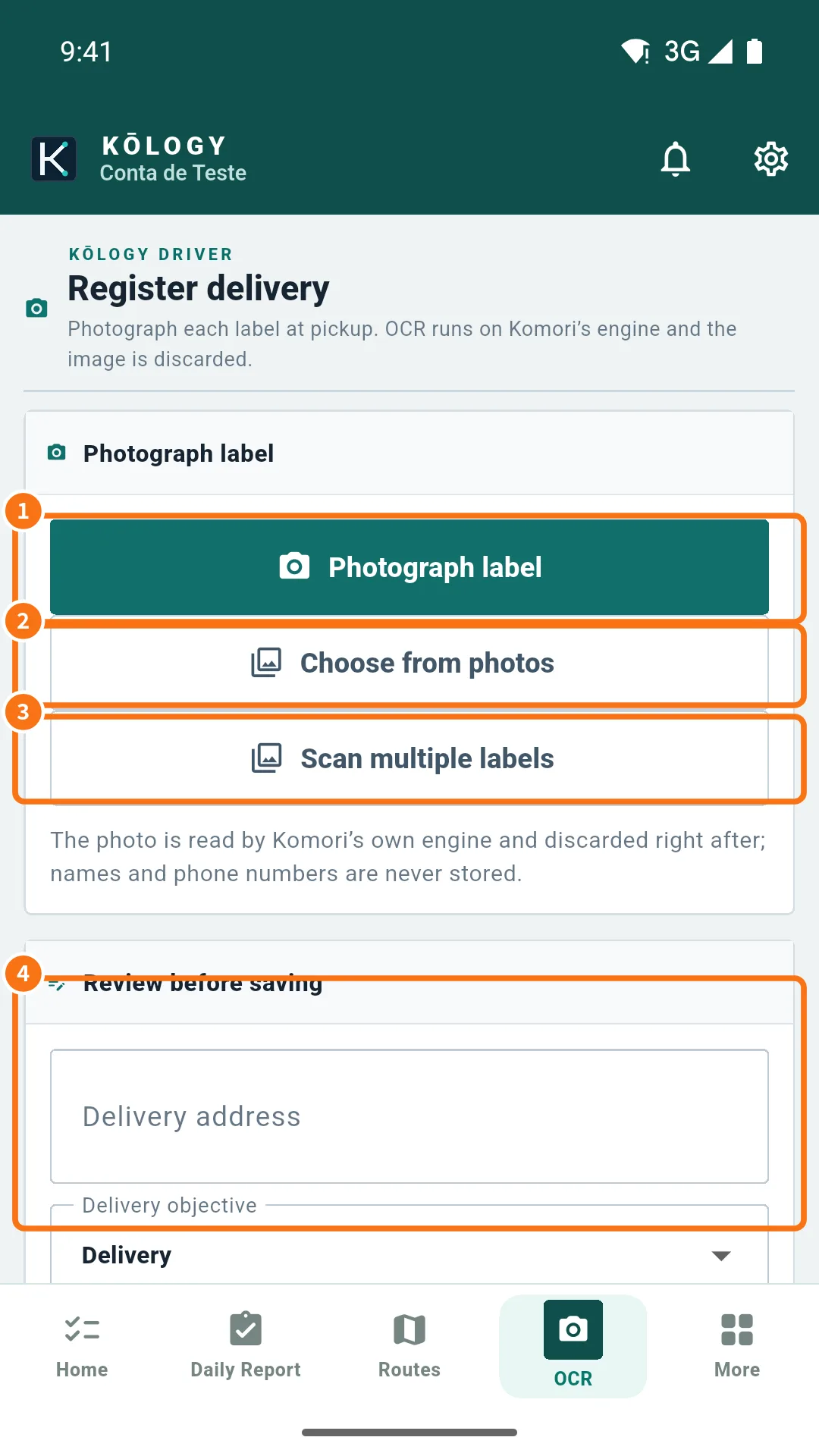 Scan a label (OCR) and register a deliveryPhotograph the label (送り状), check the address and postal code and save: the delivery joins your route and the route is recalculated.
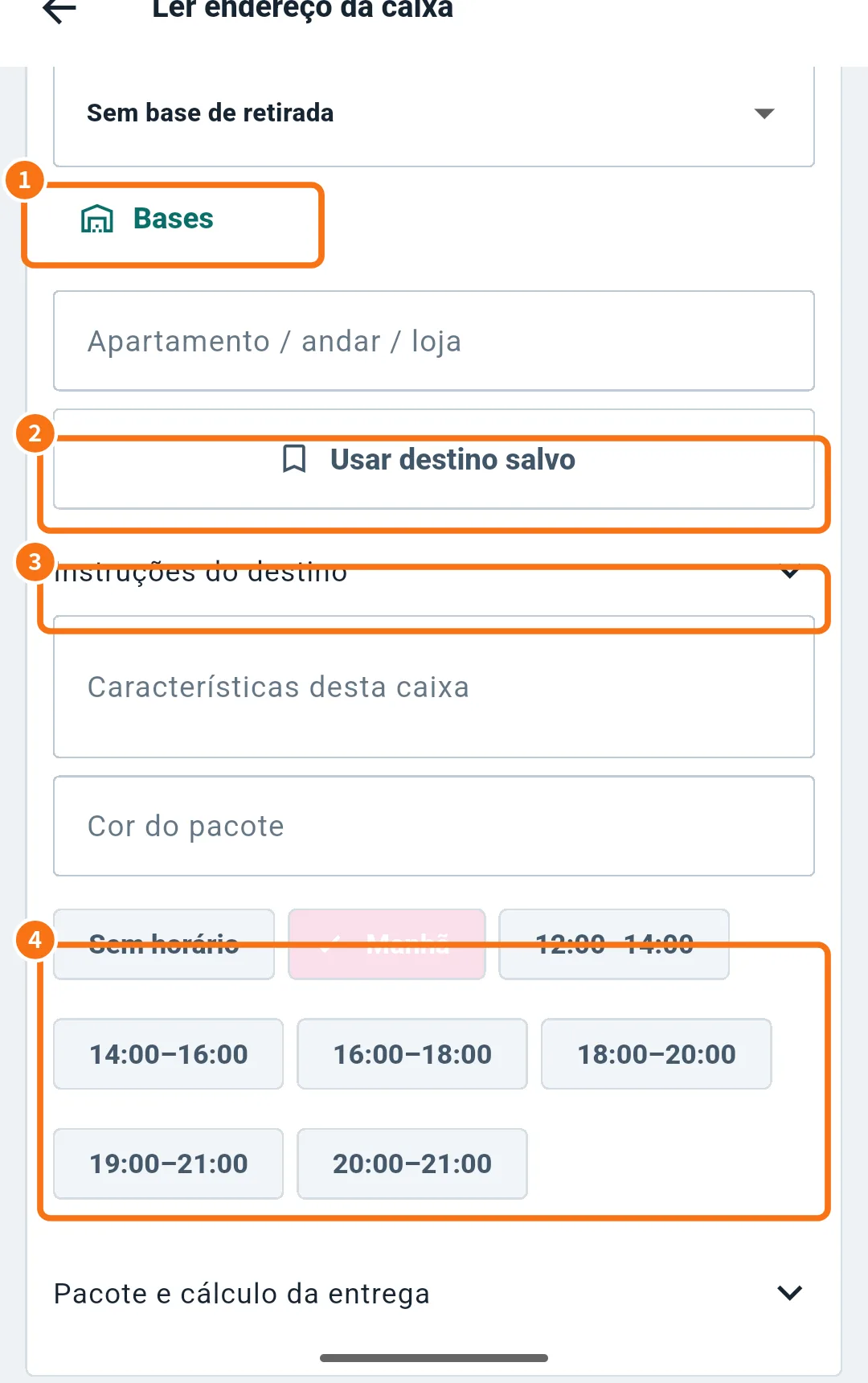 Pickup bases and saved destinationsRegister the bases where you collect loads and reuse addresses your company already knows when you register deliveries.
Driver — Shift
Driver — Vehicle and fuel
Driver — Payments and performance
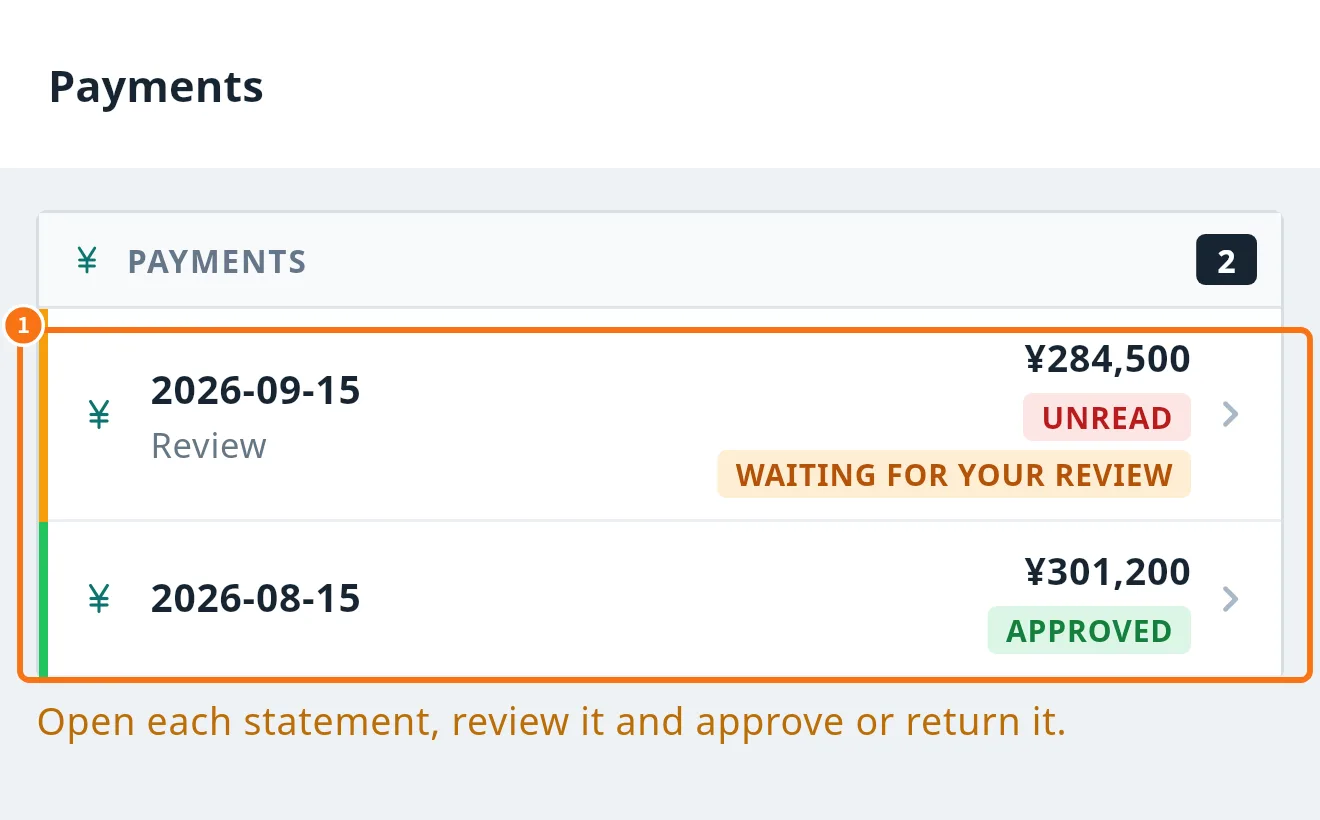 Payments: review and approve the statementOpen each payment statement (支払明細), review it, approve it with your digital seal or return it with a reason.
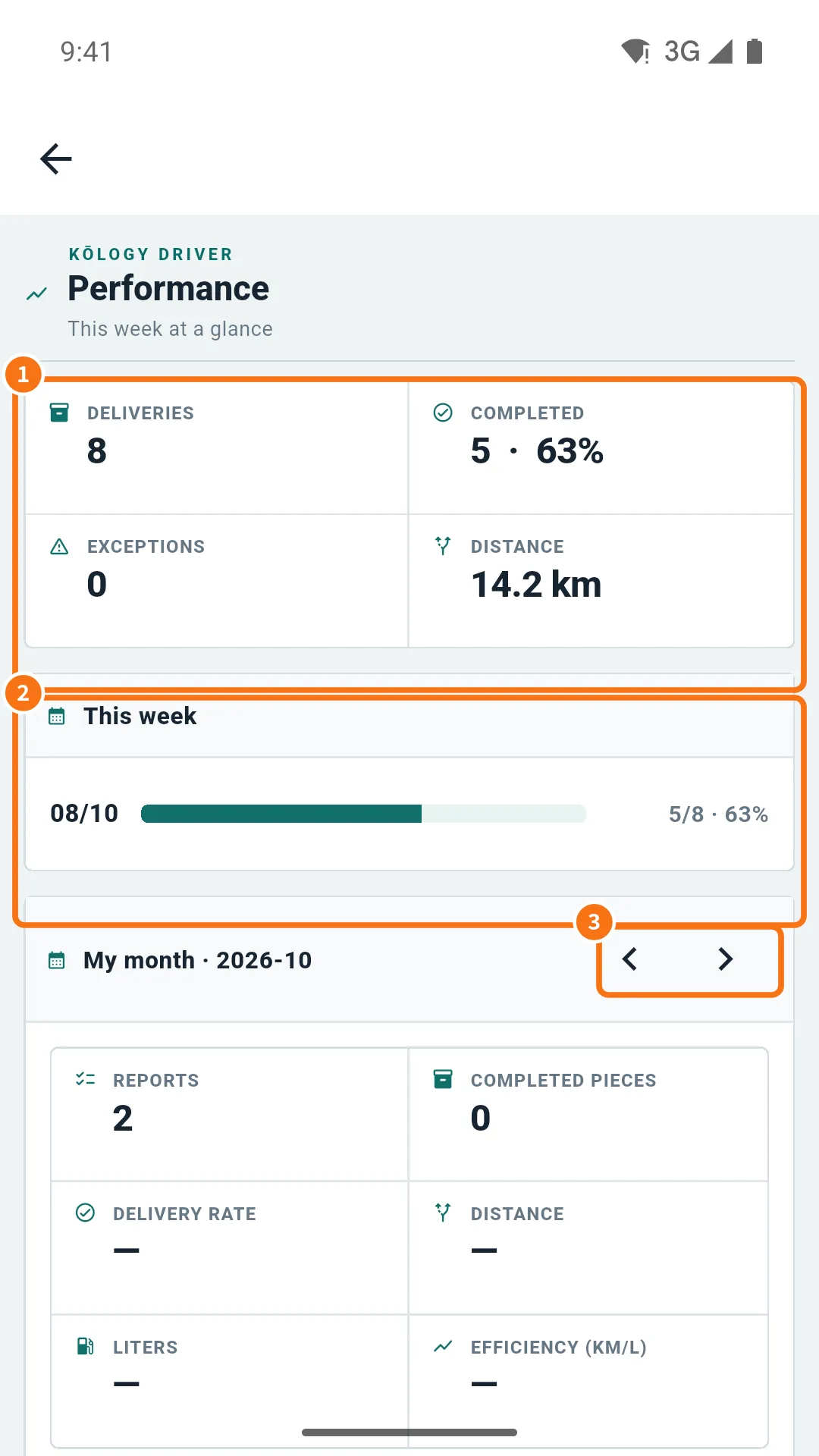 Driver performanceSee the week summary (deliveries, completed, exceptions, distance) and the month's numbers: reports, pieces, delivery rate and efficiency.
Driver — Messages and notices
- Reports (連絡・報告), dispatch messages and supportSend a report to your company, reply, call operations, acknowledge dispatch messages and talk to app support.
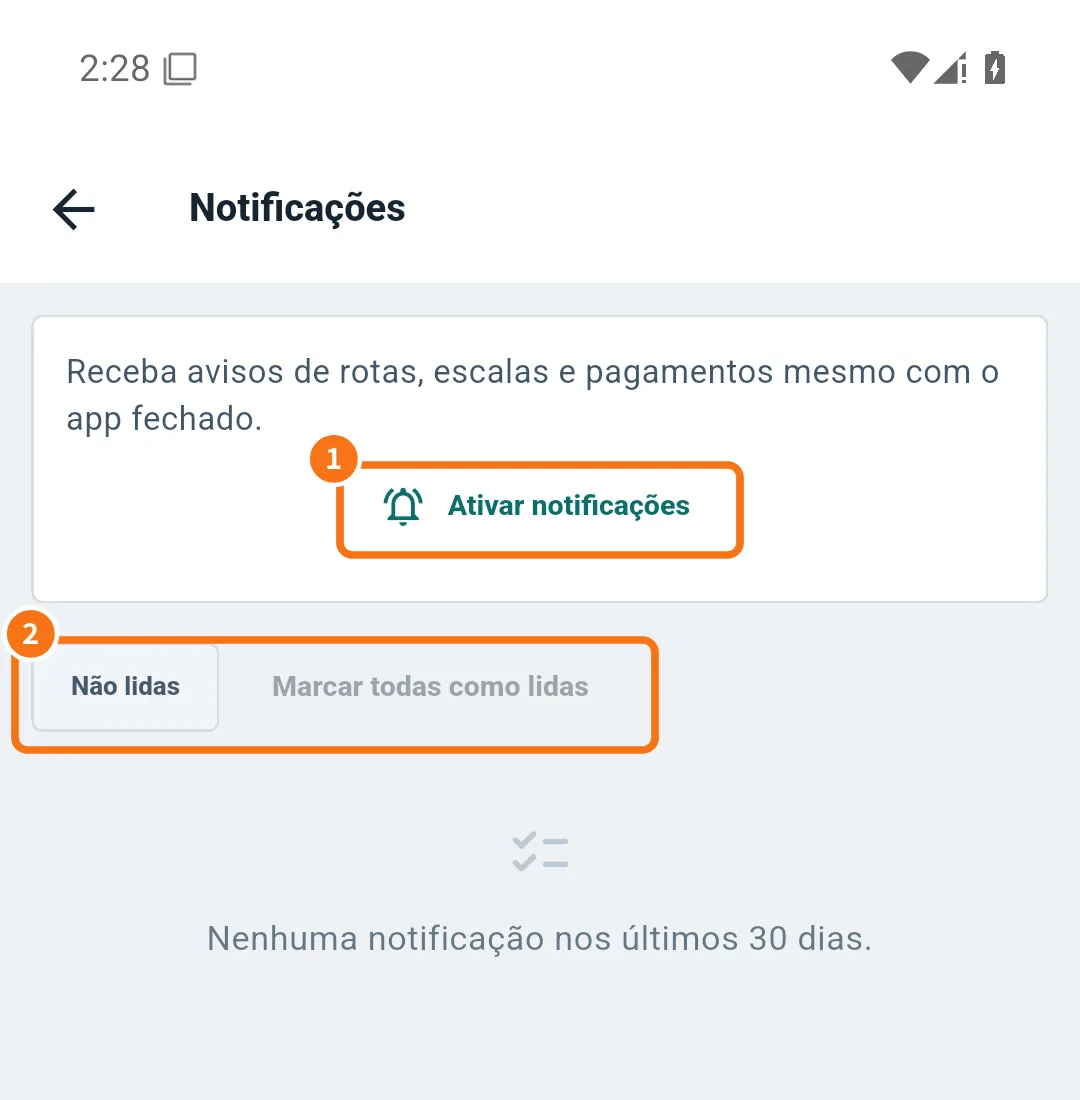 Notifications and noticesTurn on notifications, read the notice box of the last 30 days and choose the categories.
Driver — Profile and settings
- Driver profile, photo and documentsUpdate contact and licence, change your photo and password, and submit personal details and documents with auto-reading for your company to review.
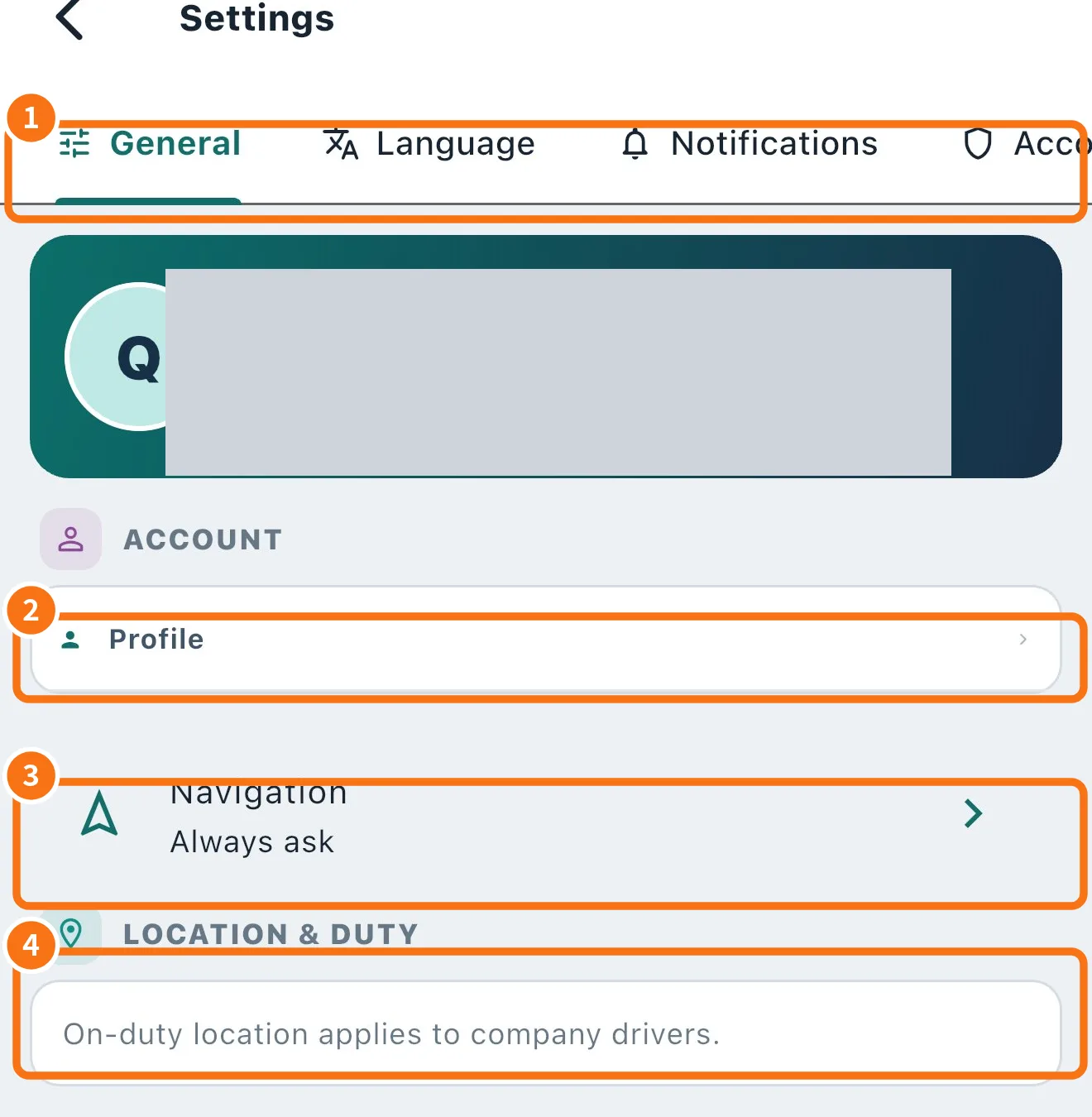 Driver app settingsThe Settings tabs: General (navigation, sounds, location), Language, Notifications, Account & privacy and About.
Company — overview
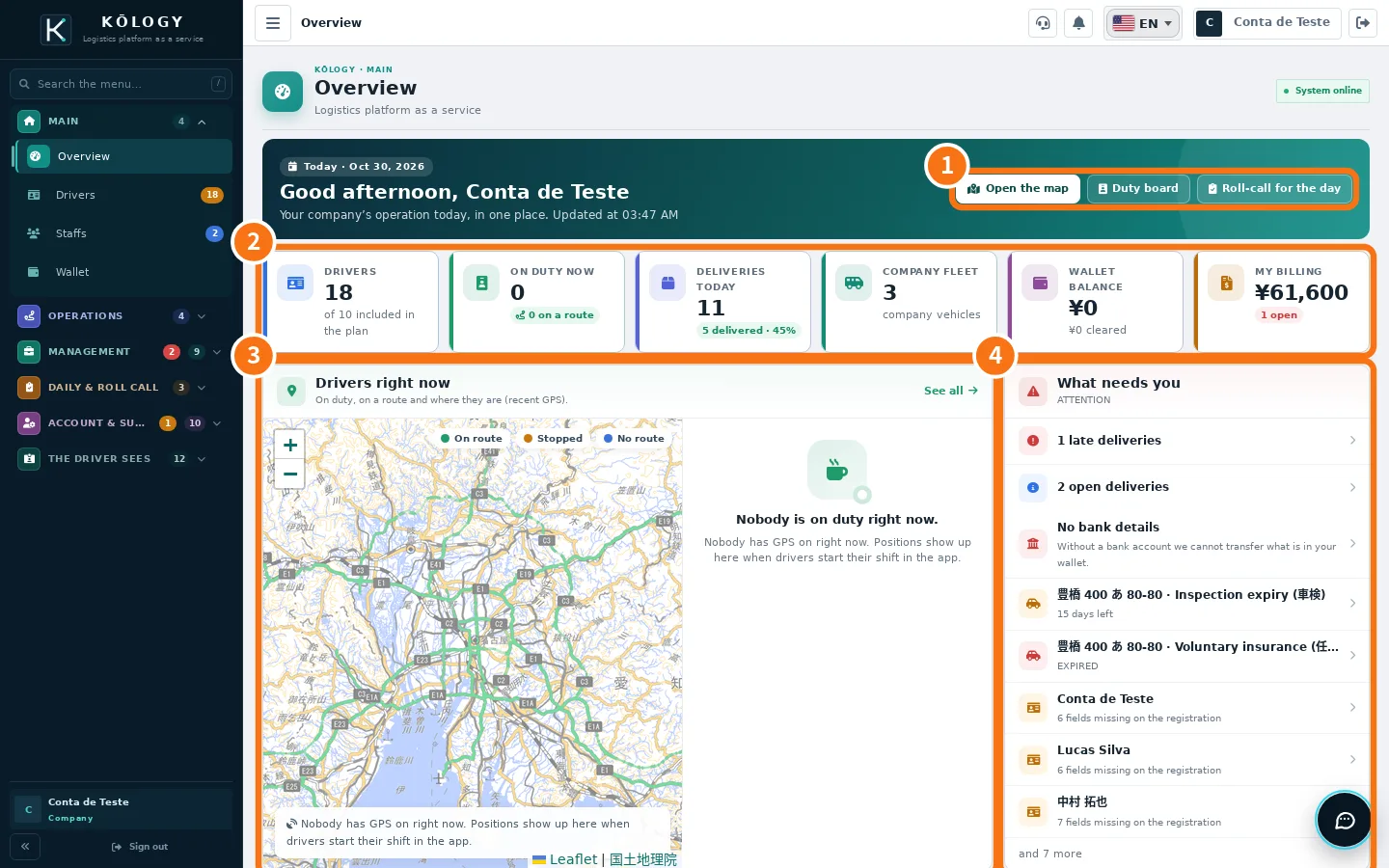
Company — team and routes
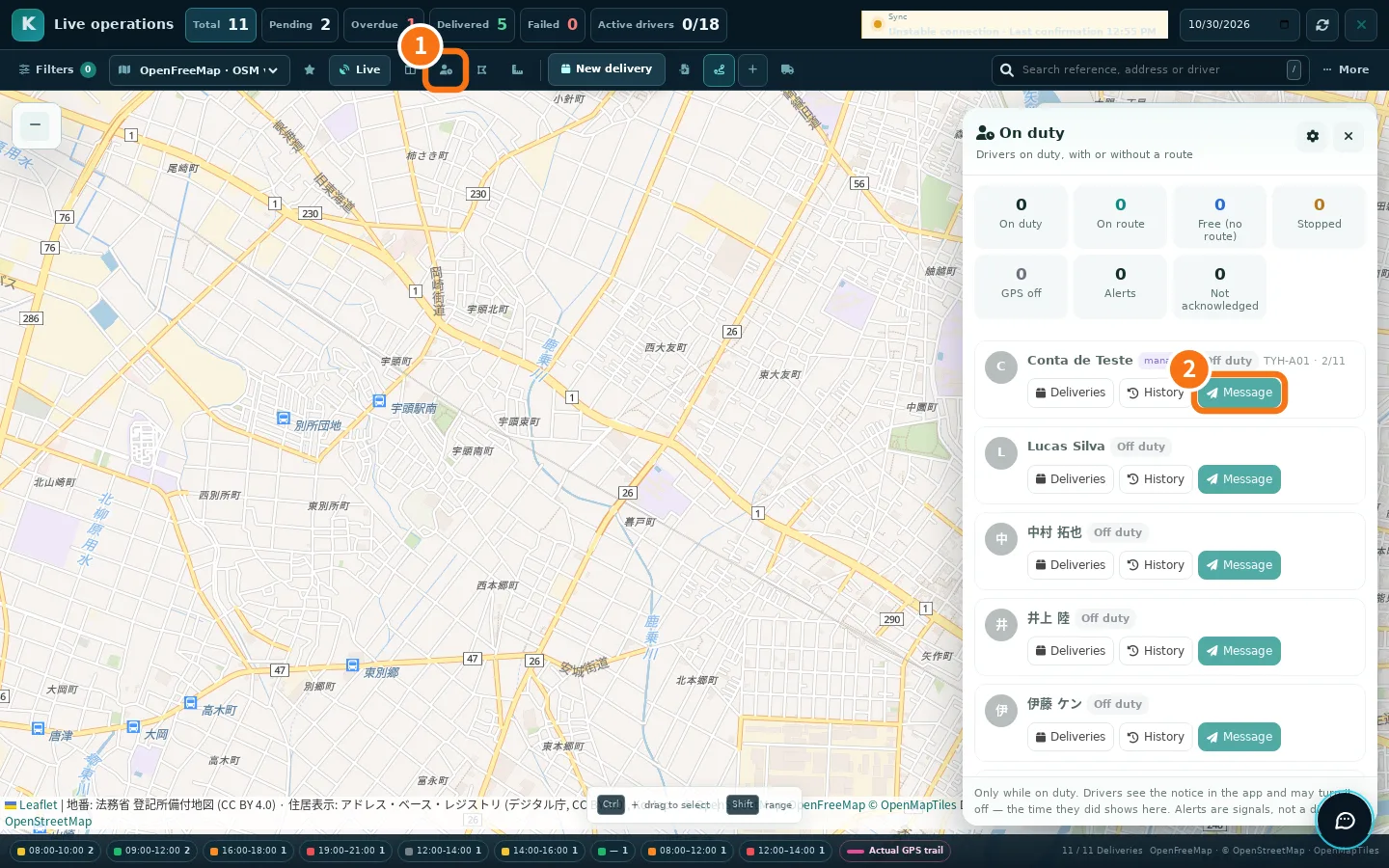 Live team and drivers on dutySee where each driver is on the map and who is on duty, send messages with sound and set up alerts.
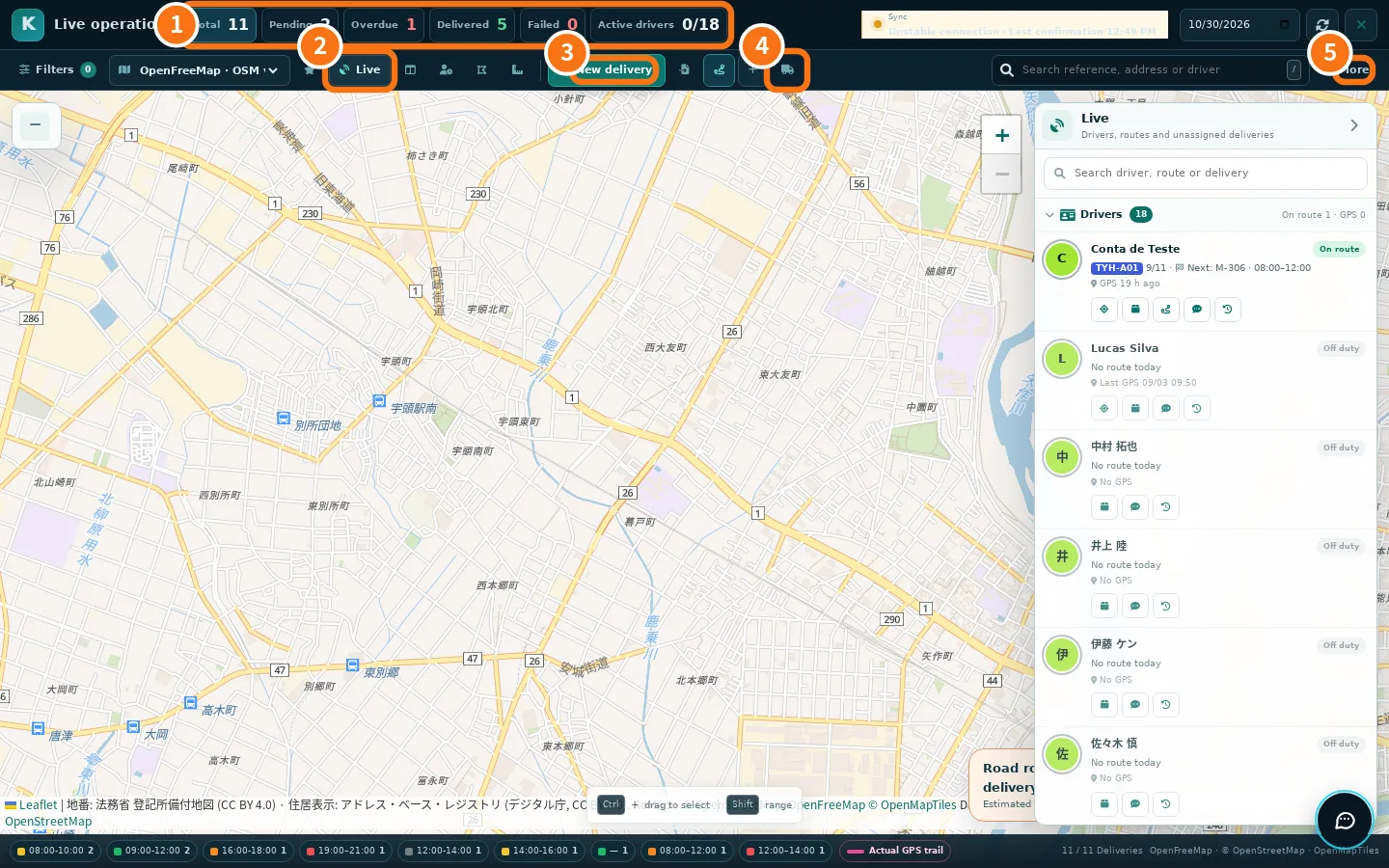 Route centre and deliveriesThe map of the day's operation: routes, deliveries, drivers, bulk selection, publishing and optimisation.
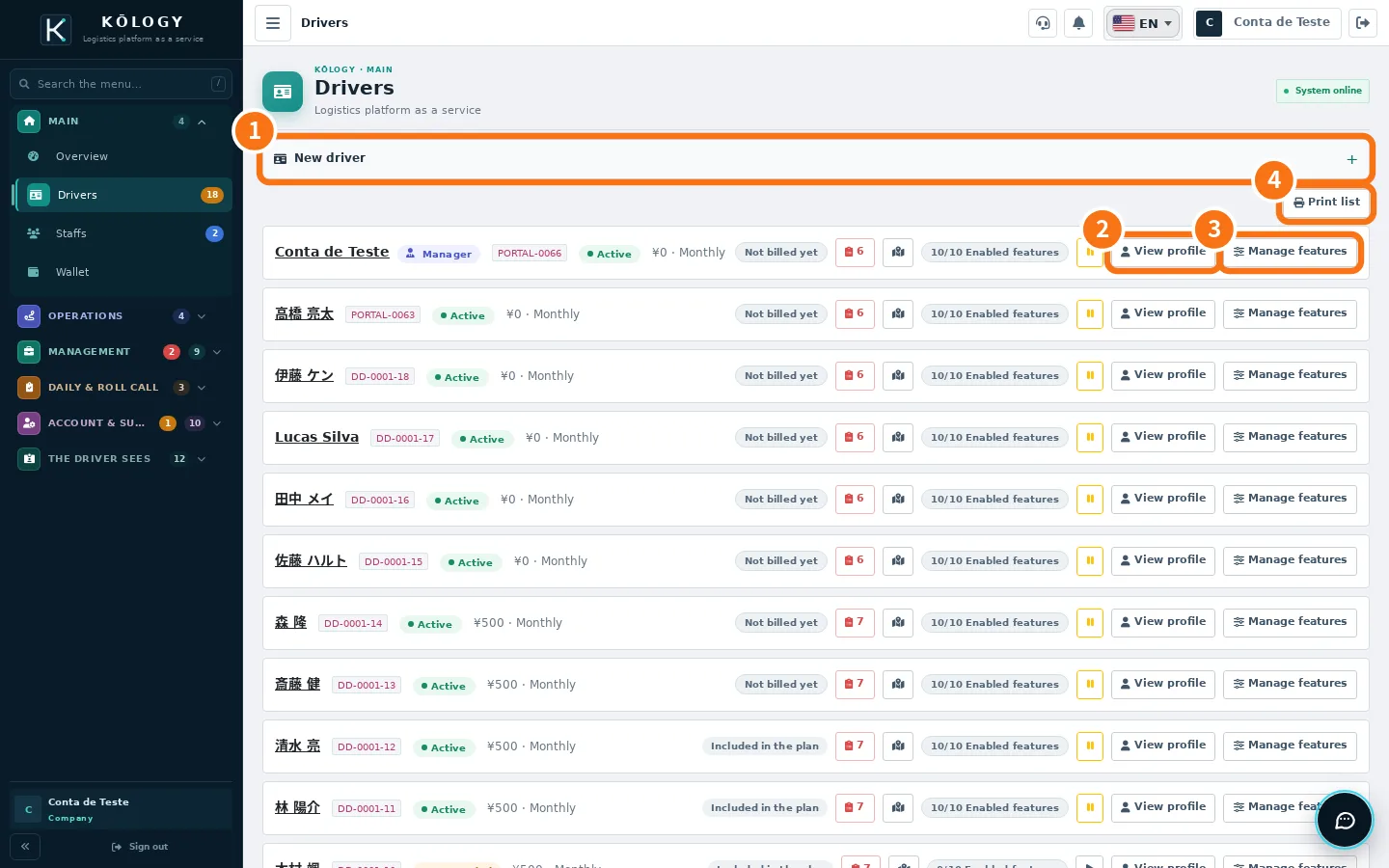
Company — drivers
Company — vehicles and fleet
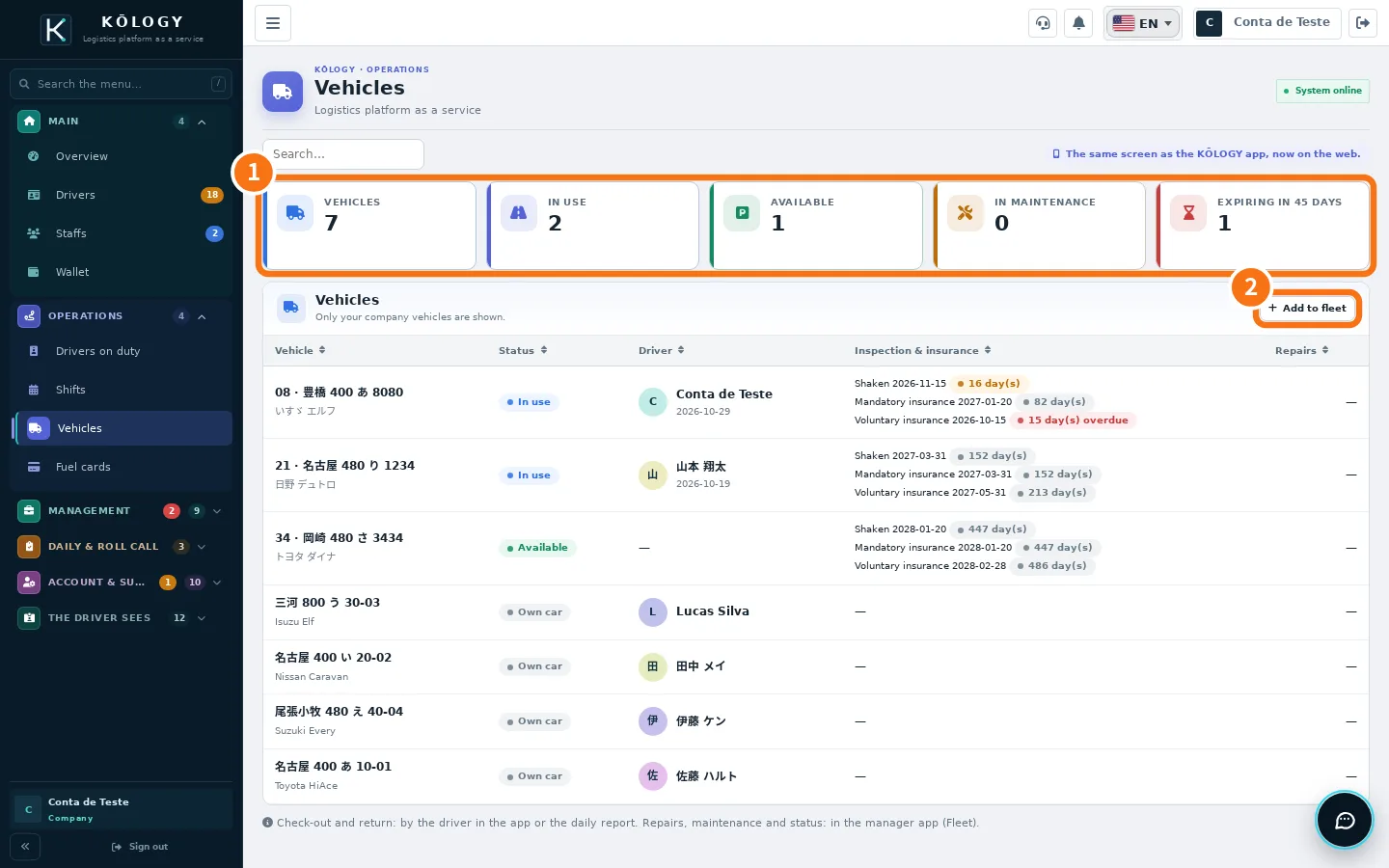
Company — shifts and people
Company — roll call and daily reports
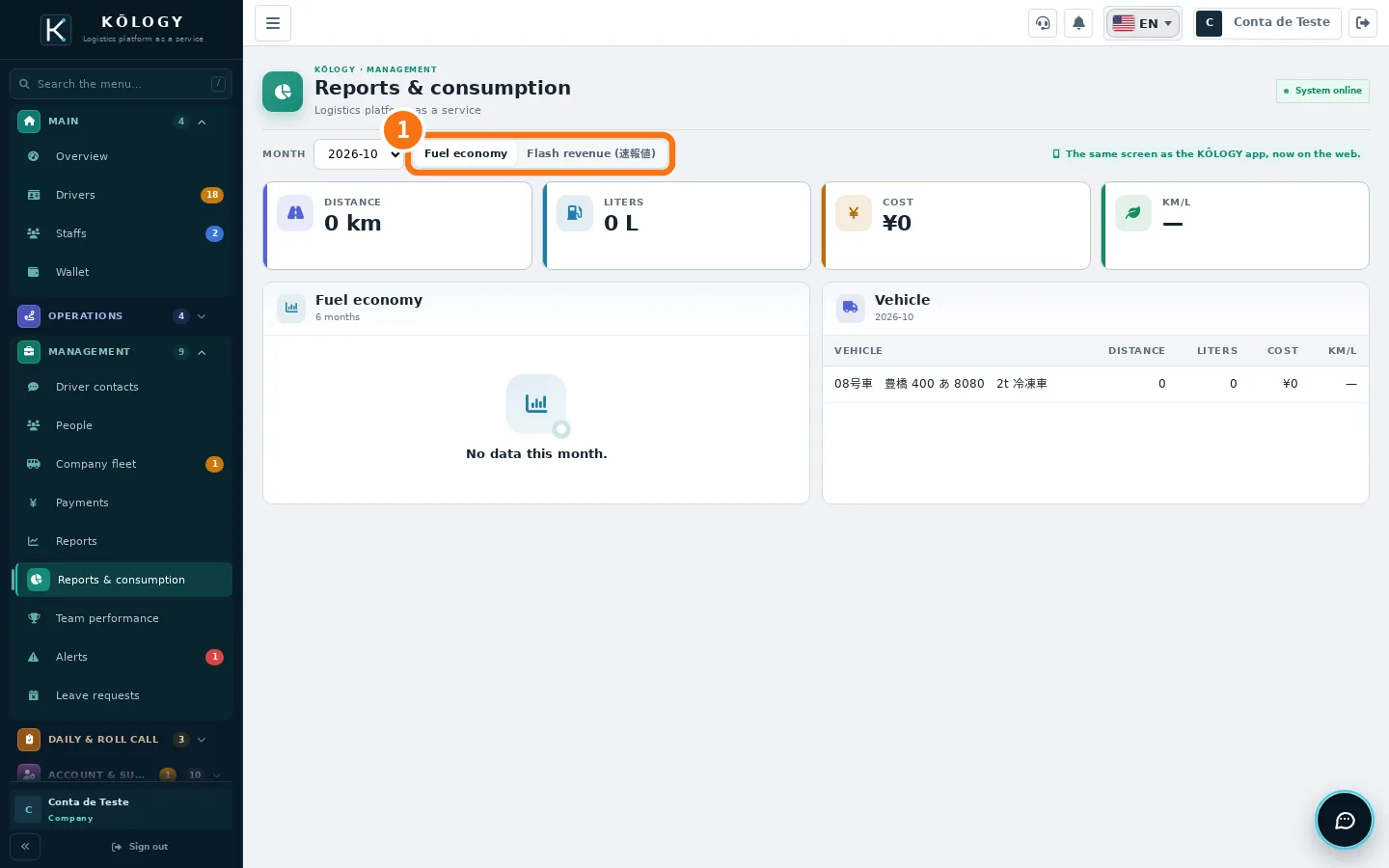
Company — reports and alerts
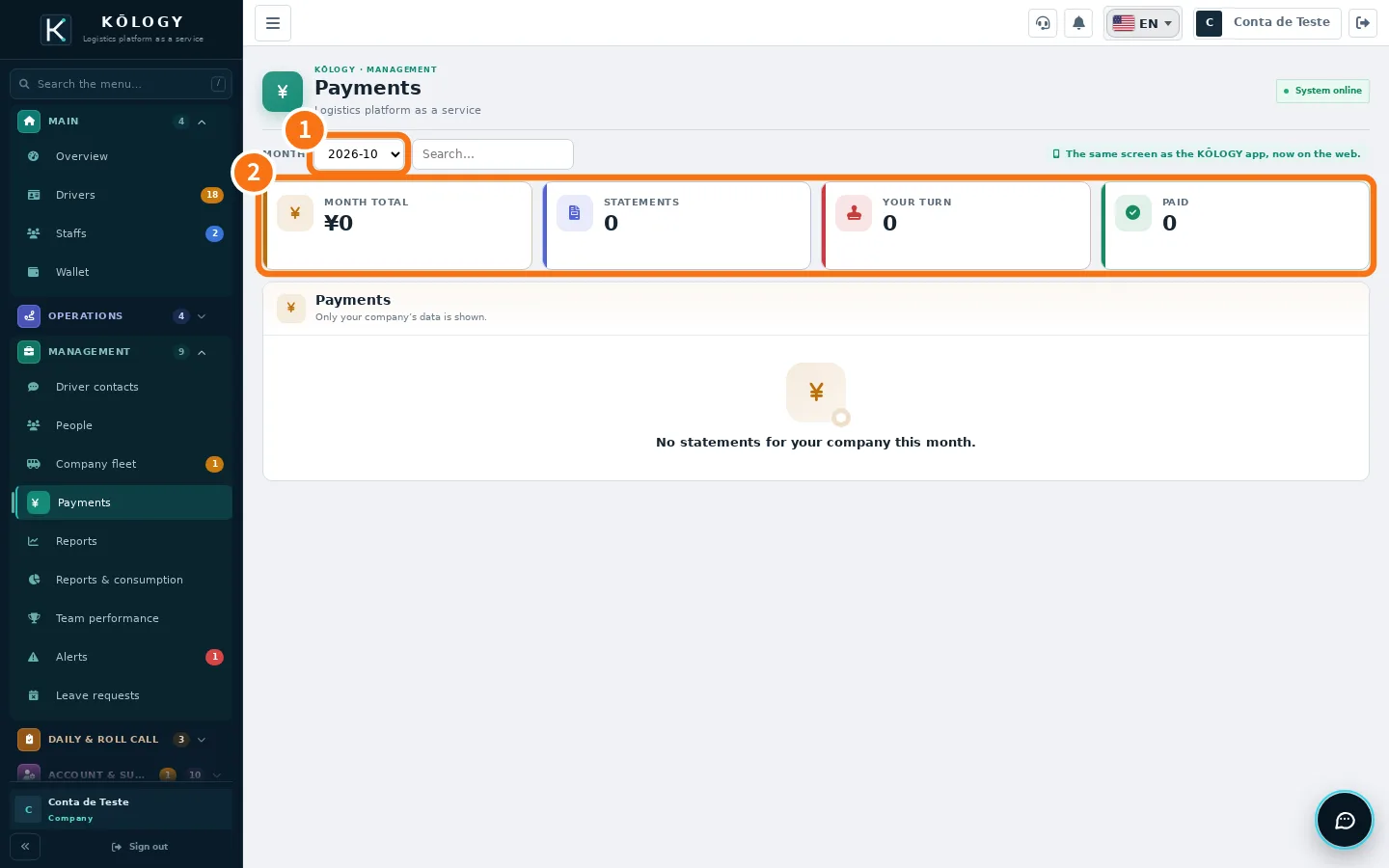
Company — payments and billing
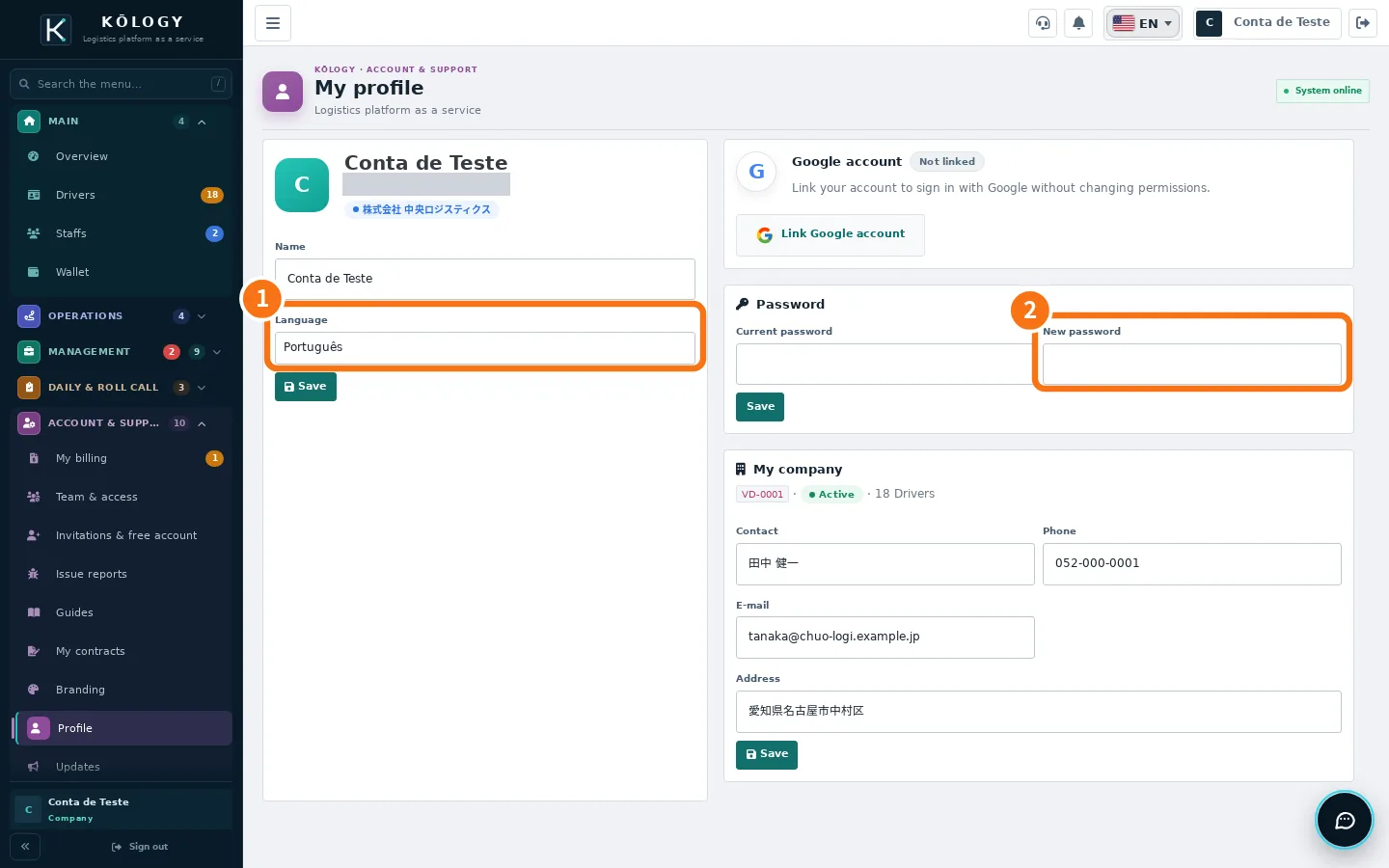
Company — account and settings
How to — driver
- How to do a full working dayFrom the roll call before leaving to submitting the daily report: the recommended sequence of a delivery day in KŌLOGY.
- How to record a delivery (delivered, absent, failed)Mark arrival, completed delivery or failure with the reason, confirm the collection, attach a proof photo and fix a wrong record.
- How to register several labels at onceAt pickup, scan several labels in a row, review each draft and save the deliveries one by one without mixing up the boxes.
- How to change your password, sign out and remove devicesChange the password in Profile, recover a forgotten password, see connected devices and sign out a lost phone.
- How to update the KŌLOGY appUnderstand the update bar, update from the store or from the direct file (Android), see What's new and what to do on a required update.
- How to delete your driver accountRequest deletion in the app or on the website: access stops at once, personal data is erased in 30 days and some operational records stay, anonymised.
How to — company
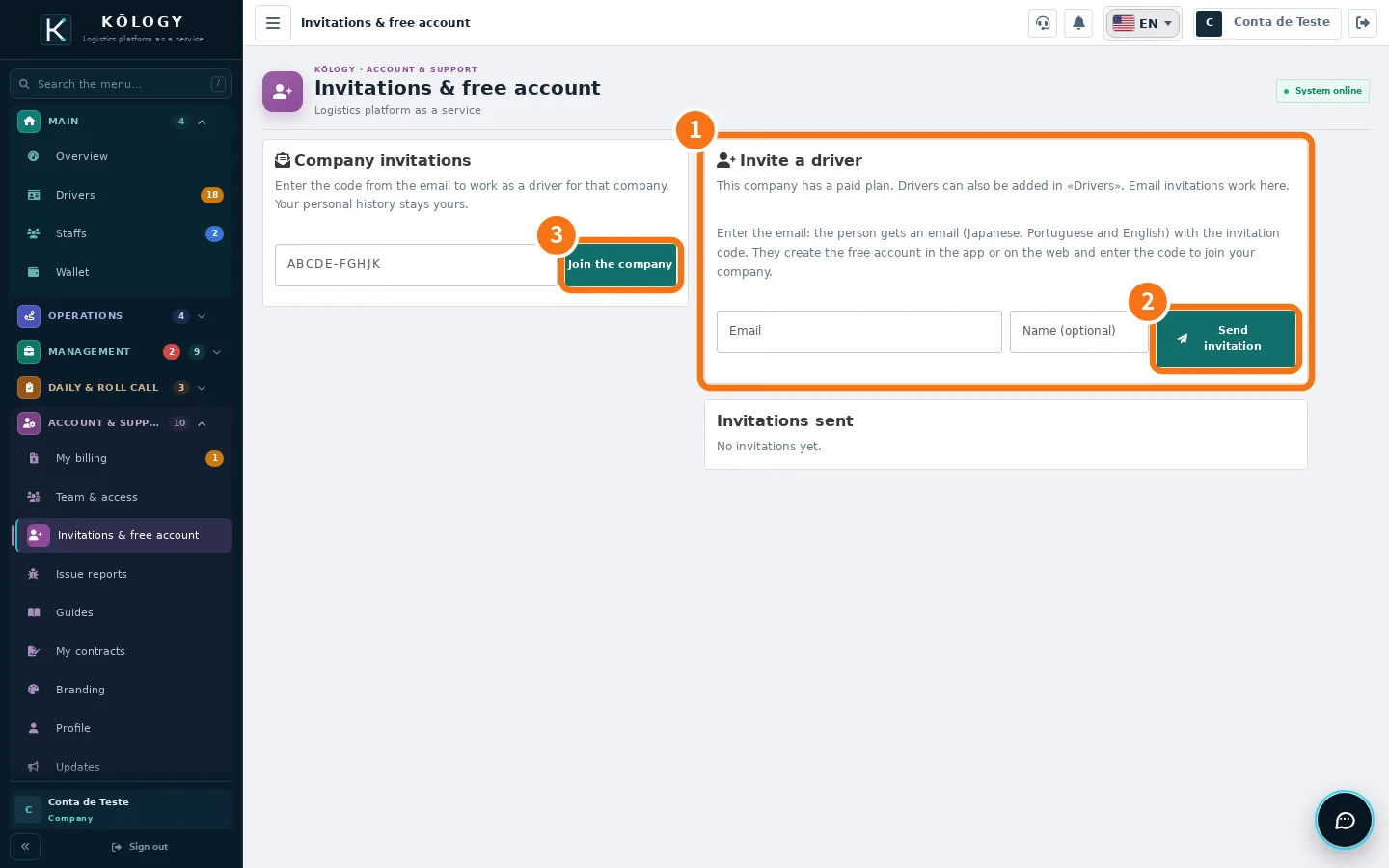 How to invite drivers by emailSend an invitation with a code; the person creates a free account and joins your company as a driver.
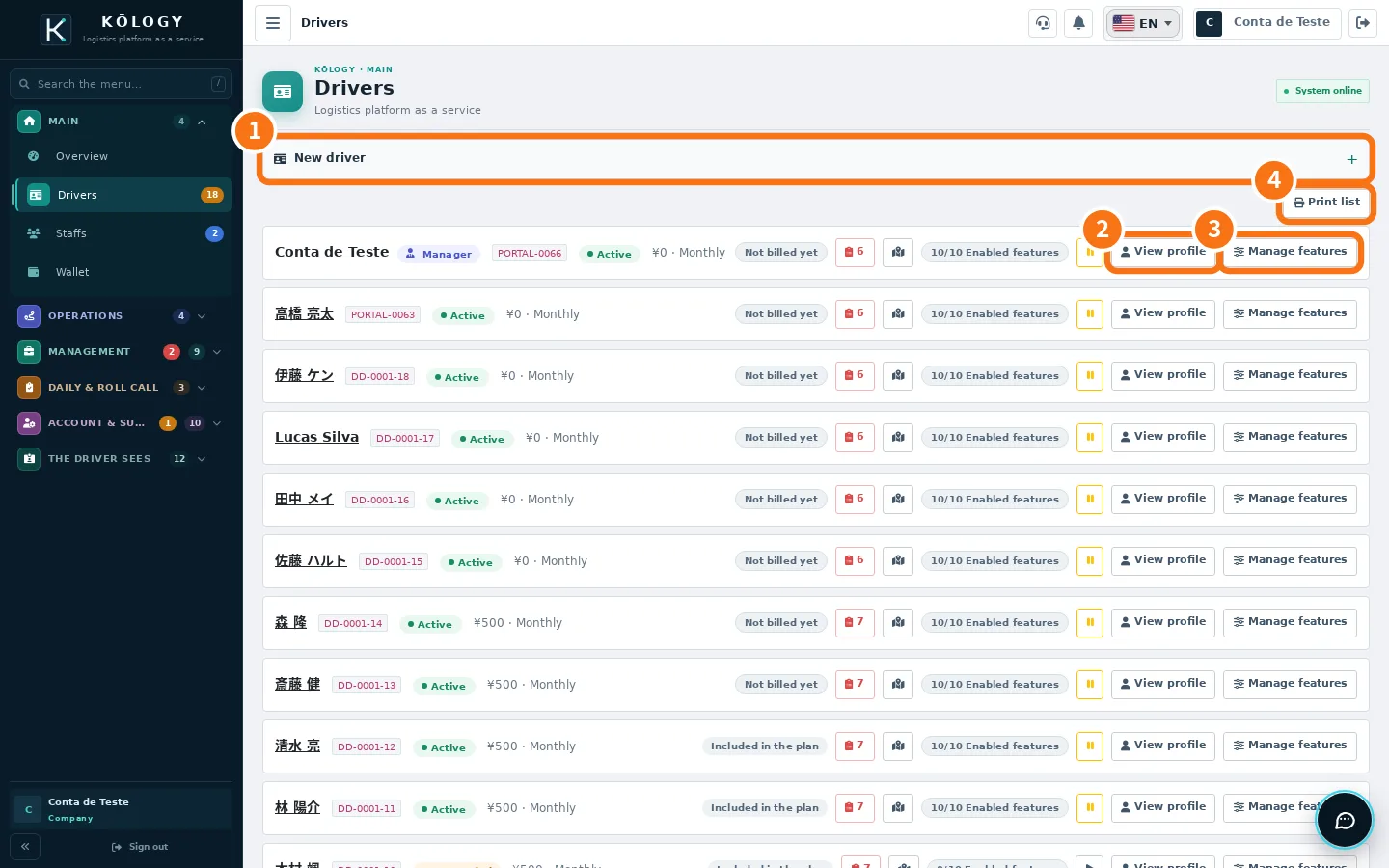 How to add a driver with sign-in and passwordCreate the driver, generate the password, hand over the access and know where they sign in.
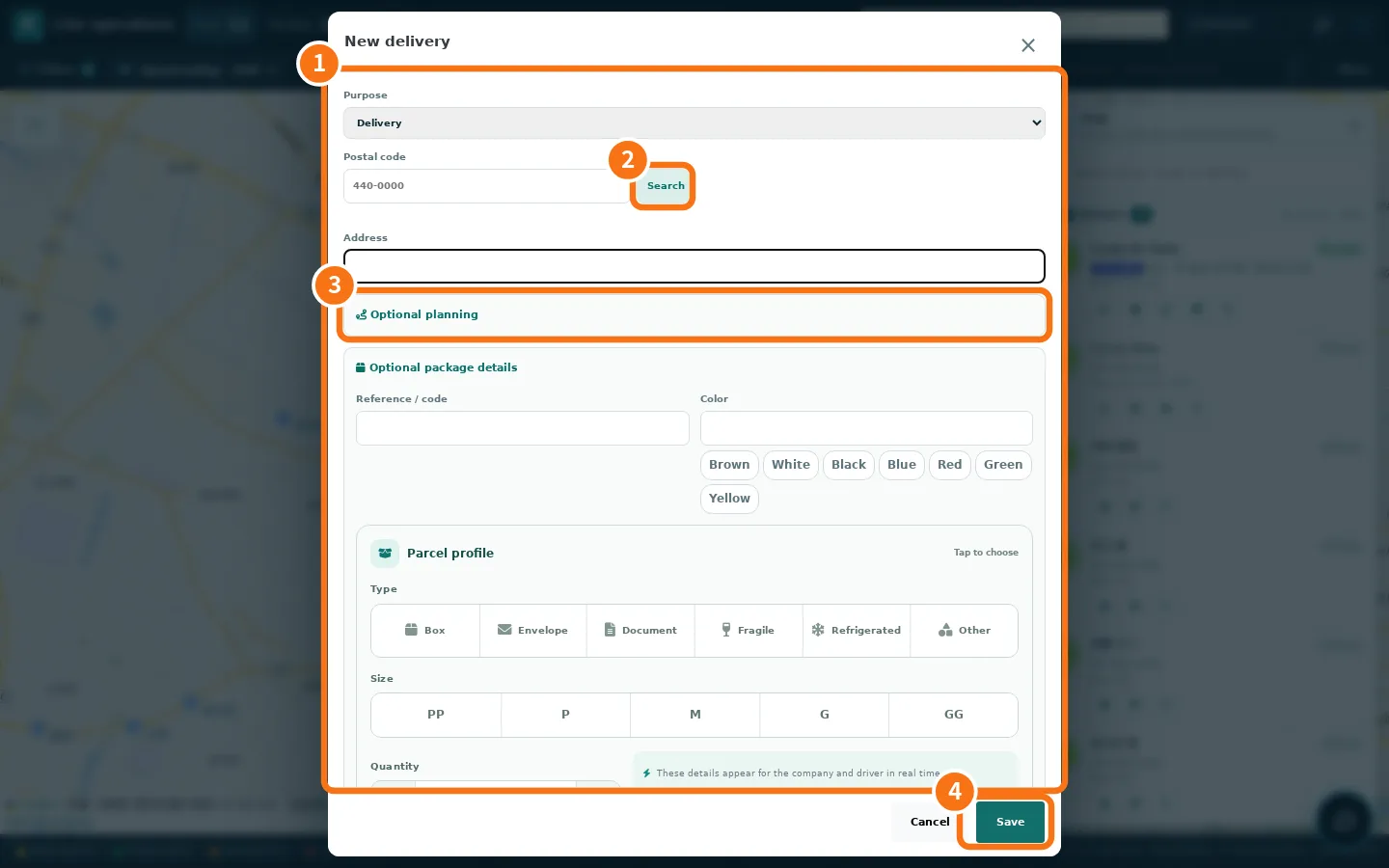 How to create a route and add deliveriesAdd deliveries one by one (or by scanning the label), build the route, pick the driver, optimise and publish.
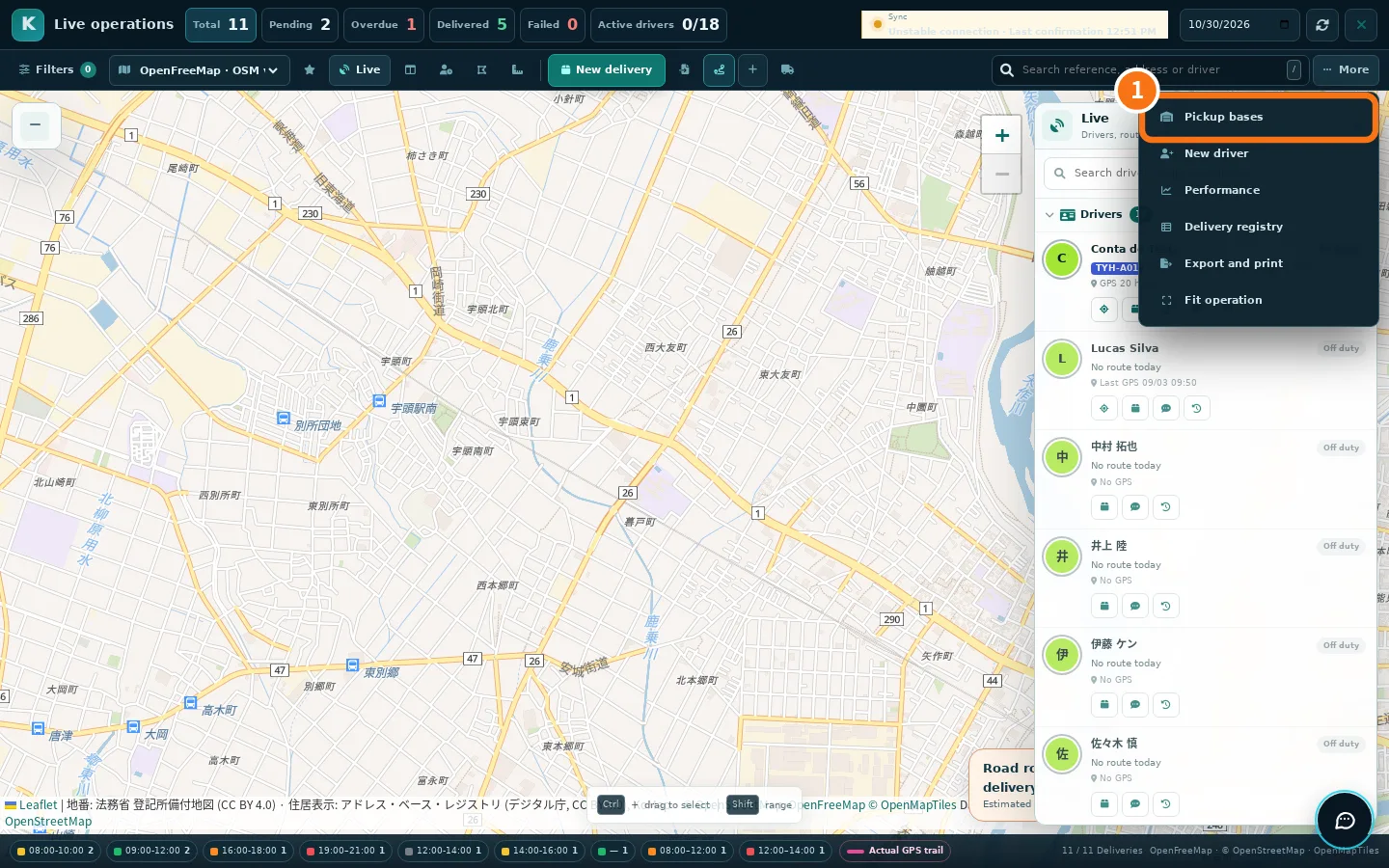 How to import spreadsheets, scan labels and plan in batchBring in many deliveries at once (XLSX/CSV or label photos), validate addresses and let the system build the routes.
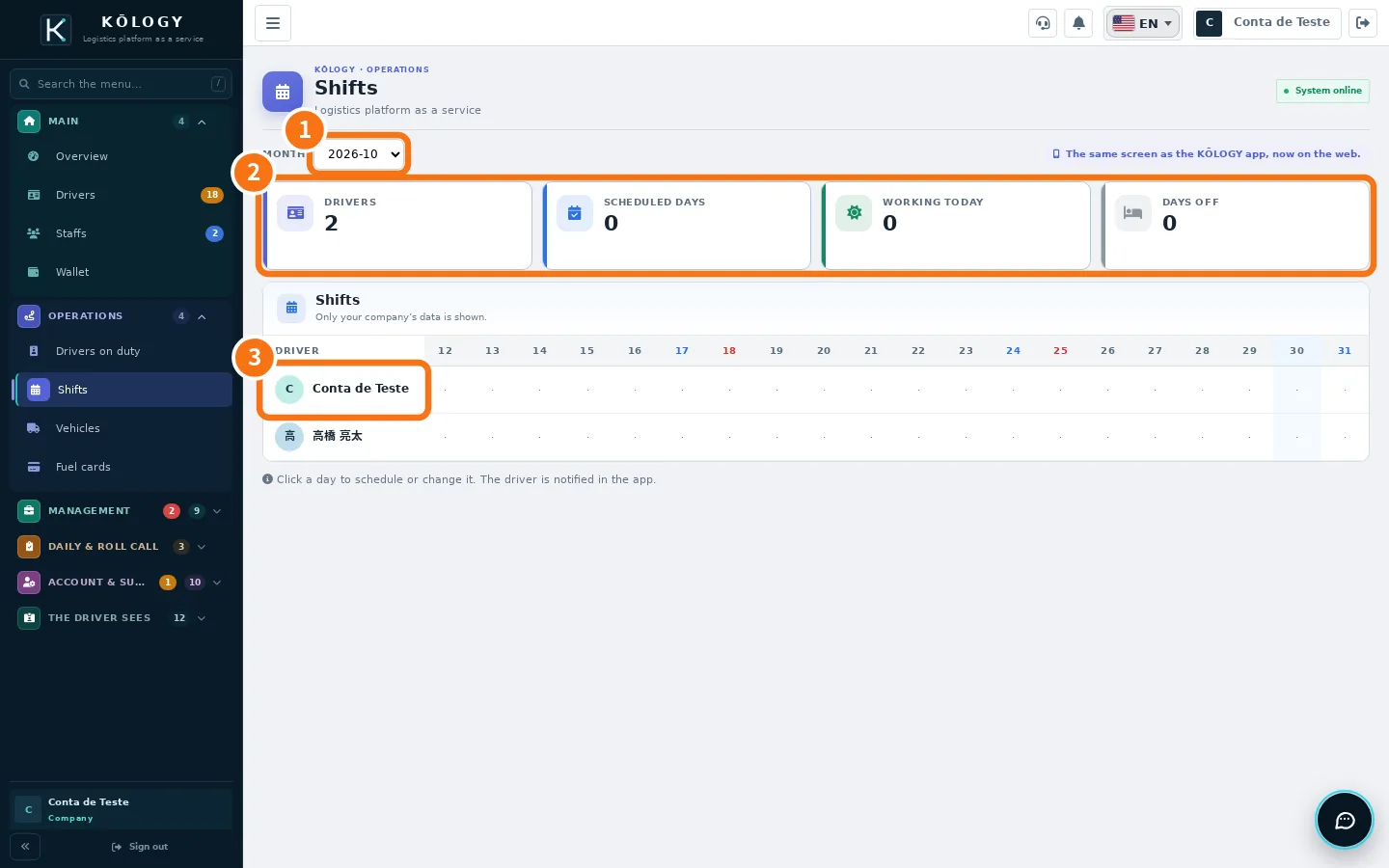 How to schedule a driverPut a driver on the schedule for one day or the whole month; they get a notice in the app.
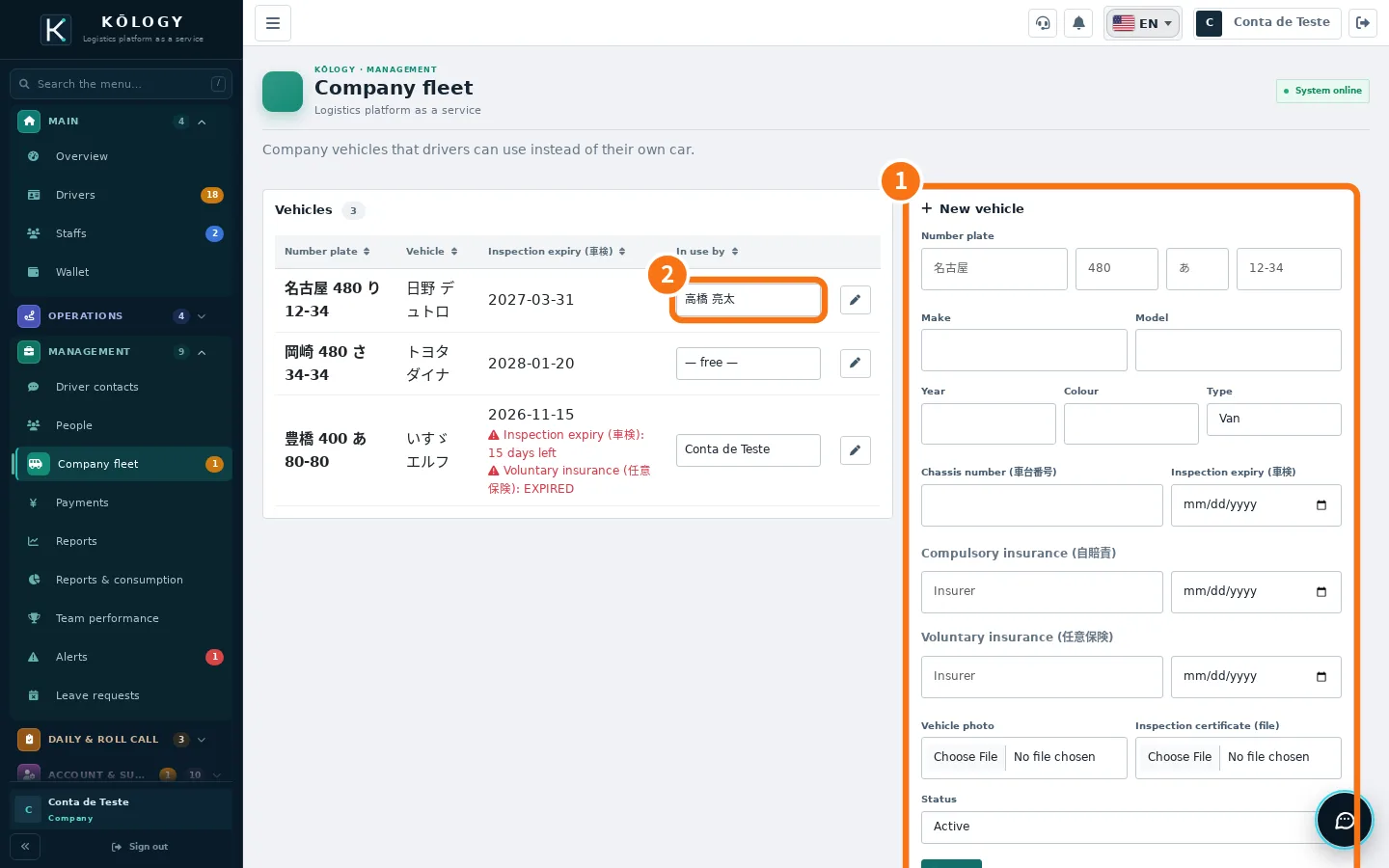 How to register a company vehicleRegister the vehicle with plate, 車検 and insurance so the driver can check it out in the daily report.
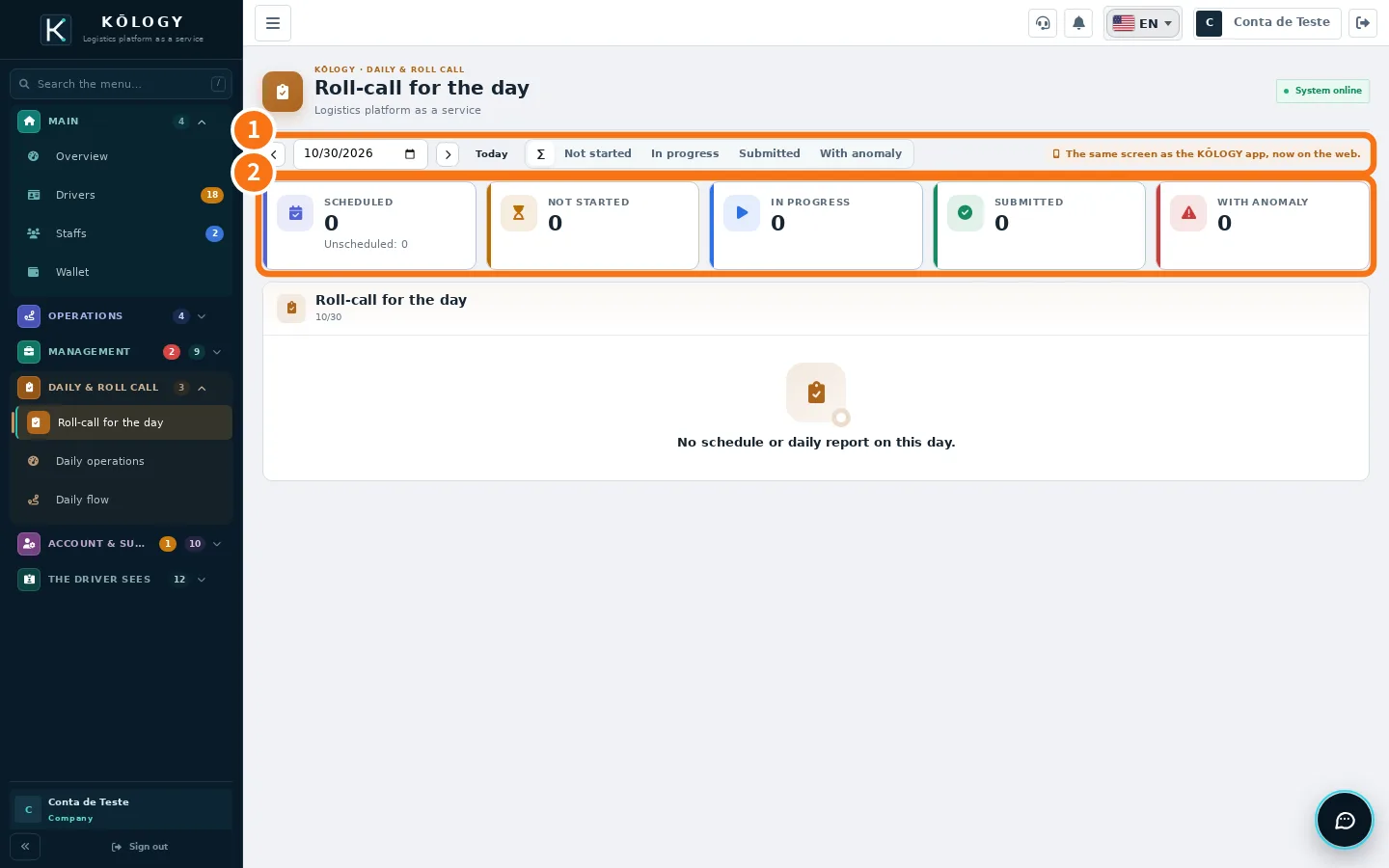 How to review and correct a daily reportCheck each driver's roll call and daily report (日報) and fix a wrong value.
- How to review and approve driver documentsSee who still has to send, what is under review and what expires soon; approve or send back with a reason.
- How a manager delivers (driver mode)Enter driver mode with the same account, run your route and go back to management.
- How to delete the account (company or manager)What happens when you delete the account, how to ask in the app or on the website and the case of the company's only account holder.
Plans and limits
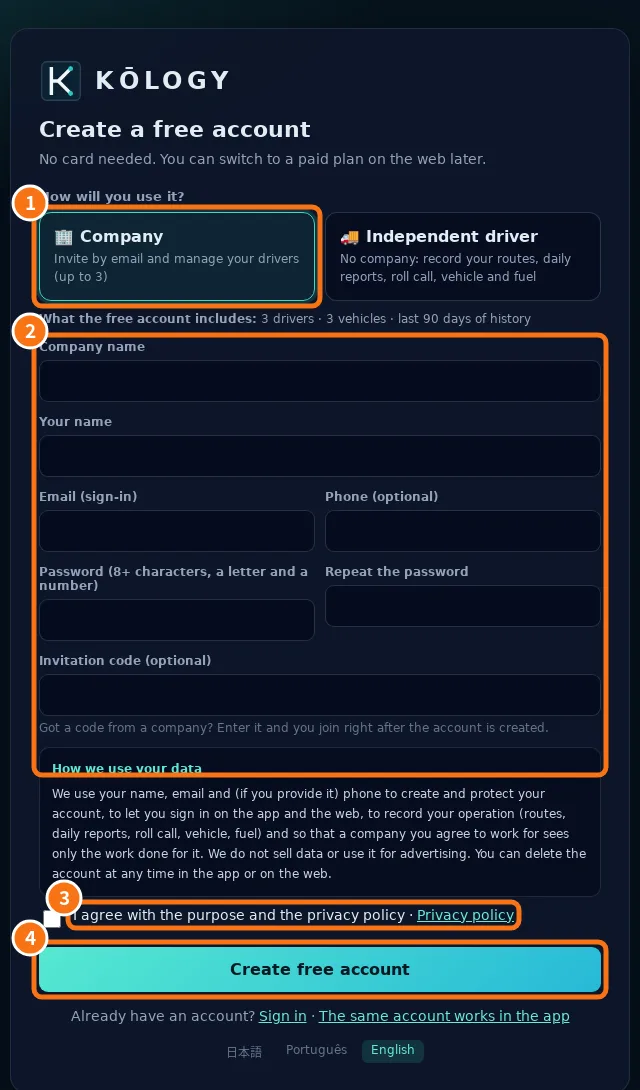 KŌLOGY plans and limitsWhat the free account includes, what each paid plan unlocks, the driver, vehicle and history limits, and what the padlock means.
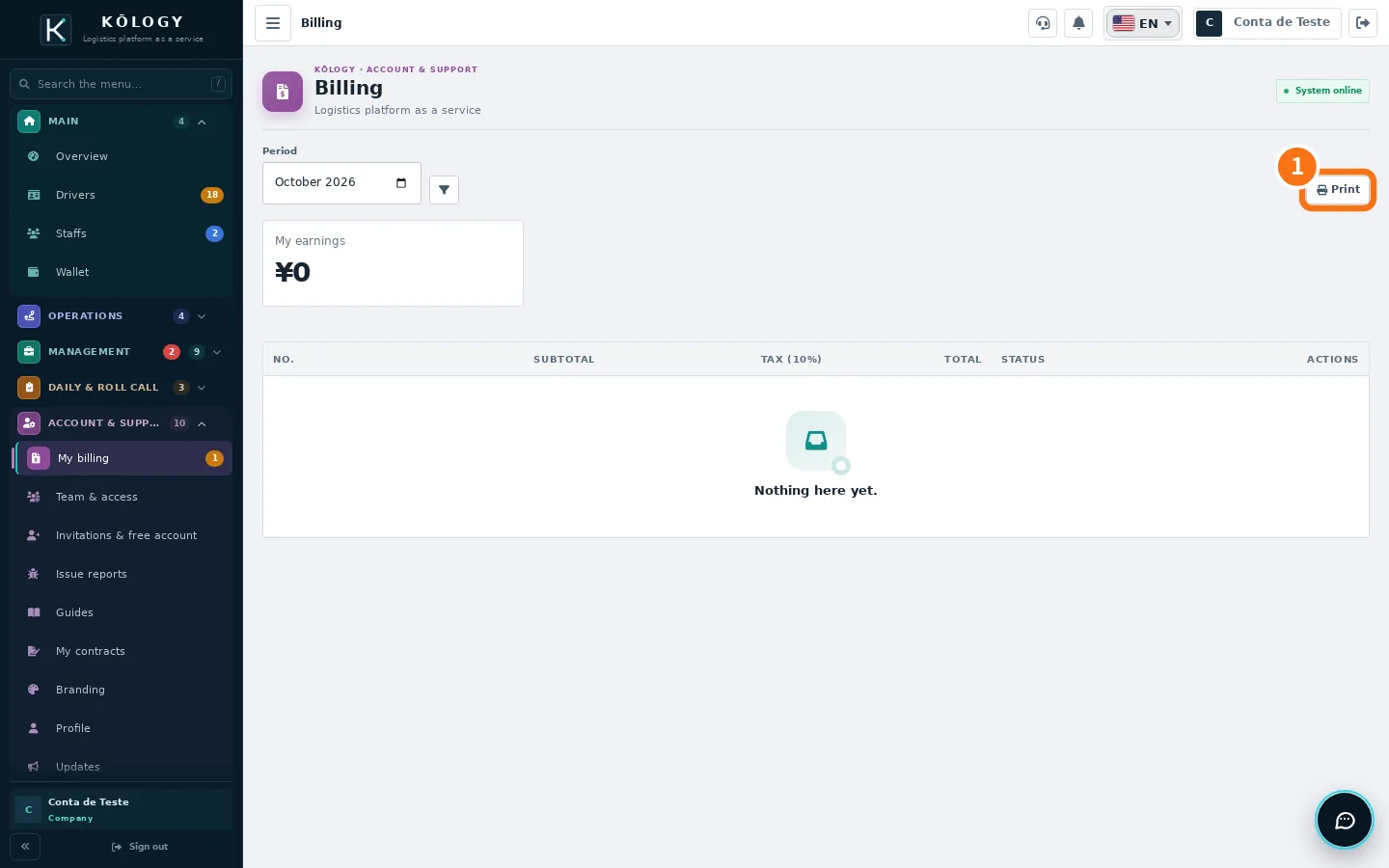 Buying or changing a plan: store or webThe Google Play and App Store app does not sell plans; see where to check the plan and invoices and how to ask for a change.