










Transport management
KŌLOGY
Delivery, fleet and transport management in one workflow.
Screens & features
AllDriver — Home 2Driver — Daily report and duty 2Driver — Routes and deliveries 3Driver — Navigation 3Driver — Labels and new deliveries 2Driver — Shift 1Driver — Vehicle and fuel 1Driver — Payments and performance 2Driver — Messages and notices 2Driver — Profile and settings 2Company — overview 1Company — team and routes 2Company — drivers 1Company — vehicles and fleet 1Company — shifts and people 1Company — roll call and daily reports 1Company — reports and alerts 1Company — payments and billing 1Company — account and settings 1How to — driver 6How to — company 10Plans and limits 2
How to — company
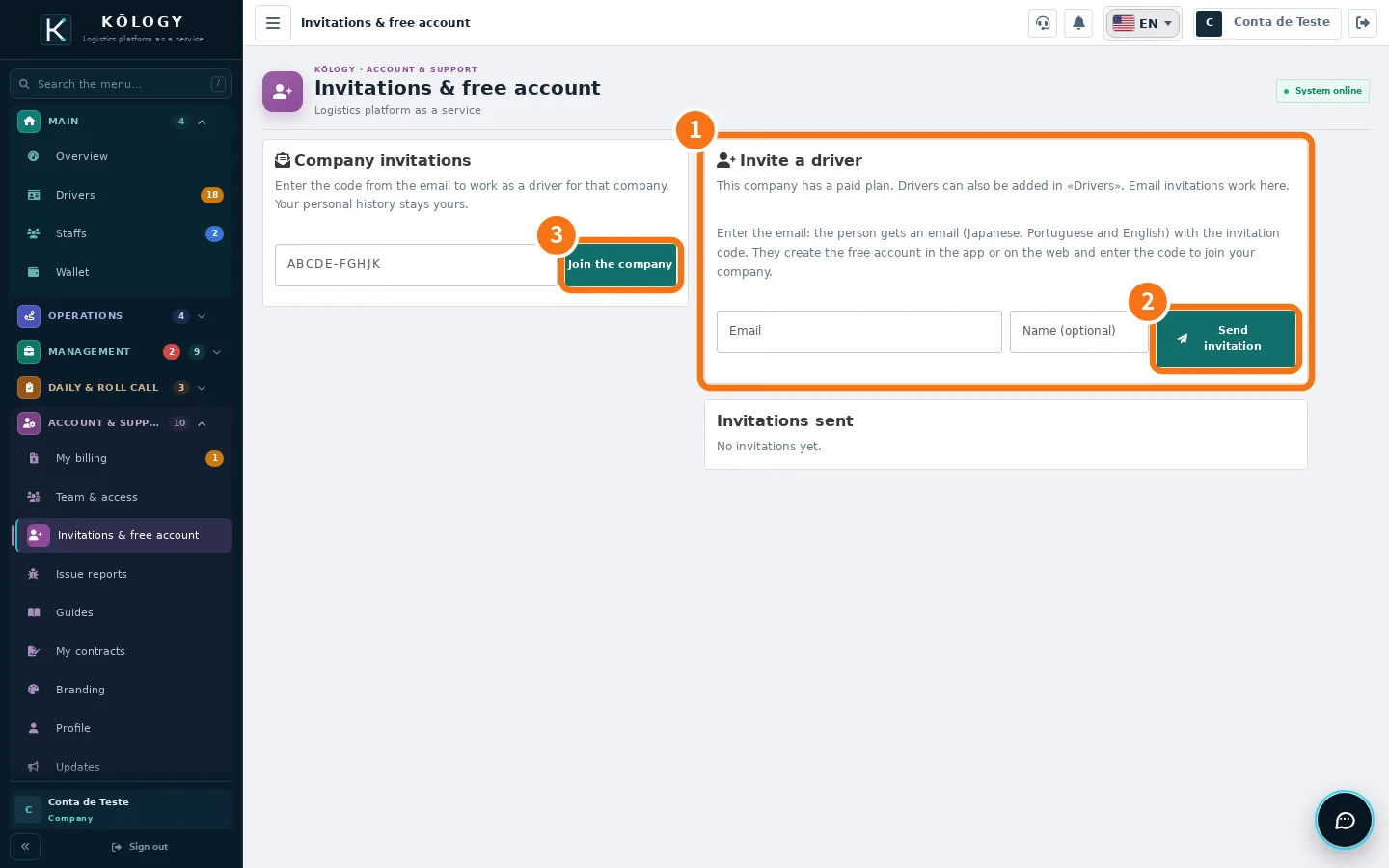 How to invite drivers by emailSend an invitation with a code; the person creates a free account and joins your company as a driver.
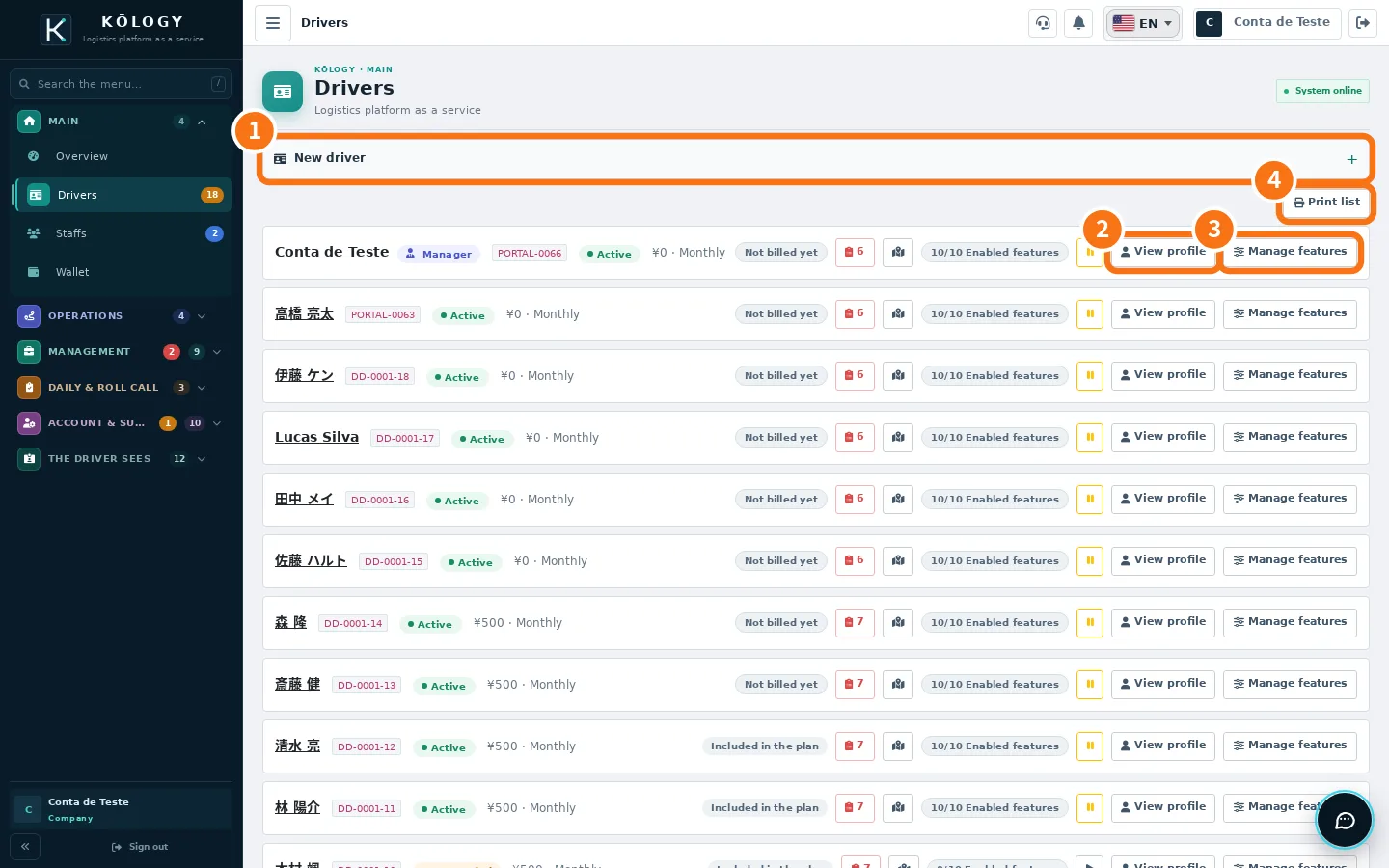 How to add a driver with sign-in and passwordCreate the driver, generate the password, hand over the access and know where they sign in.
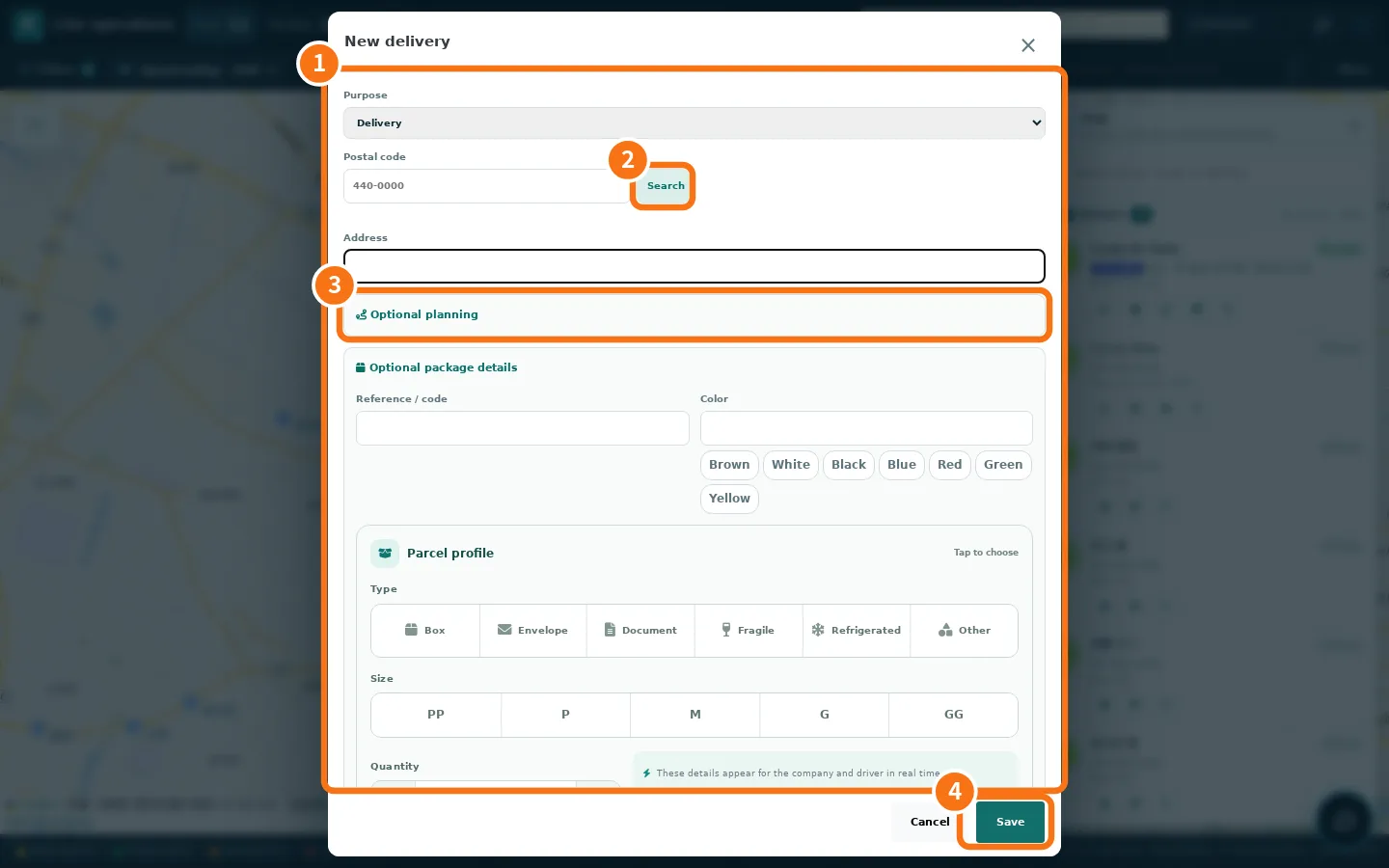 How to create a route and add deliveriesAdd deliveries one by one (or by scanning the label), build the route, pick the driver, optimise and publish.
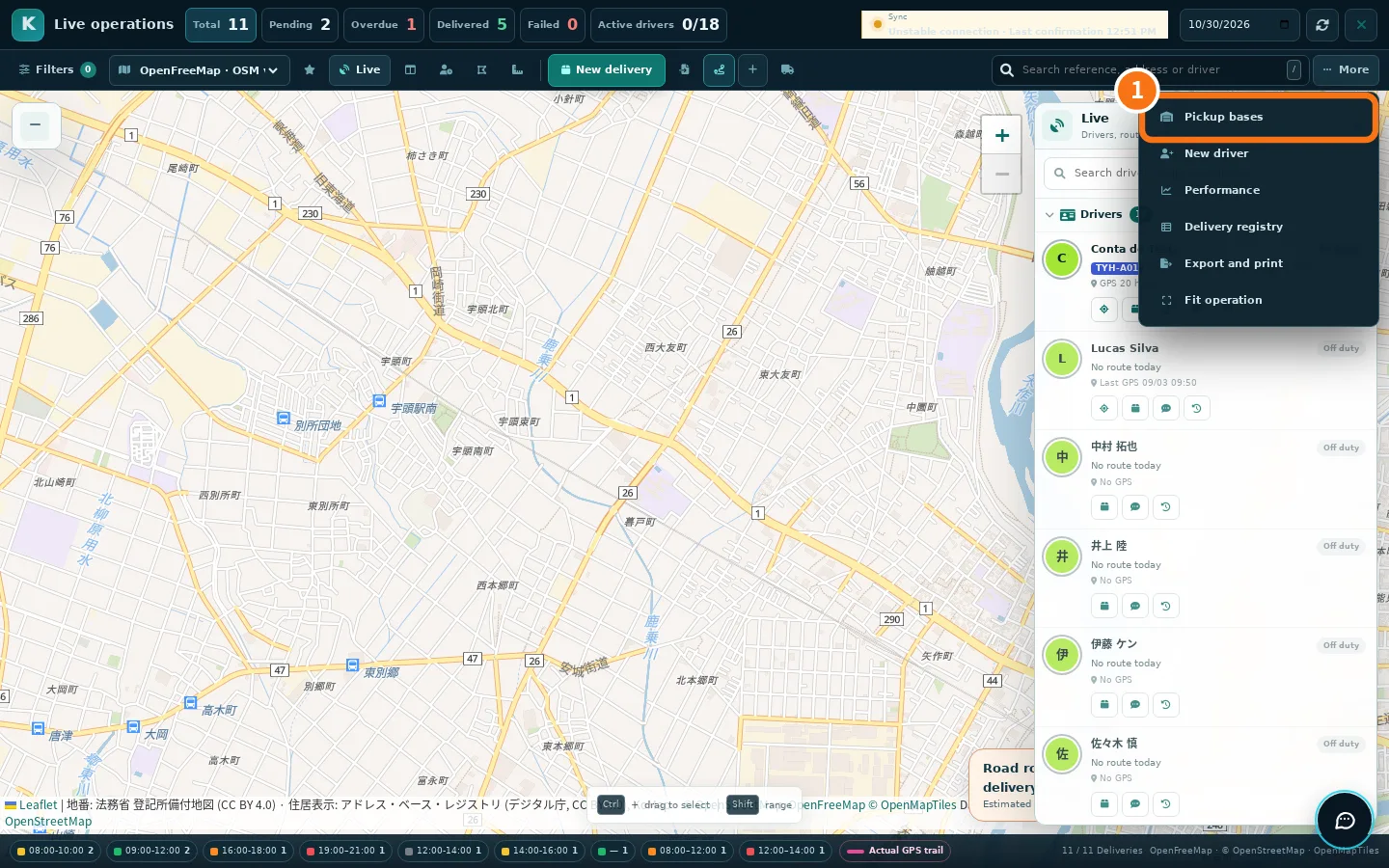 How to import spreadsheets, scan labels and plan in batchBring in many deliveries at once (XLSX/CSV or label photos), validate addresses and let the system build the routes.
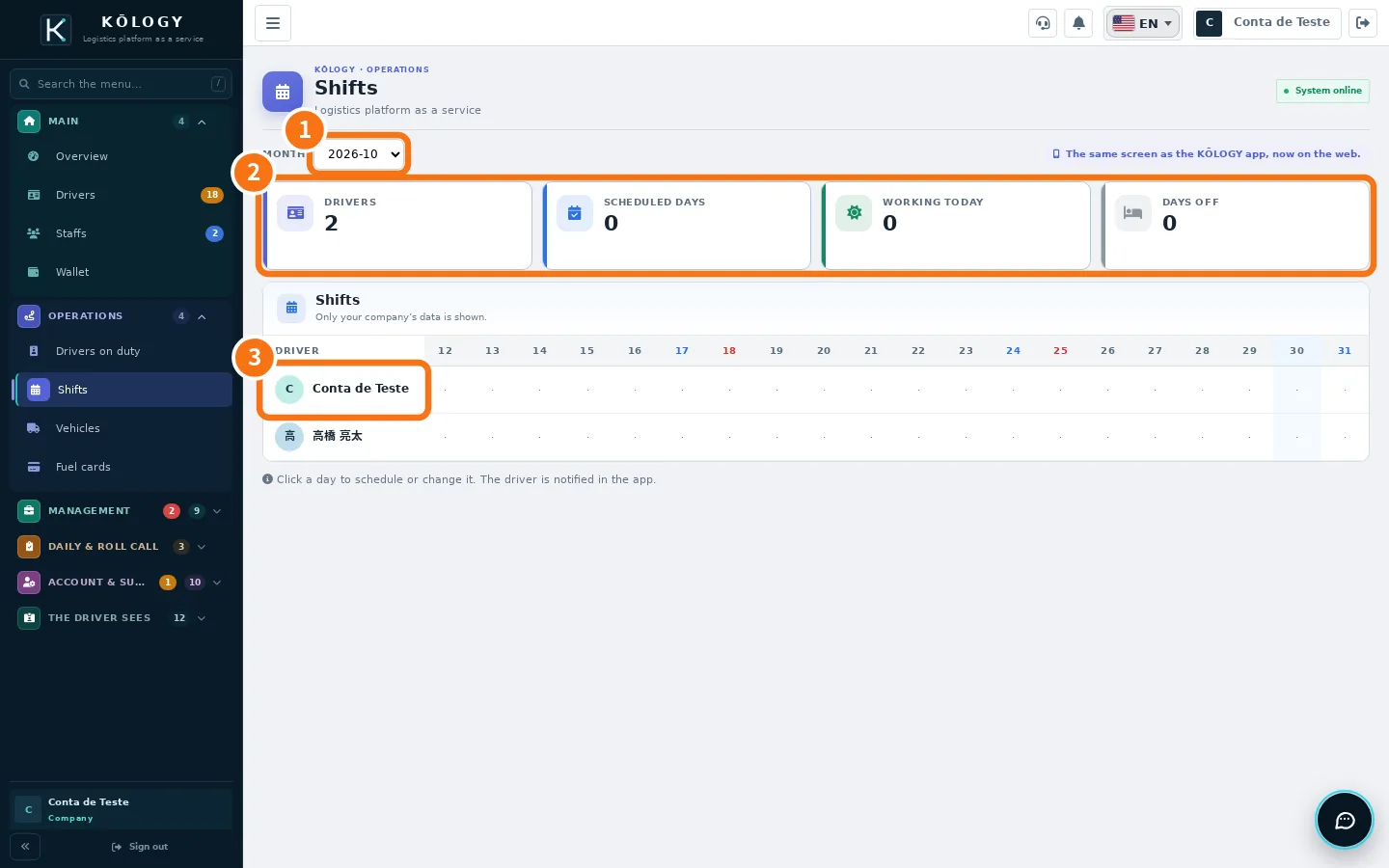 How to schedule a driverPut a driver on the schedule for one day or the whole month; they get a notice in the app.
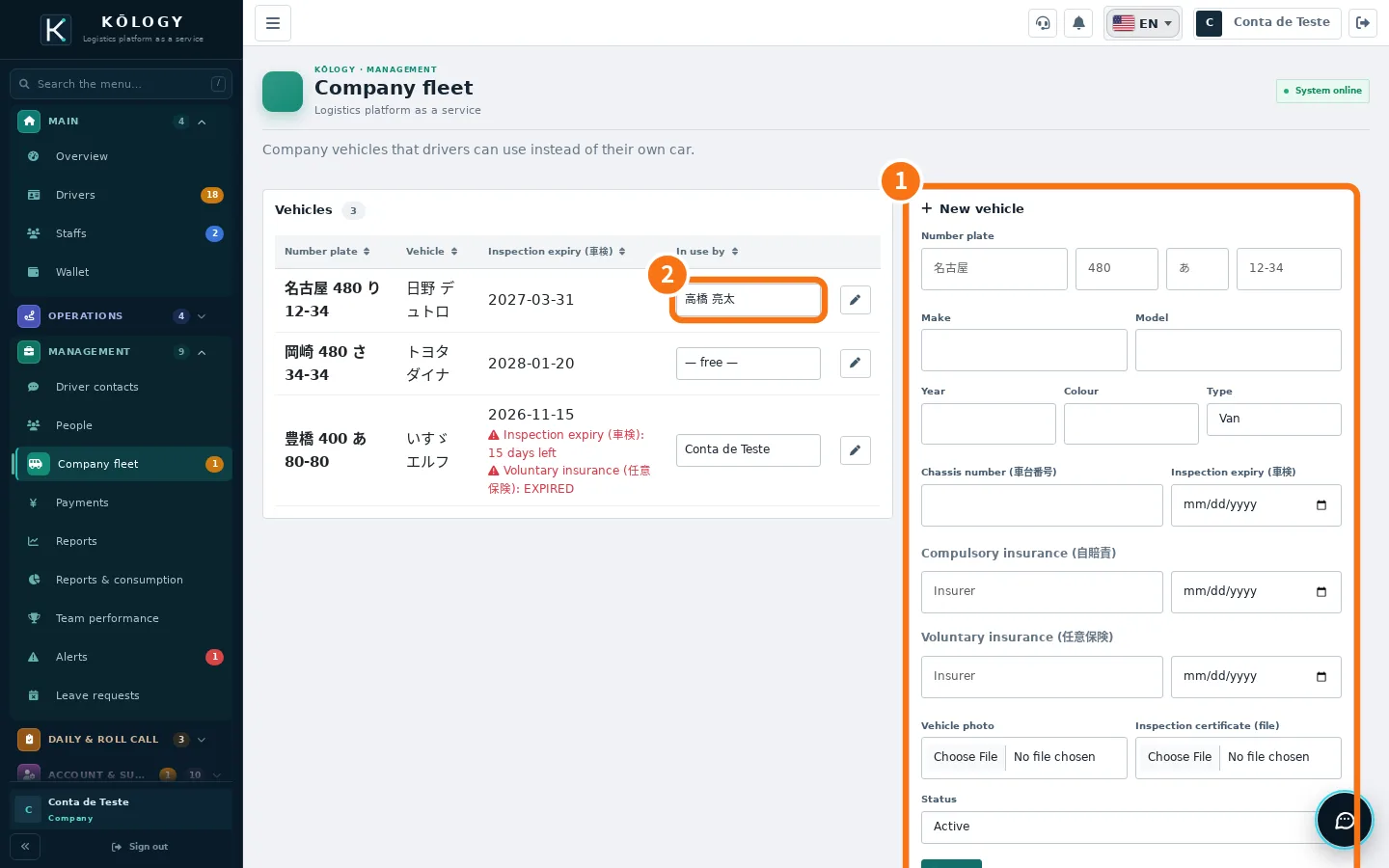 How to register a company vehicleRegister the vehicle with plate, 車検 and insurance so the driver can check it out in the daily report.
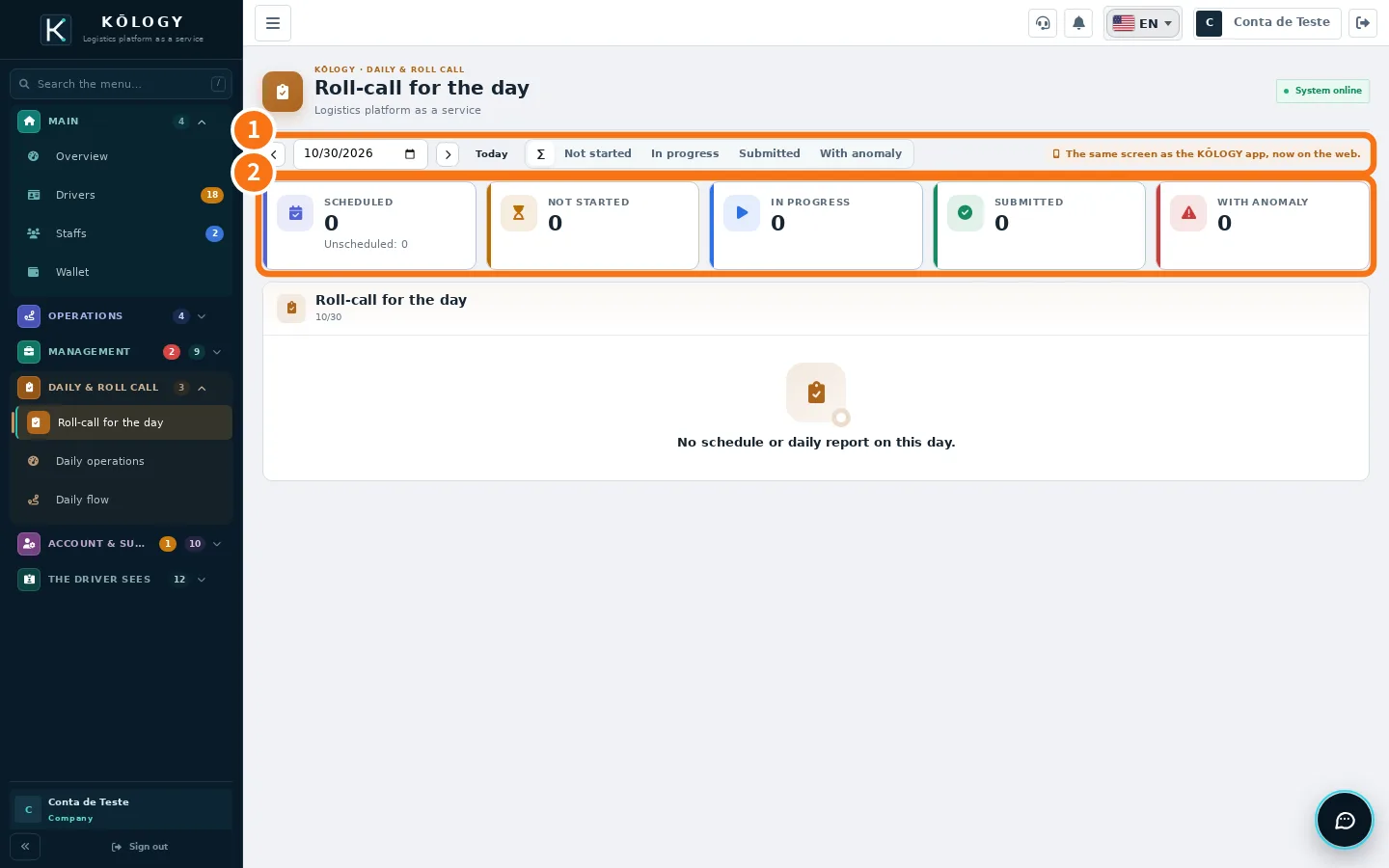 How to review and correct a daily reportCheck each driver's roll call and daily report (日報) and fix a wrong value.
- How to review and approve driver documentsSee who still has to send, what is under review and what expires soon; approve or send back with a reason.
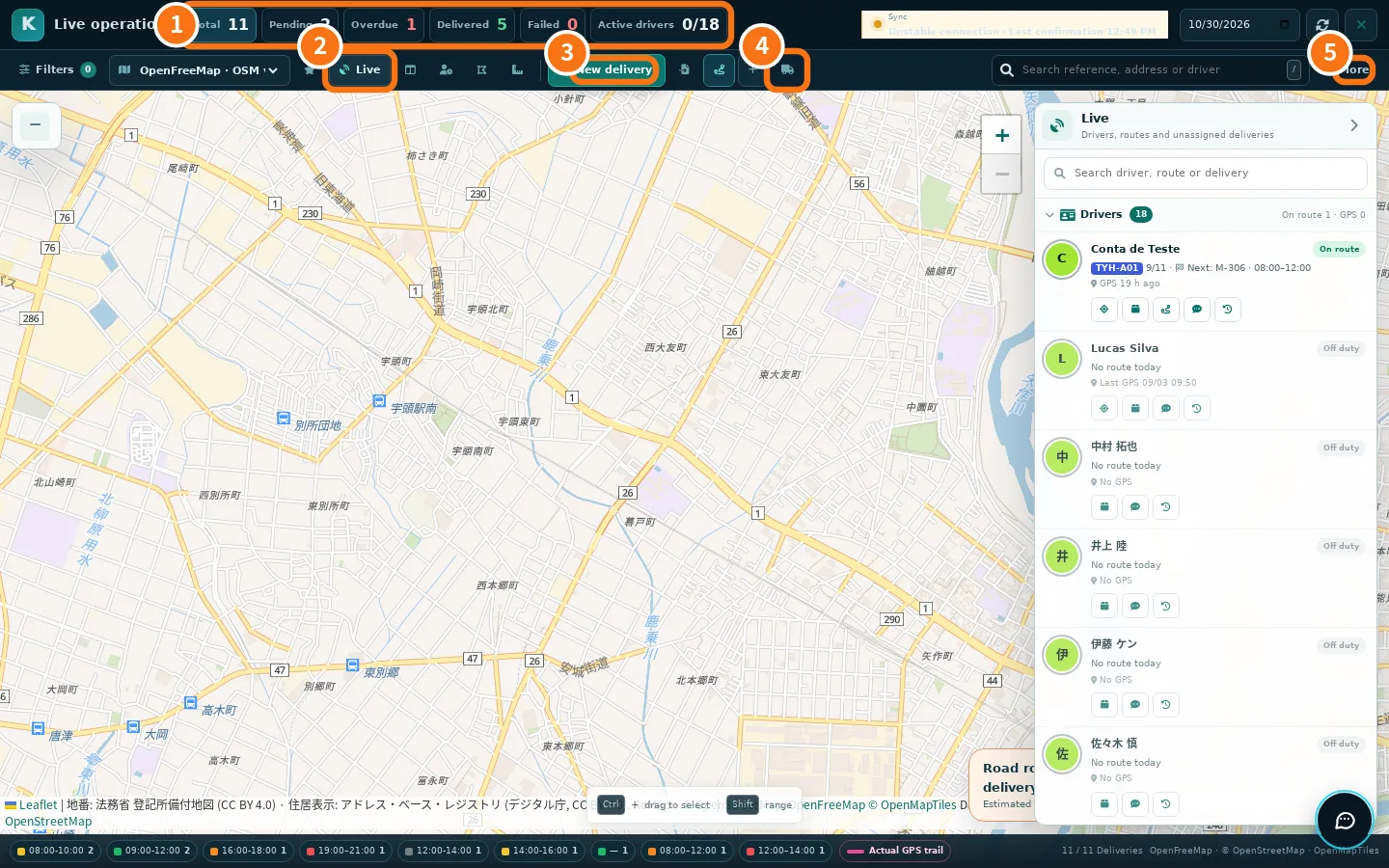 How a manager delivers (driver mode)Enter driver mode with the same account, run your route and go back to management.
- How to delete the account (company or manager)What happens when you delete the account, how to ask in the app or on the website and the case of the company's only account holder.