











Equipos y operaciones
KMR
Organización de equipos y seguimiento de la operación promocional.
Pantallas y funciones
TodosHome 1Work (clock-in) 3Shifts 2Messages 1My page 3Payment statements 1Settings and support 2Free account 2Manager — Home and Today 2Manager — Dashboard 1Manager — Shifts 2Manager — Messages 1Manager — Team and accounts 2Manager — Records and setup 3Manager — Payment statements 1On the web (browser) 2How to — staff 5How to — manager 5Plans and limits 1
How to — staff
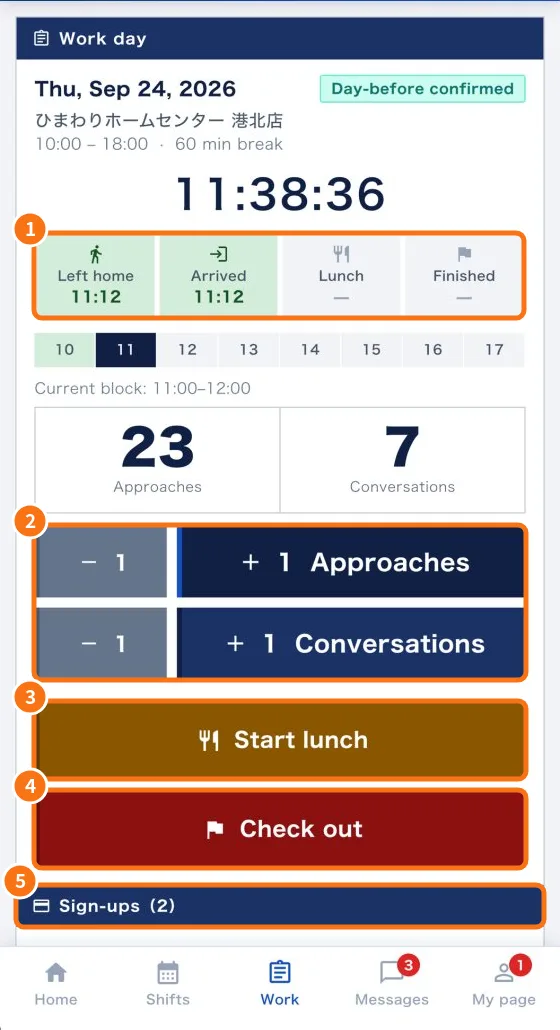 How to record a full work day in the appFrom the day before to the end of the shift: confirm, leave home, arrive, count, lunch, add sign-ups and check out.English
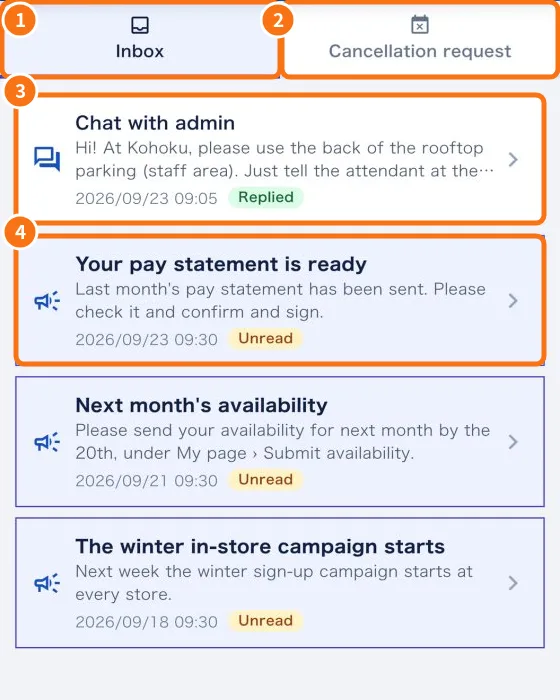 How to tell your company you cannot work a shiftThree ways to tell the company: decline a new shift, cancel at the day-before check, or request cancellation of a confirmed shift.English
- How to fix a forgotten check-outWhat to do when you did not tap “Check out” on the shift day, and when to ask your manager to fix the clock-in.English
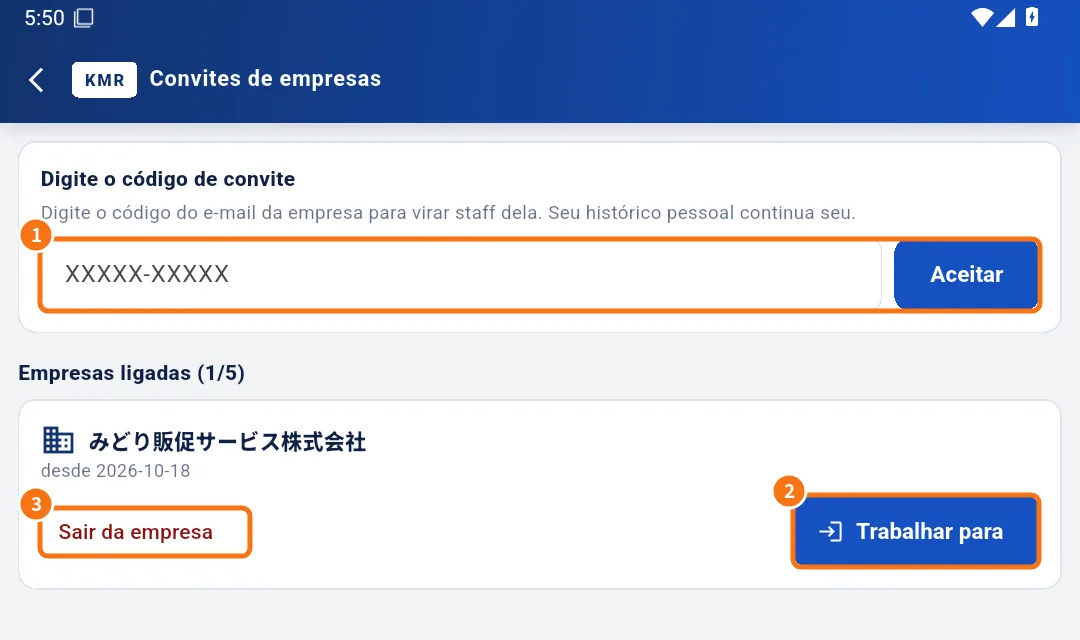 How to accept a company invitation (free account)From the invitation e-mail to the first shift: create or sign in to a free account, enter the code and work for the company.English
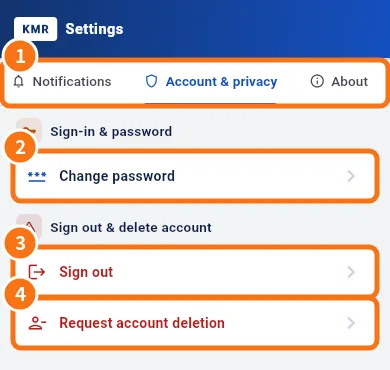 How to change your password and app languageChange the staff password inside the app, pick one of 7 languages, and what is different for managers.English