











KOCHAT · 界面与功能
People tab: find colleagues and view profiles
The People tab gathers company colleagues and your personal contacts, with search, All/Company/Personal filters, profiles and the add-contact button.
此文章暂无您的语言版本,以English显示。
本页目录
What it is for
The People tab is KOCHAT's address book. It shows your company colleagues and the personal contacts you added, each with their status. From here you can start a chat even if you never talked before.
Who uses it and where it is
On the home screen (Chats), tap People next to the search box. It appears when the company plan includes the people directory; external guests do not see it.
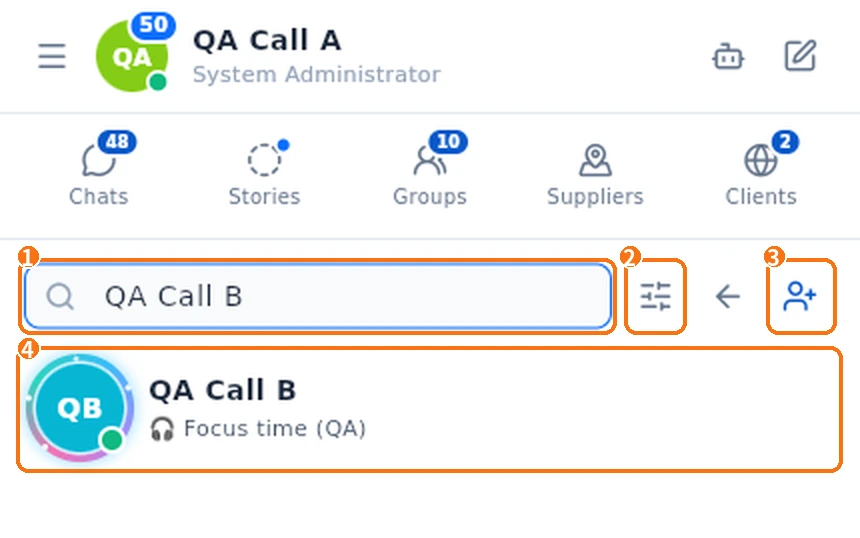
- Search person…: type part of the name.
- Filters (sliders icon): choose All, Company (colleagues) or Personal (contacts you added).
- Add contact: opens the screen to add by ID, link or QR.
- Tap a person to open the chat.
Step by step: talk to a new colleague
- Tap People.
- Type the name in Search person….
- Tap the name. The chat opens (created if it is the first time).
- Type and send.
View a profile
- Touch and hold the person (right-click on a computer).
- Choose View profile to open Contact info. The screen also shows any contact details on file, such as company, department, role, e-mail and phone.
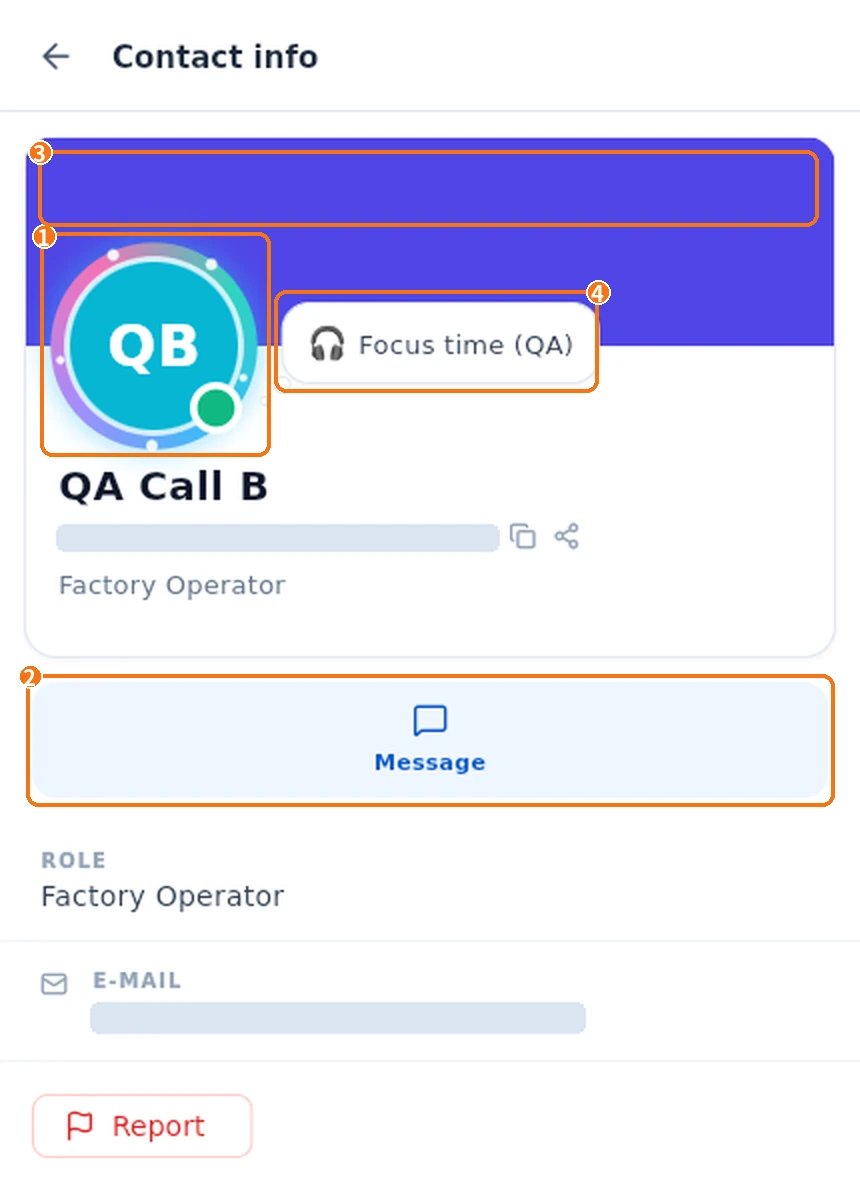
- Photo: if the person chose a decoration, it animates around their photo.
- Message: opens the chat.
- Banner: the strip at the top can show a colour or an image.
- Status: the bubble shows the emoji and text the person set. When setting it, they can choose 30 min, 1 h, today or no expiry.
If the person has a story, their photo also has a ring (colour for a new story, grey if already seen). Tap their profile photo to open the story. In the chat list, tap their photo and choose View story or View info.
Personal contacts
Contacts you added are labelled "Personal contact". Their menu has Remove contact, Block and Report (the blocked list is under Add contact → Blocked).
Common problems and what to do
- I can't find a colleague: their account may not be active in KOCHAT yet; ask your company administrator.
- There is no People tab: the plan has no directory, or you are a guest. Use the pencil (New conversation).
- "User not found.": the account was deactivated or removed.
Related questions
- Add a contact by ID, link or QR
- Chats screen: list, tabs and search
- Make voice and video calls