











KOCHAT · 界面与功能
Notifications: what to notify and how it sounds
Choose notification types (messages, mentions, calls…), message and call sounds, story alerts and account notices.
此文章暂无您的语言版本,以English显示。
本页目录
What it is for
The Notifications tab controls what KOCHAT notifies and how it sounds. Some settings belong to KOCHAT and some to the phone or computer system; the app takes you to the right place.
Where it is
☰ menu → Settings → Notifications tab.
What is on the screen
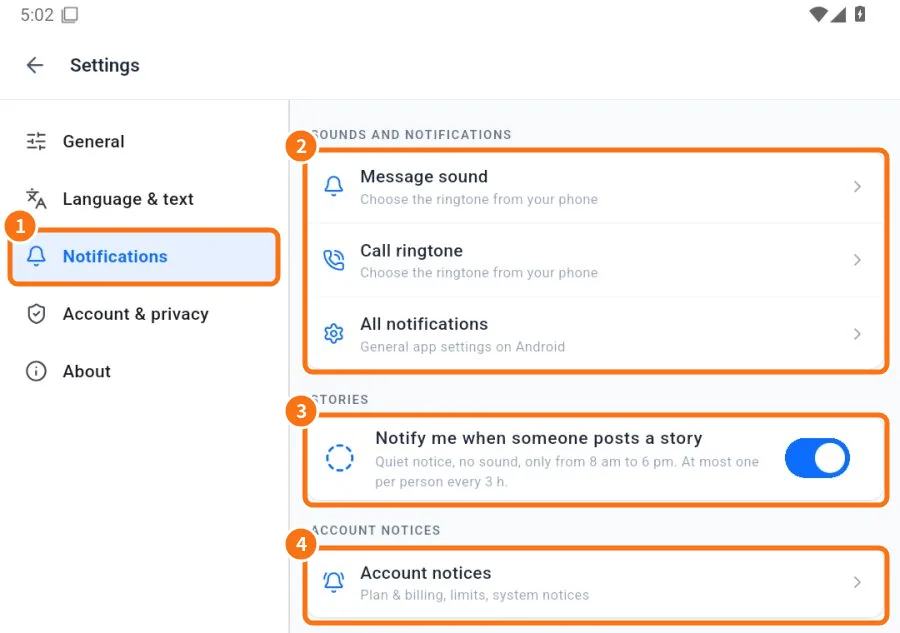
- ① Tap the Notifications tab.
- ② Sounds and notifications: Message sound and Call ringtone open the phone setting to choose the tone (Android). All notifications opens KOCHAT’s system settings.
- ③ Stories: Notify me when someone posts a story. A quiet notice, no sound, only from 8 am to 6 pm and at most one per person every 3 h.
- ④ Account notices: plan and billing, limits and system notices.
Notification types
At the top of the tab, What to notify → Notification types opens the list by type. Everything starts on. You can turn off the general switch or each type:
- Messages: new chat messages.
- Mentions: when someone @mentions you.
- Calls: incoming calls always ring (cannot be turned off).
- Account and security: login and password notices always arrive.
- Other: everything else.
Some types only appear for certain roles (for example, website chat for people who serve customers).
Android: calls on the locked screen
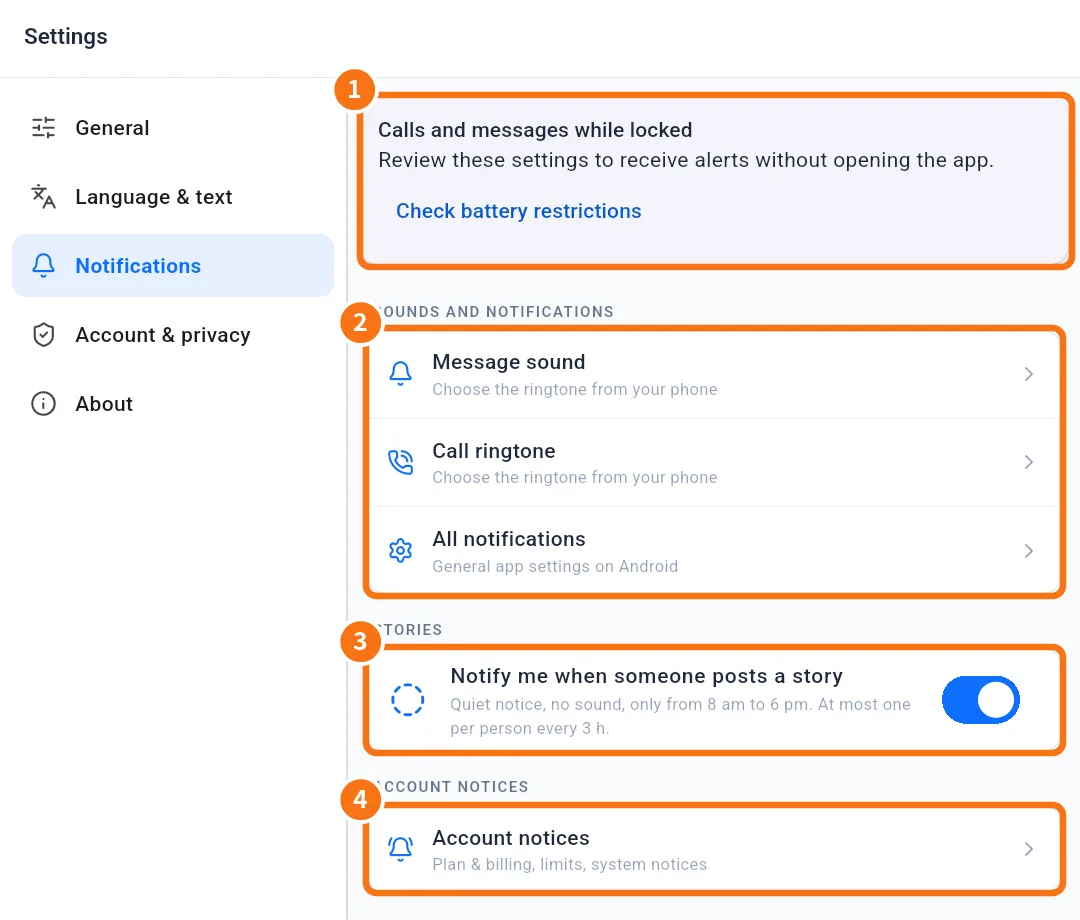
① On Android the Calls and messages while locked panel appears. Each button (for example Allow notifications, Allow full-screen calls, Check battery restrictions) opens the right phone setting. When all is fine, Permissions checked appears.
iPhone and computer
- iPhone: All notifications opens Settings › KOCHAT › Notifications. Allow notifications, Lock Screen and Sounds.
- Windows: Settings › System › Notifications › KOCHAT.
- Mac: System Settings › Notifications › KOCHAT.
- Browser: the browser asks for permission the first time; accept it.
Common mistakes
- I turned off Messages and stopped getting everything: turn it back on in Notification types.
- Alerts arrive late on Android: battery saving is holding the app. Use Check battery restrictions.
- Story alerts do not arrive at night: that is on purpose (8 am to 6 pm only).
Related questions
- How to get calls and messages on a locked phone
- How to mute and unmute a conversation
- Problems: notifications, calls, audio and camera
- FAQ: calls, notifications and status