











KOCHAT · 界面与功能
Calls and AI agents on the computer
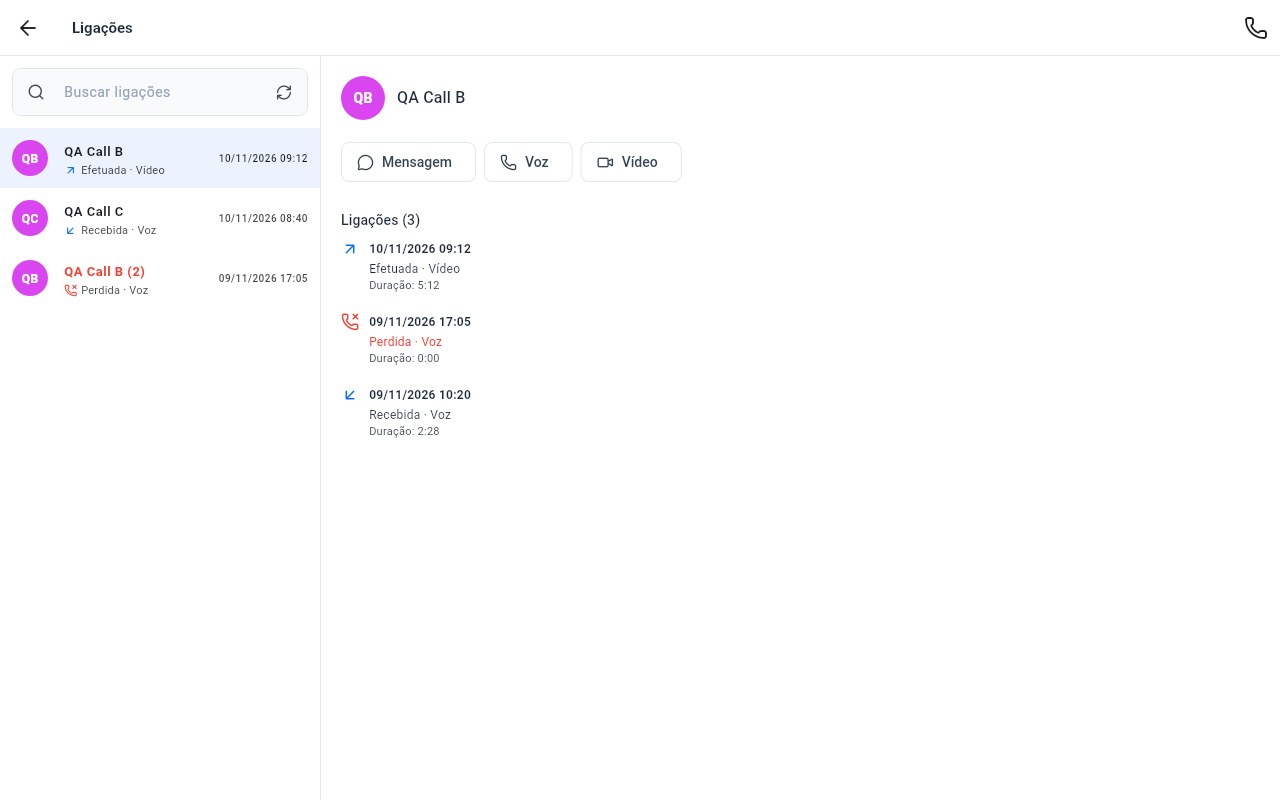
Calls opens on the history, without Favorites. Click a call to see the contact's details and history on the right.
此文章暂无您的语言版本,以English显示。
本页目录
Calls (version 1.8.52)
- Click Calls in the left menu. It opens straight on the history; Favorites were removed.
- Click a call. The right column shows the photo, name, Message, Voice and Video buttons and every call with that contact. Only the clicked row is highlighted; missed calls stay red.
- If the person cannot be called, the right column explains why.
- The new-call button lists people only. AI agents are not offered as people to call.
AI agents
Open AI agents and click an agent: its conversation (history) opens alongside, with the agent row highlighted.
Colours
Both screens follow the app theme (light or dark), even when the computer is in dark mode.